Introduction
AI Image Generator turns text and photos into visuals.
What is AI Image Generator?
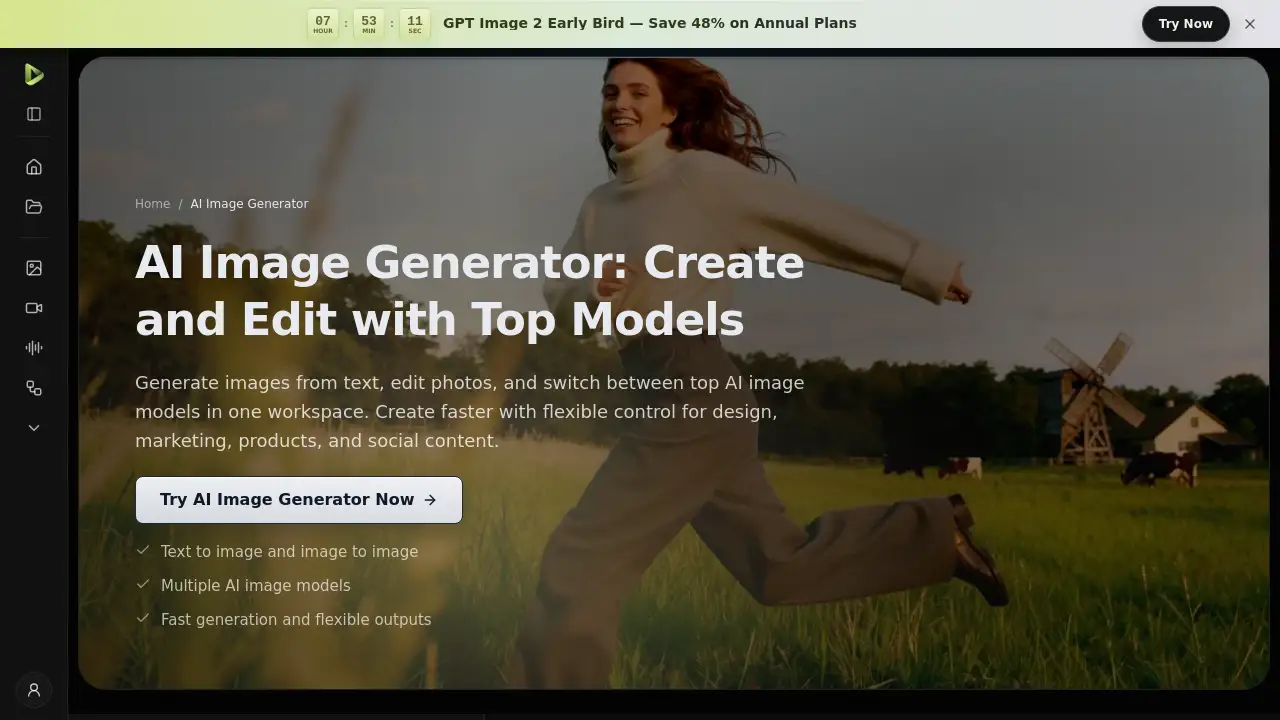
TopMaker AI Image Generator is an online tool that helps users create images from text, edit photos, and restyle visuals in one workspace. It is designed for people who want a faster way to move from an idea to a usable image without switching between many tools. The product combines text to image and image to image workflows, so users can start with a written prompt or upload a reference image. It also offers multiple AI image models in one place. This matters because different projects need different strengths: some need speed, some need accurate text, and some need polished commercial visuals. By letting users compare models and refine outputs, the AI Image Generator can support everyday creative work, marketing production, e-commerce visuals, and educational content. It is suitable for beginners who want simple prompts and for teams that need flexible output control.
Key Features of AI Image Generator
TopMaker AI Image Generator combines several visual creation tools in one workspace. The features below highlight how it supports simple and advanced image generation.
Text to Image and Image to Image
Create new visuals from a written prompt or upload a reference image to guide style, composition, and subject details. This dual workflow helps users generate images from text and make image to image edits without changing platforms.
Multiple AI Image Models in One Place
Switch between multiple AI image models to match speed, detail, text handling, and editing control. Available Google models include Nano Banana Pro, Nano Banana, and Nano Banana 2, each built for different levels of complexity and volume.
Flexible Styles and Output Control
Adjust aspect ratios, output settings, and visual direction for different creative needs. The AI Image Generator can produce marketing visuals, stylized concepts, product imagery, and other assets with more consistent control.
Fast Iteration for Creative Work
Generate, compare, and refine outputs quickly for campaigns, social content, and design exploration. Fast iteration helps users test several directions from one concept and choose the strongest result.
Conversational Image Editing
Google models support prompt-based creation and conversational image editing. This makes it easier to refine an existing image, replace backgrounds, or adjust subjects through follow-up instructions.
Use Cases for AI Image Generator
The AI Image Generator works best for everyday visual creation, fast testing, and flexible production across creative and business teams.
Performance-Ready Marketing Visuals
Create campaign visuals, ad creatives, social graphics, and landing page images faster. Generate multiple directions from one concept and test different looks for performance-driven creative work.
From Idea to Polished Creative Visuals
Turn rough ideas into polished visuals for content, concept work, moodboards, editorial graphics, and visual experiments. Start from a prompt or use references to guide style direction.
E-commerce Visuals at Scale
Create product images, lifestyle scenes, merchandising visuals, and storefront-ready assets. Generate variations for listings, promotions, and branded product storytelling.
Clear Visuals for Teaching and Slides
Build explainers, diagrams, slide visuals, and structured illustrations more efficiently. Turn concepts into visuals that are easier to present, teach, and share.
How to Use AI Image Generator
Using TopMaker AI Image Generator follows a simple three-step flow.
- Enter a prompt or upload an image. Describe what you want to create, or upload a reference photo to guide style, composition, subject details, or edits.
- Choose a model and settings. Select the AI model, aspect ratio, resolution, and number of outputs that best fit your goal.
- Generate, refine, and download. Create your images, review the outputs, and keep iterating until you get the version you want to publish, save, or reuse.
This process helps users generate images from text, edit photos, and restyle visuals with less friction. The AI Image Generator is built for quick review cycles, so users can compare models and refine results before downloading.
Target Audience for AI Image Generator
The AI Image Generator is suitable for a range of users, including:
- Marketers and creative teams who need campaign and social visuals.
- E-commerce sellers who create product images and lifestyle scenes.
- Designers and content creators exploring concepts, moodboards, and editorial graphics.
- Educators and presenters who build explainers, diagrams, and slide visuals.
- Small business owners who want a simple online tool for everyday assets.
- Beginners who want a free AI Image Generator option to test ideas quickly.
Is AI Image Generator Free?
The product description describes TopMaker AI as a free AI Image Generator for creating images from text, editing photos, and restyling visuals online. Detailed plan limits and paid tiers are not provided in the reference information. Users who need exact pricing, credit limits, or commercial usage terms should check the official product page.
| Plan | Price | Features |
|---|---|---|
| Free | $0 | Free AI image generation and editing online, according to the product description. Limits may apply. |
| Paid | Not specified | Pricing and features are not listed in the reference content. Check the official page for details. |
AI Image Generator's Pros and Cons
The table below summarizes objective strengths and limitations based on the available product information.
| Aspect | Pros | Cons |
|---|---|---|
| Pricing | A free option is described | Paid tiers and usage limits are not clearly listed |
| Features | Multiple AI image models, text to image, and image to image in one place | Model availability may vary by access or region |
| Workflow | Fast iteration, model switching, and simple prompt-based creation | Advanced output control may take time to learn |
| Output | Flexible styles, aspect ratios, resolution, and output settings | No offline desktop app is mentioned |
| Editing | Supports conversational image editing and reference-based edits | Results can still depend on prompt quality and model choice |
Frequently Asked Questions about AI Image Generator
What is TopMaker AI Image Generator?
TopMaker AI Image Generator is an online tool for creating images from text, editing photos, and restyling visuals. It combines prompt-based creation and reference-based editing with multiple AI image models in one workspace.
Is the AI Image Generator free to use?
The product description presents it as a free AI Image Generator. However, detailed plan limits, paid tiers, and credit systems are not included in the reference information. Check the official page for current pricing.
Can I use prompt-based creation and reference-based editing in one place?
Yes. The AI Image Generator supports both written prompts and uploaded references. Users can start with a text idea, upload an image, or refine an existing visual without switching tools.
Which models are available?
The available Google models include Nano Banana Pro, Nano Banana, and Nano Banana 2. Each model is positioned for different needs, such as complex instructions, fast everyday generation, or high-volume creative work.
Do I need design experience to use the AI Image Generator?
No advanced design experience is required for basic use. Users can enter a prompt or upload a reference, choose a model, and generate images. More advanced settings may require some experimentation to get specific results.
Can I use images for commercial projects?
The reference content notes that some Google models are strong for commercial visuals. Even so, users should review the platform’s license and usage terms before using any AI Image Generator output for commercial purposes.
AI Image Generator Tags
AI Image Generator, free AI Image Generator, online AI image generator, text to image, image to image, AI image models, generate images from text, edit photos, restyle visuals, Nano Banana Pro, Nano Banana 2, TopMaker AI