Introduction
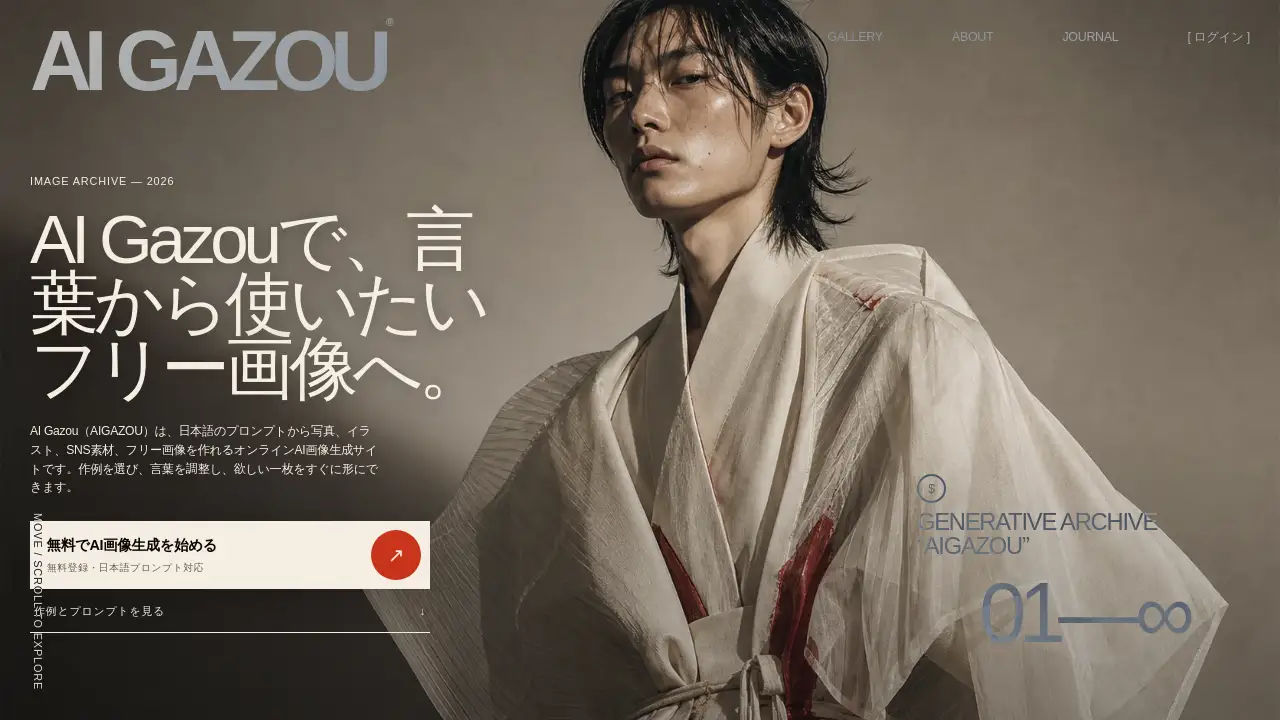
AI Gazou is a free AI image generation platform that lets users create photos, illustrations, and free images using natural Japanese prompts, solving the problem of finding stock images with exact specifications.
What is AI Gazou?
AI Gazou (AIGAZOU) is an online AI image generator designed to address the common frustration of searching for stock images and finding something almost right, but not quite. The composition is slightly off, there isn't enough white space, or the color is wrong. Instead of settling, AI Gazou allows users to describe their desired scene in Japanese, adjusting details like composition, ratio, color, and margins to create a unique image. The platform supports both text-based generation and image-to-image generation using a reference image. It functions not just as a simple image maker, but as a workbench where users can learn from examples in its prompt gallery, compare results, and refine their own prompts to get the perfect free AI image generator result. It is suitable for anyone needing custom visuals without hiring a designer or learning complex software, from bloggers and social media managers to small business owners and creatives. By embracing natural language, this Japanese AI image generator removes a major barrier for non-English speakers, making AI graphics generator technology more accessible.
Key Features of AI Gazou
Japanese Prompt Support
AI Gazou accepts prompts entirely in Japanese. Users can describe the subject, background, time of day, art style, camera angle, and color palette without needing to translate their ideas into English, making the process intuitive and fast.
Text and Image-to-Image Generation
The platform offers two core creation methods. Users can generate images from a text description alone, or they can upload a reference image to guide the AI on composition, color, and mood. This is useful for changing a product photo’s background or exploring alternative compositions of a concept.
Customizable Outputs
Users have granular control over the final result. They can select from different models, set the aspect ratio (portrait, landscape, square), choose resolution and quality, and even specify margins for text. This ensures the generated free images are ready for their intended use without further editing.
Use Cases for AI Gazou
SNS and Blogging
Create eye-catching thumbnails, headers, and backgrounds tailored to a specific platform’s dimensions. A blogger can generate a landscape banner with room for a title, while a social media manager can produce a square post image with the right mood and color scheme.
Product and Brand Visuals
Design conceptual images for product packaging, seasonal campaigns, or advertising mockups. A marketer can use a reference photo of a product to generate different background settings or lighting scenarios to compare before a photoshoot.
Illustrations and Creative Work
Visualize characters, landscapes, or story scenes by specifying art style, color, and camera angles. An artist can start with a rough sketch as a reference and use AI Gazou to generate a more polished illustration.
How to Use AI Gazou
- Define Your Purpose: First, decide where the image will be used (e.g., a blog header, an Instagram post). This helps you choose the right aspect ratio and margins.
- Write a Japanese Prompt: Describe your image. Start with the subject, then the background, action, and finally the lighting, color, and style. For example: "White ceramic coffee cup, wooden table, morning window, soft backlight, product photo, landscape, right side text margin."
- Select Settings and Generate: Choose a model, aspect ratio, and quality. Check the required credits, add a reference image if you have one, and click generate.
- Review and Refine: Look at the result. If something is off, add a detail to your prompt, like "70% of the frame" or "solid light background," and generate again. The image will appear in your history for download.
Target Audience for AI Gazou
- Japanese-Speaking Content Creators: Bloggers, vloggers, and social media influencers who prefer to work in their native language.
- Small Business Owners and Marketers: Professionals who need custom visuals for ads, flyers, and social media without a large budget.
- Designers and Illustrators: Creative professionals looking for a fast tool to generate concept art, mood boards, or alternative compositions.
- Anyone Needing Free Images: Individuals who cannot find the perfect existing stock image and need a specific composition, color, or size.
Is AI Gazou Free?
AI Gazou offers a free plan. New users receive trial credits upon creating a free account. Each image generation consumes a number of credits depending on the chosen model, resolution, and quality. Users can see the required credits before generating. If a job fails, used credits are automatically returned. For details on limits and potential paid plans, users should check the official pricing page on the website.
| Plan | Price | Features |
|---|---|---|
| Free | $0 | Trial credits on sign-up, access to all models and features within credit limit. |
AI Gazou's Pros and Cons
| Aspect | Pros | Cons |
|---|---|---|
| Language | Full Japanese prompt support, no translation needed. | English-only users may find it difficult to use. |
| Features | Text and image-to-image generation, customizable aspect ratios and margins. | Results can vary significantly between different models. |
| Pricing | Free to start with trial credits. | Not unlimited; users must manage their credit balance. |
| Ease of Use | Simple interface with a helpful prompt gallery for beginners. | Achieving precise results requires practice and prompt refinement. |
Frequently Asked Questions about AI Gazou
Can I really generate images for free on AI Gazou?
Yes. When you create a free account, you receive a set of trial credits to use. The number of credits needed for each image varies based on your settings, but you can see the cost before you generate. It is not an unlimited free service, so check your credit balance.
Do I have to write prompts in English?
No. AI Gazou is designed for Japanese prompts. You describe your image in Japanese, including the subject, place, atmosphere, and composition. This is a key feature that makes it a powerful free AI image generator for Japanese speakers.
Can I use the generated images for commercial purposes?
You can create images for your projects, like blog posts or ads. However, before using any image commercially, you must check the specific terms of the model you selected and the service's conditions. You must also respect the copyrights, trademarks, and portrait rights of any third parties. Generation does not equal full usage rights.
Does the reference image feature work well?
The reference image feature is useful for conveying composition, color, and mood to the AI. It does not guarantee an identical copy of the reference. For best results, add text to your prompt explaining which elements to keep and which to change. Avoid using photos of people without permission or copyrighted material.
Why do different models on AI Gazou give different results?
Each AI model on the platform is trained on different data and has different strengths. Some are better at realistic photos, while others excel at illustrations or text reproduction. Choose a model based on your specific need, and try comparing the same prompt across a few models to see which performs best.
How do I save my images?
After generation, images appear in your account history. You can download them directly to your browser. It is recommended to save important images to your device or cloud storage, as the history only goes back so far.
AI Gazou Tags
AI image generation, free AI image generator, Japanese AI image generator, AI graphics generator, free images, Japanese prompt, text to image AI, image to image AI, AI for bloggers, AI for social media, create illustrations AI