Introduction
Do you have a picture that looks soft, slightly out of focus, or full of tiny blurry details? The online tool called “sharpen image” helps make photos clearer in a few seconds. It is an AI image sharpener that works in your browser, so no desktop software is needed. Users can upload JPG, PNG, or WebP files, let the AI enhance edges, and download a sharper version. This makes sharpen image a practical choice for improving faces, products, text, and everyday shots.
What is sharpen image?
Sharpen image is an AI-powered online tool built to improve clarity and perceived sharpness in digital pictures. Instead of manually adjusting contrast or blur sliders, this tool analyzes edges and textures, then applies a focused sharpening pass. It solves common problems like soft edges, mild blur, compression softness, and tiny details that are hard to see. The product is suitable for content creators, ecommerce sellers, photographers, designers, and anyone who needs clearer visuals. Because it runs entirely in the browser, it makes image sharpening accessible without complicated software. It cannot add missing information, but it helps existing details look more defined and easier to view.
Key Features of sharpen image
Edge Clarity
This feature helps define important outlines such as facial features, product contours, and text. The tool focuses on edge visibility while keeping the overall look natural.
Fine Detail Recovery
The tool attempts to restore small details lost by mild noise, resizing, or compression. It works to sharpen blurry images without making skin texture look rough or unnatural.
Sharper Text and Screenshots
Users can make text in images easier to scan. Sharpen image reduces softness around letters, interface elements, and scanned pages, which helps with screenshots and documents.
Portrait and Face Improvement
Soft portraits can be improved by enhancing eyes, hair, and face contours. This AI image sharpener aims to keep facial texture natural rather than over-processed.
Product Photo Enhancement
Ecommerce photos can benefit from clearer packaging, labels, seams, and product edges. This online tool is practical for catalogs, marketplace listings, and marketing materials.
Works in Your Browser
No installation is required. The tool runs on a modern browser on desktop or mobile, and supports batch processing of up to five images at once.
Use Cases for sharpen image
Sharpening Product Photos
Online sellers can use sharpen image to improve how product edges, packaging, and labels appear in listings. Clearer product details help buyers understand what they are seeing.
Enhancing Portraits and Headshots
Photographers and social media users can use this AI image sharpener to sharpen soft faces. The goal is to make eyes, hair, and face outlines more visible while avoiding an artificial finish.
Improving Text Screenshots and Scans
Anyone who works with documents, banners, or UI screenshots can use the tool to reduce the fuzzy look around letters and interface elements.
Everyday Photo Clarity
People who want to clean up slightly blurry photos from phones can use sharpen image quickly. This works best for light blur and compression softness rather than extreme motion blur.
How to Use sharpen image
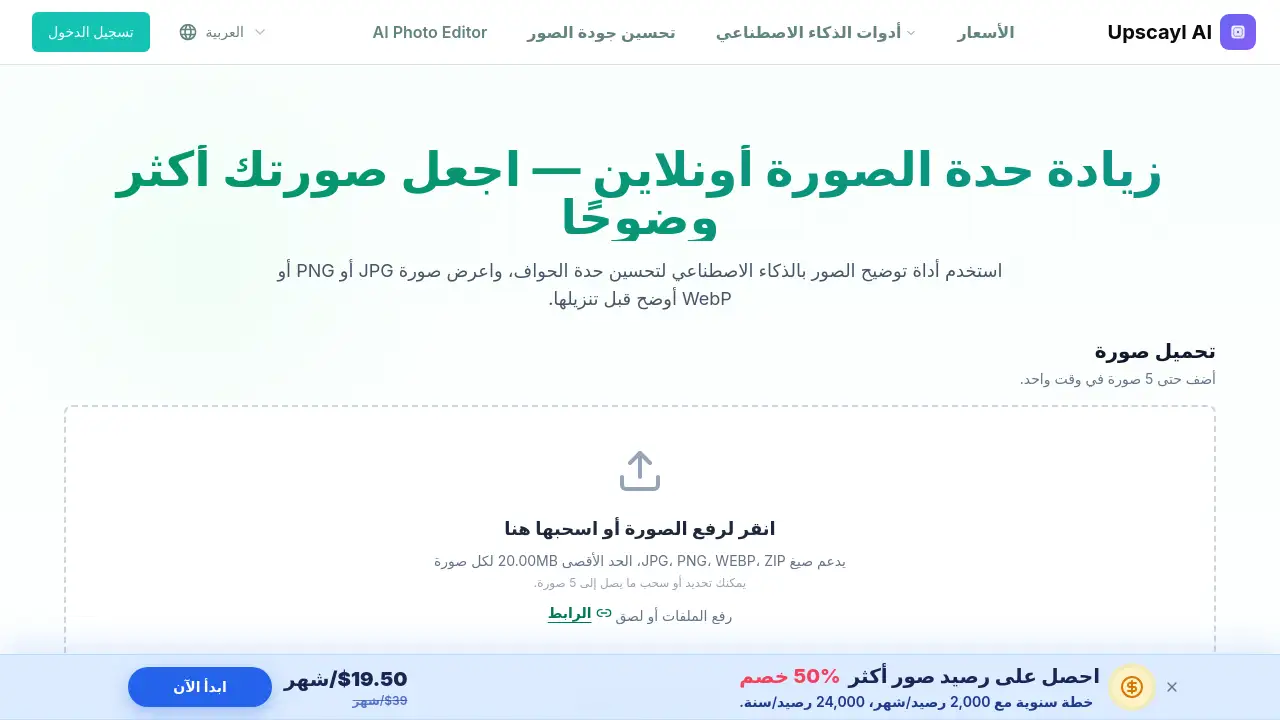
- Upload an image with soft edges or low detail. The tool accepts JPG, PNG, WebP, and ZIP files, with a maximum of 20MB per image and up to 5 images at a time.
- Let the AI analyze the image. It detects edges and visible textures, then applies a focused sharpening pass automatically.
- Preview the result side by side with the original. If the sharpened version looks suitable, download the final image in the available output format.
Target Audience for sharpen image
- Ecommerce sellers and online store owners
- Social media content creators
- Photographers and photo editors
- Graphic designers and marketers
- Students or workers who need clearer screenshots and scanned documents
- Casual users with blurry phone photos
- Anyone who wants to sharpen image files without installing software
Is sharpen image Free?
The sharpen image tool offers a free trial for new accounts. New users receive trial credits so they can test the AI image sharpener before paying. Processing uses credits according to the current account rules, so the exact cost depends on the app’s latest pricing structure. For updated rates, users should check the official page or the in-app credit information.
sharpen image's Pros and Cons
| Aspect | Pros | Cons |
|---|---|---|
| Ease of use | Simple three-step process, no editing skills needed | None major for basic use |
| Accessibility | Works in browser on desktop and mobile | Requires a modern browser and internet connection |
| Batch processing | Allows up to 5 images at once | File size limit of 20MB per image |
| AI quality | Enhances edges and fine details naturally | Cannot restore missing or severely blurred details |
| Pricing | Free trial credits for new accounts | Paid credits required after trial |
Frequently Asked Questions about sharpen image
Can sharpen image fix a blurry photo?
It can improve images with light blur, soft edges, and compression softness. This AI image sharpener works best when some edge details are still present. Severe motion blur or completely missing details cannot be recreated.
Does sharpen image make text in images clearer?
Yes. The tool reduces softness around letters and interface elements in screenshots, banners, and scanned pages. Very small or heavily blurred text may still be difficult to read.
Is sharpen image the same as removing noise?
No. Sharpen image focuses on edges and visible details, while noise removal aims to reduce visual noise and soft focus. The two processes overlap but have different purposes.
Can sharpen image improve product photos?
Yes. Ecommerce sellers can use it to make product edges, packaging, labels, and seams easier to see. The tool is practical for online listings and catalogs.
Does sharpen image increase resolution?
The main goal is clearer edges and details, not a larger pixel size. To increase resolution, a separate image upscaling workflow is more suitable.
How many images can I sharpen at once?
The tool allows users to upload and process up to five images at a time. Each image must be JPG, PNG, WebP, or ZIP and under 20MB.
sharpen image Tags
sharpen image, AI image sharpener, sharpen images online, image sharpening tool, sharpen blurry images, sharpen text in images, online photo sharpener, enhance photo clarity, sharpen product photos, AI photo sharpening, free image sharpening tool, upscayl sharpen image