Introduction
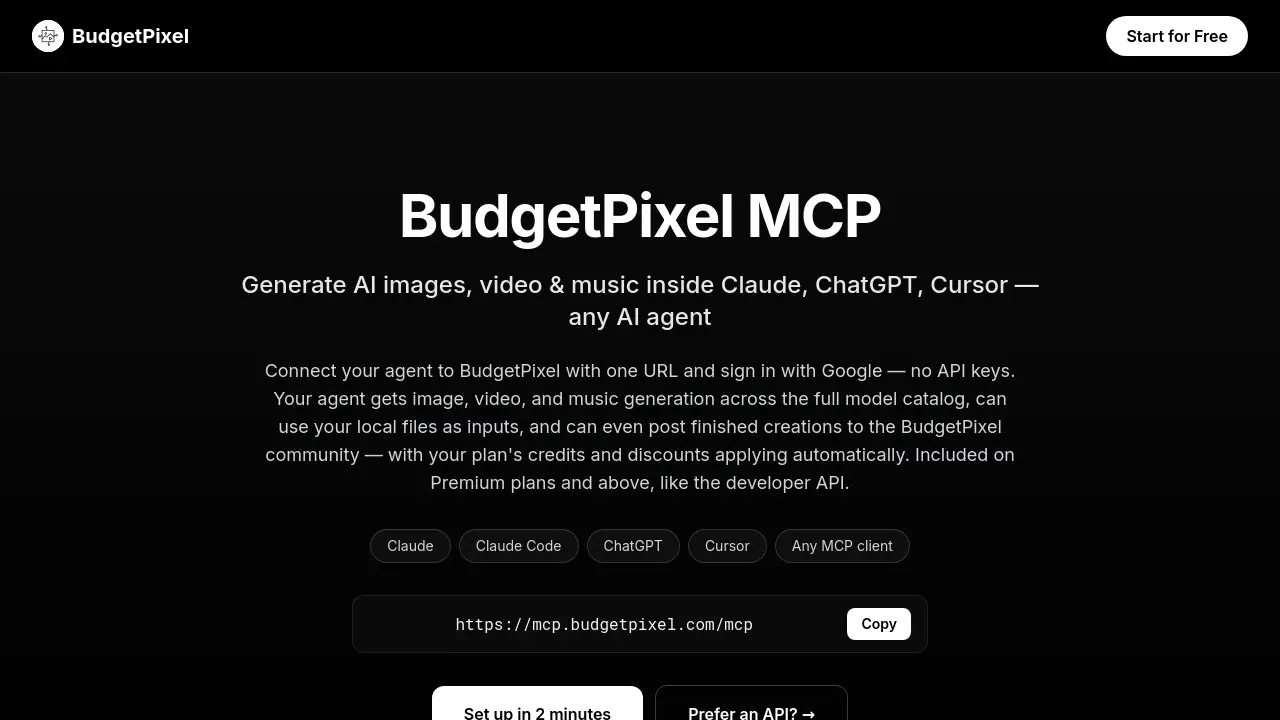
BudgetPixel AI MCP is a remote MCP server that connects AI assistants like Claude, ChatGPT, and Cursor to the BudgetPixel creative platform. With one URL and Google sign-in, users can generate AI images, videos, and music directly inside a conversation. BudgetPixel AI MCP removes API key barriers, applies plan credits automatically, and makes creative AI workflows simple for everyone.
What is BudgetPixel AI MCP?
BudgetPixel AI MCP is a Model Context Protocol server hosted at https://mcp.budgetpixel.com/mcp. It acts as a bridge between MCP-compatible AI agents and BudgetPixel's media generation engine. Instead of copying prompts between a chat window and separate tools, users can instruct the agent to create images, videos, or songs right in the chat.
The main problem that BudgetPixel AI MCP solves is workflow friction. Without this MCP server, a creator must switch between apps, manage multiple subscriptions, and manually export files. With BudgetPixel AI MCP, everything happens in one conversation. This makes it suitable for content creators, developers, and hobbyists who use AI agents daily and want faster creative pipelines. Because it works with Claude, ChatGPT, Cursor, and any MCP client, BudgetPixel AI MCP is a flexible addition to a modern AI toolkit.
Key Features of BudgetPixel AI MCP
Here are the core features of BudgetPixel AI MCP.
One-URL MCP Server Setup
BudgetPixel AI MCP connects to any MCP-compatible AI agent with a single URL. No API keys are needed; Google sign-in handles authentication. This is one of the biggest advantages of BudgetPixel AI MCP for non-technical users.
AI Image Generation and Editing
The AI image generation tools in BudgetPixel AI MCP cover the full model catalog, including Seedream, FLUX, GPT Image 2, Nano Banana, and Qwen. The agent can also edit images, compose with multiple references, and upload local files as inputs.
AI Video Generation
With SeeDance 2.0 and 2.0 Mini, BudgetPixel AI MCP supports text-to-video, image-to-video, reference-images-to-video, and video-to-video editing. Clips can last up to 15 seconds, priced per second by resolution.
AI Music Generation
BudgetPixel AI MCP enables full songs or instrumentals using Music 2.6, Lyria 3, and Mureka V9. Users can write their own lyrics or let the model write them, choose a vocal style, and receive a finished track link in the chat.
Post to the BudgetPixel Community
The agent can publish images, videos, or tracks to the user's public BudgetPixel feed with cover art, genre, and lyrics. Posts are labeled "via MCP" for transparency and cost 10 credits each.
Live Model Catalog and Account Perks
Through BudgetPixel AI MCP, the agent can list all available models with current credit prices and role hints. Plan credits, model discounts, and the Pro/Ultra daily free-model allowance apply automatically.
Use Cases for BudgetPixel AI MCP
Social Media Content in One Chat
A content creator can ask Claude for three image options, animate the best one into a short video, and post the result to the BudgetPixel community. BudgetPixel AI MCP turns this multi-step workflow into a single conversation.
Creative Prototyping for Developers
Developers can test image, video, and music models through this MCP server before shipping production code. Since BudgetPixel AI MCP uses existing plan credits, prototyping costs stay predictable.
Music and Video Drafting
Musicians and video makers can explore ideas quickly by requesting a full song, an instrumental, or a matching video clip. BudgetPixel AI MCP lets them do this without leaving their favorite AI chat tool.
How to Use BudgetPixel AI MCP
Setting up BudgetPixel AI MCP takes only a few steps, and the process is the same across most clients.
- Open the connector settings in your AI client. In Claude, go to Settings → Connectors and click "Add custom connector."
- Name the connection BudgetPixel and paste the server URL: https://mcp.budgetpixel.com/mcp.
- Click Add → Connect and sign in with Google.
- Ask the agent to "generate an image of ... using BudgetPixel" or "generate a video ... using BudgetPixel."
- Review the output in chat. The agent can also browse the model catalog, check credits, or post to the feed if asked.
The same URL works for Claude Code, ChatGPT, Cursor, and any MCP client, so BudgetPixel AI MCP is easy to adopt across different environments.
Target Audience for BudgetPixel AI MCP
- Content creators and social media managers
- AI prompt engineers and hobbyists
- Indie developers building AI agent workflows
- Musicians and video editors who want fast drafts
- Teams on Premium, Pro, or Ultra plans that use BudgetPixel AI MCP
Is BudgetPixel AI MCP Free?
BudgetPixel AI MCP is included on Premium plans and above, the same plans that include the developer API. Any account can connect and browse the model catalog, but generation, uploads, and posting require an eligible plan.
| Plan | Price | MCP Access |
|---|---|---|
| Free | $0 | Connect and browse catalog only |
| Premium | Check official site | Image, video, and music generation |
| Pro | Check official site | Generation plus daily free models |
| Ultra | Check official site | Generation plus higher daily free-model allowance |
Exact prices are not listed in the reference information, so users should check the official BudgetPixel pricing page for current details.
BudgetPixel AI MCP's Pros and Cons
| Aspect | Pros | Cons |
|---|---|---|
| Setup | One URL, Google sign-in, no API keys | Requires an MCP-compatible client |
| Features | Images, video, music, and community posting | Video and music generation use more credits |
| Workflow | Creative tasks stay inside one conversation | Generation requires a Premium plan or above |
| Model Choice | Full live catalog with prices and role hints | Model list may be overwhelming for beginners |
Frequently Asked Questions about BudgetPixel AI MCP
What is BudgetPixel AI MCP?
BudgetPixel AI MCP is a remote MCP server that lets AI agents like Claude, ChatGPT, and Cursor use BudgetPixel's image, video, and music generation tools directly from the conversation. It exposes tools for generating media, uploading local files, posting to the community, and checking credit balance.
Do I need an API key to use BudgetPixel AI MCP?
No. BudgetPixel AI MCP uses Google single sign-on during the connect flow. This differs from the BudgetPixel developer API, which requires API keys and targets application builders.
Which plans include BudgetPixel AI MCP?
Premium, Pro, and Ultra plans include access. Free accounts can connect and view the model catalog, but generation, uploads, and posting require an eligible plan.
How is usage billed through the MCP server?
Generations through BudgetPixel AI MCP use the same credits as the BudgetPixel studio. Monthly credits, model discounts, and the Pro/Ultra daily free-model allowance apply automatically. Failed generations are never charged, and community posts cost 10 credits.
Which models can my agent use with BudgetPixel AI MCP?
For images, the agent can use Seedream, FLUX, GPT Image 2, Nano Banana, and Qwen. For video, SeeDance 2.0 and SeeDance 2.0 Mini support text, image, reference-image, and video inputs. For music, Music 2.6, Lyria 3, and Mureka V9 are available. The catalog updates automatically.
Can my agent post to the BudgetPixel community?
Yes. When asked, the agent can publish images, a video, or a track to the user's public BudgetPixel feed. Posts carry a "via MCP" label and cost 10 credits to prevent spam.
BudgetPixel AI MCP Tags
BudgetPixel AI MCP, MCP server, AI image generation, AI video generation, AI music generation, Claude MCP, ChatGPT MCP, Cursor MCP, BudgetPixel review, AI agent tools, MCP-compatible AI agent, BudgetPixel community