Introduction
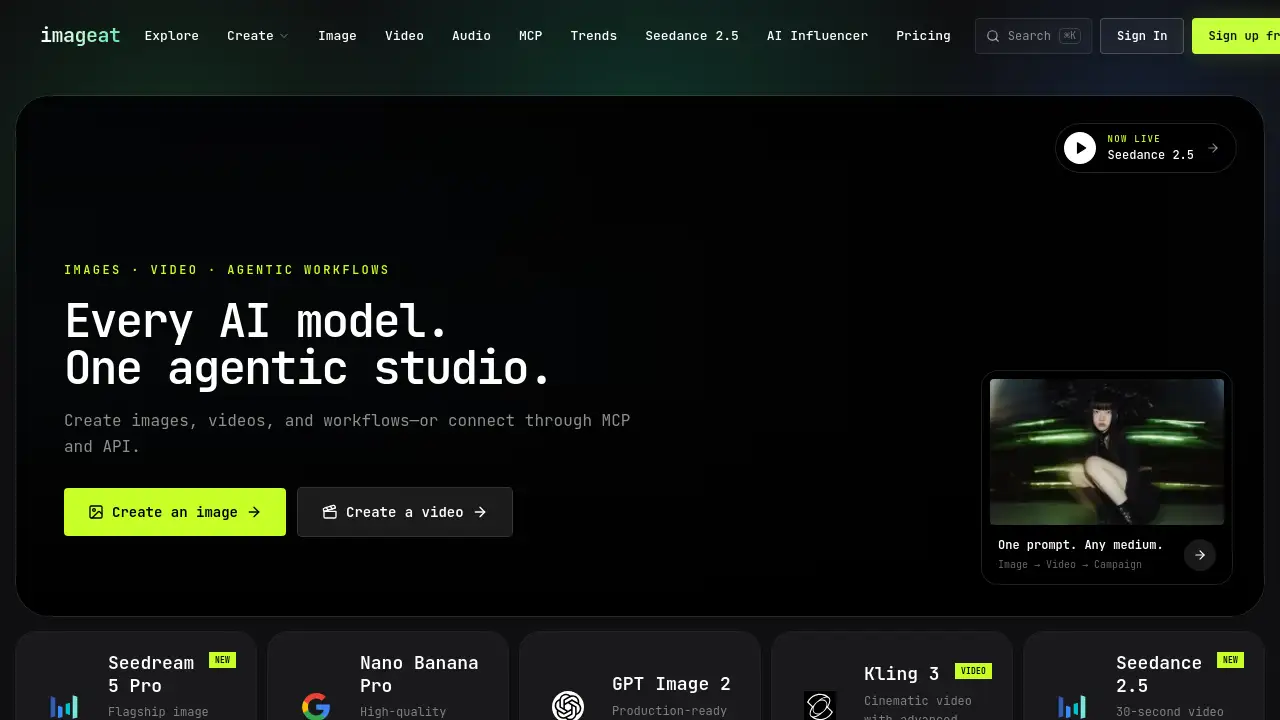
imageat is an all-in-one agentic AI studio that turns text prompts into professional photos, videos, and workflows. Designed for creators who want speed and quality, this AI image generator and video platform combines 40+ top models in one place, letting users create visuals without design skills. From product shots to cinematic clips, imageat simplifies content production for teams and individuals.
What is imageat?
imageat is an agentic AI creative platform that works as both an AI image generator and an AI video generator, with workflow automation in one studio. Users describe what they want in text, and the system produces images or videos using advanced AI models. Because imageat connects to models like Nano Banana 2, GPT Image 2, Seedream 5.0, Krea 2, and Seedance 2.5, creators can pick the best AI for each job without switching subscriptions.
The platform solves a common problem: producing consistent visual content quickly. Traditional tools require skill and expensive software. imageat removes those barriers by handling technical work automatically. Whether a user needs a product photo, a social video, or a campaign, imageat generates usable results in minutes. This AI creative studio matters because content teams need fresh visuals daily, and imageat makes volume production practical. It suits marketers, social media managers, e-commerce sellers, and anyone needing professional visuals without a design background.
Key Features of imageat
Multi-Model AI Image Generator
This AI image generator inside imageat offers 40+ models, including Nano Banana 2, GPT Image 2, Seedream 5.0, and Krea 2. Users can compare styles, pick quality levels, and control credit costs.
AI Video Generator
This AI video generator inside imageat supports Seedance 2.5, Veo 3.1, Sora 2, and Kling 3.0, enabling cinematic clips up to 30 seconds. Users can add motion control and export watermark-free footage.
Agentic Workflow Editor
Instead of running one model at a time, users chain models, add branching logic, and build production-ready pipelines. An example of an imageat agentic workflow is generating a product image, upscaling it to 4K, then applying edits automatically.
Visual Consistency Tools
With Photo Packs and Photodump, imageat creates consistent character photos across scenes for branding and influencer campaigns.
Built-in Editing Tools
imageat includes Relight, Angles, Video Edit, AI Stylist, and Inpaint to fix lighting, change composition, remove objects, and restyle visuals.
MCP and API Access
imageat offers MCP and API connections so external apps can send prompts and receive generated media, embedding imageat into larger systems.
Use Cases for imageat
Marketing Campaigns
Marketing teams use imageat as a reliable AI image generator and AI video generator to produce campaign assets in hours. A single prompt creates hero images, ad variants, and short clips.
E-Commerce Product Photography
Online sellers generate product shots with clean backgrounds and professional lighting. The workflow editor handles upscaling and watermark removal. This makes imageat a strong AI image generator for stores.
Social Media Content
Social media managers use imageat's trends library for viral effects like the AI Spider-Man Swing and summer grid effects, making imageat a practical AI image generator for feeds.
Influencer and UGC Ads
The AI Influencer generator builds consistent identities, while the UGC ad tool creates social-ready ads for always-on campaigns.
Video Production
Video editors use imageat's AI video generator for b-roll, concept tests, and motion graphics. Seedance 2.5 delivers cinematic movement, and video edit refines the final clip.
How to Use imageat
Getting started with imageat takes a few minutes:
- Create a free account at imageat.com.
- Choose Image, Video, or Workflow mode.
- Write a text prompt. For images, pick a model like Nano Banana 2. For videos, choose Seedance 2.5.
- Adjust aspect ratio, motion control, or editing options.
- Generate, review, and export.
Workflow users open the visual editor, arrange model nodes, set logic, and run the pipeline. This makes it easy to use imageat as an AI image generator at scale.
Target Audience for imageat
- Content creators and digital artists seeking a fast AI creative studio
- Social media managers producing daily visual content
- E-commerce sellers needing product photos at scale
- Marketing agencies that need a scalable AI image generator and AI video generator
- Video editors exploring AI video generation workflows
- Small business owners with high content needs and no design team
- Developers integrating MCP and API tools
Is imageat Free?
imageat offers free signup for exploring the platform. Paid subscriptions deliver monthly credits, and failed generations are never charged. All paid plans include commercial usage rights, private generations, and watermark-free exports. This makes imageat an affordable AI image generator and AI video generator compared to separate tools.
| Plan | Price | Features |
|---|---|---|
| Starter | $9.99/month | 100 credits; Nano Banana models, 4K upscaler, selected video models |
| Pro | $29.99/month | 340 credits; priority support, unlimited watermark remover, Seedance 2.5, motion control |
| Premium | $49.99/month | 530 credits; Pro features, 7-day unlimited Nano Banana 2 1K |
| Business | $99.99/seat/month | 1,100 credits per seat, shared pool for 1-5 seats, team features |
Prices reflect a 45% summer discount. For current details, check the official imageat pricing page.
imageat's Pros and Cons
| Aspect | Pros | Cons |
|---|---|---|
| Model Selection | 40+ models in one platform for images and video | Too many choices can overwhelm new users |
| Ease of Use | Simple prompt-based creation | Some workflows need time to learn |
| Video Quality | Strong AI video generator with cinematic output | Premium models consume more credits |
| Workflow Power | Visual logic and automation for teams | Advanced branching may be overkill for casual users |
| Pricing Value | Cheaper than buying separate AI subscriptions | Monthly credits may limit heavy usage |
Frequently Asked Questions about imageat
Can I use imageat for commercial projects?
Yes. All paid imageat plans include commercial usage rights, so images and videos can be used in ads and client campaigns. Free accounts may have different terms.
What AI models are available on imageat?
imageat offers options for both AI image generator and AI video generator work. Image models include Nano Banana 2, GPT Image 2, Seedream 5.0, Krea 2, and Reve 2.1. Video models include Seedance 2.5, Veo 3.1, Sora 2, and Kling 3.0.
Does imageat support AI video generation?
Yes. The AI video generator inside imageat turns text or images into videos up to 30 seconds. Users can add motion control and export watermark-free clips, making imageat a reliable AI video generator for social content.
What is the credit system in imageat?
Because imageat is both an AI image generator and an AI video generator, credits apply to images and videos. Each generation costs between 2 and 8 credits depending on model and quality.
Can I cancel my imageat subscription anytime?
Yes. Subscriptions can be canceled at any time. The plan stays active until the end of the billing period.
Does imageat offer a free trial?
imageat provides a free signup for exploring the studio. After that, users can move to a paid plan to receive monthly credits. A 45% discount is available to new subscribers.
imageat Tags
imageat, AI image generator, AI video generator, agentic AI, text to image, text to video, AI workflow editor, Nano Banana 2, Seedance 2.5, AI creative studio, AI photo generator, video creation platform