Introduction
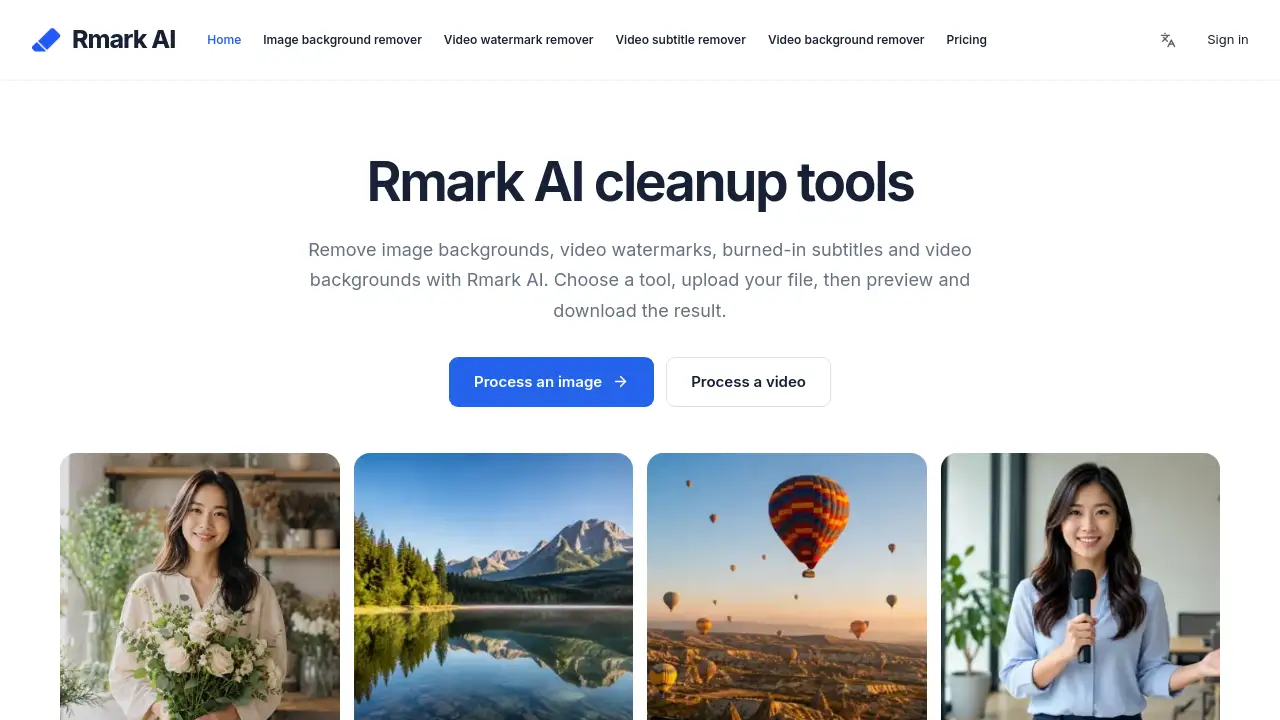
Rmark AI is an online media cleanup suite for removing image backgrounds, video watermarks, burned-in subtitles, and video backgrounds. With Rmark AI, users can polish photos and videos right in the browser, which makes the whole workflow quick and approachable.
What is Rmark AI?
Rmark AI is a browser-based collection of AI tools for visual cleanup. It solves a common problem: many images and video files contain clutter such as busy backgrounds, watermark logos, or permanent subtitles. Instead of opening complex desktop editors, users can choose one of the tools inside Rmark AI, upload a file, and preview a cleaner output.
The platform fits online sellers, video editors, marketers, and social media managers. Rmark AI is useful because tasks like removing image backgrounds or removing a video watermark from a clip used to require detailed manual selection. The service breaks these tasks into separate tools and gives users a simple upload-process-preview flow.
Key Features of Rmark AI
Image Background Remover
Rmark AI offers an image background remover that isolates the subject from the original photo. Sellers can use this tool to create product cutouts or profile-ready portraits without manual masking.
Video Watermark Remover
Rmark AI’s video watermark remover targets logos, channel names, and source text. If a video has a fixed logo in the corner, the tool helps users remove video watermark content from the frame while keeping the rest of the footage intact.
Burned-in Subtitle Remover
Burned-in subtitles are captions embedded directly into the video frame. Rmark AI handles this task by removing the text area and giving editors a cleaner starting point for new captions.
Video Background Remover
Rmark AI can remove video backgrounds while keeping the subject in motion. This works well for videos filmed in an office, bedroom, or other common location where the background is not suitable for publishing.
Browser-based Processing
No software download is required for any Rmark AI tool. Users upload files through a web browser, and the processing happens online. This makes the product accessible to people who do not want to install heavy editing programs.
Preview and Download
Every Rmark AI tool includes a preview stage before the final file is saved. Users can inspect the edges, check whether the watermark is gone, and confirm that the subtitle cleanup looks natural before downloading.
Use Cases for Rmark AI
Rmark AI fits these everyday content jobs:
Product Photos for Online Stores
E-commerce sellers can use the image background remover to create tidy product cutouts. Removing image backgrounds from product photos helps items stand out and creates a more professional storefront.
Cleaning Old Video Files
Video editors and media managers sometimes need to remove video watermarks from archived footage. Rmark AI offers a direct way to process these files and export a cleaner version for new projects.
Repurposing Videos with Different Subtitles
Creators may want to remove burned-in subtitles before updating an old video with new language captions. Rmark AI simplifies the cleanup step and keeps the original action in the frame.
Short-form Video Content
Social media users can apply the video background remover to place themselves in front of a new scene. This turns an ordinary clip into more eye-catching content for short-form platforms.
How to Use Rmark AI
Using Rmark AI takes only a few steps:
- Pick the right tool. Choose the image background remover, video watermark remover, burned-in subtitle remover, or video background remover.
- Upload a file with a clearly visible subject.
- Let Rmark AI process the image or clip.
- Preview the cleaned result.
- Download the output when it looks correct.
Because Rmark AI works in a browser, there is no need to switch between different apps. The interface is designed around simple choices, and the processing times are clearly presented to users.
Target Audience for Rmark AI
- E-commerce sellers who need clean product images
- Video editors who need to remove video watermark elements from footage
- Social media managers who want quick video cleanup
- Marketers who work with product videos and photos
- Content creators who want to reuse older clips without burned-in subtitles
- People who prefer an online tool like Rmark AI instead of manual editing
Is Rmark AI Free?
Rmark AI is accessible through a free model with daily limits. Verified accounts can try the platform, and each tool has its own independent daily free allowance. Paid processing is available for video watermark and subtitle removal. Users should check the official Rmark AI tool pages for current pricing and availability before processing large or time-sensitive files.
| Plan | Price | Features |
|---|---|---|
| Free trial | $0 | Daily free limits for verified accounts; each tool has a separate allowance |
| Paid processing | Check tool page | Extra processing for video watermark and subtitle removal |
Rmark AI's Pros and Cons
Rmark AI provides a practical balance between convenience and functionality. It is a good fit for quick cleanup tasks, though advanced editors may still want more manual control.
| Aspect | Pros | Cons |
|---|---|---|
| Accessibility | Works in a browser, no installation | Needs a stable internet connection |
| Ease of use | Simple upload-preview-download flow | Limited manual controls for fine-tuning |
| Features | Covers image and video cleanup in one suite | Some tools require paid processing |
| Free plan | Daily free limits let users test results | Daily caps may be too small for large projects |
Frequently Asked Questions about Rmark AI
Can Rmark AI remove video watermarks from old clips?
Yes. Rmark AI uses a dedicated video watermark remover to clean logos and overlay text. The final quality depends on the source video and the complexity of the background behind the mark, so previewing the result before download is recommended.
Does Rmark AI remove image backgrounds automatically?
Yes. The image background remover is part of the Rmark AI suite. Users upload a subject-centered photo, and the tool processes the file to create a cutout that can be placed on another background.
Can users remove burned-in subtitles from any video?
Rmark AI can remove burned-in subtitles, but the result depends on what is behind the captions. Video with a simple background will usually produce a cleaner output. Reviewing the preview helps users decide if the clip is usable.
Is Rmark AI suitable for people with no editing experience?
Yes. Rmark AI is built around a simple workflow: choose a tool, upload a file, and preview the result. No timeline, layer, or keyframe experience is required, which makes the platform suitable for shop owners and content managers.
What is the best way to remove video backgrounds in Rmark AI?
Select the video background remover and upload a clip with a clearly visible subject. Rmark AI processes the footage online, and users can preview the subject cutout before downloading it for another project.
Can a seller use Rmark AI for product listing images?
Yes. Sellers can use the image background remover in Rmark AI to create clean product cutouts. The resulting images work well for store listings, while the video background remover can also support ads or short product videos.
Rmark AI Tags
Rmark AI, image background remover, remove video watermark, remove image backgrounds, remove burned-in subtitles, video background removal, online watermark remover, browser-based AI tool, video background remover, subtitle remover online, Rmark AI review, product photo cleanup