Introduction
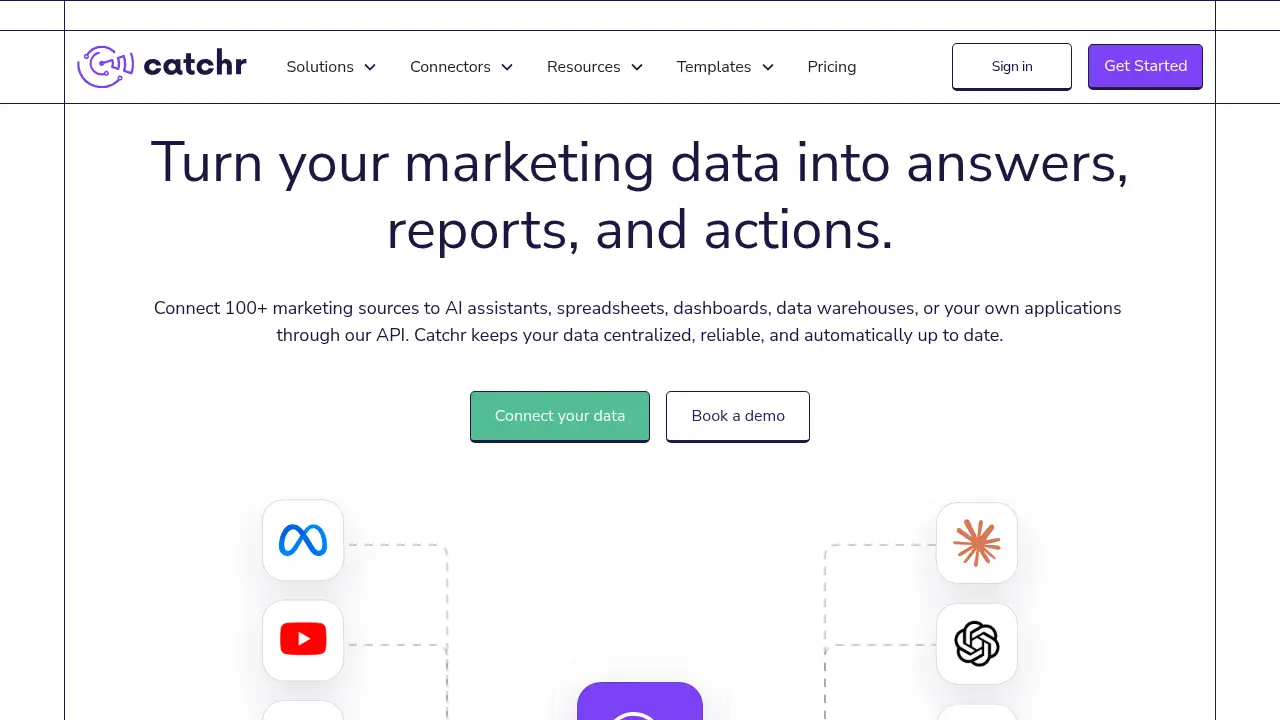
Catchr is a marketing data integration platform that connects more than 100 advertising, analytics, CRM, and ecommerce tools, then routes that data to dashboards, spreadsheets, warehouses, or AI assistants.
What is Catchr?
Catchr is a marketing data integration platform built for teams that spend too much time moving numbers between tools. Instead of exporting files from Meta Ads, Google Ads, GA4, HubSpot, or Shopify one by one, a team authenticates each source once and lets Catchr keep every destination current.
The problem it solves is familiar. Every client brings a different mix of ad platforms, analytics tools, CRMs, and stores, so reporting turns into a weekly routine of downloads and copy-paste. Catchr works as a marketing data connector layer between those sources and the tools teams already use, including Looker Studio, Power BI, Google Sheets, BigQuery, Claude, and ChatGPT.
Because connections are reused across destinations, this marketing data integration platform supports no-code data integration instead of one-off marketing data pipelines. That matters for client reporting, where a single source of truth reduces mismatched numbers and last-minute scrambles before meetings.
Key Features of Catchr
100+ Marketing Source Connectors
Connect paid media, analytics, CRM, ecommerce, SEO, email, and organic social accounts from one place, so a marketing data connector setup covers the full client stack rather than a few channels.
20+ Data Destinations
Send connected data to Looker Studio, Power BI, Google Sheets, BigQuery, or AI assistants, letting teams keep the reporting tools they already know and trust.
No-Code Setup
Authenticate platforms and choose the exact accounts each client needs, with no engineering work required for no-code data integration.
AI Assistant Access
Give Claude or ChatGPT access to live marketing data through an MCP connection, so teams can ask why CPA moved or which campaigns lost momentum instead of gathering numbers first. This is where AI marketing insights become practical rather than theoretical.
Automated Refreshes and Scheduling
Keep reports, exports, and warehouse tables current with scheduled syncs, which supports agency reporting without repeated manual exports.
Centralized Source and Account Control
Manage sources, accounts, refreshes, and destinations from one place while account teams continue working in their own dashboards, spreadsheets, or assistants.
Reusable Data Workflows
Build a workflow once and reuse the same connected sources for new reports, BigQuery exports, or AI analysis, instead of rebuilding a marketing data pipeline for each request.
Use Cases for Catchr
Agency Client Reporting
Agencies use a marketing data integration platform to pull cross-channel spend, ROAS, and CPA into a single Looker Studio report per client, cutting the weekly export routine down to a refresh check.
Pre-Meeting Performance Analysis
Before a client call, teams can open a current cross-channel report and ask an AI assistant to explain a sudden rise in cost per acquisition, then turn the findings into recommendations.
Spreadsheet-Driven Reporting
Teams that work in Google Sheets can run pacing checks, campaign reviews, monthly summaries, and margin calculations on data that updates automatically.
Ecommerce Performance Tracking
Ecommerce teams connect Shopify, GA4, and ad platforms to compare spend against revenue, then route results into BigQuery for deeper analysis.
Standardized Data Infrastructure
Multi-client teams use a marketing data integration platform to standardize sources, accounts, and destinations while still letting each account team pick its own reporting tool.
How to Use Catchr
- Authenticate the platforms. Sign in to the ad, analytics, CRM, and ecommerce accounts you want to include.
- Select the accounts. Choose the exact advertising accounts, web properties, or store connections each client needs.
- Pick the destinations. Choose Looker Studio, Google Sheets, BigQuery, Power BI, or an AI assistant as the output.
- Set the refresh schedule. Confirm when data should sync so reports, exports, and warehouse tables stay current.
- Report and query. Open the dashboard, spreadsheet, or AI assistant and work with live data.
Setting up Catchr this way takes minutes per client rather than a rebuilt pipeline, which is the main appeal of a marketing data integration platform for busy teams.
Target Audience for Catchr
- Marketing and performance agencies managing several client stacks
- In-house marketing teams that report on paid media, analytics, and CRM data
- Ecommerce brands tracking spend against revenue across channels
- Analytics and data teams that want reliable warehouse feeds
- Freelance marketers and consultants handling multiple accounts
Is Catchr Free?
Catchr offers a 14-day free trial with no credit card required. Paid plan pricing is not published on the homepage, so teams should check the official Catchr website for current plans.
| Plan | Price | Features |
|---|---|---|
| Free trial | $0 for 14 days | Trial access, 100+ sources, no credit card required |
| Paid plans | Not published | Contact Catchr for pricing based on sources and destinations |
Catchr's Pros and Cons
| Aspect | Pros | Cons |
|---|---|---|
| Setup | No-code connections; sources reused across destinations | Requires an initial review of account permissions |
| Coverage | 100+ sources and 20+ destinations | Paid pricing is not publicly listed |
| Reporting | Keeps Looker Studio, Sheets, and BigQuery refreshed automatically | Teams new to data tools may need onboarding time |
| AI | Live data access for Claude and ChatGPT | Results depend on how questions are framed |
| Agency fit | Supports multi-client source and destination management | Value grows with volume, so very small teams may find it heavy |
Frequently Asked Questions about Catchr
What is Catchr used for?
Catchr is used to connect marketing platforms once and route that data to reporting, spreadsheet, warehouse, or AI destinations. It removes the manual export step that usually sits in front of client reporting.
Which platforms does Catchr connect?
The platform supports 100+ sources across paid media, analytics, CRM, ecommerce, SEO, email, and organic social, plus 20+ destinations such as Looker Studio, Power BI, Google Sheets, BigQuery, and AI assistants.
Do I need technical skills to use Catchr?
No. Setup is no-code: authenticate a platform, choose the accounts, pick a destination, and set a refresh schedule. Deeper warehouse work may still benefit from basic data knowledge.
Can Catchr send data to Looker Studio and BigQuery?
Yes. Looker Studio, Google Sheets, BigQuery, Power BI, and AI assistants are listed as destinations, and the same connected sources can feed several of them at once.
How does Catchr support AI marketing insights?
The platform connects live marketing data to Claude or ChatGPT through an MCP connection, so an assistant can investigate performance changes instead of waiting for someone to collect the numbers first.
Is there a free trial?
Yes. Catchr offers a 14-day free trial with no credit card required, which gives teams time to test a marketing data integration platform on a real client before committing.
Catchr Tags
marketing data integration platform, marketing data connector, client reporting, agency reporting, no-code data integration, AI marketing insights, Looker Studio connector, BigQuery export, marketing data pipeline, cross-channel reporting, marketing analytics automation, ecommerce performance tracking