Introduction
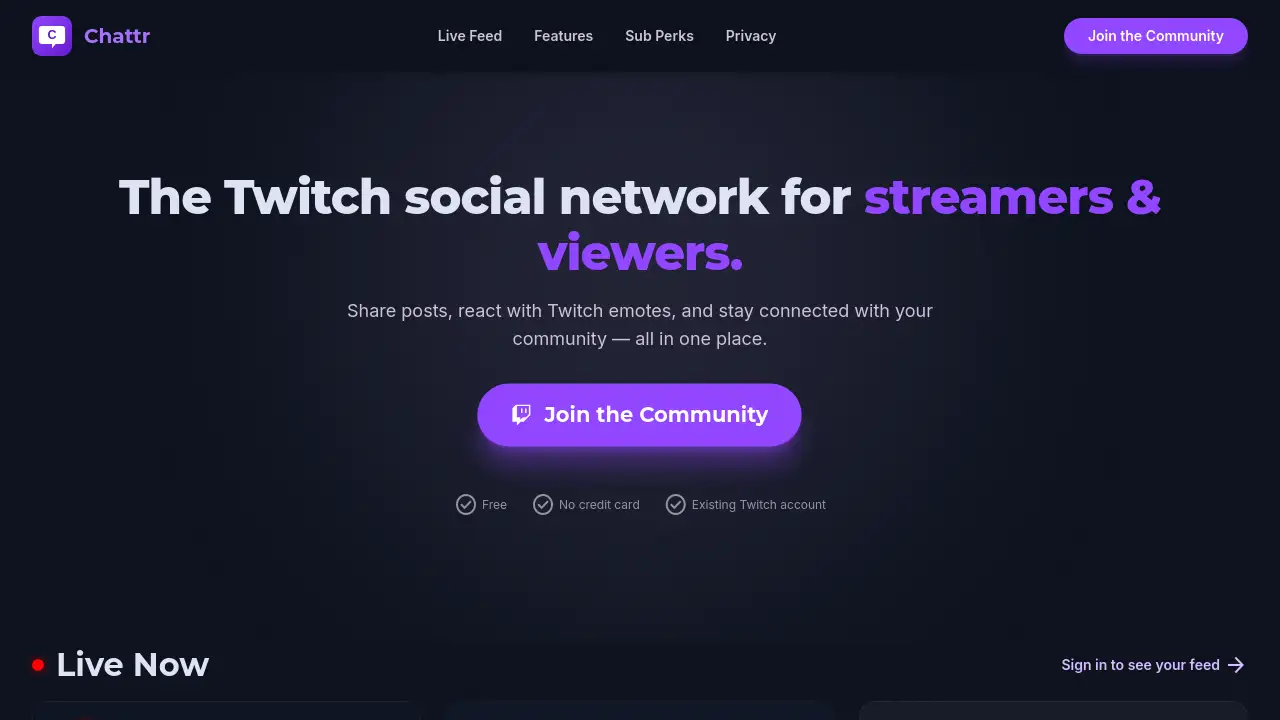
Chattr is a dedicated Twitch social network designed to help streamers and viewers connect beyond live broadcasts. By integrating familiar Twitch features like emotes and live alerts into a social feed, this platform makes it easy to stay engaged with the community.
What is Chattr?
Chattr is a social platform built specifically for the Twitch ecosystem. It solves a common problem for both streamers and viewers: staying connected and sharing content when the stream is offline. Traditional social media are generic, but Chattr tailors the experience to the Twitch community. Users can share posts, react with Twitch emotes, get live stream alerts, and build deeper relationships with followers. The platform syncs your Twitch follows automatically, so your existing network is already there. For streamers, it offers exclusive subscriber-only posts and badge syncing, turning loyal viewers into a tighter community. For viewers, it provides a central feed where they can see when their favorite creators go live, share clips, and interact through voice posts with AI transcription. Chattr is not just a side tool—it extends the Twitch social experience into a full-featured network.
Key Features of Chattr
Live Stream Alerts
A red ring appears on a creator’s profile picture the moment they start streaming, and a live card drops directly into your feed. This real-time WebSocket notification ensures you never miss a broadcast.
Auto-Connect with Twitch Follows
Chattr automatically syncs the channels you follow on Twitch. Your mutuals are already present on the platform, so you can start interacting without manually searching.
Clip Sharing
Twitch clips embed automatically in posts. You can watch, react with Twitch emotes, and comment without leaving the feed. This keeps engagement tied to the Twitch community.
Voice Posts with AI Transcription
You can record voice messages and the platform provides an AI-powered transcription. This makes content accessible and searchable for the entire Twitch social network.
Subscriber-Only Posts
Streamers can lock exclusive content behind a sub-only wall. Active subscribers see these posts, while non-subscribers are prompted to subscribe. This rewards loyal members of the community.
Global Badge Sync
Sub tenure and loyalty badges from Twitch are displayed on user profiles within Chattr. This reinforces status and recognition across the Twitch community.
Privacy-First Permissions
Chattr only requests necessary Twitch permissions: see your username and profile picture, read your follows, and read your subscribers. It never posts, messages, or modifies your Twitch account.
Use Cases for Chattr
Staying Updated on Live Streams
Viewers can monitor multiple creators in one feed. When a favorite streamer goes live, a live stream alert appears instantly. This eliminates the need to check Twitch individually.
Sharing and Discussing Clips
After a stream, viewers can share a funny or impressive clip on Chattr. Friends and followers can react with Twitch emotes and discuss the moment in the comments, keeping the conversation alive.
Building a Deeper Community
Streamers can use sub-only voice posts to share behind-the-scenes updates or host polls. This strengthens the bond between streamers and their most loyal followers within the Twitch social network.
How to Use Chattr
- Visit Chattr.online and click “Sign in with Twitch.” No new account or password is needed.
- Grant the required permissions (your username, follows, and subscriber list). The platform will never post on your behalf.
- Your Twitch follows are automatically synced. You will see their posts and live alerts in your feed.
- Start posting: share a clip, record a voice note, or write a text post. Use Twitch emotes to react.
- For streamers: enable subscriber-only posts in settings to offer exclusive content to your community.
Target Audience for Chattr
- Twitch streamers looking to keep their community engaged between streams.
- Active viewers who follow multiple creators and want a single feed for updates.
- Twitch community moderators who want to foster discussion outside of chat.
- Small to mid-sized creators who want to reward subscribers without building a separate app.
- Twitch power users who value privacy and simplicity.
Is Chattr Free?
Yes, Chattr is free to use. Signing in with a Twitch account requires no credit card. The platform also offers premium tiers for streamers, which include subscriber-only posts and global badge sync. However, exact pricing for premium features is not publicly listed on the site. Most core functionality—live alerts, clip sharing, voice posts—is available at no cost.
| Plan | Price | Features |
|---|---|---|
| Free | $0 | Live alerts, clip sharing, voice posts, auto-sync follows |
| Premium | Not listed | Sub-only posts, global badge sync, additional perks |
Chattr's Pros and Cons
| Aspect | Pros | Cons |
|---|---|---|
| Ease of Use | Simple sign-in with Twitch, no separate account | Requires a Twitch account (may not suit non-Twitch users) |
| Features | Live alerts, Twitch emotes, clip embedding | No mobile app currently; web-only |
| Privacy | Read-only permissions, no posting on user’s behalf | Limited to Twitch ecosystem only |
| Community | Built specifically for Twitch community | Smaller user base than mainstream social networks |
| Pricing | Core features are free | Premium pricing not transparent |
Frequently Asked Questions about Chattr
Is Chattr safe to use with my Twitch account?
Yes. Chattr only requests read permissions (username, follows, subscribers). It never posts, sends messages, or modifies your Twitch account. The platform follows a privacy-first approach.
Can I use Twitch emotes in posts on Chattr?
Absolutely. Chattr is designed as a Twitch social network, so you can react to posts with standard Twitch emotes. This keeps the interaction familiar for the community.
Do I need to create a separate account for Chattr?
No. You sign in directly with your existing Twitch account. No new password or profile setup is required. Your follows are synced automatically.
How do live stream alerts work?
When a creator you follow on Twitch goes live, a red ring appears on their profile picture in Chattr and a live card appears in your feed. The system uses WebSocket connections for real-time updates.
Can I share clips from Twitch on Chattr?
Yes. If you paste a Twitch clip URL, it will embed automatically in a post. Other users can watch and react without leaving the Chattr platform.
Is there a mobile app for Chattr?
Currently, Chattr is a web-based platform optimized for desktop and mobile browsers. There is no dedicated native app, but the site is responsive and works on mobile devices.
Chattr Tags
Twitch social network, streamers and viewers, Twitch community, Twitch emotes, live stream alerts, social feed for Twitch, clip sharing platform, voice posts, sub-only content, Twitch follow sync, Twitch social app, Twitch community platform