Introduction
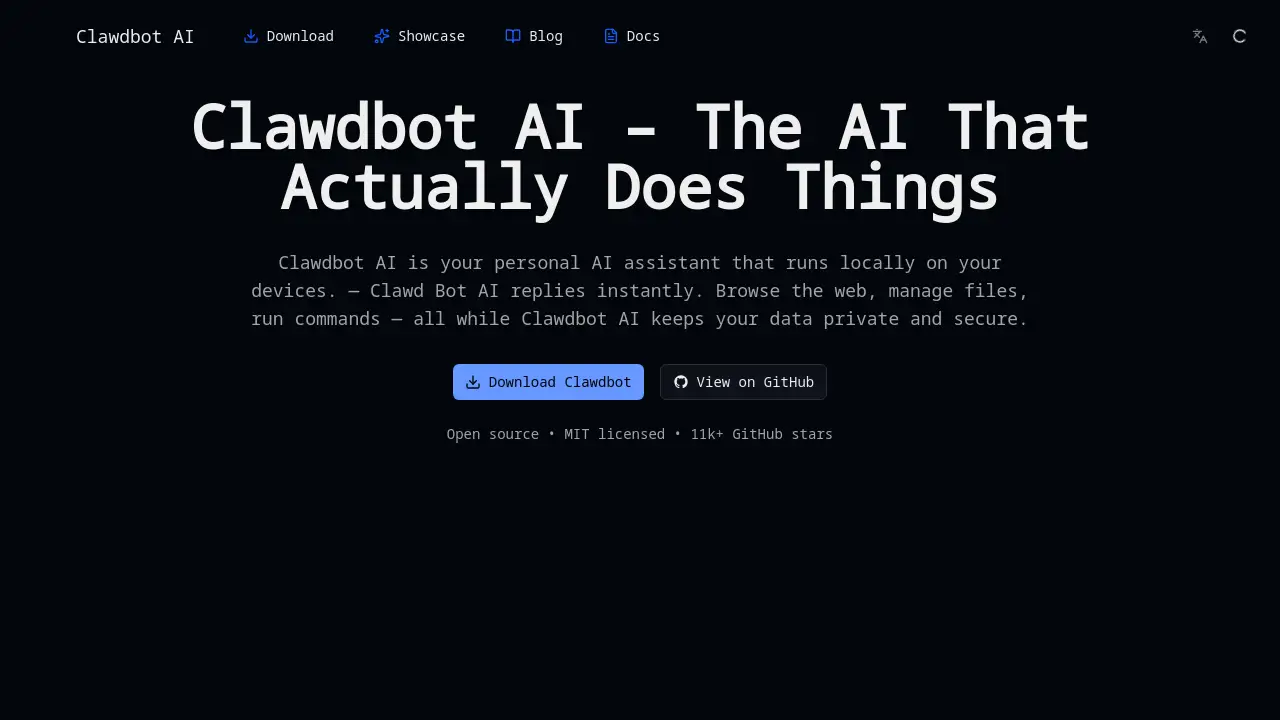
Clawd Bot AI is a powerful, open-source, and locally-run personal AI assistant designed to automate tasks and boost productivity.
What is Clawd Bot AI?
Clawd Bot AI is an open-source AI assistant that runs locally on a user's computer. This local AI setup is a key differentiator, as it processes tasks directly on the device without sending data to external servers. It is designed to automate complex workflows, manage files, browse the web, and run system commands. The product addresses the need for a capable, private, and responsive AI agent that can handle everyday digital tasks. It is particularly suitable for users seeking an alternative to cloud-based AI assistants, prioritizing data privacy and security. The tool aims to simplify tasks for both technical and non-technical users by providing instant, on-device assistance.
Key Features of Clawd Bot AI
Local Processing and Privacy
The assistant operates entirely on the local device, ensuring that sensitive data, files, and browsing activity never leave your computer, offering a high level of privacy and security.
Open-Source and MIT Licensed
As an open-source project with an MIT license, its code is publicly accessible for review, modification, and contribution, fostering transparency and community-driven development.
Web Browsing and Automation
Clawd Bot AI can autonomously browse the web to gather information, perform research, and interact with web pages, acting as a capable AI agent for online tasks.
File and System Management
It can read, edit, create, and manage files within specified folders on your computer, and execute system commands to automate various local workflow processes.
Cross-Platform Compatibility
The tool is designed to run on multiple devices, providing a consistent personal AI assistant experience across a user's primary hardware.
Claude Cowork Functionality
It replicates the "Cowork" functionality popularized by Claude AI, allowing the AI to work within a dedicated folder space to complete complex, multi-step projects.
Use Cases for Clawd Bot AI
Content Creation and Writing
Users can leverage the AI to research topics, draft articles, edit documents, and manage content calendars, significantly speeding up the writing process.
Personal and Business Task Automation
The assistant can handle repetitive tasks like organizing finances, sorting files, managing schedules, and preparing reports, saving users hours of manual work.
Local Development and Coding
Developers can use Clawd Bot AI to write code snippets, debug scripts, manage project files, and run terminal commands directly from the AI interface.
Research and Data Compilation
It automates the process of gathering information from the web, fact-checking data, and compiling summaries on any given topic for academic or professional use.
How to Use Clawd Bot AI
- Download and Install: Visit the official Clawd Bot AI website and download the application suitable for your operating system.
- Initial Setup: Install the software and grant the necessary permissions for it to access local folders or web browsers as required for your tasks.
- Define a Task: Provide a clear, natural language prompt to the AI assistant, such as "Organize all PDFs in my Downloads folder" or "Research the latest AI trends and write a summary."
- Let the AI Agent Work: Clawd Bot AI will process the request locally, browsing the web, managing files, or running commands to complete the assigned workflow.
- Review and Iterate: Check the results provided by your personal AI assistant and provide further instructions if needed to refine the output.
Target Audience for Clawd Bot AI
- Privacy-Conscious Users: Individuals concerned about data security who prefer a local AI over cloud-based services.
- Productivity Seekers: Professionals, students, and creators looking to automate mundane tasks and streamline their digital workflow.
- Developers and Tech Enthusiasts: Users interested in open-source tools who may want to customize or contribute to the AI's development.
- Non-Technical Users: People who want powerful automation without needing to write code, thanks to its natural language interface.
Is Clawd Bot AI Free?
Based on available information, Clawd Bot AI is presented as a free, open-source tool. The homepage highlights its MIT license and does not mention any subscription fees or premium tiers. Users can download and use the core software without cost. For the most current and detailed information regarding pricing or future plans, it is recommended to check the official website and its documentation.
Clawd Bot AI's Pros and Cons
| Aspect | Pros | Cons |
|---|---|---|
| Privacy & Security | Data stays on your local device; no cloud dependency. | Performance is limited by your local hardware's capabilities. |
| Cost | Completely free and open-source. | May lack the dedicated support channels of a commercial product. |
| Functionality | Powerful automation for web, files, and commands. | Being a newer, open-source project, it might have fewer polished features than established competitors. |
| Usability | Can automate complex workflows with simple prompts. | May require initial technical understanding for setup and advanced configurations. |
Frequently Asked Questions about Clawd Bot AI
Is Clawd Bot AI really private?
Yes. As a local AI assistant, Clawd Bot AI processes all your requests and data directly on your computer. Your information is not sent to or stored on any external servers, ensuring privacy.
What can Clawd Bot AI actually do?
This AI agent can perform a variety of tasks, including browsing the internet for research, organizing and editing files on your computer, running system commands, and automating multi-step workflows based on your instructions.
Do I need to be a developer to use it?
No. While developers can appreciate its open-source nature, Clawd Bot AI is designed for a broad audience. You interact with it using natural language prompts, making complex automation accessible to non-technical users.
How does it compare to Claude Cowork?
Clawd Bot AI is an open-source implementation that replicates the "Cowork" functionality. The key difference is that it runs locally with potentially any compatible AI model, whereas the official Claude version is a cloud-based service.
What are the system requirements?
Specific requirements are not listed on the homepage. Generally, since it runs AI models locally, a reasonably modern computer with adequate RAM and processing power is recommended for optimal performance.
Where can I get support or learn more?
Support and community discussion primarily occur on its GitHub repository. Detailed guides and documentation are available on the official Clawd Bot AI website under the "Docs" section.
Clawd Bot AI Tags
Clawd Bot AI, local AI assistant, open source AI, AI automation, privacy-focused AI, Claude Cowork alternative, AI agent, personal AI, workflow automation, on-device AI, MIT licensed AI, AI productivity tool