Introduction
Microsoft Copilot is an AI companion for information and inspiration.
What is Microsoft Copilot?
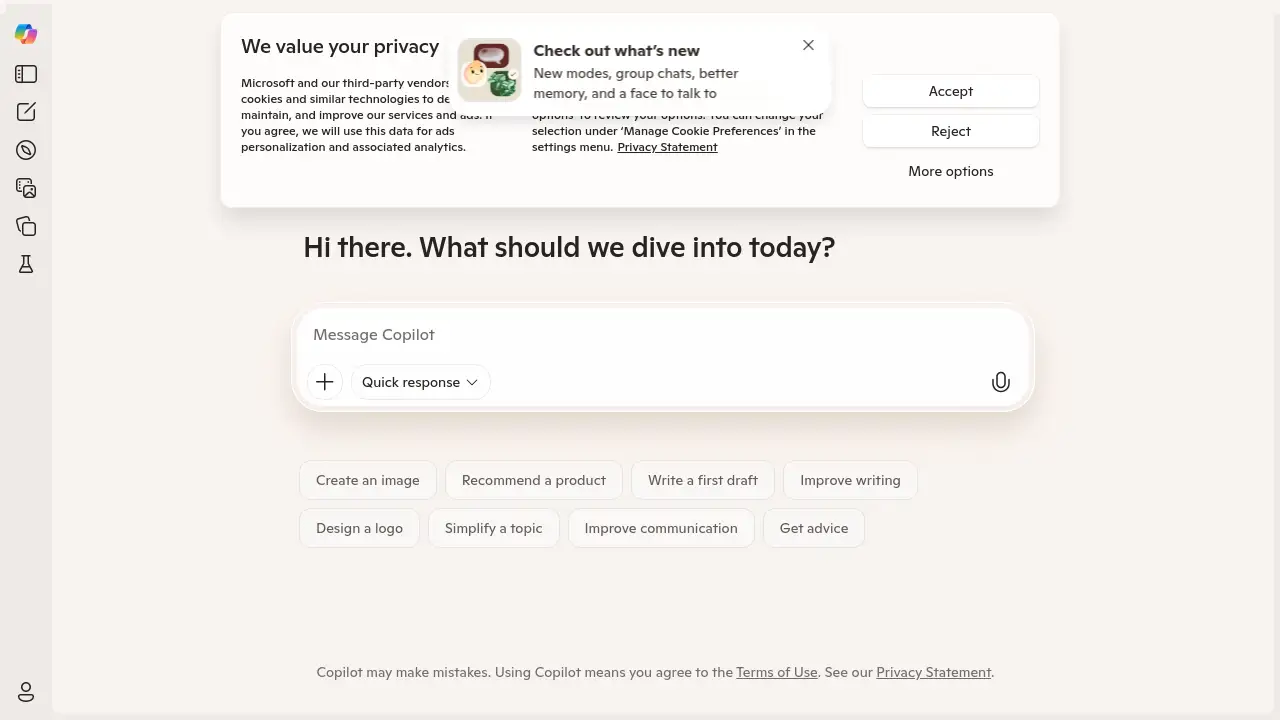
Microsoft Copilot is an artificial intelligence assistant designed to act as a daily companion. It helps users solve problems by providing information, generating creative content, and offering straightforward answers to complex questions. This AI tool is suitable for a wide range of individuals, from students and professionals to anyone seeking to boost their productivity or find inspiration. Its significance lies in its integration of advanced language models into a user-friendly interface, making powerful AI capabilities accessible for everyday tasks. The core function of Microsoft Copilot is to inform, entertain, and inspire its users through natural conversation.
Key Features of Microsoft Copilot
Diverse Response Modes
Microsoft Copilot offers different modes to tailor its responses, whether you need a more creative, precise, or balanced answer.
Interactive Group Chats
The group chat feature allows multiple users to collaborate and interact with the AI assistant simultaneously in a shared conversation.
Enhanced Memory Capability
With better memory, Copilot can maintain context over longer conversations, providing more relevant and coherent responses.
Visual and Voice Interaction
Users can engage in a more natural dialogue by talking to a visual agent, adding a face and voice to the AI experience.
Creative Content Generation
The AI can generate various forms of content, from written text to ideas, helping to inspire projects and entertainment.
Straightforward Q&A
Get direct and clear answers to your questions, making it a reliable source for quick information and advice.
Use Cases for Microsoft Copilot
Brainstorming Creative Ideas
Use Microsoft Copilot to generate concepts for projects, stories, or marketing campaigns when you need a spark of inspiration.
Researching Complex Topics
Quickly get summaries and explanations on a wide array of subjects, making it an efficient tool for learning and informed research.
Drafting Professional Emails
Leverage the AI to compose and polish business communications, ensuring your messages are clear and professional.
Planning Group Activities
The group chat function is ideal for coordinating with teams or friends to plan events or collaborate on ideas in real-time.
Generating Entertainment Content
Ask Copilot to write stories, jokes, or dialogue for personal entertainment or content creation purposes.
How to Use Microsoft Copilot
Using Microsoft Copilot is a straightforward process designed for immediate productivity.
- Navigate to the official Microsoft Copilot website using your web browser.
- Type your question, request, or topic for discussion into the message box. You can ask for information, request creative content, or seek advice.
- For a more tailored response, you can select a specific mode (e.g., Creative, Precise) before sending your prompt.
- Review the AI-generated response. You can continue the conversation with follow-up questions, as Copilot's memory retains context from previous exchanges.
- To use the voice feature, simply initiate a voice chat to talk to the AI agent directly.
Target Audience for Microsoft Copilot
- Students and academics for research and learning
- Professionals and office workers for productivity tasks
- Writers and content creators for brainstorming and drafting
- Developers and technologists for coding assistance
- General users seeking quick answers and daily entertainment
Is Microsoft Copilot Free?
Microsoft Copilot offers a generous free plan that provides access to its core AI capabilities. This includes the ability to ask questions, generate content, and use the standard chat features. The free version is quite powerful for everyday use. For users requiring more advanced features, higher usage limits, or commercial licensing, Microsoft provides affordable premium options through its Copilot Pro subscription and integration within the Microsoft 365 suite.
Frequently Asked Questions about Microsoft Copilot
What can I use Microsoft Copilot for?
You can use Microsoft Copilot for a variety of tasks, including getting answers to questions, summarizing long documents, writing emails, generating creative ideas for stories or social media posts, and even coding help.
Is Microsoft Copilot the same as ChatGPT?
No, Microsoft Copilot and ChatGPT are different AI assistants built on different underlying technologies. While both are large language models, Microsoft Copilot is developed by Microsoft and is deeply integrated with its ecosystem of products and services.
How does the memory feature work in Copilot?
The better memory feature allows Microsoft Copilot to remember the context of your current conversation. This means you can ask follow-up questions without repeating information, leading to a more coherent and natural dialogue.
Can I use Copilot for group projects?
Yes, the group chats feature is specifically designed for collaboration. Multiple people can join a single chat session with Copilot to brainstorm and work on ideas together in real-time.
Is my data safe with Microsoft Copilot?
Microsoft has stated that it employs enterprise-grade security and privacy protections for its Copilot services. User prompts and responses are typically used to improve the model, but you can refer to Microsoft's privacy policy for specific details on data handling.
Does Copilot have a mobile app?
Yes, Microsoft Copilot is accessible through its dedicated mobile application, which can be downloaded from official app stores, allowing you to use the AI assistant on the go.
Microsoft Copilot Tags
Microsoft Copilot, AI companion, AI assistant, free AI chat, Copilot features, group chat AI, creative AI, Microsoft AI, productivity tool, AI questions, Copilot use cases, how to use Copilot