Introduction
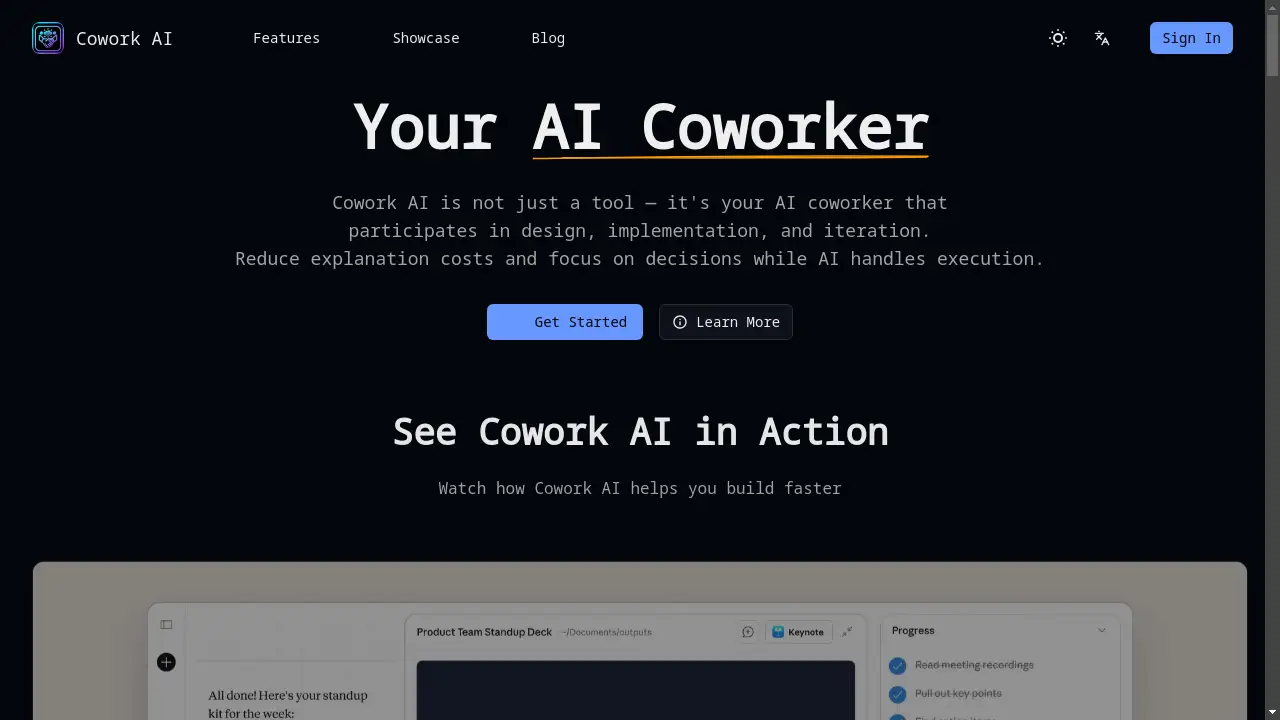
An AI coworker that helps with design, implementation, and daily computer tasks.
What is Cowork AI?
Cowork AI is positioned not merely as a software tool but as an intelligent collaborator that actively participates in work processes. It aims to bridge the gap between human intention and digital execution by handling the manual steps involved in tasks, allowing users to focus on strategic decisions. This AI agent is designed to reduce the time and cognitive cost of explaining complex processes, effectively acting as a Claude Cowork alternative or companion for a wide range of non-technical and technical work. It is suitable for professionals, content creators, and anyone looking to automate repetitive computer-based workflows, from file management to content creation. The product's significance lies in its attempt to make advanced AI assistance more actionable and integrated into daily desktop activities.
Key Features of Cowork AI
Desktop Organization with AI
The AI coworker can help users effortlessly organize and manage their computer desktop, sorting files and reducing digital clutter based on simple instructions.
AI-Powered Presentation Creation
It can generate professional PowerPoint presentations by interpreting user prompts, automating the design and content structuring process.
Automated Content Research and Drafting
Users can define their knowledge base, and the AI agent will conduct research, perform fact-checking, and draft articles or reports, significantly speeding up the writing process.
Financial and Data Management
The tool can handle complex tasks like organizing and matching thousands of financial trades for accounting or tax purposes, showcasing its ability to manage structured data.
Browser and File System Integration
Cowork AI can operate a web browser and interact with specific folders on a user's computer, reading, editing, and creating files to complete multi-step tasks.
Use Cases for Cowork AI
Automating Business Administration
Entrepreneurs and small business owners can use it to manage finances, plan business strategies, and draft operational documents, saving hours of manual work.
Streamlining Content Creation
Bloggers, marketers, and non-technical writers can leverage the AI coworker to research topics, verify facts, and produce complete first drafts of articles or social media content.
Simplifying Personal File Management
Individuals overwhelmed by a disorganized digital workspace can use the tool to automatically sort desktop files, find specific documents, or organize media libraries.
Assisting with Creative Projects
Users can command the AI agent to find specific media files (like a video clip of a squirrel), convert formats, or assist in basic video editing tasks without prior technical skills.
How to Use Cowork AI
- Access the Platform: Visit the official Cowork AI website and sign in to begin.
- Define Your Task: Provide a clear, natural language prompt describing the job you need done, such as "organize my desktop" or "create a presentation about quarterly sales."
- Grant Necessary Permissions: For tasks involving your computer's files or browser, you will grant the AI coworker access to specific folders or applications.
- Review and Iterate: The AI will execute the task. You can then review the output and provide follow-up instructions for refinements, focusing on decisions rather than execution details.
Target Audience for Cowork AI
- Professionals and Entrepreneurs seeking to automate administrative and planning tasks.
- Content Creators and Marketers who need to accelerate research, drafting, and content production.
- Non-Technical Users who want to accomplish digital tasks (like website building or file management) without learning complex software.
- Individuals interested in AI productivity tools, especially those looking for open-source or local model alternatives to cloud-based services.
Is Cowork AI Free?
Based on the reference information, specific pricing details for Cowork AI are not explicitly listed on the homepage snippets provided. The content references Claude Cowork being available to "Pro subscribers," which suggests a potential subscription model. For accurate and current information regarding a free tier, trial availability, or paid plans, users should visit the official Cowork AI website's pricing page.
Cowork AI's Pros and Cons
| Aspect | Pros | Cons |
|---|---|---|
| Functionality | Acts as a true AI coworker, executing multi-step tasks beyond simple chat. | Requires clear user instructions; complex tasks may need iteration. |
| Efficiency | Can save significant time and money by automating tedious workflows (e.g., finance tracking). | Performance is dependent on the clarity of the initial prompt and the underlying AI model's capabilities. |
| Accessibility | Makes technical tasks (file management, basic coding for sites) accessible to non-technical users. | Granting file system/browser access requires trust in the application's security protocols. |
| Integration | Works directly with your desktop files and browser, offering deep workflow integration. | Compared to simple chatbots, it may have a steeper initial learning curve to use effectively. |
Frequently Asked Questions about Cowork AI
What exactly can the Cowork AI agent do?
Cowork AI can perform a variety of computer-based tasks, including organizing desktop files, creating presentations, conducting online research, drafting content, and managing data. It acts by taking instructions and executing the necessary steps within permitted applications like your file browser or web browser.
Is Cowork AI the same as Claude Cowork?
Cowork AI appears to be a product inspired by or functioning similarly to Claude Cowork. The homepage showcases tweets about Claude Cowork to illustrate the concept. It may be an alternative or open-source implementation that supports various AI models, offering similar AI assistance capabilities.
Do I need to be a programmer to use Cowork AI?
No, it is designed for non-technical users. You interact with this AI coworker using natural language prompts. The tool handles the execution, so you don't need coding knowledge for tasks like building a simple website or organizing files.
How does Cowork AI handle my data and privacy?
The reference material includes a user expressing interest in a "Cowork but with local models" to avoid sending data to the cloud. This suggests data privacy is a consideration. Users should review Cowork AI's official privacy policy to understand if tasks are processed locally or on remote servers.
What kind of tasks is Cowork AI not good for?
It is likely less suited for highly creative, subjective tasks requiring deep human judgment or emotional nuance. Its strength is in executing defined, procedural workflows based on clear instructions. Vague or overly complex requests may not yield perfect results.
Can I use Cowork AI with my preferred AI model?
According to one referenced tweet, an open-source version supports using third-party APIs compatible with the Anthropic format. This suggests Cowork AI may offer flexibility, allowing users to choose different underlying AI models, not just Claude.
Cowork AI Tags
AI coworker, Cowork AI, Claude Cowork alternative, AI agent, desktop automation, AI presentation maker, content automation, AI productivity tool, open-source AI agent, AI file organizer, non-technical AI, AI task automation, digital workspace assistant