Introduction
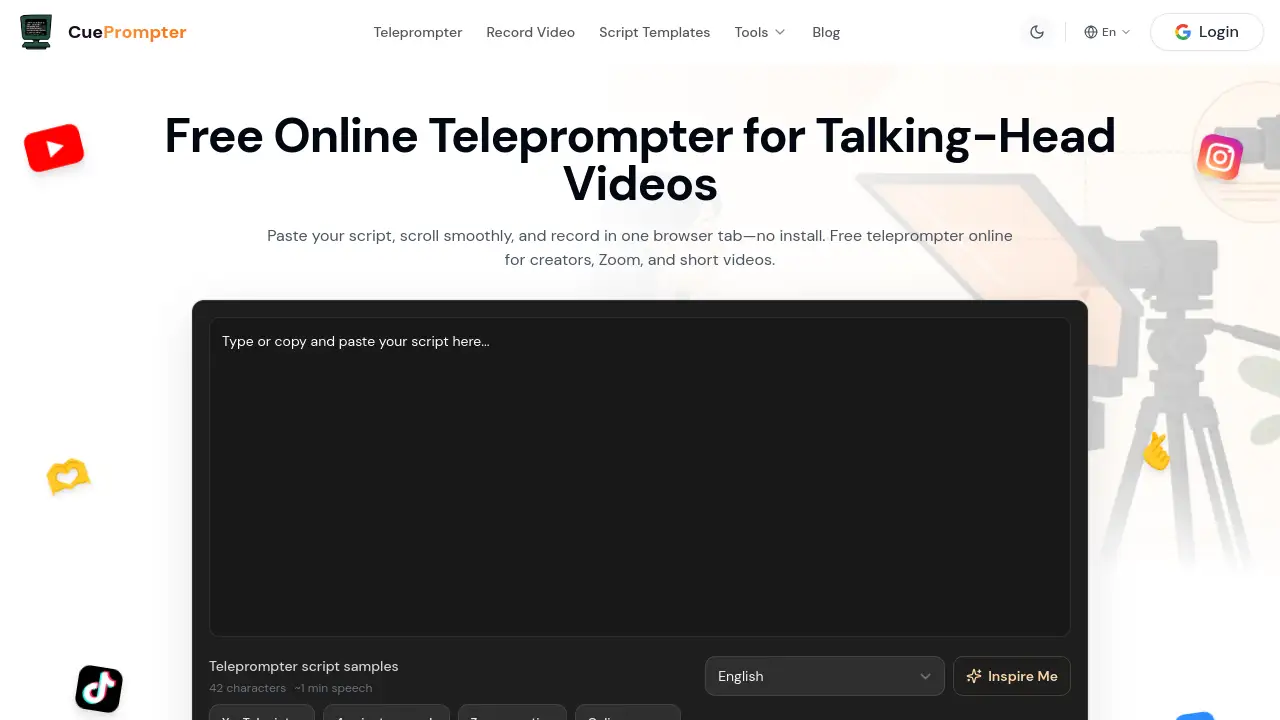
CuePrompter is a free online teleprompter that runs right in the browser. Paste or type a script, adjust the reading speed, and record a talking-head video in the same tab. There is no download or signup required, and it is useful for YouTube, Zoom calls, online courses, and speeches.
What is CuePrompter?
CuePrompter is a browser-based script reader for people who want to read naturally while facing a camera. Instead of memorizing lines or reading from paper notes, users paste text into a clean scrolling display and follow the highlighted cue.
As a free online teleprompter, it replaces complicated desktop teleprompter software with a simple web page. It works as an autocue teleprompter for creators, educators, speakers, and business presenters. The core prompting process stays in the browser, so there is no install and no upload during basic use. Native iPhone and Android apps are planned, but the current web version already works on mobile devices.
Key Features of CuePrompter
Browser Teleprompter with No Install
CuePrompter is a browser teleprompter, so a user can open the site and start reading in seconds. This makes it a convenient free teleprompter software option for people who do not want to download desktop programs.
Paste or Choose a Script
Users can paste a script from their clipboard, type directly, or start with a teleprompter script sample. That makes it easy to practice before using the final script.
Adjustable Reading View
The teleprompter lets users change scroll speed, font size, colors, and the highlighted reading area. Mirror mode is also available for a more professional teleprompter setup.
Camera Recording in the Browser
CuePrompter works as an online teleprompter with camera. Users can switch to recording mode and film a take while the script continues to scroll in the same workflow. No extra capture tool is needed for basic video recording.
Private by Default
The homepage script is stored in local storage until the user chooses to save it to a signed-in account. This means core prompting remains a private, in-browser process.
AI Tools and Extraction with Membership
The free teleprompter software handles the main reading and recording tasks. Membership adds special tools such as AI Script Generator, Script Extractor, TikTok Caption Generator, and cloud script sync.
Cross-Device Teleprompter App Experience
CuePrompter works as a teleprompter app for Mac, Windows, iPhone, iPad, and Android through Safari, Chrome, Edge, or Firefox. No App Store download is required for the current browser version.
Use Cases for CuePrompter
YouTube Content Creation
Creators can use the free online teleprompter for YouTube intros, tutorials, product explainers, and talking-head videos. Keeping the script visible helps them deliver at a natural pace without repeated takes.
Public Speaking
This tool works as a teleprompter for public speaking because it keeps the speech moving in a readable line. Speakers can rehearse with the scrolling text and build confidence by maintaining eye contact.
Education and Online Courses
Teachers can paste lesson scripts into CuePrompter and record structured lectures without memorizing every fact. The clear font and speed controls help a lesson stay organized and easy to follow.
Business Presentations
Sales teams and business owners can use CuePrompter for video pitches and product announcements. Because the text appears next to the camera recording flow, the presenter can stay on message without sounding robotic.
Zoom Meetings and Remote Calls
CuePrompter can act as a teleprompter for Zoom, Teams, or Google Meet. The browser window sits beside the meeting app, so sales demos, webinars, and interviews remain focused and fluent.
How to Use CuePrompter
- Open the CuePrompter site and paste a script or choose a sample.
- Set the reading view by adjusting speed, font size, colors, and highlight area.
- Start the free online teleprompter and read as the text scrolls.
- Pause or reset the scroll if a new take is needed.
- When ready, switch to the online teleprompter with camera and record the video in the browser.
This simple workflow makes CuePrompter one of the easiest teleprompter software tools to try because no download is involved.
Target Audience for CuePrompter
- YouTubers and short-form video creators
- Educators and online course instructors
- Public speakers and conference presenters
- Business owners and sales professionals
- Remote workers using Zoom or Microsoft Teams
- Podcasters and livestream hosts
- Anyone who needs a simple way to read a script while staying close to the camera
Is CuePrompter Free?
CuePrompter offers a free online teleprompter for core use. Pasting a script, scrolling the text, recording in the browser, and converting the file locally do not require payment or an account. The company states that AI tools, script extraction, and cloud scripts are membership features.
| Plan | Price | Features |
|---|---|---|
| Free | $0 | Paste script, read with adjustable teleprompter, record with camera, local conversion, privacy-friendly local scripts |
| Membership | See official site | AI Script Generator, Script Extractor, TikTok Caption Generator, cloud script sync, and other special tools |
CuePrompter's Pros and Cons
| Aspect | Pros | Cons |
|---|---|---|
| Pricing | Core prompting is free and does not require a subscription | Advanced AI and extraction tools require membership |
| Setup | Open in a browser with no install or signup wall | Native iOS and Android apps are not launched yet |
| Privacy | Scripts stay in local storage during core prompting | Cloud storage is tied to a signed-in account |
| Cross-platform | Works on Mac, Windows, iPhone, iPad, and Android | Some users may miss an overlay-style desktop app |
Frequently Asked Questions about CuePrompter
Is CuePrompter really a free online teleprompter?
Yes. The core teleprompter is free to use in the browser. Pasting a script, reading it with smooth scrolling, recording video, and converting files locally do not require payment.
Can CuePrompter record a video while showing the script?
Yes. CuePrompter works as an online teleprompter with camera. After adjusting the text, the user can record a talking-head take in the same browser tab without switching applications.
Does CuePrompter work on mobile or only on a laptop?
It works in any modern mobile browser, so it can be used as a teleprompter app for iPhone, iPad, and Android. Native apps for iOS and Android are also being introduced soon.
What is included in the CuePrompter membership?
Membership adds special tools, including AI Script Generator, Script Extractor, TikTok Caption Generator, and cloud script sync. The exact pricing can be found on the CuePrompter website.
Can CuePrompter help with Zoom calls and webinars?
Yes. CuePrompter can be used as a teleprompter for Zoom by opening the scrolling script in a browser window next to the meeting app. It is useful for remote interviews, webinars, product demos, and sales calls.
CuePrompter Tags
free online teleprompter, teleprompter software, online teleprompter with camera, teleprompter app, autocue teleprompter, browser teleprompter, teleprompter for YouTube, teleprompter for Zoom, teleprompter for public speaking, free teleprompter for Mac, teleprompter for Windows, CuePrompter