Introduction
ImageVids AI is a practical AI image to video generator that turns still photos into moving clips using motion prompts and multiple video models.
What is ImageVids AI?
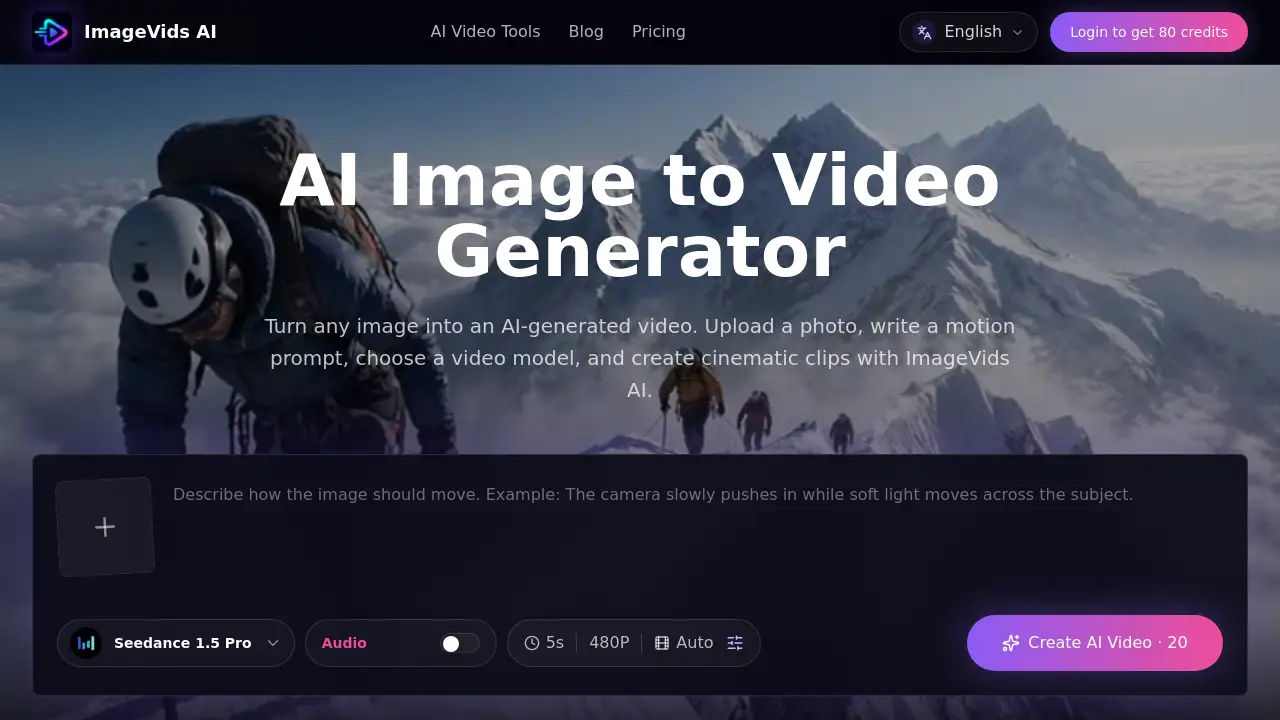
ImageVids AI is an online tool designed to turn images into AI videos quickly. Users upload a photo, write a short motion description, select a model, and generate a short video that keeps the original visual style while adding camera movement, subject motion, or atmospheric effects. It solves the problem of needing complex animation skills to bring static images to life. This image to video AI platform is suitable for content creators, marketers, ecommerce sellers, anime fans, and anyone who wants to create dynamic visual content without learning video editing. The tool offers free trial credits, multiple AI video models, and prompt-based control, making it accessible for both beginners and professionals.
Key Features of ImageVids AI
Upload Reference Image
Users start by uploading any still image – a product shot, portrait, landscape, anime artwork, or concept design. The platform keeps the original visual direction as the anchor.
Prompt-Based Motion Control
Instead of keyframes, users describe the desired motion in natural language. Examples: “camera slowly pushes in,” “subject turns head and smiles,” “particles drift.” This makes motion prompt creation intuitive.
Multiple AI Video Models
ImageVids AI supports several video models so users can choose between fast drafts, cinematic motion, realistic movement, or higher-quality output. This flexibility helps match the model to the image type.
Free Trial Credits
New users receive free trial credits to test prompts, compare models, and refine results before committing to a paid plan. This lowers the barrier to experimenting with AI image to video generation.
Private Generations
All generations on paid plans are private by default, meaning uploaded images and created videos are not shared publicly. This is important for commercial work and client projects.
Commercial Use on Paid Plans
Eligible paid plans grant commercial permissions, allowing users to use the generated videos in ads, social media, ecommerce listings, and client work.
Use Cases for ImageVids AI
Product Ads and Ecommerce
Upload a product image and describe gentle rotation, studio lighting, and subtle particles. The result is a polished short video suitable for online stores and social media ads.
Portrait and Character Animation
Bring portraits to life with natural eye blinks, head turns, and hair movement. This works for profile videos, digital art showcases, or character storytelling.
Anime and Art Motion
Anime artwork can gain wind effects, glowing particles, and camera pans. Creators use it to add cinematic feel without redrawing frames.
Real Estate and Scene Walkthroughs
A still photo of a room or landscape can be animated with a slow dolly or drift effect, helping real estate agents present properties more dynamically.
Social Media Content
Short, looped videos from images are ideal for Instagram, TikTok, and YouTube Shorts. The tool speeds up content creation by converting existing stills into engaging clips.
How to Use ImageVids AI
- Upload an image – Choose a clear photo with a visible subject.
- Write a motion prompt – Describe movement (e.g., “camera pans left, clouds drift”).
- Select a video model – Pick based on desired speed, realism, or cinematic quality.
- Adjust settings – Set aspect ratio, duration, and resolution if available.
- Generate and refine – Click generate, preview the result, and adjust the prompt or model if needed. Use free trial credits to iterate.
Target Audience for ImageVids AI
- Content creators and social media managers
- Ecommerce and product marketers
- Digital artists and animators
- Real estate professionals
- Anime and illustration enthusiasts
- Small business owners needing short video ads
- Video producers exploring AI image to video workflows
Is ImageVids AI Free?
Yes, ImageVids AI offers free trial credits for new users. After the trial, users can choose from four subscription tiers:
| Plan | Price | Key Features |
|---|---|---|
| Starter | Monthly subscription | Private generations, access to one-time credit packs |
| Creator | Monthly subscription | 5% bonus on credit packs, more monthly credits |
| Pro | Monthly subscription | 10% bonus, higher capacity for client work |
| Studio | Monthly subscription | 15% bonus, maximum monthly capacity |
All paid plans include private generations and commercial use on eligible plans. Exact prices are listed on the official pricing page.
ImageVids AI's Pros and Cons
| Aspect | Pros | Cons |
|---|---|---|
| Ease of Use | Simple upload + prompt workflow; no video editing skills needed | Limited control compared to manual animation |
| Pricing | Free trial credits; affordable entry | Higher-tier plans may be costly for heavy users |
| Features | Multiple AI video models; prompt-based motion; private generations | No text-to-video focus (primary is image input) |
| Output Quality | Cinematic results with proper prompts | Sometimes requires multiple drafts for desired motion |
| Commercial Use | Allowed on paid plans | Free tier likely has limits or watermarks |
Frequently Asked Questions about ImageVids AI
Can I use ImageVids AI for free?
Yes. New users receive free trial credits to test the AI image to video generator before choosing a paid plan.
What kind of images work best?
Clear images with a visible subject produce best results. Portraits, product photos, anime art, landscapes, and scene references all work when paired with a clear motion prompt.
How do I write a good motion prompt?
Describe what should move – camera direction, subject action, lighting changes, or atmospheric effects. Example: “The camera slowly pushes in, the subject blinks, soft light shifts.” Keep it concise.
Does ImageVids AI support different video models?
Yes. The platform supports multiple AI video models so users can choose between fast drafts, realistic motion, or cinematic quality depending on their needs.
Can I create product videos for ecommerce?
Absolutely. Upload a product image, describe gentle rotation and studio lighting, and generate a commercial-looking video for ads or listings.
Are generated videos private?
On paid plans, all image uploads and video generations are private by default. Free trial generations may have different privacy settings.
ImageVids AI Tags
AI image to video generator, turn images into AI videos, image to video AI, free AI video generator, motion prompt tool, AI video models, product animation tool, AI video creator, animate photos online, AI image to video free trial, cinematic video from image, AI video for social media