Introduction
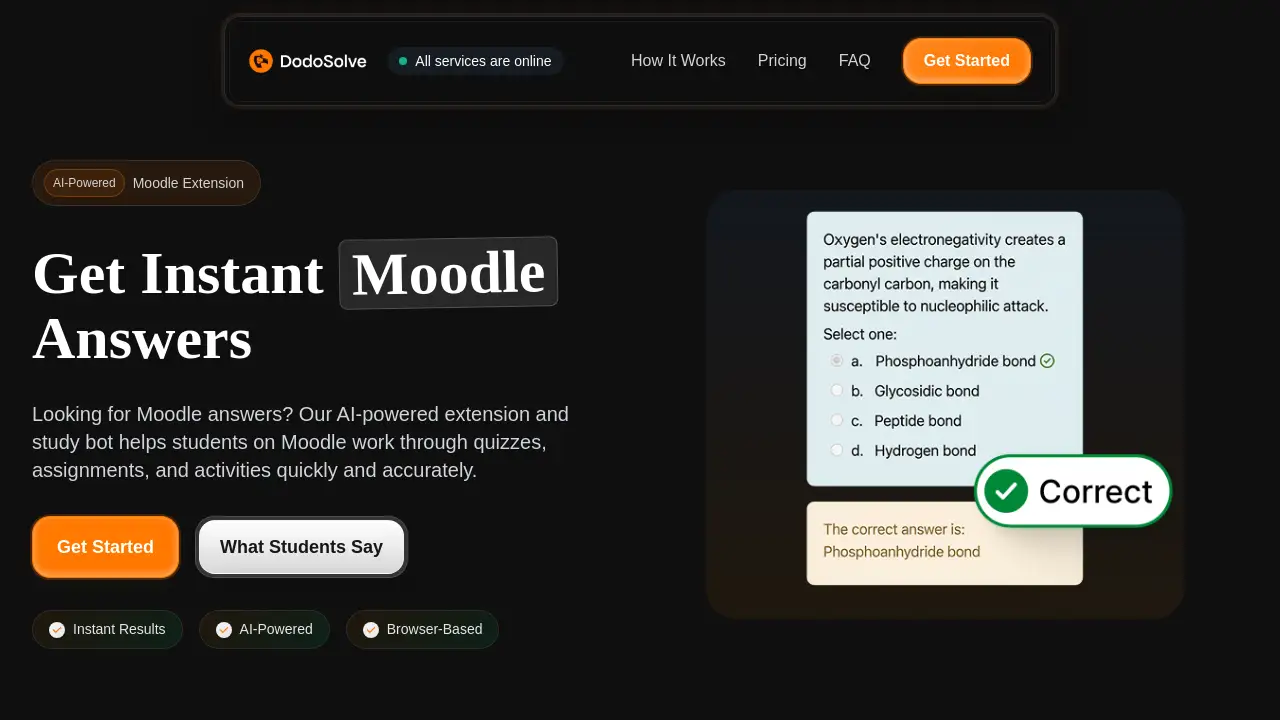
DodoSolve delivers instant Moodle answers through an AI-powered browser extension.
What is DodoSolve?
DodoSolve is a Chrome extension designed for students who need fast, accurate help with Moodle quizzes, assignments, lessons, and H5P activities. It uses artificial intelligence to surface Moodle answers directly on the page so users can work through coursework more efficiently. The tool is especially valuable for learners who face timed quizzes, complex question types, or late-night study sessions. By integrating a study bot into the browser, DodoSolve transforms the way students interact with Moodle – turning hours of searching into seconds of instant results. This Moodle extension is trusted by over 10,000 students and aims to reduce study stress while improving accuracy.
Key Features of DodoSolve
Instant Results
The extension generates Moodle answers within seconds after opening any quiz, assignment, or activity. No need to switch tabs or manually search.
AI-Powered Engine
DodoSolve’s AI-powered study bot analyzes questions and provides relevant, accurate answers. It handles Cloze, matching, and other tricky question formats that ordinary tools miss.
Browser-Based Setup
As a Moodle extension for Chrome, it requires no complex installation. Users add it to their browser in under 30 seconds.
No Usage Limits
All paid plans offer unlimited queries. Students can ask for Moodle answers as many times as they need without worrying about caps.
Works with H5P Activities
Beyond standard quizzes, DodoSolve supports H5P interactive content, making it a comprehensive study bot for diverse Moodle pages.
Clear Explanations
Each answer includes a short breakdown so students can understand the reasoning behind it, turning quick fixes into learning opportunities.
Use Cases for DodoSolve
Timed Moodle Quizzes
When every second counts, DodoSolve provides instant Moodle answers so students can finish timed quizzes with confidence and time to spare.
Challenging Assignment Types
For complex question formats like Cloze, matching, or fill-in-the-blank, the AI-powered extension handles them accurately, saving hours of guesswork.
Late-Night Study Sessions
Stuck on a tough question at 2 AM? DodoSolve’s study bot works around the clock, delivering Moodle answers whenever needed.
Reviewing Explanations
After receiving an answer, students can read the explanation to reinforce understanding – ideal for preparing for exams.
Multiple Moodle Courses
The extension works across any Moodle instance, so students can use it for all their courses without reconfiguration.
How to Use DodoSolve
- Install the Extension – Add DodoSolve to your Chrome browser from the Chrome Web Store. It takes under 30 seconds.
- Open Your Moodle Activity – Navigate to any Moodle quiz, assignment, lesson, or H5P activity as you normally would.
- Get Moodle Answers – The extension automatically analyzes the page and displays AI-generated Moodle answers right next to each question. Click to reveal the answer and explanation.
Target Audience for DodoSolve
- College and university students using Moodle
- Learners who struggle with timed online quizzes
- Students enrolled in courses with complex question types (Cloze, matching, H5P)
- Night owls and last-minute studiers who need quick Moodle answers
- Users looking for an AI-powered study assistant without switching apps
Is DodoSolve Free?
DodoSolve does not offer a free plan. Four paid subscription options are available:
| Plan | Price | Features |
|---|---|---|
| Weekly | $9.99/week | Instant answers, all Moodle assignments, no usage limits, cancel anytime |
| Monthly | $24.99/month | Same as Weekly (most flexible option) |
| Quarterly | $16.66/month (billed $49.99 every 3 months) | Same features (save 33%) |
| Yearly | $8.33/month (billed $99.99 annually) | Same features (best value, save 67%) |
All plans include unlimited Moodle answers and are cancellable at any time.
DodoSolve's Pros and Cons
| Aspect | Pros | Cons |
|---|---|---|
| Speed | Answers appear instantly after page load | Requires active internet connection |
| Accuracy | Handles tricky question types like Cloze and matching | May get less accurate for highly subjective or open-ended questions |
| Ease of Use | Setup in under 30 seconds, works automatically | Only available for Chrome browser |
| Pricing | No usage limits on any paid plan | No free tier; only subscription options |
| Functionality | Covers quizzes, assignments, lessons, and H5P | Only works with Moodle platforms, not other LMS |
Frequently Asked Questions about DodoSolve
Is DodoSolve detectable by teachers?
DodoSolve runs as a browser extension and does not modify the Moodle page’s underlying code. However, schools may have policies against automated tools. Users should review their institution’s academic integrity guidelines before using any Moodle extension that provides Moodle answers.
Does DodoSolve work on all Moodle versions?
The extension is designed to work with most modern Moodle instances. It supports common quiz formats, assignments, lessons, and H5P activities. If any compatibility issues arise, the support team can assist.
Can I use DodoSolve on my mobile device?
Currently, DodoSolve is a Chrome extension and only works on desktop or laptop computers running the Chrome browser. It is not available for mobile browsers or apps.
Are the answers always correct?
While the AI-powered study bot is highly accurate, no tool guarantees 100% correctness. DodoSolve uses trained AI models that perform well on standard Moodle answers but may struggle with extremely niche or ambiguous questions.
How do I cancel my subscription?
Cancellation can be done at any time from your account dashboard on the DodoSolve website. There are no penalties, and access continues until the end of the current billing period.
Does DodoSolve store my quiz data?
DodoSolve may temporarily process page content to generate Moodle answers, but it does not permanently store your quiz data. Privacy details are available in the extension’s privacy policy.
DodoSolve Tags
Moodle answers, AI-powered Moodle extension, study bot, instant Moodle answers, Chrome extension for Moodle, Moodle quiz helper, DodoSolve review, H5P answers, online quiz assistant, homework help tool, student productivity tool, automated Moodle solver