Introduction
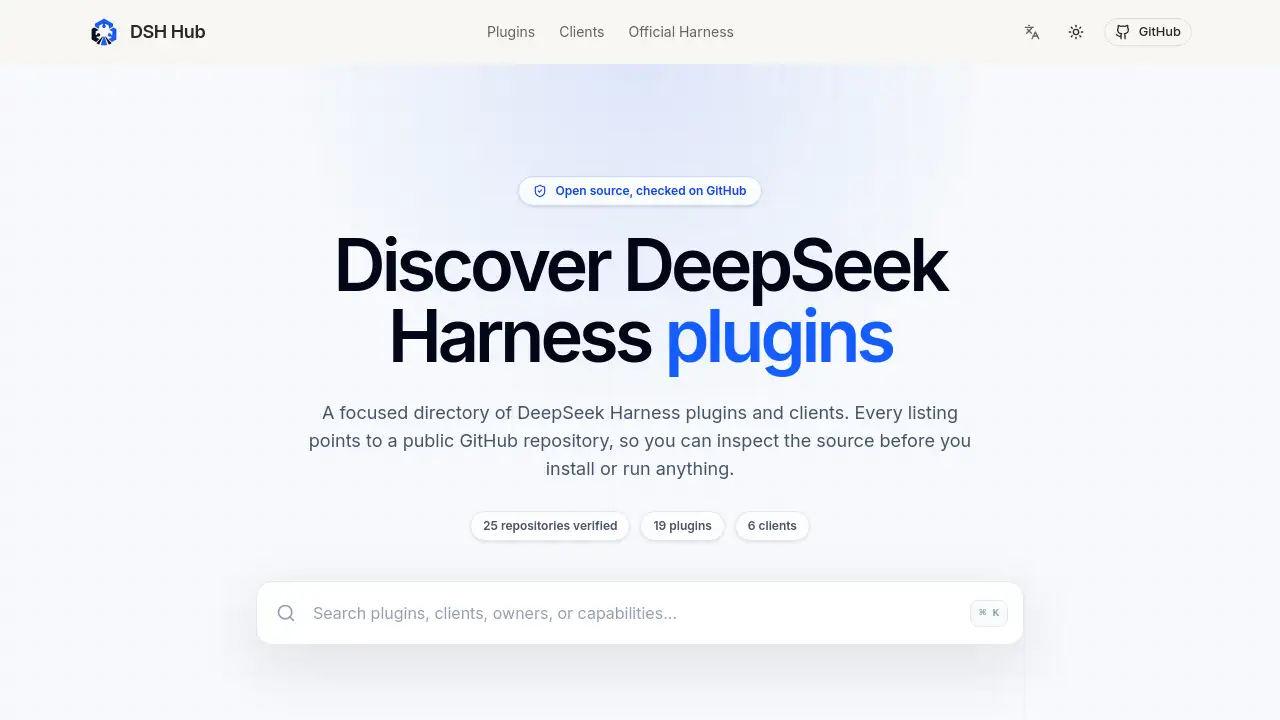
DSH Hub is a focused directory for verified DeepSeek Harness plugins and clients. Every listing points to a public GitHub repository, so users can inspect the source code before installing anything. The site currently lists 25 verified repositories, including 19 plugins and 6 clients. This makes DSH Hub a practical starting point for anyone looking for DeepSeek Harness plugins.
What is DSH Hub?
DSH Hub is an open-source directory built around one task: helping users find DeepSeek Harness plugins and clients without relying on star counts alone. It collects projects from the GitHub dsh-plugin topic and a community registry, then checks that each repository exists and records visible metadata such as owner, category, language, and license. The result is a clean list of 25 verified repositories organized into plugins and clients.
The problem is real. DeepSeek Harness is a developer-preview agent harness with a plugin-first architecture. Community tools are spread across GitHub, and a popular repository is not automatically a safe or compatible one. DSH Hub solves this by giving users a source-first DeepSeek Harness plugin directory where every project can be traced back to public code. It matters because plugins run with local permissions and may access files, credentials, and the network.
Key Features of DSH Hub
Verified Repository Checks
DSH Hub verifies that a public GitHub repository exists and records its metadata. This is a provenance check, not a security review, so users can trust that a listing is real before exploring DeepSeek Harness plugins.
Plugin and Client Separation
The directory separates DeepSeek Harness plugins from clients. Clients package or present the Harness experience in a desktop shell, terminal interface, or launcher, while plugins extend a running Harness profile with a narrower capability.
Fast Keyboard Search
A ⌘ K shortcut opens a search palette. Users can filter the catalog by project name, category, or other visible details without leaving the page.
Category-Focused Listings
Each repository is grouped under categories such as Marketplace, Vision, Terminal, Interface, Workflow, and Productivity. This helps users compare similar DeepSeek Harness plugins before choosing one.
Source-First Guidance
DSH Hub includes a four-step workflow for evaluating third-party extensions. The guidance tells users to start from the official Harness, match the repository to the job, inspect provenance and maintenance, and test in a disposable profile.
Use Cases for DSH Hub
Discovering New DeepSeek Harness Plugins
Users can browse the catalog to find plugins for OCR, vision routing, file uploads, multi-chat views, and skill picking. The category layout makes discovery faster than searching GitHub manually.
Evaluating DSH Clients
Teams can compare terminal clients, web UI fixes, and mobile access extensions. The 6 clients listed on DSH Hub are separated from plugins, so the comparison is clearer.
Reviewing Code Before Installation
A security-conscious user can open a repository directly from DSH Hub and inspect the manifest, license, recent commits, and package contents. The directory encourages this behavior instead of hiding it.
Building a Minimal Harness Profile
Developers can start with the official Harness and add only the DeepSeek Harness plugins needed for their workflow. DSH Hub supports this by showing what each project does and what to check before adding it.
How to Use DSH Hub
Using the DeepSeek Harness plugin directory is simple. Follow these steps:
- Open DSH Hub and use the search bar or the ⌘ K shortcut to find a tool.
- Review the project category, language, license, and star count in the listing.
- Click the Source link to open the public GitHub repository.
- Read the README, check recent commits, and compare the manifest with the declared entry points.
- Test the plugin or client in a separate Harness profile before adding it to a working setup.
By following this process, users can use DSH Hub as a research index while performing their own security review.
Target Audience for DSH Hub
- Developers who use DeepSeek Harness and want to extend its Web UI or CLI with DeepSeek Harness plugins.
- Technical teams building agent workflows with vision, interface, or productivity tools.
- Plugin authors and maintainers who want to track related projects.
- Security-conscious users who prefer inspecting open-source code before installation.
- Open-source researchers exploring the DeepSeek Harness plugin ecosystem.
Is DSH Hub Free?
DSH Hub is a free DeepSeek Harness plugin directory. No pricing plans or paid tiers are mentioned on the homepage. Users can browse all 25 verified repositories without an account.
| Plan | Price | Features |
|---|---|---|
| Free | $0 | Browse verified repositories, search plugins and clients, access GitHub links |
DSH Hub's Pros and Cons
| Aspect | Pros | Cons |
|---|---|---|
| Pricing | Free for all users | No paid support or premium features |
| Verification | Checks that GitHub repositories exist | Does not guarantee security or compatibility |
| Organization | Clear categories for plugins and clients | Catalog size is still small |
| Guidance | Strong source-first workflow | Requires users to do their own review |
Frequently Asked Questions about DSH Hub
What is DeepSeek Harness?
DeepSeek Harness is an open-source agent harness published by DeepSeek AI. It uses a plugin-first architecture powered by Cordis and offers Web and CLI entry points. The project is still in developer preview, so its interfaces and plugin behavior may change. DSH Hub links to the official repository for current documentation.
What does "verified" mean on DSH Hub?
"Verified" means DSH Hub checked that a public GitHub repository exists and recorded its visible metadata. It is a provenance check, not a security review or an endorsement. Users should still review third-party code before installing.
How are DeepSeek Harness plugins different from clients?
DSH Hub treats plugins as projects that extend a running Harness profile with a narrower capability. Clients package or present the Harness experience through a desktop shell, terminal interface, native window, or launcher. The distinction helps users understand whether a project ships its own runtime or update system.
Is DSH Hub safe to use?
Browsing DSH Hub is safe because it only links to public repositories. Installing the tools listed there is not automatically safe. Plugins run with local permissions and may access files, credentials, and the network. DSH Hub's own safety guidance recommends testing in a disposable profile.
How many repositories are listed on DSH Hub?
The homepage snapshot shows 25 verified GitHub repositories, including 19 plugins and 6 clients. The catalog may change as repositories become private, archived, or no longer match the claimed role.
Does DSH Hub include only open-source tools?
Yes. Every listing on DSH Hub points to a public GitHub repository for DeepSeek Harness plugins and clients. Open-source status is part of the directory's identity, and users can inspect the source before installing anything.
DSH Hub Tags
DSH Hub, DeepSeek Harness plugins, DeepSeek Harness plugin directory, verified GitHub repositories, DSH plugin clients, open-source DSH tools, DSH TUI, DeepSeek Harness extensions, DSH plugin marketplace, DSH Web UI plugins, DSH Vision tools, DSH workflow plugins