Introduction
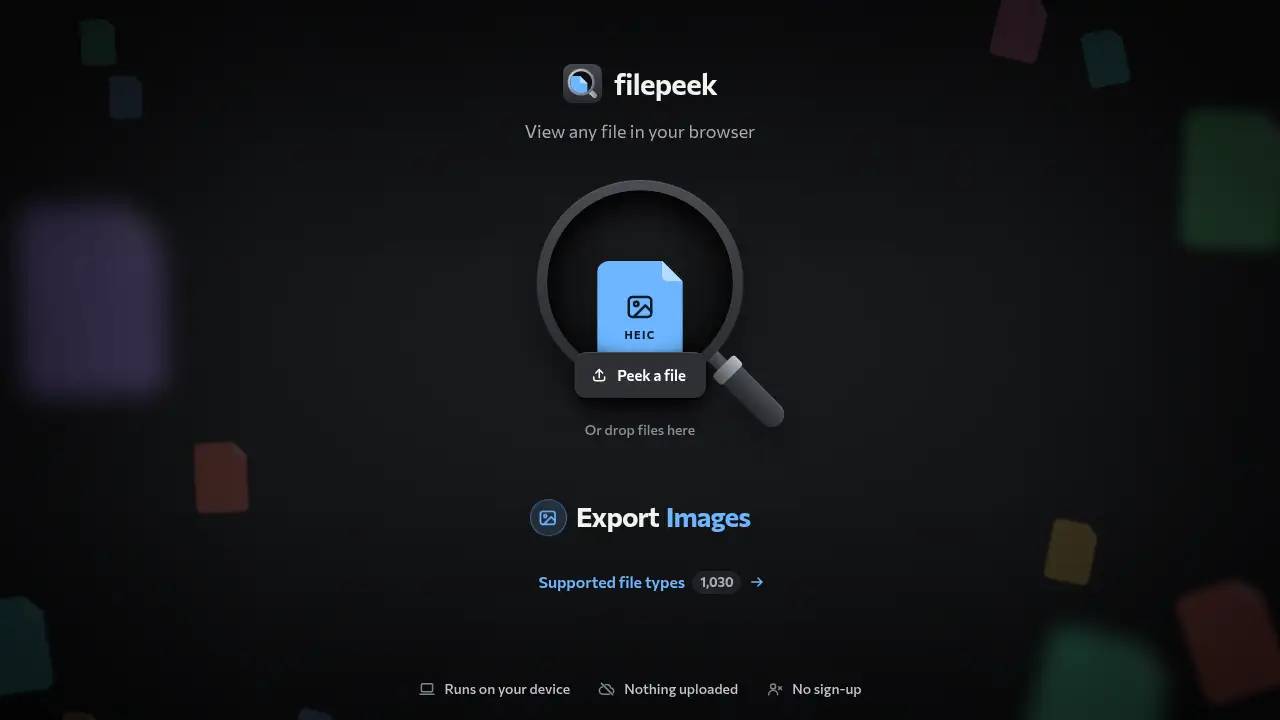
Filepeek is a free browser-based file viewer.
What is Filepeek?
Filepeek is an online file viewer that opens over 700 file types directly in a web browser. It solves the common problem of receiving files that standard software cannot open, such as HEIC photos, MKV videos, PSD designs, DWG drawings, and Pages documents. The tool is suitable for office workers, designers, students, photographers, developers, and anyone who needs a quick way to preview or convert uncommon formats. What makes Filepeek stand out is its privacy-first approach: it runs on the user’s device, requires no sign-up, and does not upload files. This makes it a practical and private file viewer for everyday file previews, conversions, and light editing tasks.
Key Features of Filepeek
View Over 700 File Types
Open images, videos, audio, documents, data files, designs, archives, 3D objects, maps, fonts, and more in a browser. The format library lists 1,030 supported file types, including HEIC, WEBM, FLAC, PAGES, CSV, PSD, BZ2, GLB, and GPX.
Private On-Device Processing
Process files locally in the browser without uploading them to a server. This private file viewer keeps sensitive documents, photos, and designs on the user’s device.
No Sign-Up Required
Start viewing files immediately without creating an account or sharing an email address. The free file viewer opens directly in the browser.
Convert and Export Files
Export images, transcode videos, encode audio, convert documents, filter data, preview designs, extract archives, view 3D objects, and explore maps. Save results as MP4, MP3, ZIP, CSV, PNG, PDF, JPEG, and other formats.
Built-In Editing Tools
Crop, rotate, adjust exposure, add text, draw, highlight, sign PDFs, add watermarks, and edit images or documents before saving. Tools include a hex editor, text viewer, and data table view.
Preview and Inspect Specialized Formats
View 3D models with shaded, clay, wireframe, and X-ray modes; explore maps; inspect EXIF data; read fonts; and preview archives. The viewer also includes a hex editor for binary files.
Use Cases for Filepeek
Opening iPhone Photos on Windows
View HEIC photos from an iPhone on a Windows PC without installing extra software. Filepeek opens HEIC files in the browser and lets users save them as JPEG or PNG.
Playing MKV Videos Without a Media Player
Play MKV, WEBM, and other video files directly in the browser. Use Filepeek as a free MKV player and transcode videos to MP4 or GIF when needed.
Previewing Design Files
Open PSD, AI, Sketch, and other design files without Adobe software. Designers and clients can preview designs and export PNG or SVG assets.
Reading Pages and Office Documents
View Apple Pages, Numbers, and Keynote files on any device. Convert documents to PDF or extract text without installing iWork or Microsoft Office.
Extracting Archives and Viewing Data
Open ZIP, RAR, 7Z, BZ2, and other archives to extract files. View CSV, JSON, Excel, and SQLite data as tables and save filtered results as CSV.
Inspecting 3D Models and Maps
View GLB, STL, OBJ, and USDZ 3D objects in the browser. Explore GPX, KML, and GeoJSON map files without specialized GIS software.
How to Use Filepeek
- Open the Filepeek website in any modern browser.
- Drag and drop a file onto the page, or click the “Peek a file” button to choose a file from the device.
- Wait for the file to open in the browser. Filepeek processes the file locally on the device.
- Use the available tools to view, edit, convert, or export the file. Options vary by file type.
- Save the result to the device. No account or upload is required.
Target Audience for Filepeek
- Office workers who receive files in unfamiliar formats.
- Designers and creatives who need to preview PSD, AI, or DWG files.
- Students and teachers who open documents, data, or archives.
- Photographers and iPhone users who work with HEIC images.
- Video editors and media users who need to play MKV or WEBM files.
- Developers and IT professionals who inspect binary files, fonts, or 3D models.
- Anyone who wants a free, private online file viewer without sign-up.
Is Filepeek Free?
Filepeek is free to use. The reference content does not list any paid plans, subscriptions, or usage limits. Users can open over 700 file types, convert files, and use editing tools without creating an account. No pricing page is mentioned in the provided information.
| Plan | Price | Features |
|---|---|---|
| Free | $0 | Over 700 file types, no sign-up, on-device processing, conversions, editing tools |
Filepeek's Pros and Cons
| Aspect | Pros | Cons |
|---|---|---|
| Pricing | Completely free, no sign-up | No paid support or advanced enterprise features listed |
| Privacy | Files stay on the device; nothing uploaded | Requires a modern browser with enough local resources |
| Format support | Over 700 file types, including HEIC, MKV, PSD, DWG, Pages | Some specialized formats may have limited editing options |
| Ease of use | Drag-and-drop interface, no installation | Large files may depend on device performance |
| Features | View, convert, edit, and export many formats | Not a full replacement for professional desktop software |
Frequently Asked Questions about Filepeek
Is Filepeek really free?
Yes. Filepeek is a free online file viewer with no sign-up required. The reference content does not mention paid plans or hidden fees.
Are my files uploaded to a server?
No. Filepeek runs on the user’s device and states that nothing is uploaded. This makes it a private file viewer for sensitive files.
What file types can Filepeek open?
Filepeek opens over 700 file types, including HEIC photos, MKV videos, FLAC audio, Pages documents, CSV data, PSD designs, BZ2 archives, GLB 3D objects, and GPX maps. The format library lists 1,030 supported types.
Can Filepeek convert files?
Yes. Filepeek can export images, transcode videos to MP4 or GIF, encode audio to MP3 or WAV, convert documents to PDF, extract archives to ZIP, and save data as CSV or Excel.
Does Filepeek work on mobile devices?
Filepeek runs in a web browser, so it works on modern mobile browsers. The on-device processing may be limited by the phone or tablet’s memory and CPU.
Do I need to install any software?
No. Filepeek is a browser-based file viewer. Users only need a modern web browser and an internet connection to load the site.
Filepeek Tags
Filepeek, online file viewer, free file viewer, open files in browser, view HEIC online, MKV player online, PSD viewer, DWG viewer, Pages viewer, private file viewer, no sign-up file viewer, browser-based file converter