Introduction
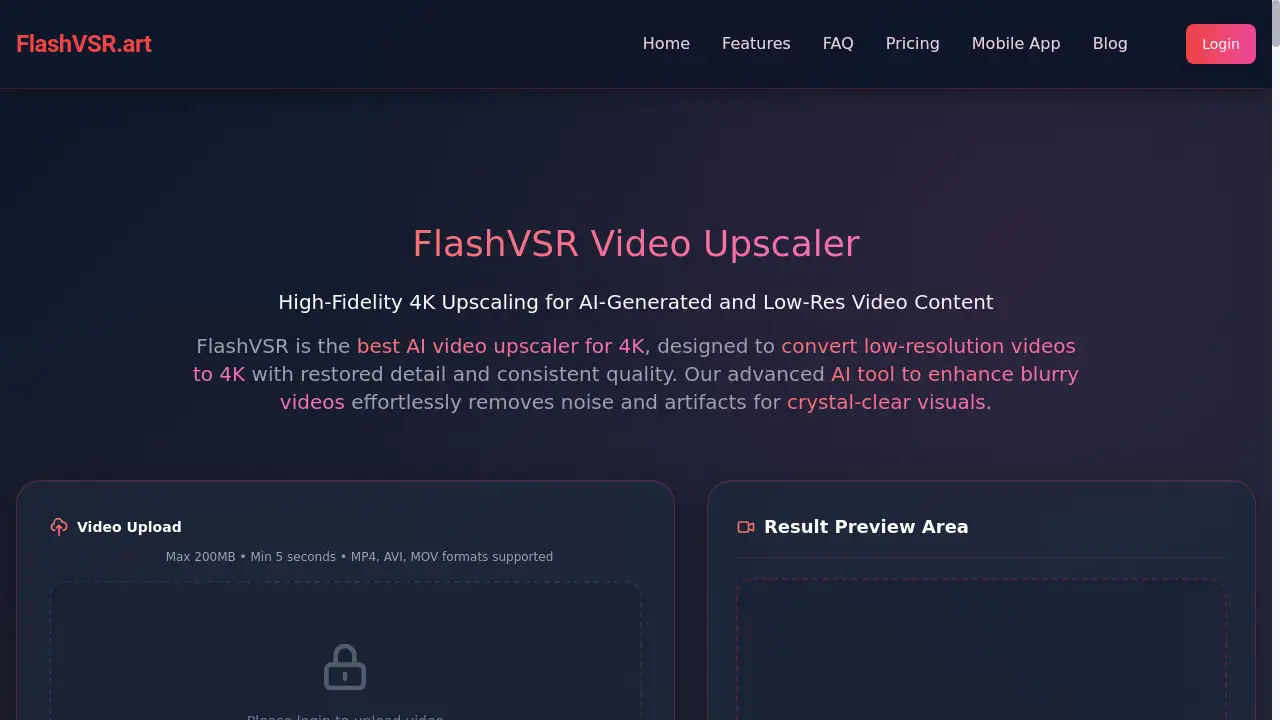
FlashVSR Video Upscaler is a real-time AI tool for high-fidelity 4K video enhancement.
What is FlashVSR Video Upscaler?
FlashVSR Video Upscaler is an advanced AI tool designed to convert low-resolution videos to 4K quality. It tackles the common problem of blurry, pixelated, or compressed video footage by employing a diffusion-based video super-resolution (VSR) process. This product is suitable for a wide range of users, from independent content creators and video editors to social media managers and archivists. It matters because it provides a fast, accessible solution for video upscaling for long clips, restoring detail and improving overall visual fidelity without requiring expensive hardware or deep technical expertise. By focusing on high-fidelity detail recovery and temporal consistency, FlashVSR effectively enhances video quality for both professional and personal projects.
Key Features of FlashVSR Video Upscaler
High-Fidelity Detail Recovery
FlashVSR utilizes locality-constrained sparse attention to restore fine textures and sharp edges, effectively bridging the train-test resolution gap and preventing visual artifacts for a natural look.
Optimized High-Speed Reconstruction
The model's tiny conditional decoder drastically reduces processing time to just one-seventh of previous methods, enabling up to 12x faster video upscaling than traditional diffusion models.
Temporal Consistency
An adjustable frame attention range minimizes flicker and ghosting across frames, ensuring stable motion and smooth transitions for a professional viewing experience.
Artifact Cleanup
The AI video upscaler efficiently reduces common issues like compression blocks, ringing, and shimmering, resulting in cleaner and more polished video output.
Motion-Aware Upscaling
This feature preserves the integrity of fast action sequences and camera pans, delivering fewer motion artifacts and maintaining video quality during dynamic scenes.
Flexible Upscaling Options
Users can choose from 1x to 4x resolution upscaling, offering true 4x video resolution enhancement capabilities to achieve Full HD, 2K, or 4K output.
Integrated Color Correction
An intelligent color correction system is built-in to enhance the color accuracy and vibrancy of videos during the upscaling process.
VSR-120K Dataset Training
Trained on a vast dataset of 120,000 videos and 180,000 images, FlashVSR is equipped to handle a wide variety of content with superior results.
Use Cases for FlashVSR Video Upscaler
Video Post-Production
Professionals use FlashVSR to upscale low-res footage to broadcast-quality 4K, saving significant time and costs in post-production workflows.
Independent Creator Content Production
Solo creators can deliver high-quality 4K videos to clients without the need for expensive camera equipment, leveling the playing field for small businesses.
Social Media Video Optimization
Social media managers utilize the tool to improve TikTok video clarity and enhance YouTube content quality, leading to higher viewer engagement and platform performance.
AI Video Creation Enhancement
Creators apply FlashVSR to outputs from platforms like Runway and Sora, removing the distinctive 'AI look' and imparting a more cinematic quality to the footage.
Video Restoration and Archival
Archivists and restoration specialists employ FlashVSR as a professional film restoration tool to restore old movie footage with AI, bringing historical content into the modern era.
Gaming Content Enhancement
Gamers and streamers upscale game footage from lower resolutions to stunning 4K, creating more immersive and professional-looking content for their audiences.
How to Use FlashVSR Video Upscaler
Using FlashVSR is a straightforward process designed for user convenience.
- Upload Video & Select Resolution: Begin by uploading your video file. The platform supports MP4, AVI, and MOV formats, with a maximum file size of 200MB and a minimum duration of 5 seconds. Then, select your desired output resolution from options like 720P, 1080P, 2K, or 4K.
- Generate & Process: Initiate the AI video upscaling by clicking the 'Generate' button. FlashVSR will then process your video. The processing speed is approximately 3–20 seconds of wall time to process one second of video, though this can vary based on resolution and server load.
- Preview & Download: Once processing is complete, you can preview the enhanced video in the interface, comparing it with the original. If satisfied, download the high-quality 4K video to your local device with a single click.
Target Audience for FlashVSR Video Upscaler
- Independent Filmmakers and Video Creators
- Social Media Managers and Content Creators
- Video Editors and Post-Production Studios
- Game Streamers and Gaming Content Creators
- Archivists and Cultural Heritage Institutions
- Freelance Editors offering enhancement services
- E-learning Developers and Corporate Trainers
- Marketing and Brand Managers
Is FlashVSR Video Upscaler Free?
Based on the available information, FlashVSR requires users to log in to upload a video, indicating that access to the service is likely gated. The specific details of a free plan or premium pricing tiers are not explicitly stated on the provided homepage content. Prospective users are advised to visit the official website at flashvsr.art for the most current information on available plans, potential free trials, and premium options.
Frequently Asked Questions about FlashVSR Video Upscaler
What is the maximum video length FlashVSR can process?
FlashVSR can process video clips up to 10 minutes in length per job, making it highly capable for video upscaling for long clips.
What video formats does FlashVSR support?
The AI video upscaler supports common video formats including MP4, AVI, and MOV for input and processing.
What upscaling factors does FlashVSR offer?
FlashVSR Video Upscaler offers flexible upscaling options from 1x to 4x, allowing users to convert low-resolution videos to 4K and even includes experimental pipelines for 8K output.
How does FlashVSR differ from simple video upscaling?
Unlike basic interpolation methods, FlashVSR uses advanced diffusion models to reconstruct natural details, actively remove compression artifacts, and maintain temporal consistency across frames for a superior result.
What kind of videos does FlashVSR work best on?
FlashVSR excels at enhancing AI-generated videos, low-resolution social media content, and old archival footage, making it an ideal tool to enhance blurry videos from various sources.
How long does the upscaling process take?
Processing time is approximately 3–20 seconds of wall time to process one second of video, though this can vary depending on the selected output resolution and current server queue load.
FlashVSR Video Upscaler Tags
FlashVSR Video Upscaler, AI video upscaler, 4K video enhancement, video super-resolution, convert low-resolution videos to 4K, enhance blurry videos, video upscaling for long clips, AI tool to enhance blurry videos, super-resolution for YouTube videos, improve TikTok video clarity, restore old movie footage with AI, professional film restoration tool, AI upscaler for anime, 4x video resolution enhancement