Introduction
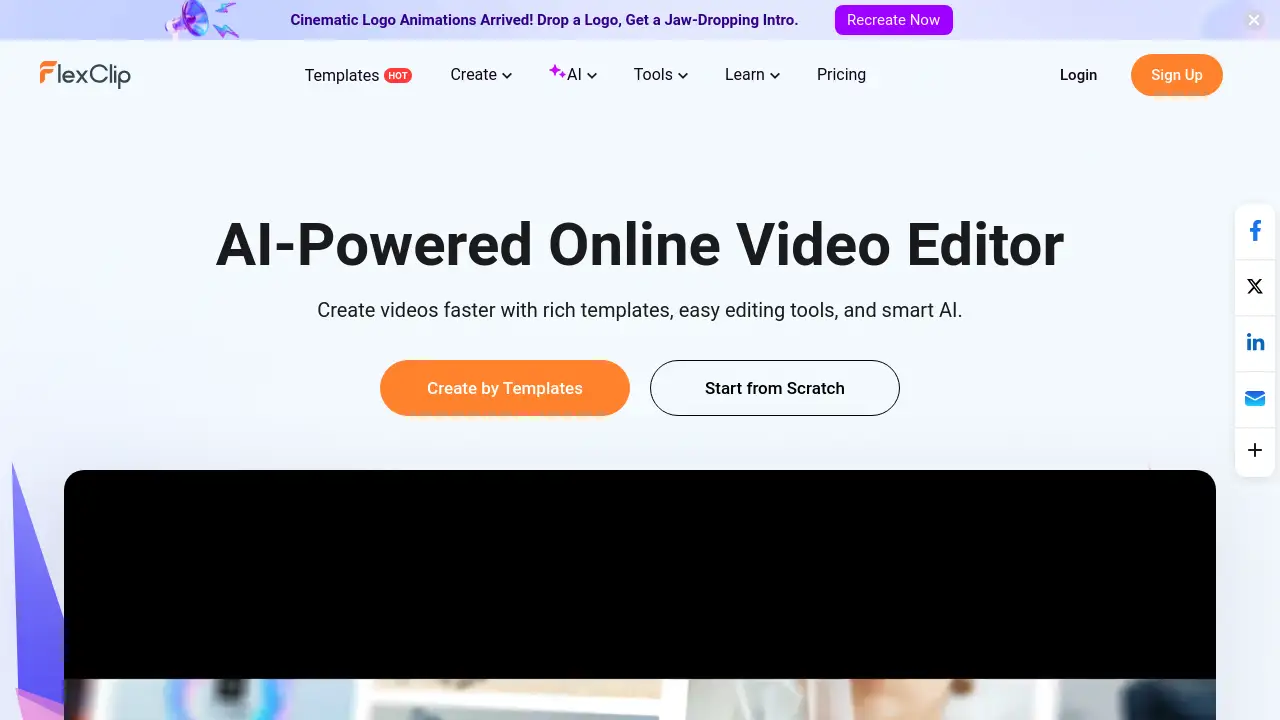
FlexClip is a free online video editor designed to help anyone create professional-looking videos quickly and easily.
What is FlexClip?
FlexClip is a comprehensive online video editing platform. It solves the problem of complex, expensive video editing software by offering a user-friendly, browser-based alternative. It is suitable for a wide range of users, from complete beginners to small business owners, marketers, educators, and content creators. The platform matters because it democratizes video creation, allowing anyone to produce engaging video content for social media, marketing, education, or personal projects without needing advanced video editing skills. Its core value lies in providing powerful tools—including a vast library of templates and AI-powered features—within an intuitive interface.
Key Features of FlexClip
Extensive Template Library
Users can start projects instantly with over 6,000 professionally designed video templates across categories like business, marketing, wedding, and social media.
AI-Powered Video Tools
The platform includes a suite of AI video generator tools, such as AI script writing, text-to-speech conversion, automatic subtitle generation, and background removal, to speed up the creative process.
Rich Media Resources
It provides access to millions of stock videos and photos, thousands of music tracks and sound effects, and a wide array of text presets, animated elements, filters, and transitions for commercial use.
Intuitive Editing Tools
Basic and advanced video editing functions like trimming, merging, reversing, speed control, and adding text, music, and voiceovers are made simple with a drag-and-drop interface.
Collaboration and Cloud Storage
Teams can work together on projects in real-time, with all assets securely stored in the cloud for easy access and sharing from any device.
High-Quality Export Options
Finished videos can be exported in resolutions up to 4K and shared directly to various social media platforms or downloaded for offline use.
Use Cases for FlexClip
Social Media Content Creation
Ideal for creating short, engaging clips, stories, and reels for platforms like Instagram, TikTok, and YouTube with trendy templates and quick editing.
Business Marketing Videos
Businesses can produce promotional videos, product demos, and company intro/outro videos to enhance their online video marketing campaigns.
Educational and Training Materials
Educators and trainers can easily create instructional videos, presentations, and tutorials by combining screen recordings, voiceovers, and text annotations.
Personal Projects and Events
Perfect for crafting personalized slideshows, wedding videos, travel vlogs, or family celebration montages without a steep learning curve.
How to Use FlexClip
Using FlexClip is a straightforward process designed for efficiency:
- Sign Up and Choose a Starting Point: Create a free account on the website. You can then start from a blank project, upload your own media, or browse the extensive template library.
- Customize Your Project: Use the drag-and-drop editor to add or replace clips, insert text, music, and voiceovers. Utilize AI tools like the script generator or auto-subtitle for faster editing.
- Apply Enhancements: Animate elements, add transitions between scenes, and apply filters or effects from the resource library to polish your video.
- Preview and Export: Review your video within the editor. Once satisfied, choose your desired resolution (up to 4K) and export it directly to your device or share it on social media.
Target Audience for FlexClip
- Small business owners and marketers
- Social media managers and content creators
- Educators, coaches, and trainers
- Non-profit organizations and community groups
- Individuals creating videos for personal events (weddings, travel, etc.)
- Beginners looking for an easy-to-use online video editor
Is FlexClip Free?
FlexClip offers a free plan with basic features, alongside paid plans that unlock more advanced capabilities and resources. For the most accurate and current pricing and feature details, users should visit the official FlexClip website.
FlexClip's Pros and Cons
| Aspect | Pros | Cons |
|---|---|---|
| Ease of Use | Intuitive, beginner-friendly interface with no video editing skills required. | Advanced professional editors may find some features limited compared to desktop software. |
| Features & Resources | Powerful AI tools and a massive library of templates and stock media. | Some premium assets and advanced AI features are locked behind paid plans. |
| Accessibility | Completely online; works in a browser with no software installation needed. | Requires a stable internet connection for full functionality. |
| Collaboration | Excellent real-time collaboration tools for teams. | The free plan has limitations on project length and exports. |
Frequently Asked Questions about FlexClip
Is FlexClip really free to use?
Yes, FlexClip offers a free plan that allows users to access basic editing tools, a selection of templates, and standard export options. This makes it a great starting point for simple video editing projects.
What are the main advantages of using an online video editor like FlexClip?
The primary advantages are accessibility and convenience. There's no software to download or update, projects are saved in the cloud, and you can start editing from any computer with an internet connection. The integrated template and media libraries also save significant time.
Can I use FlexClip for commercial purposes?
Yes, but it depends on the plan. The paid plans typically include a commercial license for the stock media and resources within the platform. Users on the free plan should review the licensing terms carefully for any assets they use.
How does the AI video generator work?
The AI video generator can create a video draft from a text prompt, article, or webpage URL. It analyzes the input, suggests a storyline, selects relevant stock footage, and adds background music, providing a solid foundation that users can then customize.
What video formats and resolutions does FlexClip support for export?
FlexClip supports exporting videos in common formats like MP4. Export resolutions range from standard definition (480p) up to full high definition (1080p) and 4K Ultra HD, with higher resolutions available in the premium plans.
Can I collaborate with others on a FlexClip project?
Yes, collaboration is a key feature. Team members can be invited to work on the same project simultaneously, making it efficient for teams to brainstorm, edit, and approve video content together in real-time.
FlexClip Tags
online video editor, free video maker, AI video generator, video editing software, create videos online, social media video maker, business video tool, marketing video creator, easy video editor, template-based video editing, cloud video editor, collaborative video editing