Introduction
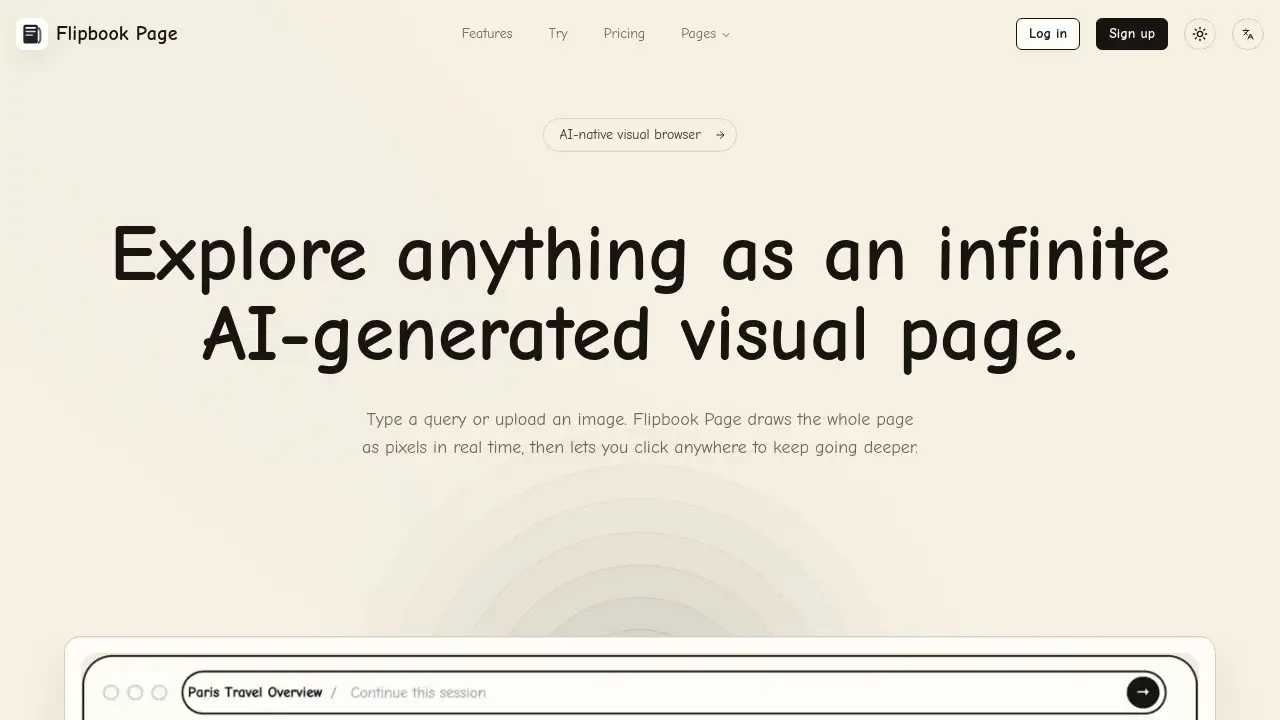
Flipbook Page is an AI-native visual browser that transforms any query into an infinite visual page.
What is flipbook page?
Flipbook Page is a web-based tool designed to redefine online exploration. At its core, it addresses the common problem of fragmented, text-heavy search results by generating a cohesive, interactive visual map for any topic. Users can start with a text query or upload an image, and the AI instantly renders a page filled with related concepts, images, and connections. This makes it suitable for visual learners, researchers, and anyone seeking a more intuitive way to discover and understand complex subjects. The platform's ability to let users click anywhere on the generated page to dive deeper creates a non-linear, exploratory browsing experience that prioritizes visual discovery over traditional search.
Key Features of flipbook page
Real-Time AI-Generated Pages
The platform draws complete visual pages in real-time, instantly transforming your input into a dynamic canvas of interconnected ideas and images.
Infinite Visual Exploration
Click on any element within the generated page to seamlessly continue browsing deeper, creating a truly endless journey of discovery.
Dual Input Methods
Initiate exploration by typing a text query or by uploading an image, offering flexibility in how you start your visual search session.
Interactive Pixel-Based Canvas
The entire page is rendered as an interactive pixel canvas, allowing for intuitive navigation and a unique, immersive browsing interface.
Use Cases for flipbook page
Academic Research and Brainstorming
Students and academics can use it to visually map out research topics, uncovering related concepts and generating ideas for papers or projects in a non-linear format.
Creative Inspiration and Mood Boards
Artists, designers, and writers can input a theme or upload a reference image to generate a sprawling visual page for inspiration, helping to overcome creative blocks.
Casual Learning and Curiosity
Curious individuals can explore any topic of interest, from historical events to scientific concepts, in a more engaging and visually stimulating way than reading articles.
Project Planning and Mind Mapping
Teams can use the tool to visually brainstorm project components, seeing how different tasks and ideas connect on a single, expandable canvas.
How to Use flipbook page
Using Flipbook Page is designed to be straightforward. Follow these steps to begin your visual exploration:
- Visit the Platform: Navigate to the Flipbook Page website.
- Start Your Session: On the main page, either type a query into the provided text box or upload an image from your device to serve as your starting point.
- Generate the Page: Click the action button (e.g., "Try Flipbook Page" or similar). The AI will process your input and generate a full visual page in real time.
- Explore Interactively: Click anywhere on the generated visual page—on an image, a text snippet, or a blank area—to instruct the AI to expand on that specific point, creating a new branch of content.
- Continue Deeper: Repeat the process. Each click allows you to delve deeper into subtopics, creating an infinite, personalized exploration path.
Target Audience for flipbook page
- Students and Researchers: Individuals needing to explore academic topics visually and discover non-obvious connections.
- Creative Professionals: Designers, artists, and writers seeking inspiration and visual brainstorming tools.
- Lifelong Learners and Curious Minds: Anyone who enjoys exploring new topics in an interactive, engaging format.
- Project Managers and Teams: Groups looking for innovative ways to visually brainstorm and map out project ideas and components.
Is flipbook page Free?
Based on the available reference information, Flipbook Page offers a free-to-try experience. Users can access the core visual browsing functionality through the "Try Flipbook Page" link. For detailed information on any premium plans, feature limitations, or subscription tiers, users are directed to visit the official Flipbook Page pricing page.
flipbook page's Pros and Cons
| Aspect | Pros | Cons |
|---|---|---|
| User Experience | Offers a uniquely interactive and visual way to explore information, breaking from traditional text-based search. | The non-linear, infinite canvas might have a learning curve for users accustomed to structured lists. |
| Innovation | Pioneers an AI-native visual browsing paradigm, enabling serendipitous discovery and deeper dives into topics. | As a novel tool, its effectiveness for finding specific, factual information compared to standard search engines is unclear. |
| Accessibility | Simple, intuitive starting process (type or upload) lowers the barrier to entry for immediate use. | The quality and relevance of AI-generated visual content may vary depending on the initial query. |
Frequently Asked Questions about flipbook page
How does Flipbook Page generate its visual pages?
Flipbook Page uses artificial intelligence to interpret your text or image input. It then sources and synthesizes related visual and conceptual data from the web to construct a cohesive, interactive page layout in real time.
Can I use an image to start exploring with Flipbook Page?
Yes, one of the key features is the ability to upload an image. The AI will analyze the image's content, themes, and context to generate a starting visual page for your exploration.
Is there a limit to how deep I can explore on a page?
The platform is designed for infinite visual exploration. You can keep clicking on elements within the generated page to go deeper into subtopics indefinitely, creating a branching, non-linear exploration path.
What kind of topics work best with Flipbook Page?
It is well-suited for exploratory, conceptual, or creative topics rather than simple factual lookups. Examples include brainstorming "sustainable architecture," exploring "Renaissance art influences," or finding inspiration for "cyberpunk character design."
Do I need to create an account to try Flipbook Page?
Based on the available links, you can start a session and try the core visual browsing functionality directly without an initial sign-up. Account creation may be required for saving sessions or accessing premium features.
How is Flipbook Page different from a standard image search?
Unlike a static grid of results, Flipbook Page creates a dynamic, connected canvas. It doesn't just show isolated images; it builds a contextual visual map where you can interactively explore the relationships between concepts by clicking to generate new content on the fly.
flipbook page Tags
Flipbook Page, AI visual browser, infinite visual page, AI-generated page, visual exploration tool, interactive browsing, visual search engine, AI discovery tool, brainstorming tool, visual learning, image-based search, non-linear browsing