Introduction
Flow AI Video Generator makes AI video creation simple.
What is Flow AI Video Generator?
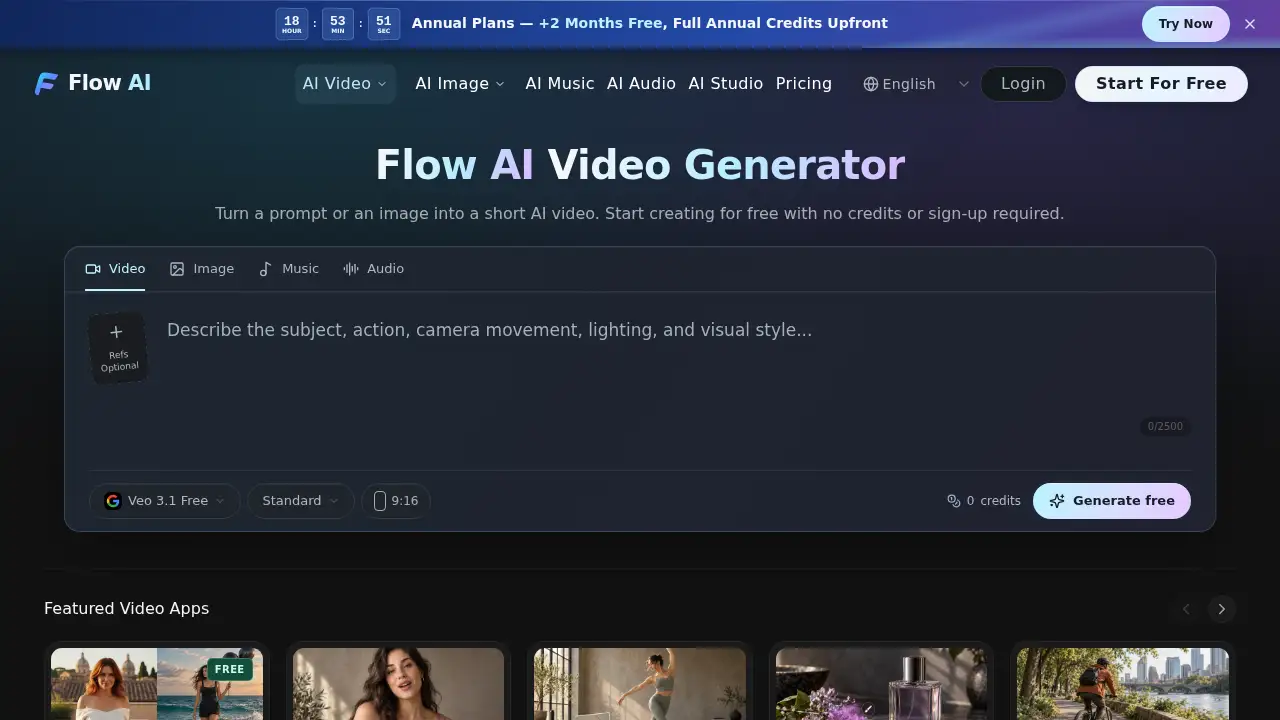
Flow AI Video Generator is a browser-based AI video generator that turns text prompts or images into short AI videos. It addresses the need for quick video creation without advanced editing skills. The tool is suitable for marketers, content creators, designers, and anyone exploring text to video or image to video workflows. As an AI video maker, it brings multiple models into one workspace, including Veo 3.1 Free, so users can start without credits or sign-up. This matters because it lowers the barrier to testing AI video ideas and reviewing results before committing credits.
Key Features of Flow AI Video Generator
Text to Video Creation
Write a focused scene, subject action, and camera movement to generate a short clip. This text to video feature helps turn a simple prompt into a reviewable AI video.
Image to Video Direction
Upload a still image and describe how it should move, such as a gentle camera push or slight head turn. The image to video mode helps guide composition and motion on compatible models.
First and Last Frame Control
Use two related images to set where a shot begins and ends. First and last frame controls are available only on supported models and modes, so check compatibility before generating.
Multiple Visual References
Add references for a subject, setting, or motion in a dedicated workspace. Supported formats and reference counts vary by model, and exact identity preservation is not guaranteed.
Output Settings
Choose duration, aspect ratio, and resolution supported by the selected model. Google Omni supports up to 4K in compatible modes, while other AI video generator models offer different combinations.
Upfront Credit Estimate
Review the credit cost before submitting a generation. This helps users compare model options and settings without surprise charges.
Use Cases for Flow AI Video Generator
Social Media Short Clips
Create vertical short AI videos for social posts using text to video or image to video. Choose a ratio and duration that fit the platform.
Product Demo Previews
Turn a product photo into a short motion preview with a subtle camera move. This is useful for early concept reviews before a full production.
Concept Visualization
Describe a scene and generate a quick visual reference for a storyboard or pitch. The AI video maker can help teams discuss motion and mood.
Quick Prototyping
Test several prompts or reference images in a creation session. Review each clip and download the best option for further editing.
How to Use Flow AI Video Generator
- Open Flow AI Video Generator and select a model such as Veo 3.1 Free.
- Enter a focused scene description for text to video, or upload an image for image to video.
- Choose compatible duration, aspect ratio, and resolution, then review the credit quote.
- Submit the task and follow progress in the creation session.
- Preview the finished video, check details, and download it.
Target Audience for Flow AI Video Generator
- Content creators who need short AI videos for social platforms
- Marketers testing product or campaign visuals
- Designers and storytellers exploring prompt-based and image-based workflows
- Small teams that want an AI video maker with a free tier
- Users comparing multiple AI video models and seeking a free AI video generator option
Is Flow AI Video Generator Free?
Flow AI Video Generator offers a free option through Veo 3.1 Free. This free AI video generator option lets users generate, preview, and download videos without credits or sign-up, within a daily allowance. Other models use credits, and some require paid access. The composer shows the current credit cost before submission.
| Plan | Price | Features |
|---|---|---|
| Free | $0 | Veo 3.1 Free, daily allowance, no sign-up required, watermark-free downloads |
| Credit-based models | Varies by model | Multiple model choices, upfront credit quote, some models require paid access |
Paid-plan users may use generated videos commercially, subject to terms and model rules. Free users may use videos for personal and other non-commercial purposes.
Flow AI Video Generator's Pros and Cons
| Aspect | Pros | Cons |
|---|---|---|
| Pricing | Free tier with no sign-up and no credits | Credit costs vary by model and settings |
| Features | Multiple AI video models in one workspace | First and last frames and references depend on model support |
| Usability | Browser-based composer and creation session | Results are interpretations; fine details may change |
| Output | Up to 4K with Google Omni in compatible modes | Not every model supports every resolution or ratio |
| Access | Free downloads without watermarks for Veo 3.1 Free | Commercial use on free tier is limited to non-commercial purposes |
Frequently Asked Questions about Flow AI Video Generator
Is the tool free?
Yes, the free option uses Veo 3.1 Free. This free AI video generator allows video creation without credits or sign-up within a daily allowance. Other models use credits, and some require paid access.
Can I try it without signing up?
Yes. With Veo 3.1 Free, users can generate, preview, and download videos without logging in. Signing in does not reset the daily free allowance.
Does it support both text to video and image to video?
Yes. Flow AI Video Generator supports text to video from a written scene and image to video from an uploaded still on compatible models. Details may change, and advanced controls depend on the selected model.
What resolution and duration can I choose?
Available settings depend on the model. Google Omni supports 720p, 1080p, and 4K in 16:9 or 9:16 in supported modes, with durations such as 4, 6, 8, or 10 seconds. Other models differ.
Can I use generated videos commercially?
Paid-plan users may use generated videos commercially, subject to terms, law, and model rules. Free users may use generated videos for personal and other non-commercial purposes. Flow AI does not claim ownership of generated videos, but copyright and third-party rights are not guaranteed.
How does Flow AI compare to Google Flow?
Flow AI is an independent service that brings multiple video models into one browser workspace. It offers Veo 3.1 Free without sign-up and a daily free allowance, while other models use credits. It is not affiliated with or endorsed by Google.
Flow AI Video Generator Tags
Flow AI Video Generator, AI video generator, free AI video generator, text to video, image to video, AI video maker, Veo 3.1 Free, short AI video, AI video creation, video generator free, AI video tool, Flow AI