Introduction
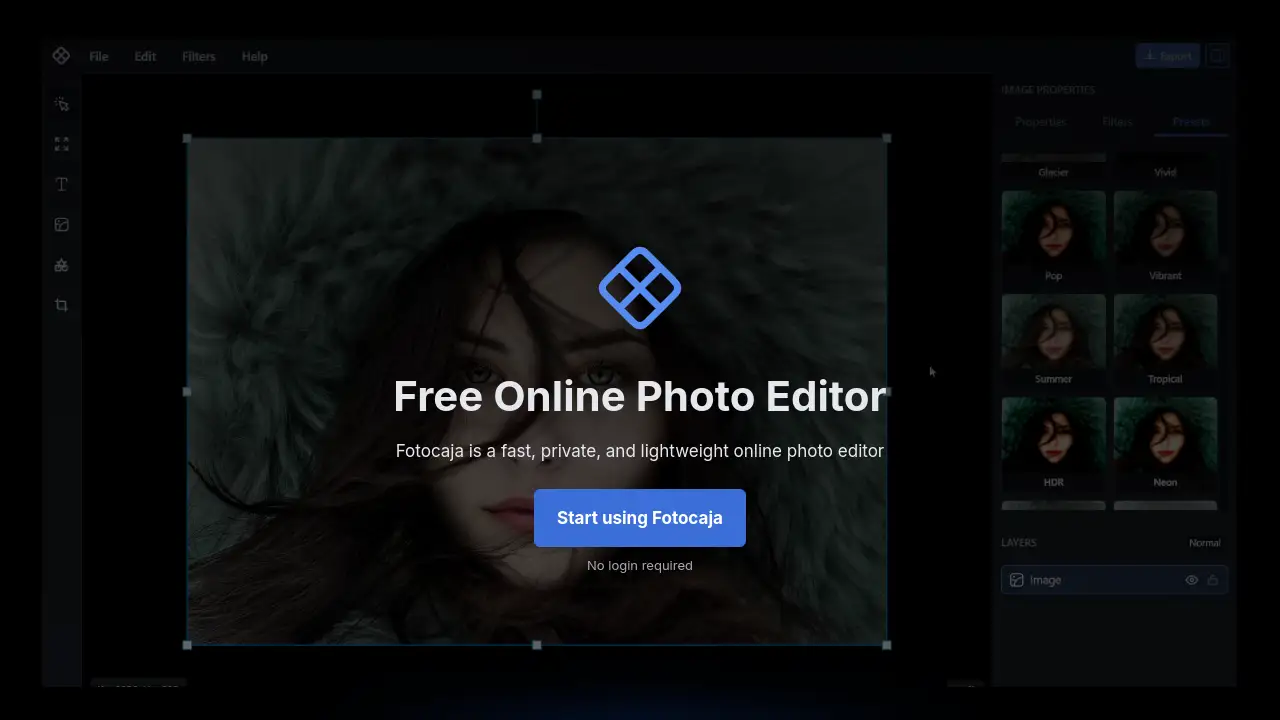
Edit images instantly with Fotocaja, a fast and private online photo editor that works directly in your browser.
What is Fotocaja?
Fotocaja is a web-based photo and graphic design tool that allows users to edit images and create designs instantly without any software installation. It solves the problem of needing quick, accessible editing tools without the complexity of professional software or the privacy concerns of cloud platforms. The service is ideal for anyone needing to perform fast photo edits, add text to images, or create simple graphics for social media, presentations, or personal projects. As a completely browser-based editor, Fotocaja prioritizes speed and user privacy, making it a compelling choice for casual users, students, and professionals who value simplicity and data security.
Key Features of Fotocaja
No Login Required
You can start editing immediately without creating an account, ensuring a fast and barrier-free entry to the tool.
Browser-Based Editing
All editing happens locally in your web browser, requiring no uploads, downloads, or plugin installations for a seamless experience.
Instant Image Editing
Apply filters, adjust colors, crop, and add text to your photos with real-time previews and instant adjustments.
Multi-Page PDF Export
Build multi-page documents like presentations or reports and export them as a single, print-ready PDF file in one click.
Template Library
Jumpstart your designs with pre-built templates for social media posts, thumbnails, posters, banners, and more.
Advanced Design Tools
Access typography controls, SVG elements, a shape library, layer masking, and effects for creating expressive graphics.
Local Privacy & Security
Your images and projects never leave your computer, as all processing is done locally, ensuring complete privacy.
Use Cases for Fotocaja
Quick Social Media Graphics
Easily create and resize engaging posts, stories, and thumbnails for platforms like Instagram and Facebook using templates.
Simple Photo Retouching
Quickly adjust brightness, apply filters, or crop personal photos for sharing online or in digital albums.
Professional Presentations & Reports
Design multi-page layouts and export them as polished PDF documents for business decks, school reports, or portfolios.
Creative Personal Projects
Design posters, invitations, digital zines, or simple artwork using the shape library, text tools, and layer effects.
How to Use Fotocaja
Using Fotocaja is straightforward. First, open the Fotocaja website in your browser. You will see a blank canvas. You can then load an image by dragging it onto the canvas or using the image icon in the toolbar. Once your image is loaded, use the tools on the left toolbar to add text, shapes, or apply filters from the properties panel on the right. You can also start from a template via the File menu. When your edit or design is complete, click the Export button in the top right corner to save your work as a PNG, JPEG, WebP, or multi-page PDF.
Target Audience for Fotocaja
- Social media managers and content creators needing quick graphics.
- Students and educators creating presentations or project visuals.
- Small business owners designing simple marketing materials.
- Casual users who want to edit personal photos without complex software.
- Professionals who need a fast, private tool for basic image adjustments.
Is Fotocaja Free?
Yes, Fotocaja is completely free to use. According to the official website, there are no subscriptions, no account requirements, and no hidden fees. You can access all its editing and design features directly through your web browser at no cost.
Fotocaja's Pros and Cons
| Aspect | Pros | Cons |
|---|---|---|
| Accessibility | No installation or login required; works instantly in any modern browser. | Requires an internet connection to access the website. |
| Privacy | All editing happens locally; images are not uploaded to any server. | No cloud save function; users must manage their own file storage. |
| Ease of Use | Simple, intuitive interface with drag-and-drop functionality. | Lacks advanced features found in full-scale design software like Photoshop. |
| Functionality | Powerful for quick edits, templates, and multi-page PDF creation. | May not be suitable for complex, layered design projects or professional photo retouching. |
| Cost | Completely free with no usage limits. | No dedicated customer support or team collaboration features. |
Frequently Asked Questions about Fotocaja
Is Fotocaja free to use?
Yes, Fotocaja is completely free. There is no subscription, and you can use all its features without any payment or account creation.
Do I need to create an account to use Fotocaja?
No, an account is not required. You can open the Fotocaja website and start editing images immediately.
Does Fotocaja upload my images to the internet?
No. Fotocaja is a private online photo editor. All image processing is done locally on your device within the browser; your files are never sent to an external server.
What file formats can I export with Fotocaja?
Fotocaja allows you to export your work in common image formats like PNG, JPEG, and WebP. It also supports exporting multi-page projects as a single PDF document.
Can I use Fotocaja to design social media posts?
Absolutely. Fotocaja includes a library of templates optimized for various social media platforms, making it easy to create posts for Facebook, Instagram, and YouTube thumbnails.
How do I save my work in Fotocaja?
While there is no cloud save, you can save your project as a template file (.json) via File > Save as Template to reload and edit later. Always export your final design as an image or PDF to keep a usable copy.
Fotocaja Tags
online photo editor, browser-based editor, free image editor, instant photo editing, no login required, private photo editing, add text to image, apply filters, multi-page PDF export, social media templates, graphic design tool, edit images online