Introduction
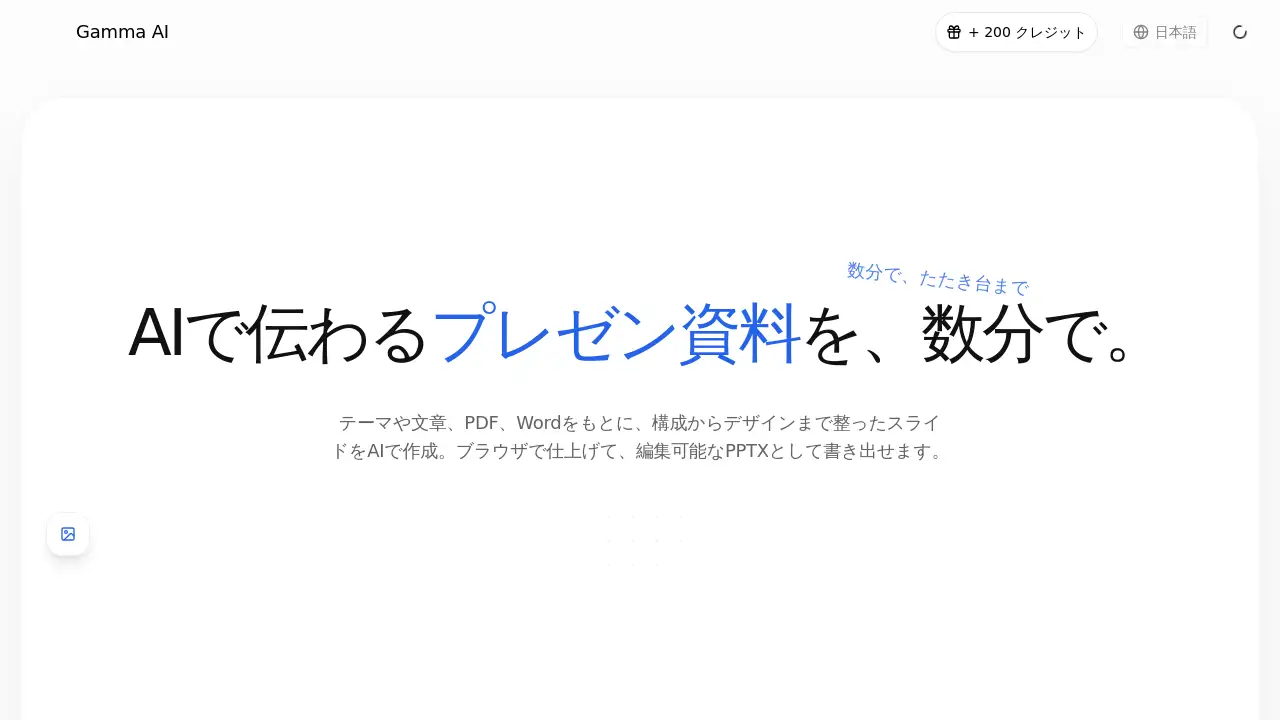
Gamma AI is an AI presentation tool that generates Japanese presentation slides from a theme, plain text, PDF, or Word file. It turns a rough idea into a structured slide draft in the browser, then lets users export the result as an editable PPTX file. This makes the tool useful for anyone who needs clear materials quickly.
What is Gamma AI?
Gamma AI is a web-based AI slide generator for people who need clean presentation drafts without starting from a blank page. The service can take a simple topic, a sentence, a PDF, a Word document, or many other file formats and build a proposal deck or lecture slide set around the user’s goal. It helps by organizing the flow, summarizing key points, and choosing a readable layout. Users can check the output in the browser, adjust the content, and download it as a PowerPoint file to continue editing offline.
The main problem Gamma AI solves is the time-consuming part of creating structure and formatting from nothing. Instead of worrying about slide design, users can first focus on the message. Since the tool also supports Japanese materials, it is especially useful for Japanese business presentations, classes, and research reports. It is suitable for beginners as well as busy professionals who need a reliable AI presentation tool to create a useful first draft.
Key Features of Gamma AI
AI Slide Creation from a Short Prompt
Users can enter a theme or a single sentence, and Gamma AI creates a slide draft based on that input. This is the core feature that makes the AI presentation tool feel fast and practical.
Structure and Message Organization
Gamma AI arranges the order of the content so the conclusion and main points are easy to follow. It helps users build a logical story rather than a random list of slides.
Readable Slide Layout
The service places headings, body text, images, and data in a balanced layout for each slide. This reduces the time spent on manual design.
Browser-Based Editing
After the slides are generated, users can check the draft in the browser. Wording, order, and layout can be changed directly on the page.
Editable PPTX Export
Gamma AI lets users download the finished draft as a PPTX file. The file is editable in PowerPoint, so the AI slide generator works well as a starting point for final production.
Use Existing Files as Input
PDF, Word, Excel, Markdown, HTML, text, and YouTube content can all be converted into slides. This feature makes it easy to turn an old report or meeting note into a presentation without copying and pasting.
Use Cases for Gamma AI
Proposal and Pitch Materials
A user can generate a clear problem-solution-value flow for clients or investors. Gamma AI organizes the key points so the audience can make decisions more easily.
Class and Training Slides
Teachers and trainers can turn difficult content into simpler, step-by-step slides. The AI presentation tool adjusts the order to fit the needs of the listener.
Report and Research Presentations
Long PDFs or research notes can be turned into short presentation points. Gamma AI extracts the most important information and puts it into slide format.
Marketing Presentation Drafts
Marketers can use Gamma AI to build the starting point for marketing plans, campaign reviews, and creative briefs. The generated draft can then be refined by the team.
Converting Documents to Slides
A PDF or Office document can be changed into a presentation without retyping the content. This is useful for people who need to present existing material in a more visual way.
Improving Existing Decks
Gamma AI can also help review existing material and improve the layout and readability while keeping the original content intact.
How to Use Gamma AI
- Go to the Gamma AI website and enter the topic, theme, or one-sentence purpose of the presentation.
- Choose if you want to upload a file, such as a PDF, Word, Excel, or text document, or let the AI work from a short prompt.
- Wait for Gamma AI to generate a draft presentation with structure, slide content, and a readable layout.
- Review the slides in the browser and revise the text, order, or design as needed.
- Export the final draft as an editable PPTX file and finish the design in PowerPoint if necessary.
Target Audience for Gamma AI
- Business professionals who need proposal or pitch decks
- Teachers and trainers who prepare class or training materials
- Students and researchers who need to present reports
- Marketers who create campaign plans and creative briefs
- Office workers who want to convert PDFs and Word documents into slides
- Anyone who wants a fast AI slide generator for Japanese presentations
Is Gamma AI Free?
The Gamma AI homepage mentions that users can create a draft before registration. This suggests that a free entry level is available for testing the service. The official page does not list detailed pricing plans in the available reference information, so users who need full access to advanced features should check the current pricing on the official Gamma AI website.
Gamma AI's Pros and Cons
| Aspect | Pros | Cons |
|---|---|---|
| Pricing | Free draft creation before signup is a low-risk way to test the AI presentation tool. | No clear pricing details are shown in the reference content. |
| Workflow | The full flow from idea to PPTX is in one place. | The output is still an AI draft, so manual checking is required. |
| Input formats | Supports PDF, Word, Excel, Markdown, HTML, text, and YouTube files. | Some users may need to reformat generated slides before final use. |
| Language support | Designed for Japanese materials and Japanese-speaking users. | Non-Japanese users may find the output less suitable for other languages. |
Frequently Asked Questions about Gamma AI
What is Gamma AI?
Gamma AI is an AI presentation tool that creates Japanese slide decks from a short theme, text, PDF, or Word document. Users can review the draft in the browser and export it as a PowerPoint file.
Can Gamma AI generate slides from a PDF or Word file?
Yes. The tool supports PDF, Word, Excel, Markdown, HTML, text, and YouTube content. Users can upload these files and convert the content into an editable slide draft.
Is Gamma AI suitable for Japanese presentations?
Yes. Gamma AI is designed to create Japanese presentation materials. It organizes the structure based on the purpose and the audience, which makes it useful for Japanese business proposals, classes, and research reports.
Can I edit slides after Gamma AI creates them?
Yes. After the AI generator creates the slides, the presentation opens in the browser, where users can change wording, reorder pages, and adjust layout details before exporting.
Does Gamma AI export PowerPoint files?
Yes. Gamma AI exports the final draft as an editable PPTX file. The file can be opened and edited further in PowerPoint, which means the AI presentation tool is suitable as a first-draft generator.
Do I need to register before using Gamma AI?
According to the homepage, users can create a draft before registration. This means there is an entry point for trying the AI slide generator without signing up first, though full features may require an account.
Gamma AI Tags
Gamma AI, AI presentation tool, AI slide generator, Japanese presentation maker, PPTX export, PDF to slides, Word to slides, presentation draft generator, browser slide editor, AI pitch deck tool, PowerPoint alternative, document to presentation