Introduction
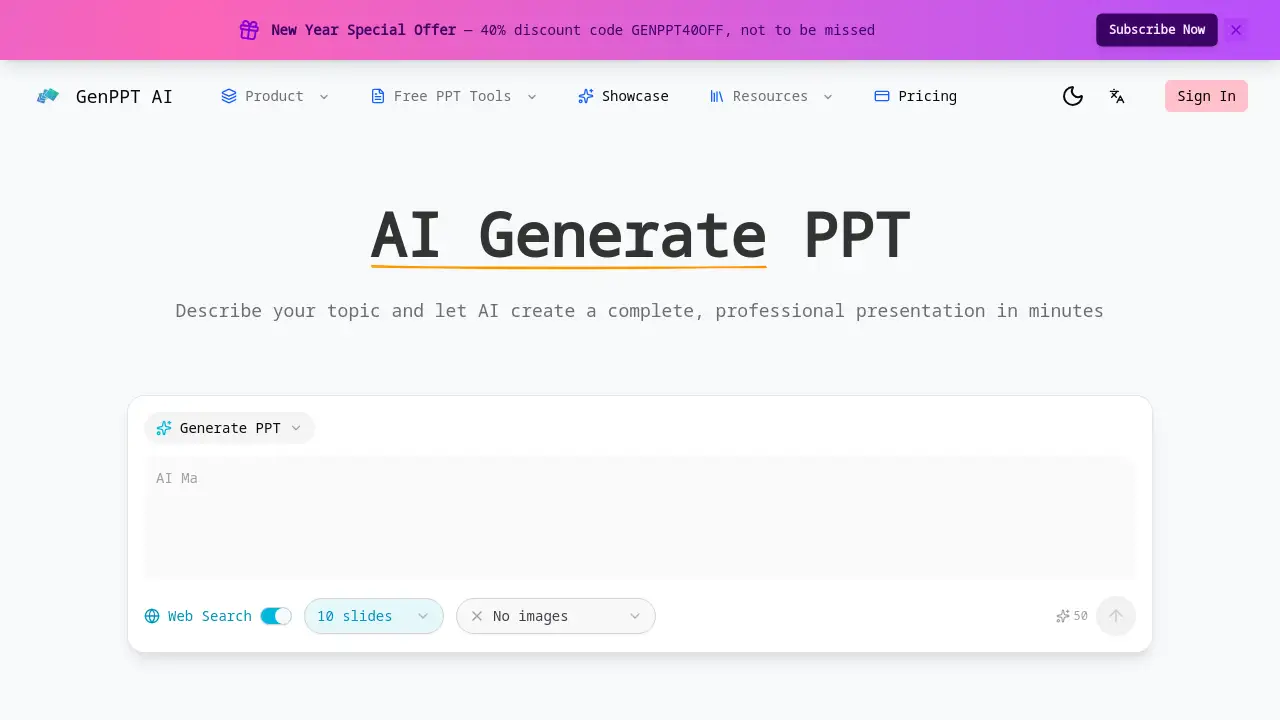
GenPPT - AI Generate PPT is a tool that creates professional PowerPoint presentations from a simple text prompt in minutes.
What is GenPPT - AI Generate PPT?
GenPPT - AI Generate PPT is a web-based artificial intelligence tool designed to simplify presentation creation. It addresses the common pain points of designing slides from scratch, such as time-consuming formatting, layout struggles, and writer's block. By simply describing a topic in natural language, users can generate a complete, structured slide deck with professional design and logical flow. This AI tool for presentations is ideal for business professionals, educators, students, and marketers who need to produce polished, effective PowerPoint presentations quickly and efficiently, without requiring any design skills or prior experience.
Key Features of GenPPT - AI Generate PPT
Text to Presentation
Users can describe their topic in plain English, and the AI will generate a full presentation with structured content and a professional slide design, eliminating the need for manual template selection.
Intelligent Outline Creation
The AI analyzes the user's prompt to first build a comprehensive and logical outline, ensuring the final presentation tells a coherent story from introduction to conclusion.
Professional Slide Design
Every generated slide features smart layouts, balanced typography, and visually appealing design elements, with the AI selecting the optimal format for different content types like titles, bullet points, and data charts.
Web Search Integration
When enabled, this feature allows the AI to research the topic online, pulling in the latest statistics, facts, and references from authoritative sources to make the presentation content accurate and up-to-date.
Customizable Slide Count
Users can specify their exact needs, whether it's a concise 5-slide pitch or a detailed 30-slide report, and the AI will intelligently distribute content across the requested number of slides.
Instant Download
The completed presentation is delivered as a standard .pptx file, ready to be downloaded, edited in PowerPoint, and presented immediately, with the entire generation process typically taking just 2-5 minutes.
Use Cases for GenPPT - AI Generate PPT
Business Pitch Decks
Sales teams and entrepreneurs can quickly create compelling investor pitch decks or product proposal presentations to secure funding and win clients.
Educational Lectures and Seminars
Educators and trainers can generate structured lecture slides for classrooms or professional workshops, saving hours on preparation and focusing on delivery.
Student Projects and Reports
Students at all levels can transform their research or project ideas into well-organized presentations, helping them meet academic requirements with a polished look.
Marketing and Sales Presentations
Marketing professionals can produce client presentations, campaign overviews, or quarterly review decks efficiently to communicate strategies and results.
Internal Company Meetings
Employees can create agenda slides, project updates, or strategy briefings for internal team meetings, ensuring clear and professional communication.
How to Use GenPPT - AI Generate PPT
- Visit the Website: Go to the GenPPT - AI Generate PPT platform online.
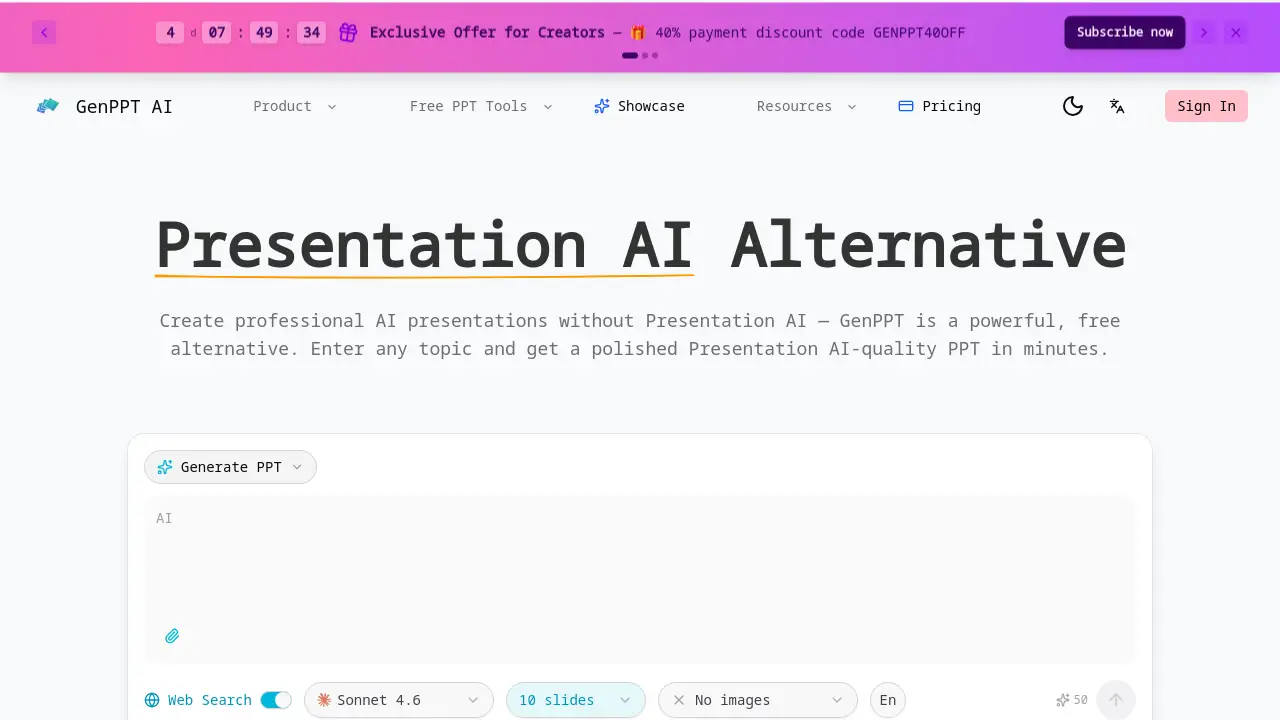
- Enter Your Topic: In the provided text box, describe your presentation topic in detail using natural language. You can specify tone, key points, or desired sections.
- Configure Settings (Optional): Choose a template if desired, enable web search for factual content, and set your preferred slide count.
- Generate: Click the button to let the AI create your presentation. The process usually completes within a few minutes.
- Review and Download: Preview the generated PowerPoint slides, make any quick edits directly on the platform if needed, and then download the .pptx file to your computer.
Target Audience for GenPPT - AI Generate PPT
- Business Professionals and Executives
- Educators, Teachers, and University Professors
- Students (High School, College, and Graduate)
- Marketing and Sales Teams
- Consultants and Freelancers
- Anyone who needs to create presentations regularly under time constraints
Is GenPPT - AI Generate PPT Free?
Based on the reference information, a specific pricing table is not provided. The homepage mentions a "New Year Special Offer—40% discount code GENPPT40OFF," indicating that the service likely operates on a paid subscription model with periodic promotions. Users interested in detailed pricing plans, potential free trials, or tiered features should visit the official GenPPT website for the most current information.
GenPPT - AI Generate PPT's Pros and Cons
| Aspect | Pros | Cons |
|---|---|---|
| Speed & Efficiency | Dramatically reduces presentation creation time from hours to minutes. | The AI-generated content may require factual verification or personalization. |
| Ease of Use | Extremely user-friendly; no design or PowerPoint expertise is required to start. | Creative control is limited compared to designing every slide manually. |
| Output Quality | Delivers professionally designed slides with logical structure and good layout. | The design variety may be limited by the available AI templates and styles. |
| Research Capability | Web search integration can pull in current data and references automatically. | Accuracy of sourced information depends on the AI's research and should be double-checked. |
| Accessibility | Makes professional presentation design accessible to non-designers. | Requires an internet connection and is a subscription-based service (not a one-time purchase). |
Frequently Asked Questions about GenPPT - AI Generate PPT
How does the AI Generate PPT tool work?
The AI Generate PPT tool works by processing the text prompt you provide. It uses natural language processing to understand your topic, creates a logical outline, and then populates a series of slides with relevant content and a professional design layout, all automatically.
Can I edit the presentation after it's generated?
Yes, absolutely. The final output is a standard PowerPoint (.pptx) file. You can download it and open it in Microsoft PowerPoint, Google Slides, or any compatible software to edit the text, images, colors, and layouts as much as you like.
Does it include images and charts?
The AI Generate PPT tool focuses on generating the textual content and structural layout of the presentation. While it may suggest placeholders or layouts suitable for visuals, users typically need to add specific images, icons, or detailed custom charts manually during the editing phase.
Is the content generated by the AI original?
The AI creates original written content based on your prompt and its training data. When the Web Search feature is enabled, it will paraphrase and cite information found online. It is always recommended to review the content for accuracy and to ensure it meets your specific needs.
What is the Web Search integration feature?
This is an optional feature that, when enabled, instructs the AI to search the internet for the latest information on your topic. It then incorporates relevant statistics, facts, and data points from various sources directly into your slides, helping to create a more informed and current presentation.
What formats can I download my presentation in?
The primary and standard download format for presentations created with GenPPT is the Microsoft PowerPoint .pptx format, which is widely editable and presentable across different platforms and devices.
GenPPT - AI Generate PPT Tags
AI presentation maker, AI Generate PPT, create PowerPoint with AI, text to presentation, AI slide generator, professional presentation tool, automatic PowerPoint, AI for business presentations, GenPPT, AI presentation software, generate slides from text, quick presentation maker