Introduction
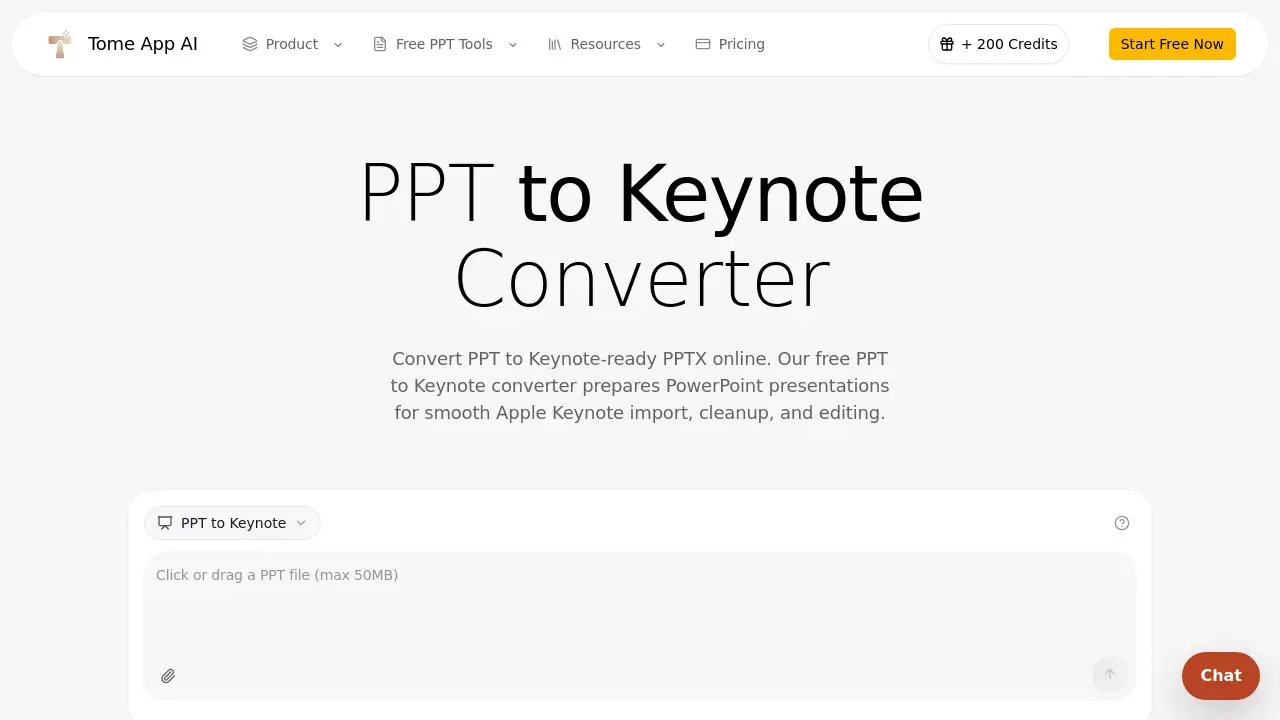
Tome App PPT to Keynote Converter is a free online tool that transforms PowerPoint files into Keynote‑ready PPTX documents. It helps users move their presentations from PowerPoint to Apple Keynote without compatibility problems. The converter is designed for anyone who needs to import and edit a PowerPoint deck on a Mac, iPad, or iCloud Keynote. By cleaning up legacy formatting and rebuilding the file in a modern container, this PPT to Keynote converter saves time and reduces manual rework. Whether the original file is an old PPT from a Windows colleague or a recent PPTX from a design agency, the tool prepares it for a smooth Keynote import. With secure sandbox processing and a simple three‑step workflow, the Tome App is a practical choice for teams, educators, and creatives who rely on Apple Keynote for their final presentations.
What is Tome App PPT to Keynote Converter?
Tome App is an online PPT to Keynote converter that addresses a common problem: PowerPoint files often look messy or break when opened directly in Apple Keynote. Instead of generating a proprietary .key file (which browsers cannot create), the tool outputs a cleaned‑up PPTX file that Keynote can import and edit without corruption. The conversion process normalizes legacy PPT files, refreshes the container format using LibreOffice, and preserves slide text, images, tables, charts, and layouts. This makes the PPT to Keynote workflow useful for Mac‑based teams, sales professionals, teachers, and designers who receive PowerPoint decks from Windows users. The tool runs entirely in the browser, requires no software installation, and processes files up to 50MB. It is a free, secure, and fast way to convert PPT to Keynote‑ready presentations.
Key Features of Tome App PPT to Keynote Converter
Keynote‑Ready PPTX Output
The converter creates a modern PPTX file that Apple Keynote can open and edit. After conversion, users can save the presentation as a native Keynote document inside the Keynote app.
Format Cleanup for Apple Keynote
When converting PPT to Keynote, Tome App normalizes legacy PPT files and rebuilds the deck with LibreOffice. This reduces old PowerPoint compatibility issues and keeps slide elements ready for editing.
Fast Online PPT to Keynote
Upload a PPT or PPTX file, click convert, and download a Keynote‑compatible presentation in seconds. The online PPT to Keynote converter supports files up to 50MB, making it suitable for business decks, class lectures, and design proposals.
Secure PPT to Keynote Processing
All conversions run in an isolated sandbox environment. Uploaded files are processed only for conversion and are not reused for training or public galleries. This makes the tool safe for confidential pitch decks, client proposals, and internal reports.
Use Cases for Tome App PPT to Keynote Converter
Mac‑Based Teams
Design, product, and leadership teams often receive PowerPoint decks from agencies or Windows colleagues. A PPT to Keynote converter gives Mac‑based teams a clean starting point for editing those files in Keynote, polishing the final story, and presenting from Apple devices.
Founders & Sales Teams
Founders use PPT to Keynote conversion when investor decks arrive as PPTX but the live pitch will happen from Keynote. Sales teams convert PPT to Keynote‑ready PPTX to keep customer decks editable and brand‑safe.
Teachers & Students
Educators and students convert PPT to Keynote when class materials or group projects need to be presented on iPad or Mac. The converter keeps the deck portable while giving Keynote users a file they can annotate and adjust.
Designers & Creatives
Creative teams convert PPT to Keynote before final visual refinement because Keynote offers familiar animation, typography, and rehearsal workflows on Apple hardware. Tome helps designers get from a client PowerPoint file to a Keynote‑ready deck without repetitive copy‑and‑paste.
How to Use Tome App PPT to Keynote Converter
- Upload Your PPT or PPTX – Drop a PowerPoint file into the Tome App converter or click to browse. The tool accepts modern PPTX files and legacy PPT files up to 50MB.
- Convert PPT to Keynote‑Ready PPTX – Click the convert button. The engine rebuilds the presentation as a clean PPTX file, preserving slide order, visible content, images, and common formatting.
- Open in Apple Keynote – Download the converted file, open it in Keynote on Mac, iPad, or iCloud, and save it as a native Keynote document if needed. The output stays editable, so fonts, transitions, presenter notes, and slide layouts can be refined.
Target Audience for Tome App PPT to Keynote Converter
- Mac‑based teams who receive PowerPoint files from Windows colleagues
- Founders and sales teams preparing investor or customer decks for Keynote
- Teachers and students who need to present class materials on Apple devices
- Designers and creatives who want to polish client presentations in Keynote
- Anyone who wants a free, no‑install way to convert PPT to Keynote online
Is Tome App PPT to Keynote Converter Free?
Yes, the Tome App PPT to Keynote Converter is free to use. Users need to sign in to access the web conversion tool, but there are no subscription fees or usage limits for individual file conversions. The service processes files up to 50MB at no cost. There is no mention of paid plans in the available information, so the tool appears to be entirely free for standard use.
| Plan | Price | Features |
|---|---|---|
| Free | $0 | Sign‑in required; convert PPT and PPTX files up to 50MB; secure sandbox; no software install |
Tome App PPT to Keynote Converter's Pros and Cons
| Aspect | Pros | Cons |
|---|---|---|
| Pricing | Free to use, no credit card required | Requires sign‑in for each conversion |
| Output Quality | Creates clean, Keynote‑ready PPTX with format cleanup | Native .key saving must be done inside Apple Keynote |
| Speed & Convenience | Fast online conversion, no installation needed | Files larger than 50MB are not supported |
| Security | Isolated sandbox processing, files not reused | N/A |
| Compatibility | Works with legacy PPT and modern PPTX | Some very old formatting may still need manual tweaks |
Frequently Asked Questions about Tome App PPT to Keynote Converter
Is the PPT to Keynote conversion free?
Yes, the Tome App PPT to Keynote converter is free. You only need to sign in to your account to upload and convert files.
Do I need to install software to use this converter?
No. The converter runs entirely in your browser. No downloads or installations are required to convert PPT to Keynote‑ready PPTX.
What file sizes are supported?
The tool accepts PowerPoint files up to 50MB. This covers most business decks, classroom slides, and design proposals.
Can I convert old .PPT files (pre‑2007) with this tool?
Yes. The PPT to Keynote converter handles both legacy PPT files and modern PPTX files. The conversion process includes format cleanup to improve compatibility with Apple Keynote.
Is my uploaded file secure?
Yes. All files are processed in an isolated sandbox environment. Uploaded presentations are not used for training, shared publicly, or stored beyond the conversion session.
Will the converted file be editable in Keynote?
Yes. The output is a PPTX file that Keynote can open and edit. You can adjust fonts, transitions, slide layouts, and presenter notes after opening the file in Keynote.
Tome App PPT to Keynote Converter Tags
PPT to Keynote converter, free PPT to Keynote converter, convert PPT to Keynote, Keynote-ready PPTX, Apple Keynote import, PPT to Keynote online, PPTX to Keynote, secure PPT to Keynote, Tome App, online presentation converter, PowerPoint to Keynote tool, Mac presentation workflow