Introduction
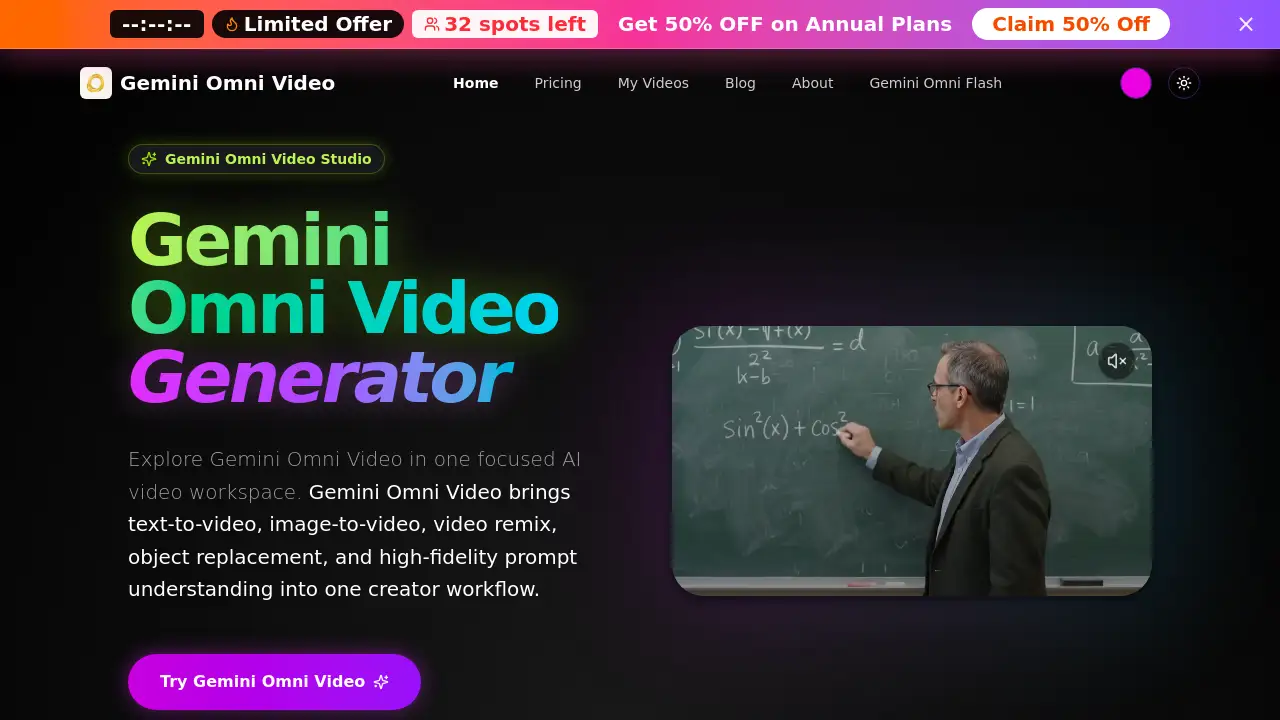
Gemini Omni AI is a focused AI video studio that brings text-to-video, image-to-video, video remix, and object replacement into one creator workflow. Powered by the Gemini Omni Video model, this platform simplifies AI video generation for everyday users. Gemini Omni AI supports high-fidelity prompt understanding, so creators can describe scenes, motion, camera movement, style, audio intent, and on-screen text, then generate clips that match their vision. Whether someone is producing short social media content or experimenting with advanced video remix ideas, Gemini Omni AI provides a practical path to faster AI video generation. This product is designed for creators who want more control over their AI video generation process.
What is Gemini Omni AI?
Gemini Omni AI is an AI-powered video creation platform built around Gemini Omni Video. It solves the common problem of juggling multiple tools for AI video generation by combining text-to-video, image-to-video, video remix, and object replacement in one place. Users write detailed prompts to generate new clips from scratch, animate reference images, or remix existing footage with style changes and scene edits. Gemini Omni AI matters because it gives creators more control over the final video output while reducing trial and error. It is suitable for marketers, educators, video editors, and hobbyists who want consistent results with readable text, realistic motion, and anime-style scenes. The platform emphasizes prompt quality, which helps users produce polished AI video generation results without advanced technical skills.
Key Features of Gemini Omni AI
Text-to-Video Generation
Gemini Omni AI turns written prompts into short video clips that match the subject, action, camera movement, and style described by the user. This text-to-video mode is ideal for quickly testing ideas and creating original content.
Image-to-Video Conversion
Users can upload a reference image, and Gemini Omni AI animates it with realistic motion and consistent visual style. The image-to-video workflow supports creative projects like bringing concept art or product photos to life.
Video Remix
With Gemini Omni AI, an existing clip can be transformed into new variations using prompt-guided remixing. Video remix allows creators to change cinematography, add scene edits, or adjust object placement without starting over.
Object Replacement
Gemini Omni AI lets users describe object changes in their prompts, enabling automatic object replacement in generated footage. This feature simplifies editing workflows and supports fast creative experimentation.
High-Fidelity Prompt Understanding
The platform includes the Gemini Omni Video model, which handles complex prompts involving readable text, chalkboard proofs, and formula-heavy educational scenes. This makes Gemini Omni AI a strong choice for content that requires accurate text rendering and precise visual details.
Use Cases for Gemini Omni AI
Marketing and Advertising Content
Marketers use Gemini Omni AI to create product demos, social media ads, and brand videos with text-to-video prompts that keep the visual style consistent.
Educational Video Production
Teachers and course creators can generate step-by-step math proofs, chalkboard lessons, and explainer videos with readable text using Gemini Omni AI's strong prompt reasoning.
Creative Storytelling and Anime Scenes
Artists and animators can explore anime-style scenes and stylized visuals through image-to-video and video remix workflows, making Gemini Omni AI a flexible tool for narrative content.
Short-Form Social Media Clips
Social media managers can produce 5-second or 12-second videos with audio, which work well for platforms like TikTok, Instagram Reels, and YouTube Shorts.
How to Use Gemini Omni AI
To get the best results from Gemini Omni AI, follow these steps:
- Select a mode: Choose text-to-video, image-to-video, or video remix inside the Gemini Omni Video Studio.
- Write a detailed prompt: Include the subject, action, camera movement, visual style, text on screen, audio direction, and any object replacement requests.
- Adjust video settings: Set the resolution, duration (5s or 12s), and aspect ratio to match your target platform.
- Generate and refine: Review the preview, then send follow-up prompts to improve timing, composition, or text clarity in the final Gemini Omni AI output.
Target Audience for Gemini Omni AI
Gemini Omni AI serves a wide range of users who need fast and flexible AI video generation:
- Social media content creators
- Digital marketers and brand managers
- Educators and online course developers
- Video editors looking for AI-assisted tools
- Filmmakers and animators in pre-production
- Small business owners creating internal or external videos
Is Gemini Omni AI Free?
Gemini Omni AI does not currently offer a free plan, but new users can take advantage of special discounted pricing on yearly subscriptions. Every paid plan includes 720p video with audio, private generations, and commercial use rights. Credits are used for each prompt or video generation, and higher tiers provide faster processing, priority support, and more monthly credits. For the latest pricing details, visit the official Gemini Omni AI pricing page.
| Plan | Price | Features |
|---|---|---|
| Starter | 50% off (yearly) | 250 credits/month, up to 16 videos/month, 720p with audio, private generations, standard speed |
| Popular | 50% off (yearly) | 600 credits/month, up to 40 videos/month, 720p with audio, faster queue, priority support |
| Pro | 40% off (yearly) | 1900 credits/month, up to 126 videos/month, 720p with audio, fastest queue, team-ready support |
Gemini Omni AI's Pros and Cons
| Aspect | Pros | Cons |
|---|---|---|
| Pricing | Discounted yearly plans with clear credit packages | No free tier for testing |
| Features | Combines text-to-video, image-to-video, video remix, and object replacement | Output limited to 720p resolution |
| Usability | Simple prompt-based workflow that is beginner-friendly | Best results require detailed, well-structured prompts |
| Support | Priority support and team-ready options on higher plans | Starter plan has standard speed and no priority queue |
Frequently Asked Questions about Gemini Omni AI
What is Gemini Omni Video?
Gemini Omni Video is the underlying AI model behind Gemini Omni AI. It handles text-to-video, image-to-video, video remix, and object replacement tasks with high-fidelity prompt understanding.
Can Gemini Omni AI generate videos with readable text?
Yes. Gemini Omni AI supports prompts with readable text, chalkboard proofs, and formula-heavy scenes, making it useful for educational and explainer videos.
Does Gemini Omni AI support video remix?
Yes, video remix is one of the core features. Users can upload existing clips and describe style changes, scene edits, or object modifications to create new variations quickly.
How many videos can I create per month with Gemini Omni AI?
It depends on the plan. The Starter plan supports up to 16 videos per month, the Popular plan supports up to 40, and the Pro plan supports up to 126 videos per month.
What is the best way to write a prompt for Gemini Omni AI?
A good prompt includes subject, action, camera movement, visual style, text on screen, audio intent, and any specific edits such as object replacement or scene remixing. The more detail, the better the result.
Are the videos created with Gemini Omni AI safe to use commercially?
Yes, all paid plans include commercial use rights. This means the AI video generation output can be used in client projects, ads, or other business materials.
Gemini Omni AI Tags
Gemini Omni AI, Gemini Omni Video, text-to-video, image-to-video, video remix, object replacement, AI video generation, prompt-based video editor, AI video studio, Omni Video prompts, video generation tools, AI content creation