Introduction
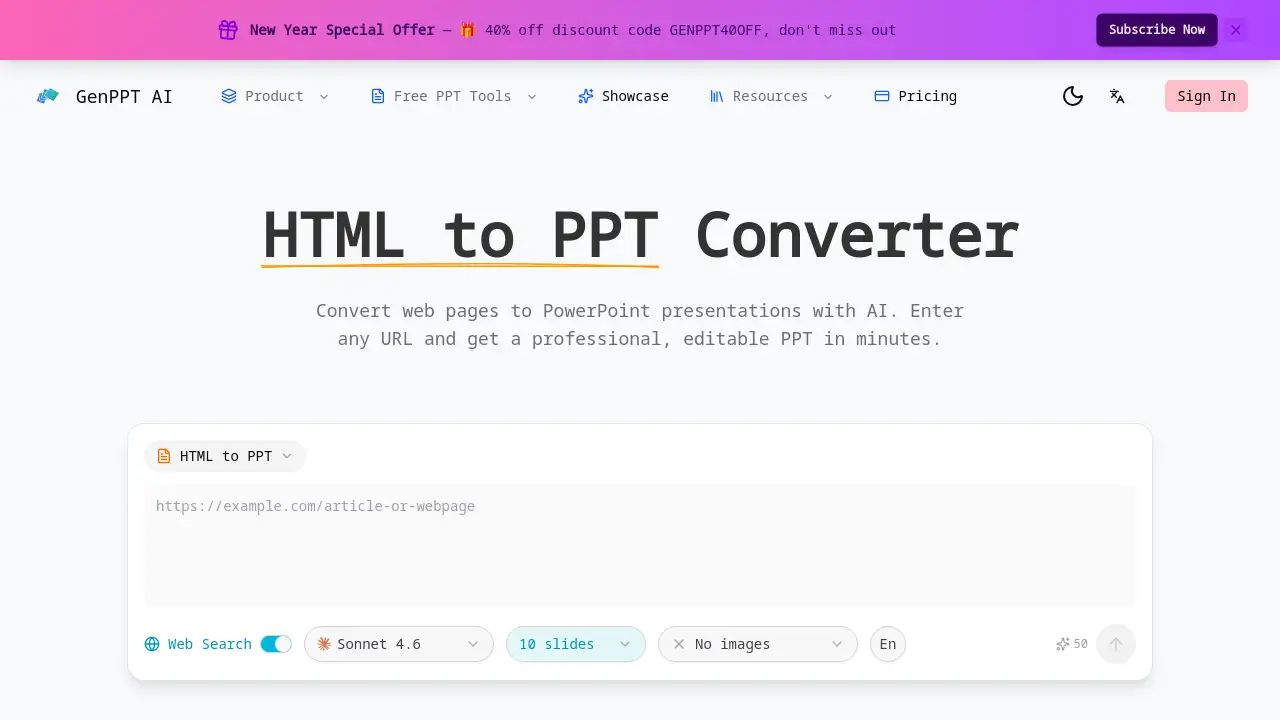
Convert any web page into a professional PowerPoint presentation instantly with an AI-powered HTML to PPT converter.
What is HTML to PPT Converter?
The HTML to PPT Converter is an online tool that transforms web page content into editable PowerPoint presentations. It solves the time-consuming problem of manually copying and reformatting information from websites into slides. This tool is ideal for professionals, educators, students, and marketers who need to quickly create presentations based on online articles, reports, or dashboards. By using AI to parse and structure content, it ensures a logical and visually appealing slide deck in minutes, making the process of converting HTML to PPT efficient and hassle-free.
Key Features of HTML to PPT Converter
Smart HTML Parsing
The AI intelligently parses the HTML file, extracting key elements like text, headings, lists, and tables to create a solid foundation for the slide deck.
Preserve Content Hierarchy
During the HTML to PPT conversion, the tool maps HTML headings and sections to a logical slide structure, maintaining the original flow and organization of the web content.
Professional Slide Design
This HTML to PPT converter applies professional layouts, color schemes, and typography, ensuring the output is an engaging presentation, not just a simple text dump.
Table & List Support
Complex HTML tables and lists are converted into presentation-friendly formats, simplifying data structures for clear communication on slides.
Fully Editable Output
The result of the HTML to PPT process is a standard .pptx file, allowing users to fully customize every element in PowerPoint after conversion.
Fast & Free Conversion
Users can convert any HTML file to PowerPoint quickly and for free, with no sign-up required, delivering professional results in minutes.
Use Cases for HTML to PPT Converter
Research Presentation Creation
Students and academics can quickly convert online research papers or articles into a structured presentation for class or conference use.
Business Report Summarization
Professionals can transform lengthy online business reports, market analyses, or blog posts into concise, shareable PowerPoint summaries for meetings.
Training Material Development
Trainers and educators can easily convert web-based tutorials, documentation, or knowledge base articles into interactive training slide decks.
Content Repurposing
Marketers and content creators can repurpose blog posts or web articles into visual presentations for webinars, social media, or sales pitches.
How to Use HTML to PPT Converter
Using this tool to convert HTML to PPT is a straightforward process:
- Navigate to the HTML to PPT converter tool online.
- Enter the URL of the web page you wish to convert into the provided field.
- (Optional) Select a presentation template if the tool offers a choice.
- Initiate the conversion process. The AI will parse the HTML and generate a PowerPoint file.
- Download the fully editable .pptx file to your device for further customization.
Target Audience for HTML to PPT Converter
- Students and Educators
- Business Professionals and Analysts
- Marketers and Content Creators
- Consultants and Freelancers
- Anyone who needs to create presentations from web content quickly
Is HTML to PPT Converter Free?
The reference information explicitly states the tool offers a "free HTML to PPT converter online" with "no sign-up required." A promotional discount code is also mentioned, suggesting the existence of premium plans. For detailed and current pricing information, including any Pro features, users should visit the official product website.
| Plan | Price | Key Features |
|---|---|---|
| Free | $0 | Convert HTML to PPT, basic templates, no sign-up. |
| Pro (Inferred) | Varies (Check website) | Likely includes advanced templates, higher conversion limits, and priority processing. |
HTML to PPT Converter's Pros and Cons
| Aspect | Pros | Cons |
|---|---|---|
| Ease of Use | Extremely simple, three-step process with no software installation. | Limited control over the initial AI-driven design and layout choices. |
| Speed & Efficiency | Drastically reduces time compared to manual copy-pasting and formatting. | Output quality depends on the source HTML's structure and cleanliness. |
| Cost | Offers a genuinely free tier for basic conversions. | Premium features and high-volume use likely require a paid subscription. |
| Output Quality | Creates professionally designed, logically structured slides from good sources. | Complex or poorly coded web pages may not convert perfectly. |
Frequently Asked Questions about HTML to PPT Converter
Is the HTML to PPT converter really free?
Yes, there is a free version that allows users to convert HTML to PPT without signing up. This is ideal for occasional use and testing the tool's capabilities.
What kind of HTML content works best for conversion?
Clean, well-structured HTML with clear headings (H1, H2, etc.), paragraphs, lists, and simple tables converts best. The AI uses this semantic HTML to create an accurate slide hierarchy.
Can I edit the PowerPoint after the HTML to PPT conversion?
Absolutely. The tool outputs a standard .pptx file, which is fully compatible with Microsoft PowerPoint, Google Slides, and other presentation software, allowing for complete customization.
Does it support converting entire websites or just single pages?
The tool is designed to convert a single web page URL at a time. For converting an entire website, each page would need to be processed individually through the HTML to PPT converter.
How does the AI handle images from the web page?
Based on the provided information, the primary focus is on parsing text and structure. For specific details on image handling, it is best to test the tool or consult the official website's documentation.
What are the limitations of the free HTML to PPT converter?
While the free version is robust, it may have limitations on the number of conversions per day, access to premium templates, or advanced features like batch processing, which are typically reserved for paid plans.
HTML to PPT Converter Tags
HTML to PPT, HTML to PPT converter, convert HTML to PowerPoint, web page to PPT, free PPT converter, AI presentation maker, online PowerPoint converter, HTML to slides, create presentation from URL, professional slide design, editable PPTX, convert webpage to presentation