Introduction
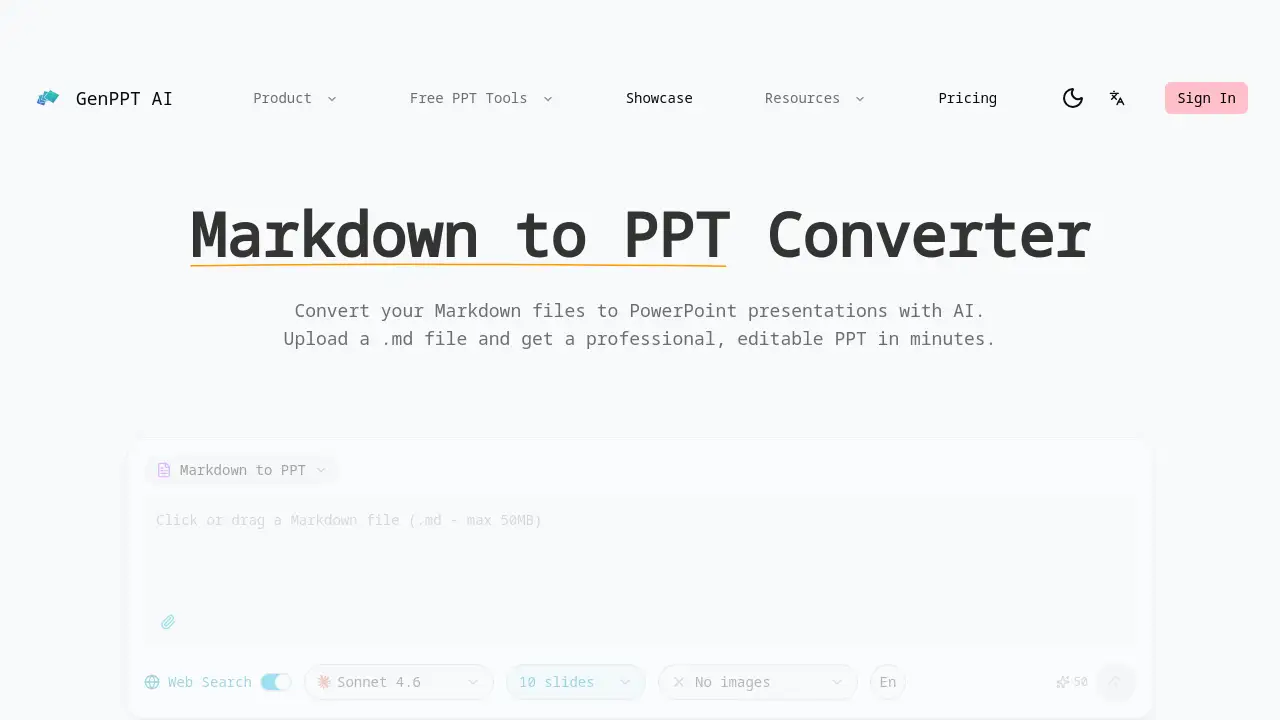
A free online Markdown to PPT converter powered by AI that instantly turns plain text files into professional PowerPoint presentations.
What is Markdown to PPT Converter?
The Markdown to PPT Converter by GenPPT is an online tool designed to solve a common problem for developers, technical writers, and content creators: transforming Markdown-formatted documents into visually appealing PowerPoint slides. This tool eliminates the tedious manual process of copying and pasting text, applying formatting, and designing layouts. By uploading a .md file, users can generate a fully editable .pptx presentation in minutes. It is particularly suitable for anyone who writes documentation, blogs, or notes in Markdown and needs to create a professional presentation quickly for meetings, lectures, or conferences.
Key Features of Markdown to PPT Converter
Native Markdown Parsing
The AI understands Markdown syntax natively, automatically converting headings, lists, and other elements into their corresponding slide components.
Code Block Support
Technical content is handled with care, as fenced code blocks are preserved with syntax highlighting, making it ideal for technical presentations and developer documentation.
Professional Slide Design
The tool applies professional layouts, color schemes, and typography, ensuring the resulting PowerPoint presentation is visually impressive and not plain.
Heading-Based Structure
Markdown headings (#, ##, ###) are intelligently mapped to create a logical slide hierarchy, organizing the presentation flow automatically.
Fully Editable Output
The final converted PowerPoint file is fully editable in applications like Microsoft PowerPoint or Google Slides, allowing for post-conversion customization.
Fast & Free Conversion
The Markdown to PPT converter delivers results in minutes, and its free tier requires no sign-up, making it ideal for quick presentation creation.
Use Cases for Markdown to PPT Converter
Developer Documentation Reviews
Quickly convert README files or API documentation from Markdown into a presentation for team meetings or stakeholder reviews.
Academic Lecture Preparation
Transform lecture notes written in Markdown into a structured PowerPoint deck for classroom teaching or conference talks.
Technical Blog to Presentation
Easily turn a technical blog post or article into a slide deck to share insights at meetups or webinars.
Project Proposal Drafting
Speed up the creation of project proposals by converting existing Markdown project outlines into a professional presentation format.
How to Use Markdown to PPT Converter
- Visit the Tool: Go to the official GenPPT Markdown to PPT converter webpage.
- Upload Your File: Click the upload area and select your
.mdfile from your computer. - Select a Template (Optional): Choose from available design templates like "Insight Blue" or "Clarity Glass" to define the visual style.
- Generate Presentation: Let the AI process your Markdown file. The conversion to PowerPoint happens automatically.
- Download and Edit: Once processing is complete, download the
.pptxfile and open it in your preferred presentation software for any final edits.
Target Audience for Markdown to PPT Converter
- Software Developers and Engineers
- Technical Writers and Documentation Specialists
- Academics, Researchers, and Students
- Content Creators and Bloggers
- Project Managers and Team Leads working with technical content
Is Markdown to PPT Converter Free?
Based on the reference information, the tool offers a free online converter. A "New Year Special Offer" promoting a 40% discount code (GENPPT40OFF) suggests the existence of paid premium plans or features. For detailed pricing on Pro or Team plans, users should visit the official GenPPT website.
| Plan | Price | Features |
|---|---|---|
| Free | $0 | Basic Markdown to PPT conversion, no sign-up required. |
| Pro | Information Not Specified* | Likely includes advanced templates, higher conversion limits, and more features. |
*Users are advised to check the official pricing page for the most accurate and current plan details.
Markdown to PPT Converter's Pros and Cons
| Aspect | Pros | Cons |
|---|---|---|
| Ease of Use | Simple, three-step process with direct .md file upload. | Online-only tool requires an internet connection. |
| Output Quality | Generates professional, visually designed PowerPoint slides from plain text. | Design templates are pre-set; deep customization happens post-conversion. |
| Technical Support | Excellent handling of code blocks with syntax highlighting for developer content. | Markdown feature support is still expanding, may not cover every niche syntax. |
| Pricing & Access | Free tier available for quick conversions without registration. | Full feature set and limits for teams may be behind a paid plan. |
Frequently Asked Questions about Markdown to PPT Converter
What types of Markdown elements does the converter support?
The AI natively parses common Markdown syntax. This includes headings (which create slide titles and hierarchy), bulleted and numbered lists, code blocks (with formatting), tables, and basic text formatting like bold and italic.
Can I edit the PowerPoint after conversion?
Yes, absolutely. The primary output is a standard .pptx file. This file is fully compatible with Microsoft PowerPoint, Google Slides, LibreOffice Impress, and other presentation software, allowing you to customize every element after the Markdown to PPT conversion is complete.
Is my data safe when I upload a Markdown file?
While the reference information does not specify a privacy policy, as an online tool, it is generally advisable to avoid uploading highly sensitive or confidential documents. For routine documentation and blog content, the risk is typically low, but users should review the service's privacy terms.
Does it work with GitHub Flavored Markdown (GFM)?
The tool is designed to handle standard Markdown syntax commonly used in documentation. While it likely supports many GFM extensions like tables and fenced code blocks, for specific advanced GFM features, testing with a sample file is recommended.
Are there any limits on file size or number of conversions for the free tier?
The reference information mentions a "free online converter" but does not detail specific limits. It is common for free tiers to have restrictions on file size, number of slides generated per conversion, or monthly usage. Checking the website's FAQ or pricing page would provide clarity.
Can I choose a different design after generating the PPT?
The design template is selected during the upload process. If you want a different look, you would need to run the Markdown to PPT conversion again with a new template selected. Alternatively, you can change themes manually within PowerPoint after downloading the file.
Markdown to PPT Converter Tags
Markdown to PPT, Markdown to PowerPoint, .md to .pptx converter, AI presentation maker, free PowerPoint generator, online PPT converter, technical presentation tool, code to slides, developer presentation, convert markdown to slides, markdown file upload, AI slide design, GenPPT alternative, create presentation from markdown