Introduction
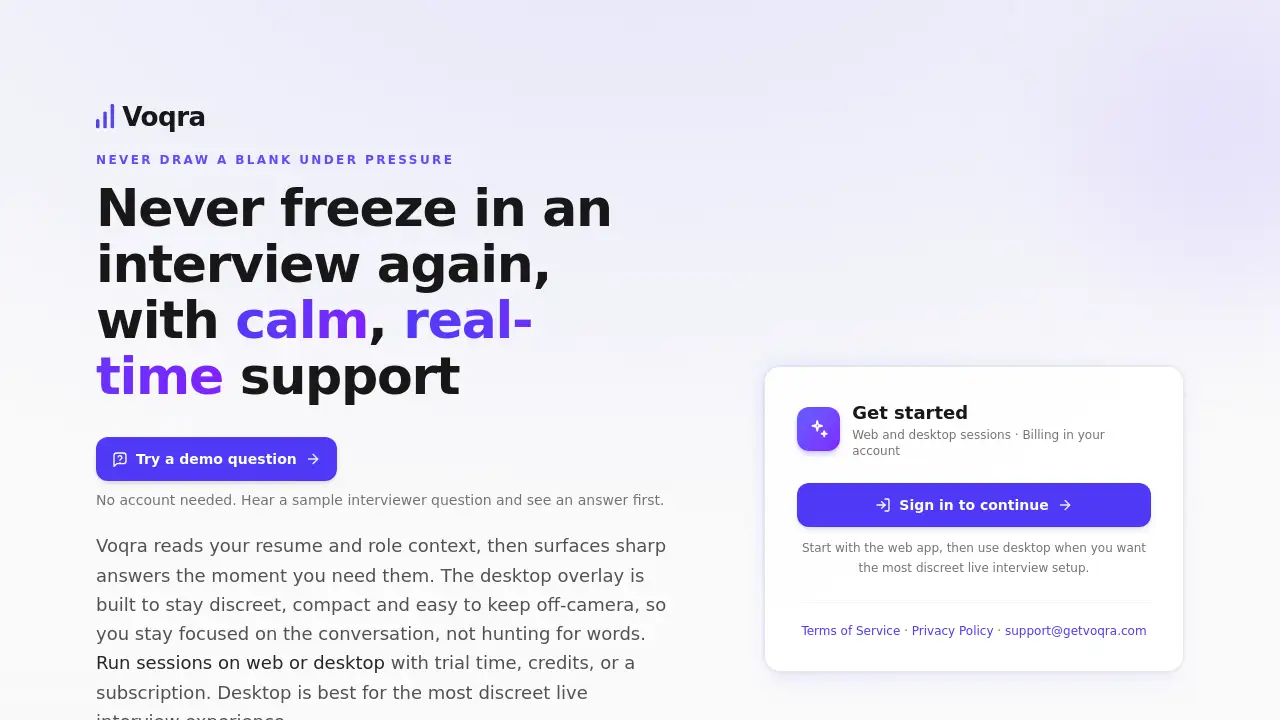
Voqra is an AI-powered interview assistant that provides real-time answer suggestions during live interviews to help candidates stay calm and perform better.
What is Voqra?
Voqra is a specialized software tool designed to help job candidates perform confidently in interviews. It addresses a common problem: freezing under pressure or drawing a blank when asked a tough question. The interview assistant listens in real-time, automatically detects questions, and surfaces suggested answers based on the user's uploaded resume and job description. It is suitable for anyone actively interviewing, from entry-level applicants to seasoned professionals, and aims to reduce interview anxiety by providing discreet, on-the-spot support. This tool matters because it helps candidates communicate their qualifications more effectively, potentially increasing their chances of landing a job.
Key Features of Voqra
Real-Time Assistance
The core feature provides instant answer suggestions during a live interview as soon as a question is detected, helping users avoid awkward pauses.
Discreet Desktop Overlay
For live interviews, the desktop app provides a compact overlay that is easy to keep off-camera, ensuring support remains unseen by the interviewer.
Practice Sessions
Users can run mock interviews in a practice mode to rehearse answers and get comfortable with the flow before a real interview.
Interview History & Transcripts
Every session is recorded, providing a full transcript of questions and answers for later review and improvement.
Performance Insights
The tool tracks metrics over time, offering insights into response patterns and areas for development.
Flexible Session Modes
It supports both web-based sessions for practice and a dedicated desktop application for the most discreet live interview experience.
Use Cases for Voqra
Final-Round Job Interviews
Candidates facing high-stakes final interviews use Voqra for real-time support to ensure they articulate complex experiences clearly under pressure.
Technical or Behavioral Screening
During screenings that test specific knowledge or competencies, the tool helps surface structured suggested answers to common yet challenging questions.
Interview Practice and Rehearsal
Job seekers use the practice mode to simulate interviews, refine their storytelling, and build confidence without the stress of a real conversation.
Post-Interview Review
After an interview, users analyze the session transcript to identify what went well and which answers could be tightened for next time.
How to Use Voqra
- Upload Your Context: Begin by uploading your resume, the relevant job description, and any personal preparation notes into the Voqra platform.
- Start a Session: Choose to start a practice session in the web app or launch the desktop application for a live interview.
- Engage in the Interview: As the interview proceeds, Voqra will automatically listen, detect questions, and display real-time assistance in the form of concise answer prompts.
- Review and Iterate: After the session, access the interview history to review the full transcript and your performance, using these insights to prepare for future rounds.
Target Audience for Voqra
- Active job seekers at any career level.
- Candidates who experience anxiety or nervousness in interviews.
- Professionals preparing for technical, behavioral, or case-study interviews.
- Individuals who want to systematically improve their interview performance over time.
Is Voqra Free?
Voqra offers a free trial to start, followed by pay-as-you-go credit packs or unlimited subscription plans. The pricing structure is as follows:
| Plan Type | Plan Name | Price | Key Features |
|---|---|---|---|
| Trial | Free Trial | $0 | 15 minutes of product use (live + practice). |
| Interview Credits | Single | $9.99 | 1 credit for one full interview session. |
| Small (Popular) | $24.99 | 3 credits (~$8.33 per credit). | |
| Value | $69.99 | 10 credits (~$7.00 per credit). | |
| Unlimited Subscriptions | Monthly | $75/month | Month-to-month unlimited access. |
| Yearly (Best Value) | $220/year | Annual unlimited access, saving versus monthly. | |
| Lifetime | $430 one-time | One-time payment for lifetime access (per Terms). |
Voqra's Pros and Cons
| Aspect | Pros | Cons |
|---|---|---|
| Core Functionality | Provides immediate, context-aware support during live interviews. | Relies on accurate speech detection; background noise could be an issue. |
| Usability | The discreet desktop overlay is designed to not distract the user or interviewer. | Requires managing a separate application during an already high-pressure situation. |
| Value & Pricing | Flexible pricing with a free trial, pay-per-interview credits, and unlimited plans. | Unlimited subscription plans represent a significant investment for some users. |
| Learning Curve | The setup process (uploading context) is straightforward. | Effectively using the prompts naturally in conversation requires some practice. |
Frequently Asked Questions about Voqra
Is Voqra detectable by the interviewer?
The desktop overlay is designed to be discreet and kept out of the camera frame. As an audio-based tool that runs locally, it does not produce visible or audible signals to the other party, making it very difficult to detect.
How does the real-time assistance work?
Voqra uses automatic speech recognition to listen to the conversation. When it detects an interview question, it processes the query against your uploaded resume and job context to generate relevant suggested answers, which appear almost instantly in the overlay.
Can I use Voqra for practice interviews?
Yes, Voqra has a dedicated practice mode. You can run sessions using sample or custom questions to rehearse your answers and get comfortable with the tool's flow without the pressure of a live interview.
What happens to my interview data?
All sessions are saved in your private interview history. You own this data, which includes full transcripts and your responses, allowing you to review and improve your performance. The company's privacy policy should be consulted for specific data handling details.
Do I need to download software to use Voqra?
For the most discreet live interview experience, downloading the desktop application is recommended. However, you can start with practice sessions and initial use directly in the web browser.
What is the difference between credits and unlimited plans?
Interview credits are purchased in packs and each credit is consumed for one live interview session, ideal for occasional use. Unlimited plans (monthly, yearly, lifetime) offer full access for all interviews within the subscription period, which is more cost-effective for active job seekers.
Voqra Tags
interview assistant, real-time interview help, suggested answers, live interview support, job interview tool, interview preparation software, discreet interview aid, AI interview coach, practice interviews, interview anxiety, desktop overlay, interview history, performance insights, job search tool