Introduction
A browser-based workspace for testing and refining realtime voice AI agents before launch.
What is GPT Realtime 2?
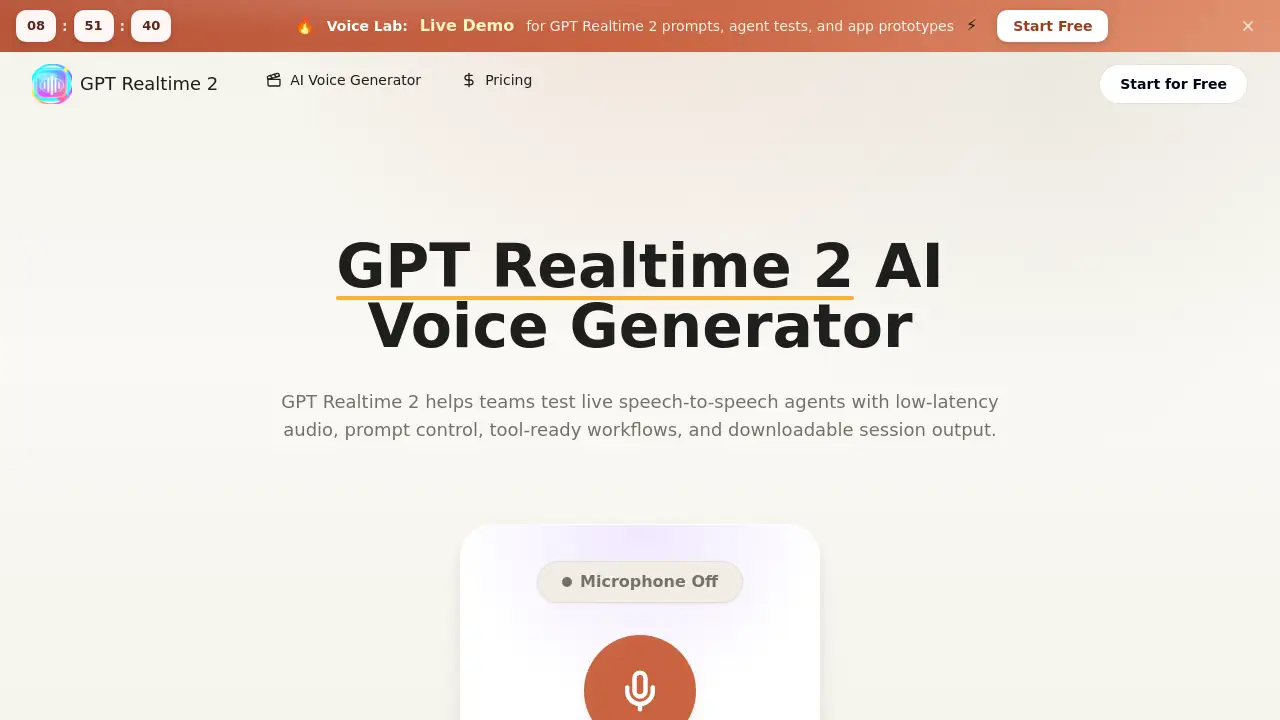
GPT Realtime 2 is a web-based platform designed for developing and testing realtime voice AI applications. It addresses a common challenge for developers and product teams: how to prototype and evaluate speech-to-speech interaction and conversational AI flows without writing extensive production code first. The tool provides a dedicated workspace for planning, executing, and reviewing live low-latency audio sessions, where spoken input is processed and answered with contextual spoken responses. It is particularly suitable for teams building voice-first applications like customer support agents, interactive tutors, or sales demos, allowing them to iterate on prompts, test tool-ready workflows, and review session quality in a controlled environment before committing to full-scale integration.
Key Features of GPT Realtime 2
Prompt Control
Users can define the AI agent's persona, conversational boundaries, goals, and response style in a single, centralized prompt, enabling precise tuning of the agent's behavior for different scenarios.
Realtime Voice Testing
The platform facilitates live testing of low-latency audio exchanges, allowing teams to evaluate critical elements like greeting effectiveness, pacing, interruption handling, and pronunciation clarity in a realistic flow.
Tool-Ready Workflow Planning
Teams can design conversations that incorporate function calls, app actions, data collection, and human handoffs, making it easier to prototype complex, app-ready conversations within one agent brief.
Comprehensive Review Workflow
After a session, users can review detailed transcripts, add notes, and use scorecards to compare the quality and performance of different prompt versions, creating a structured feedback loop.
Session Output and Export
Every test session can be recorded, with outputs like transcripts and audio available for download, turning prototype tests into practical documentation and launch notes for engineering teams.
Use Cases for GPT Realtime 2
Voice Support Agent Development
Teams can prototype and test AI-powered customer support agents, simulating realistic troubleshooting conversations to refine response accuracy and escalation protocols.
Interactive Tutoring and Training
Educators and trainers can build conversational practice scenarios for language learning or role-play simulations, using the realtime voice AI to provide immediate, spoken feedback.
Product Demo and Sales Assistant Creation
Developers can create interactive, voice-guided product demos or sales assistants to engage potential customers, testing the flow and persuasive power of the script in a live setting.
Internal Tool Prototyping
Companies can quickly prototype voice interfaces for internal tools, such as data lookup systems or procedural guides, to assess usability and efficiency before development.
How to Use GPT Realtime 2
Using GPT Realtime 2 involves a straightforward three-step process to go from an idea to a testable agent.
- Enter Your Prompt: Begin by typing a clear, detailed prompt into the workspace. This should define the agent's role, the task, and any specific rules for the conversation.
- Configure Session Settings: Adjust the available settings for your test. This may include selecting voice parameters or configuring specific tool-ready workflows you want to simulate during the session.
- Run and Review the Session: Start the live speech-to-speech interaction. Speak to the agent and evaluate its responses in real-time. Afterward, save the session, review the transcript, and export any useful outputs for further analysis.
Target Audience for GPT Realtime 2
- AI Developers and Engineers building conversational AI products.
- Product Managers and Founders validating voice AI concepts before full development.
- Customer Support Teams designing and testing automated support flows.
- Educators and Instructional Designers creating interactive learning experiences.
- Digital Agencies prototyping voice experiences for clients.
Is GPT Realtime 2 Free?
GPT Realtime 2 offers a free trial that allows users to test its core functionalities. Based on the reference information, usage is managed through a credit system. For specific details on credit allocation, pricing tiers, and what features are included in ongoing plans, users should visit the official GPT Realtime 2 website.
GPT Realtime 2's Pros and Cons
| Aspect | Pros | Cons |
|---|---|---|
| Development Speed | Accelerates prototyping by allowing realtime voice AI testing without backend coding. | Primarily a prototyping tool; teams still need to build the final production integration. |
| Testing Fidelity | Enables realistic testing of low-latency audio and natural conversation flow. | The test environment may not perfectly replicate all conditions of a live production app. |
| Collaboration | Facilitates team review with shared transcripts, notes, and scorecards. | Requires stakeholders to be familiar with AI prompt concepts to provide effective feedback. |
| Workflow Planning | Excellent for designing tool-ready workflows and complex conversation logic upfront. | May have a learning curve for teams new to designing structured AI agent interactions. |
Frequently Asked Questions about GPT Realtime 2
What is the main purpose of GPT Realtime 2?
GPT Realtime 2 is a browser workspace designed for planning, testing, and reviewing realtime voice AI agents. Its core purpose is to help teams prototype speech-to-speech interaction and evaluate conversational quality, latency, and tool-ready workflows before investing in full-scale development.
What kind of applications can I build with it?
You can prototype a wide range of voice-first applications, including customer support agents, interactive tutoring or training apps, sales and product demos, and internal tools that use voice commands. It's ideal for testing any scenario requiring natural, low-latency audio conversations.
How does GPT Realtime 2 handle tool calls and integrations?
The platform allows you to design prompts that specify when the AI assistant should call tools, collect user data, confirm actions, or hand off to a human. This enables you to prototype and test complex, app-ready conversations and logic flows within the safety of the testing environment.
Who is the ideal user for this tool?
GPT Realtime 2 is most valuable for product teams, developers, and founders who are in the early stages of building a voice AI application. It's also useful for support teams, educators, and agencies that need to quickly demonstrate or validate a conversational AI concept.
Is there a free version available?
Yes, GPT Realtime 2 offers a free trial that lets users test prompts and run sessions. Continued usage typically operates on a credit-based system, with details available on the product's official website.
Can I download and save my test sessions?
Yes, a key feature is the ability to export session outputs. You can download transcripts, recordings, and notes, which can be used for review, shared with stakeholders, or turned into specifications for engineering teams.
GPT Realtime 2 Tags
GPT Realtime 2, realtime voice AI, speech-to-speech interaction, low-latency audio, AI voice generator, voice AI testing, conversational AI platform, tool-ready workflows, app-ready conversations, AI agent prototyping, voice assistant development, prompt testing workspace