Introduction
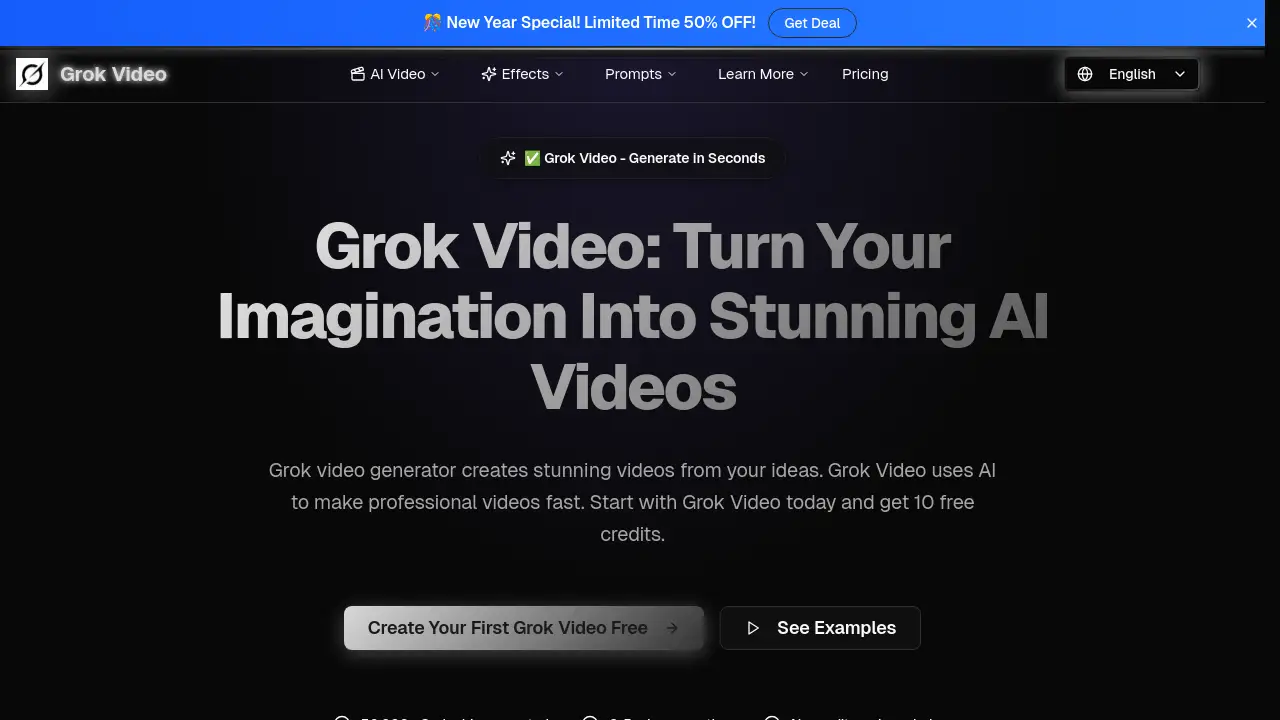
An AI-powered Grok video generator that creates stunning videos from simple text descriptions.
What is grokvideo.pro?
Grokvideo.pro is an online AI video creation tool, often called a Grok video generator, that transforms text prompts into complete videos. It solves the problem of complex and time-consuming video production by enabling anyone, regardless of technical skill, to generate professional-looking content in minutes. The platform is suitable for a wide range of users, from social media managers and digital marketers to educators and hobbyists. Its significance lies in democratizing video creation, allowing individuals and small businesses to produce high-quality visual content without expensive software or specialized training.
Key Features of grokvideo.pro
Rapid Video Generation
The Grok video generator creates full videos in just 2 to 5 minutes, a significant speed advantage over traditional editing or other AI tools that can take hours.
No Technical Skills Required
Users simply describe their vision in plain English, and the Grok Video AI interprets the creative intent to bring the idea to life, making it accessible for complete beginners.
High-Quality 4K Output
Every Grok video is rendered in stunning 4K resolution, ensuring content looks sharp and professional on any screen, from mobile devices to large displays.
Multi-Platform Format Export
The tool supports exporting Grok videos in aspect ratios for all major platforms, including 16:9 for YouTube, 1:1 for Instagram, and 9:16 for TikTok and Reels.
Image-to-Video Animation
Users can breathe life into static images by uploading a photo; the Grok Video AI transforms it into a captivating motion video, perfect for product showcases or animated memories.
Unlimited Creative Possibilities
From realistic scenes to fantasy worlds, the Grok video generator imposes no creative limits, allowing users to create any video they can imagine.
Use Cases for grokvideo.pro
Social Media Content Creation
Creators can quickly produce eye-catching posts, stories, and reels for platforms like Instagram, TikTok, and YouTube using the Grok video generator to maintain a consistent posting schedule.
Marketing and Advertisement
Businesses and marketers can generate promotional videos, explainer content, and ad creatives without the need for a production team, reducing costs and turnaround time.
Educational and Presentation Material
Teachers and presenters can create engaging visual aids, animated explanations, and dynamic slides to enhance learning and communication.
Personal and Artistic Projects
Hobbyists and artists can use Grok Video to animate artwork, create short films, or visualize stories and concepts for personal enjoyment or portfolio development.
How to Use grokvideo.pro
Using the Grok video generator is a straightforward, three-step process designed for simplicity.
- Describe Your Video: On the platform, type a text prompt describing the video you want to create. Use simple, clear language to explain your idea, scene, or story.
- Customize Settings: Select your preferred AI model, video style, and the aspect ratio (like 9:16 for Reels or 16:9 for YouTube) for your Grok video.
- Generate and Download: Initiate the creation process. The Grok video generator will produce your video in minutes. Once complete, you can preview, download the MP4 file, and share it directly to your chosen platform.
Target Audience for grokvideo.pro
- Social Media Influencers and Content Creators
- Digital Marketers and Small Business Owners
- Educators, Trainers, and Course Creators
- Bloggers and Affiliate Marketers
- Hobbyists and Digital Artists
- Startup Teams and Solopreneurs
Is grokvideo.pro Free?
Grokvideo.pro offers a free trial to start. New users receive 10 free credits to test the Grok video generator without requiring a credit card. After the trial, the service operates on a subscription-based credit system. The available plans, which include an annual discount, are outlined below.
| Plan | Price (Monthly/Annual) | Key Features & Credits |
|---|---|---|
| Starter | $9.99 / month or $99.99/year | 600 credits/year (~100 videos), 10-second HD videos, all AI models, no watermark. |
| Pro (Best Value) | $19.99 / month or $199.99/year | 1200 credits/year (~200 videos), priority generation, all AI models, no watermark. |
| Premium | $39.99 / month or $399.99/year | 3000 credits/year (~500 videos), fastest generation, all AI models, no watermark. |
grokvideo.pro's Pros and Cons
| Aspect | Pros | Cons |
|---|---|---|
| Ease of Use | Extremely simple, text-prompt interface; no training needed. | Creative control is limited compared to manual, frame-by-frame editing. |
| Speed & Efficiency | Generates videos in 2-5 minutes, far faster than traditional methods. | Video length is currently limited to short clips (e.g., 10 seconds per credit). |
| Cost | Affordable for the output quality; eliminates need for expensive software or freelancers. | Can become costly for users needing to generate a very high volume of videos regularly. |
| Output Quality | Produces professional, 4K-resolution videos suitable for social media and business. | As an AI tool, the style and accuracy are dependent on the prompt and model, which may vary. |
Frequently Asked Questions about grokvideo.pro
What is the Grok video generator?
The Grok video generator is an AI-powered tool on grokvideo.pro that creates videos directly from text descriptions. Users type a prompt, and the AI generates a complete video with visuals and audio in minutes.
Is there a free trial for Grok Video?
Yes, Grok Video offers a free trial. New users receive 10 free credits upon signing up, which can be used to generate test videos without entering any payment information.
How long does it take to create a video?
The Grok video generator typically creates a video within 2 to 5 minutes. This fast turnaround allows users to produce content quickly and iterate on different ideas.
What video formats and sizes are supported?
Grok Video supports exporting in MP4 format and offers popular aspect ratios including 16:9 (YouTube), 1:1 (Instagram), and 9:16 (TikTok/Reels). Videos are generated in high-definition quality.
Can I use Grok Video for commercial purposes?
Yes, content created with the Grok video generator can be used for commercial purposes, including marketing, advertising, and client projects. Users retain full rights to the videos they create.
Do I need video editing skills to use it?
No, you do not need any prior video editing skills or technical expertise. The platform is designed to be intuitive, requiring only a text description to generate a complete Grok video.
grokvideo.pro Tags
Grok video generator, AI video creation, text to video, Grok Video, create video from text, AI video maker, social media video tool, video for Instagram, TikTok video maker, AI content creation, 4K video generator, marketing video AI