Introduction
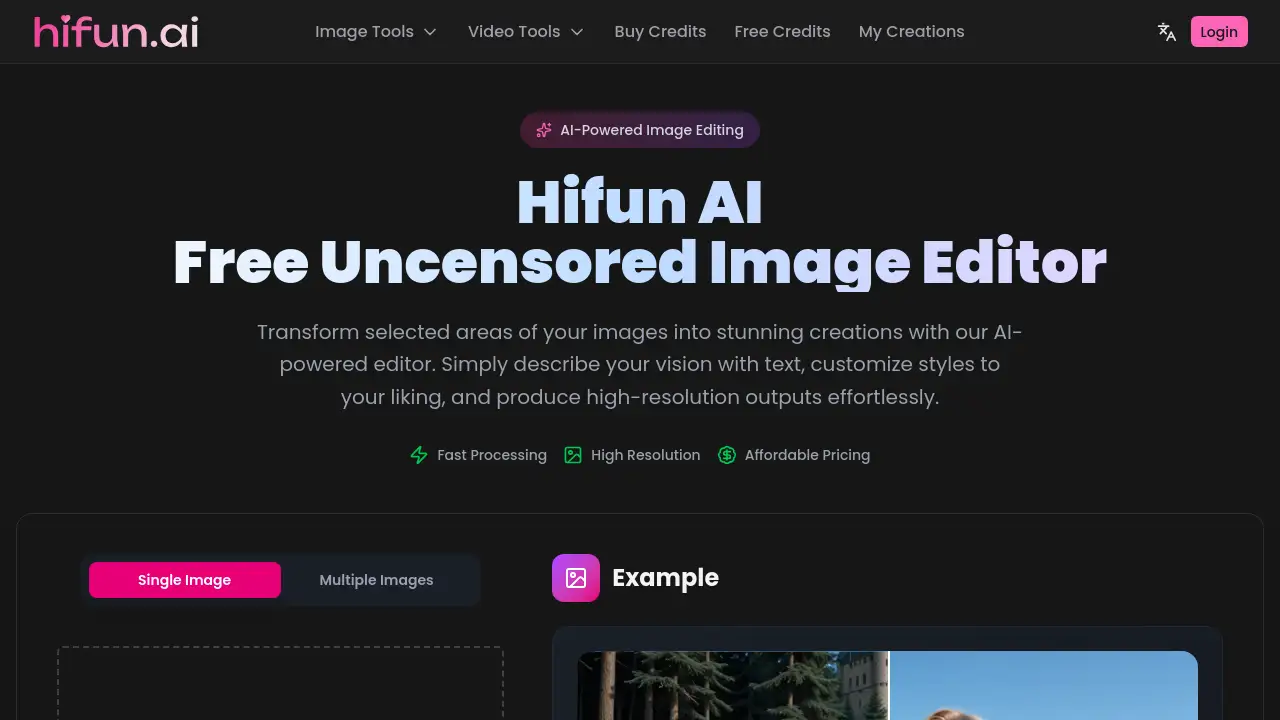
A powerful, free-to-use AI image editor that offers uncensored creative control for enhancing and transforming images.
What is HiFun Hentai?
HiFun Hentai is an AI-powered online image editor designed for fast, high-quality, and uncensored creative projects. It addresses the need for a straightforward tool that allows users to edit images without content restrictions, enabling tasks like object removal, quality enhancement, resolution upscaling, and creative scene transformation. The platform leverages cloud processing to handle complex edits quickly, making it suitable for both hobbyists looking to explore digital art and professionals who require efficient, high-resolution outputs for personal or design-oriented work. Its core value lies in simplifying advanced image editing through smart AI features like automatic masking and prompt enhancement.
Key Features of HiFun Hentai
Auto Mask
The intelligent AI automatically identifies and selects areas for editing based on a user's text prompt, eliminating the need for tedious manual selection and complex masking work.
Smart Prompt Enhancement
Users can describe their desired scene in simple language, and the AI will automatically optimize and enhance the prompt using advanced language models for better generation results.
Fast Cloud Processing
All computational work is handled by cloud-based servers, allowing for quick editing of complex images without taxing the user's local hardware, with real-time progress updates.
High-Quality Image Output
The editor generates high-resolution results that preserve original image details, offering one-click downloads suitable for professional design projects and personal creative work.
Affordable Pricing
The platform provides powerful AI image editing capabilities at an accessible cost, with a credit-based system that caters to various user needs.
Use Cases for HiFun Hentai
Creative Character Transformation
Users can transform subjects in photos into stylized characters, such as turning a person into a realistic-scale model figure placed in a detailed scene, as demonstrated by the platform's "Model Kits" example.
Artistic Scene Editing
The tool is ideal for making detailed artistic adjustments to scenes, like seamlessly editing a photo to show a subject in a specific pose or setting, such as kneeling on the ground.
Photorealistic Effect Addition
It can be used to add or modify elements in a photo with photorealistic quality, such as adding a pregnancy effect to an image while keeping the edit seamless within the original environment.
General Image Enhancement
For everyday users, it serves as a versatile tool for common tasks like removing unwanted objects, enhancing overall image quality, and upscaling image resolution for clearer results.
How to Use HiFun Hentai
- Upload an Image: Start by uploading your image file (JPEG, PNG, or WebP format) to the HiFun Hentai editor.
- Describe Your Edit: In the AI prompt box, describe the change or transformation you want. Using clear English prompts is recommended for the best outcome.
- Let AI Process: The AI will automatically mask the relevant areas based on your prompt and process the edit using cloud servers. You can monitor the status in real-time.
- Download Result: Once processing is complete, review the high-quality output and download the final edited image with one click.
Target Audience for HiFun Hentai
- Digital artists and illustrators seeking a tool for creative experimentation and uncensored art.
- Hobbyists and enthusiasts interested in exploring AI-powered image editing and transformation.
- Content creators needing to quickly edit or enhance images for personal projects.
- Individuals looking for a free or affordable alternative for tasks like object removal and photo upscaling.
Is HiFun Hentai Free?
HiFun Hentai operates on a credit-based system. Specific pricing tiers are not detailed on the homepage, but the platform indicates that editing an image requires credits. Users are advised to check the official website's pricing page for the most current information on free tiers, credit packs, and subscription plans.
| Plan | Price | Features |
|---|---|---|
| Information Not Fully Specified | Visit Official Site | AI-powered editing, cloud processing, high-res output |
HiFun Hentai's Pros and Cons
| Aspect | Pros | Cons |
|---|---|---|
| Features | Powerful AI for automatic masking and transformations | Specific long-term pricing structure is not clearly listed on the homepage |
| Usability | Simple process with smart prompt enhancement | Optimal results require using English prompts |
| Performance | Fast cloud processing preserves local hardware resources | Editing requires credits, the acquisition cost of which needs clarification |
| Output | Generates high-resolution, high-quality image outputs |
Frequently Asked Questions about HiFun Hentai
What image formats does HiFun Hentai support?
The AI image editor supports common formats including JPEG, PNG, and WebP for upload and download.
Do I need to manually select the area to edit?
No, one of the key features is Auto Mask. The AI automatically identifies and selects the editing area based on your text description.
What language should I use for the AI prompts?
For the best outcome, it is recommended to use English prompts. The AI's smart prompt enhancement feature works optimally with English descriptions.
How fast is the image processing?
Processing is fast due to cloud-based servers. This allows for quick edits regardless of image complexity, without using your computer's resources.
Is there a free plan for HiFun Hentai?
The homepage mentions the tool is "free to use" and uses a credit system. The specifics of any free credit allowance or trial should be checked on the official pricing page.
Can I use it for professional design work?
Yes, the high-quality image output and high-resolution results make it suitable for both personal projects and professional design work where quality preservation is important.
HiFun Hentai Tags
AI image editor, uncensored image editor, free AI editor, remove objects from image, enhance image quality, upscale image resolution, AI-powered editing, cloud image processing, automatic masking, prompt enhancement, high-resolution output, creative image transformation