Introduction
A tool to detect AI voice drift and help you write in your authentic voice.
What is hold your voice?
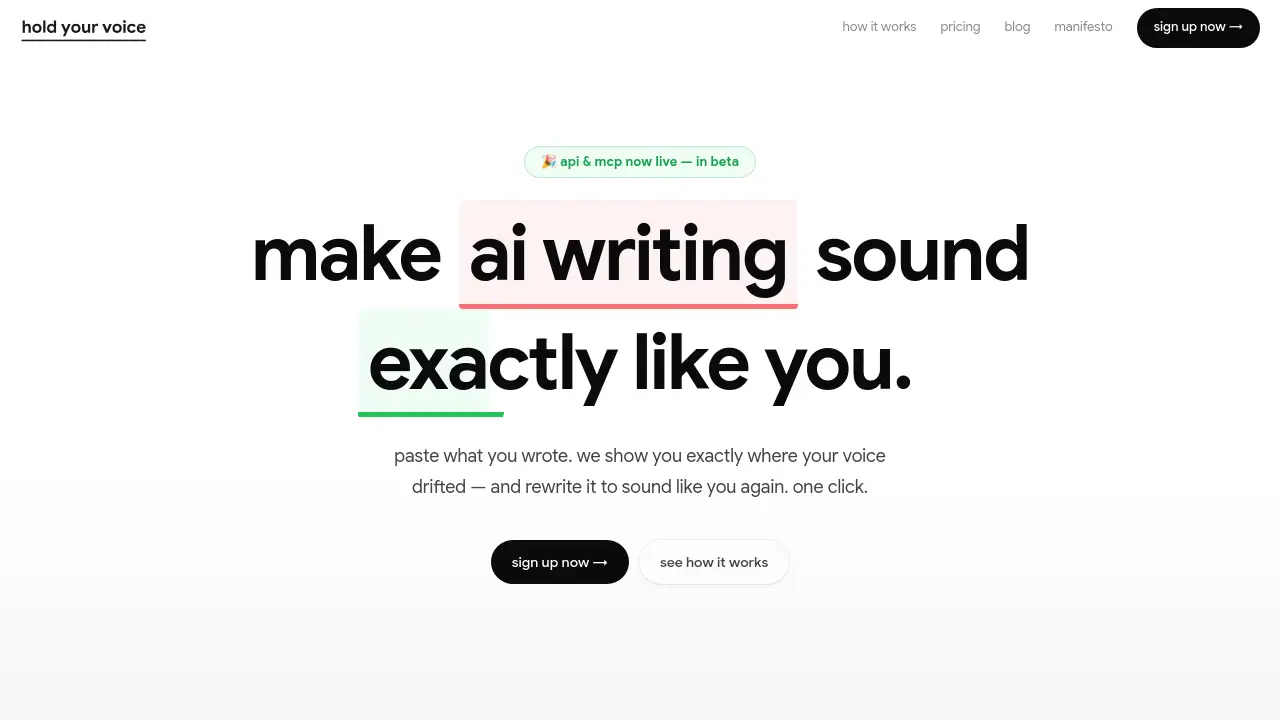
Hold Your Voice is a voice analysis tool designed to help writers, creators, and teams maintain their authentic writing style. The core problem it addresses is "voice drift"—the subtle shift where a writer’s content starts to sound generic, overly formal, or like AI-generated text. It works by having users upload samples of their best writing to create a personal voice profile. Users can then paste any draft—from LinkedIn posts to newsletter intros—and the tool analyzes it sentence by sentence against that profile. It identifies where the voice match weakens, flags specific problematic phrases (like "pleased to announce"), and offers one-click rewrites to restore the writer's natural tone. This matters because AI content is increasingly penalized by search engines and social algorithms, making authentic, human-sounding writing essential for maintaining reach and trust.
Key Features of hold your voice
Sentence-Level Voice Analysis
The tool scans your writing line by line, using its proprietary Signal Engine to provide specific feedback on where your voice drifts, such as pointing out "Aiism" or vague corporate language.
One-Click Voice Rewriting
For every sentence flagged for drift, you can instantly generate a rewritten version that aligns with your established voice profile, making it faster to fix an entire document.
Voice History and Drift Tracking
Your analysis history is logged, allowing you to see trends over time, identify recurring drift patterns, and track your average voice score to improve consistency.
Collaborative Editing for Teams
The platform enables multiple users to work on documents with live presence indicators, soft-lock editing to prevent overwrites, and features for sharing and commenting on specific sentences.
Public Sharing and Feedback
Any document can be published as a clean, branded public link with customizable permissions (view-only or commentable), allowing for easy external feedback without requiring sign-ups.
Multiple Voice Profiles
Higher-tier plans allow the creation of separate voice profiles for different brands or team members, ensuring consistent tone across various projects.
Use Cases for hold your voice
Solo Content Creators and Founders
Individuals who publish regularly online can use the tool to ensure every blog post, social update, or newsletter maintains their unique voice, building a stronger, more trusted personal brand.
Small Content Marketing Teams
Teams can standardize their brand's tone of voice across all writers, using the shared voice profile as a quality gate to keep content consistent and on-brand before publication.
Agencies Managing Multiple Client Brands
Agencies can create and manage distinct voice profiles for each client, ensuring that all delivered content authentically matches the client's established style and avoids generic AI content.
Editing and Refining AI-Generated Drafts
Writers using AI assistants for first drafts can paste the output into Hold Your Voice to quickly identify and rewrite sections that sound robotic, restoring a human, authentic feel.
How to Use hold your voice
- Calibrate Your Voice Profile: Start by answering five short questions and uploading 2-3 writing samples that represent your best, most authentic voice.
- Analyze Your Draft: Paste any piece of writing—a cold email, product page, or article—into the web app. The Signal Engine will analyze it and provide a voice score.
- Review and Rewrite: Examine the sentence-level feedback. Click "rewrite" on any flagged line to get an alternative that better matches your voice profile, or apply fixes to the entire document at once.
- Collaborate or Share: Invite team members to edit or use the share function to generate a public link for feedback, choosing between view-only and commentable access modes.
- Track Progress: Regularly check your Voice History dashboard to monitor your voice consistency over time and understand your common drift patterns.
Target Audience for hold your voice
- Solo creators, founders, and consultants who are their own brand.
- Small to mid-sized content marketing and social media teams.
- Marketing agencies that produce content for multiple clients.
- Any professional writer concerned about their work sounding generic or AI-generated.
Is hold your voice Free?
Hold Your Voice offers a 3-day free trial for all its paid plans. There is no permanently free tier. The main pricing plans are:
| Plan | Price | Key Features & Document Limits |
|---|---|---|
| Solo | $19/month | 50 documents/month, 1 voice profile, unlimited reviews/rewrites. |
| Team | $59/month | 300 documents/month, 4 voice profiles, unlimited team members. |
| Agency | $99/month | Unlimited documents & brands, bring your own API key. |
hold your voice's Pros and Cons
| Aspect | Pros | Cons |
|---|---|---|
| Core Functionality | Pinpoints exact sentences causing voice drift; one-click rewriting is highly efficient. | Effectiveness depends heavily on the quality of the initial writing samples used for calibration. |
| Collaboration | Strong features for team editing and seamless public sharing with feedback. | Advanced team features are locked behind the higher-priced Team and Agency plans. |
| Value Proposition | Directly addresses the growing issue of AI content detection and penalization by platforms. | May be less useful for writers who do not have a strong, defined voice or who write infrequently. |
| Pricing | Transparent monthly billing with a free trial; Agency plan offers good scale for high-volume users. | No free plan after the trial; the Solo plan's 50-document limit could be restrictive for active creators. |
Frequently Asked Questions about hold your voice
How long does it take to set up a voice profile?
The setup takes about three minutes. You answer five questions about your audience and upload two to three writing samples that sound like "you at your best." The tool builds your benchmark from there.
How is Hold Your Voice different from Grammarly or Hemingway?
While Grammarly checks grammar and Hemingway improves readability, neither knows your unique voice. Hold Your Voice acts as a quality gate for your personal style, checking content against your voice profile to prevent publishing generic or AI-sounding text.
Is my writing data private and secure?
Yes. According to the company, your writing and voice profile are private to your account and are never used to train models or shared with third parties. You retain ownership of your content.
What happens if I hit my monthly document limit?
If you are on the Solo plan and use your 50 documents, you cannot add new ones until the next billing cycle. However, you can continue to perform unlimited reviews and rewrites on the documents already in your account.
Can I share drafts with clients or colleagues for feedback?
Yes. Every document can be shared via a public link. You can set the access to private, view-only, or commentable. Public pages get a clean URL, and viewers do not need to sign up to read or comment.
What is the Signal Engine?
The Signal Engine is the proprietary analysis framework inside Hold Your Voice. It evaluates writing across six specific dimensions (like Aiism Elimination and Trust Signals) to provide the detailed, sentence-level feedback that powers the voice analysis.
hold your voice Tags
voice analysis tool, AI content detector, voice drift, authentic writing, voice profile, writing style checker, AI rewriting tool, content consistency, brand voice, SEO content, human writing, tone of voice software