Introduction
Song Finder identifies songs by humming or playback.
What is song finder?
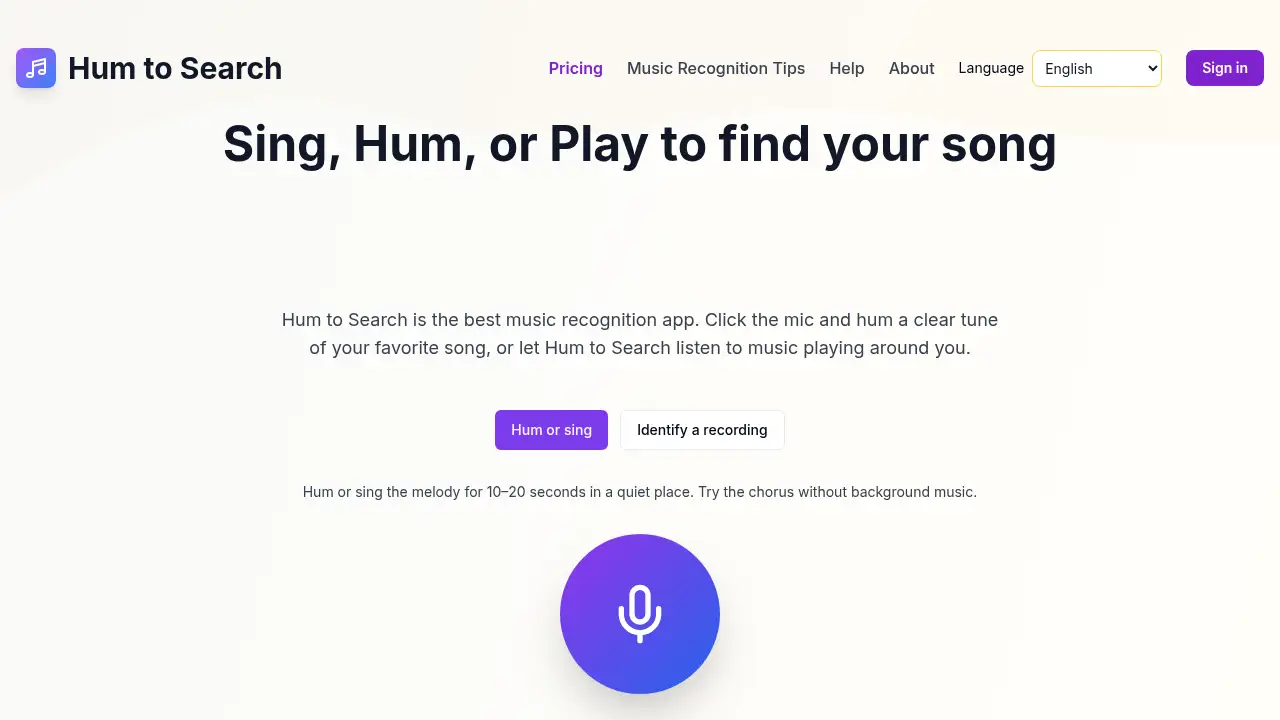
Song Finder is a browser-based music recognition app and song recognition service for identifying a track when the title is unknown. Users can hum a melody, sing a chorus, or let the tool listen to music playing nearby. The product solves a familiar problem: a tune is stuck in the head or heard in a shop, but the artist or song name is missing. The experience is designed to be simple: the user provides a melody or lets the app capture ambient audio, and the system compares the input with song data to suggest a match. As a song identification software option, Song Finder is suitable for casual listeners, travelers, TV and film fans, and anyone who wants a quick answer without installing a separate mobile app. It matters because it combines hum recognition, ambient audio detection, and streaming links in one simple web interface. The tool also works as a music discovery service when results lead to streaming platforms. The Hum to Search app behind Song Finder is designed for fast use in a browser, so the song finder tool can be opened on a phone, tablet, or computer when a track needs to be identified.
Key Features of song finder
Advanced Hum Recognition
Song Finder uses AI-based hum recognition to identify songs from a few seconds of humming, singing, or rhythm. This music recognition app is intended to work across pop, rock, jazz, classical, hip-hop, and other genres.
Smart Audio Detection
Users can let the song finder listen to music in cafes, stores, or from a TV. The song recognition service applies noise filtering to isolate music from background conversations and ambient sound.
Instant Results and Streaming Links
The song finder returns artist, album, release date, and links to Spotify, Apple Music, and YouTube. This makes the music recognition app useful for moving from discovery to listening without extra searches.
Browser-Based Access
Song Finder works directly in a modern web browser, so users do not need to download a separate app. This song identification software approach is convenient on phones, tablets, and desktop devices.
Privacy-Focused Audio Processing
The product page states that audio is processed in real time and not stored on servers. This is relevant for users who prefer not to create an account or upload files, though users should still review the official privacy policy.
Wide Genre Support
Song Finder is presented as useful for many styles, including pop, rock, jazz, classical, hip-hop, electronic, country, R&B, folk, blues, reggae, and metal. A song finder with broad genre coverage can help with different listening habits.
Use Cases for song finder
TV Shows and Movies
Viewers can identify background music from shows and films and then explore the soundtrack. A song finder is useful when the melody is memorable but the title is not.
Coffee Shops and Cafes
When a track plays in a cafe or store, the music recognition app can listen and return a match. This song recognition service helps users add the discovered track to a playlist, especially when the title cannot be heard clearly over the room.
Childhood Memories
People can hum an old melody they almost remember and let the song identification software suggest the title. The song finder is helpful for reconnecting with music from earlier years.
Live Concerts
Concertgoers can use hum recognition after a performance or try ambient detection during a set. The song finder can help users find the studio version of a live track.
How to Use song finder
- Open the official Song Finder website in a modern browser.
- Click the microphone button and allow microphone access when the browser asks.
- Hum, sing, or play the melody for about 5–20 seconds; the Hum to Search app works best with a clear chorus or main tune in a quiet place.
- Review the identified song, artist, album details, and streaming links returned by the song finder.
- If no match appears, try a more distinctive part of the song and repeat the recognition step.
Target Audience for song finder
- Casual music fans who want a quick song finder.
- Commuters and travelers who hear music in public places.
- TV, film, and gaming fans looking for soundtrack details.
- Concertgoers and playlist builders who use a music recognition app.
- Users who prefer browser access over a separate download.
- People who need song identification software for personal, non-professional use.
Is song finder Free?
The supplied information does not include a full price list for Song Finder. The product page says no account is required and mentions one-time credit packs in a comparison section, but it does not clearly confirm a permanent free plan, trial length, or subscription price. Users should check the official Song Finder website for current access options, credit pack details, and any limits on the song recognition service. Because pricing can change, confirming the latest terms before use is the safest approach.
song finder's Pros and Cons
| Aspect | Pros | Cons |
|---|---|---|
| Access | Browser-based song finder with no app download required | Requires microphone permission and a modern browser |
| Features | Supports humming, singing, and ambient music recognition | Best results depend on clear audio and a quieter setting |
| Results | Provides song details and streaming links | Niche tracks or heavy background noise may reduce match quality |
| Privacy | Product page says audio is processed in real time and not stored | Users should review the official privacy policy for full details |
| Pricing | No account requirement lowers entry friction; one-time credit packs are mentioned | Complete pricing is not clear from the reference content |
| Music coverage | Covers many popular genres and everyday use cases | No tool can guarantee a match for every melody |
Frequently Asked Questions about song finder
What is Song Finder and how does it work?
Song Finder is a browser-based song recognition service that uses hum recognition or ambient listening to identify music. A user hums, sings, or plays a tune, and the song finder returns likely matches with song details.
Does Song Finder require an app download or account?
No account is required according to the product page, and Song Finder works in a browser. Users can open the Hum to Search app site, allow microphone access, and start a music recognition search.
How accurate is the hum recognition?
The song finder is designed for high accuracy when the humming or singing is clear. Results are usually better when users hum a distinctive part, such as the chorus, in a quiet place.
Can Song Finder identify music playing in a noisy place?
The song recognition service includes noise filtering for cafes, stores, and TVs. It can work with background sound, but heavy noise may still affect the music recognition app’s accuracy. For best results, move closer to the speaker and reduce competing sounds when possible.
Is my humming audio stored by the song recognition service?
The product page states that audio is processed in real time and not stored on servers. Users who need full details should read the official privacy policy for the song finder.
Which music genres does Song Finder support?
Song Finder is presented as supporting pop, rock, jazz, classical, hip-hop, electronic, country, R&B, folk, blues, reggae, and metal. This broad coverage makes the song identification software useful for many listeners.
song finder Tags
song finder, hum to search app, music recognition app, song identification software, song recognition service, hum recognition, identify song by humming, find song by singing, browser music recognition, song finder tool, music discovery service, audio recognition app