Introduction
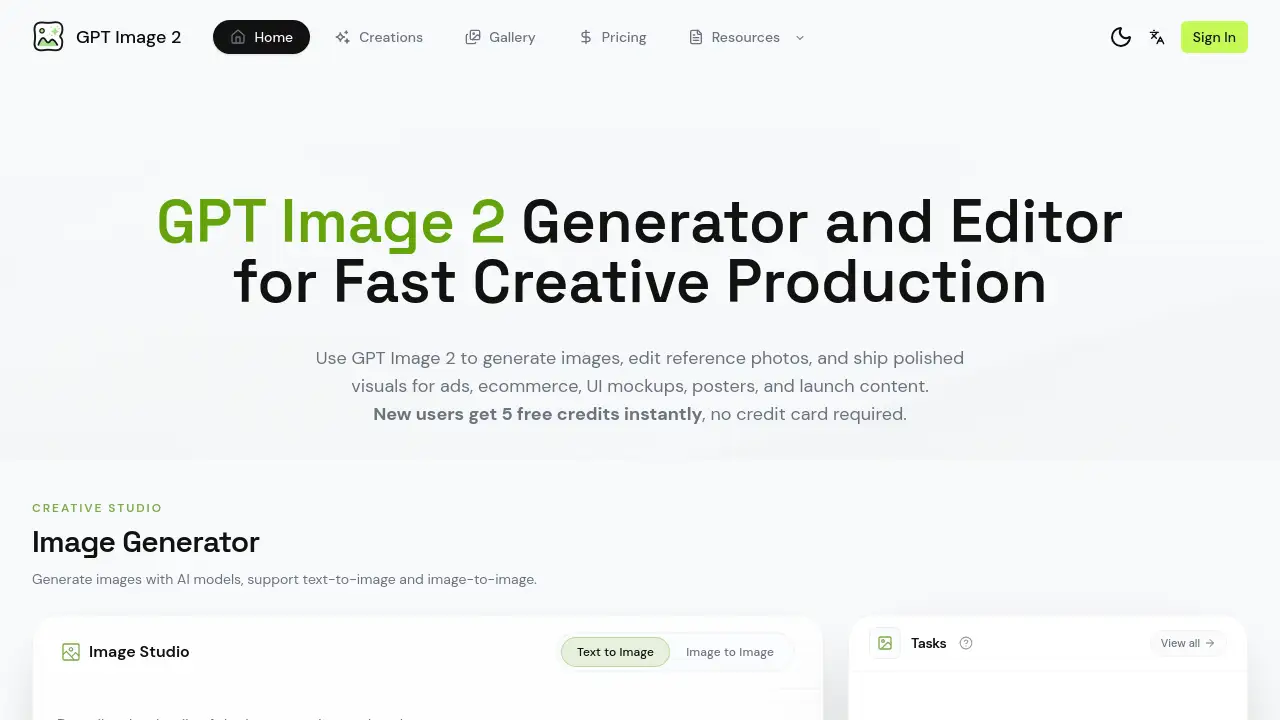
GPT Image 2 is an AI-powered platform for generating and editing images for creative production.
What is GPT Image 2?
GPT Image 2 is a web-based platform designed to accelerate creative workflows through AI image generation and editing. It solves the common challenges of producing high-quality visuals for marketing, ecommerce, and design projects, which often require expensive software, stock photos, or lengthy design sessions. The tool is suitable for marketers, designers, ecommerce store owners, and content creators who need to produce polished visuals like product ads, UI mockups, posters, and social media content quickly. Its importance lies in streamlining the entire creative process from initial concept to export-ready asset in one integrated workspace, enabling faster iteration and higher output volume. The core functionality revolves around a GPT Image 2 workflow that combines text-to-image generation, image-to-image editing, and batch exploration.
Key Features of GPT Image 2
Image Generator
The platform offers a powerful AI image generator capable of creating visuals from detailed text descriptions or by using a reference image for style guidance, supporting both text-to-image and image-to-image modes.
Reference Image Editing
Users can upload an existing photo or draft and use the editing workflow to refine its style, adjust the background, modify props, or create new variations, making it ideal for iterating on product photos or creative concepts.
Production-Ready Output
Generated images can be exported as high-resolution, campaign-ready assets suitable for professional use in print materials, web banners, social media posts, and app store listings.
Text-Heavy Visuals
A standout feature is its ability to generate visuals with clear, near-accurate text rendering, which is perfect for creating posters, menus, labels, UI mockups, and other graphics where typography is critical.
Character Consistency
The workflow allows users to maintain consistency for a specific character, subject, or art direction across multiple image generations, ensuring a cohesive look for campaign materials.
Batch Exploration
Teams can rapidly test multiple creative ideas and prompt variations, compare the outputs side-by-side, and select the best-performing visuals for their specific audience and channel.
Use Cases for GPT Image 2
Product Ads and Ecommerce Visuals
Generate polished hero images and product shots with commercial-ready lighting and composition for online stores, SaaS companies, and consumer brands.
UI Mockups and App Screenshots
Create realistic onboarding screens, dashboard visuals, and device mockups with readable interface elements and text for app launches and website presentations.
Posters, Menus, and Marketing Graphics
Design flyers, event posters, restaurant menus, and packaging labels where accurate text layout and visual hierarchy are essential.
Social Media and Launch Content
Produce a high volume of stylistically consistent visuals for social media campaigns, blog posts, and product launch announcements.
How to Use GPT Image 2
- Set the Brief: Start by writing a detailed text prompt describing the desired subject, composition, lighting, and text. Alternatively, upload a reference image to guide the AI.
- Generate and Edit: Use the platform's tools to create the first batch of images. Review the results, adjust your prompt or reference image, and iterate until the output matches your creative goal.
- Refine and Export: Select the best image from your batch exploration. Finally, download the high-resolution, production-ready asset for use in your campaign or project.
Target Audience for GPT Image 2
- Marketing teams and agencies needing ad creatives.
- Ecommerce entrepreneurs and store managers.
- UI/UX designers and product managers.
- Content creators and social media managers.
- Small business owners handling their own design.
- Freelance designers looking to streamline client work.
Is GPT Image 2 Free?
The platform offers a free tier to start. New users receive 5 free credits instantly without requiring a credit card. For continued use, paid plans are available. Users are directed to the official GPT Image 2 pricing page for detailed information on subscription tiers and credit packs.
| Plan | Access | Key Feature |
|---|---|---|
| Free Trial | 5 free credits | Test image generation and editing |
| Paid Plans | Subscription-based | Increased credits, advanced features |
GPT Image 2's Pros and Cons
| Aspect | Pros | Cons |
|---|---|---|
| Workflow | Integrated platform for generation and editing in one place. | May have a learning curve for optimal prompt crafting. |
| Output Quality | Produces high-resolution, production-ready assets with good text rendering. | Results can vary and require iterative refinement. |
| Accessibility | Free credits allow for risk-free testing of the GPT Image 2 platform. | Sustained professional use requires a paid subscription. |
| Speed | Enables rapid batch exploration and iteration for teams. | Generation speed depends on server load and plan limits. |
Frequently Asked Questions about GPT Image 2
What can I make with a GPT Image 2 workflow?
You can create a wide range of visuals, including product advertisements, ecommerce images, user interface mockups, posters, menus, social media content, and launch campaign assets. The platform is built for creative production across marketing and design.
How do I write better prompts for image generation?
Be specific and descriptive. Include details about the subject, composition, lighting, materials, mood, and any text that needs to appear. Using a reference image alongside your text prompt can also significantly guide the AI toward your desired style.
Can GPT Image 2 edit an existing image?
Yes, the reference image editing feature allows you to upload a photo or graphic and guide changes to its style, color palette, background, or props. It's useful for refining product shots or iterating on existing creative concepts.
Is there a free trial available?
Yes, new users get 5 free credits to try the GPT Image 2 generator and editor instantly upon sign-up, with no credit card required. This allows you to evaluate if the platform fits your workflow.
How does GPT Image 2 handle text inside images?
The platform is specifically noted for its strength in generating text-heavy visuals with near-accurate text rendering and clear typographic hierarchy, which is ideal for posters, UI mockups, and menus.
Who is the typical user of this platform?
The GPT Image 2 platform is used by marketing teams, ecommerce businesses, UI/UX designers, content creators, and freelancers who need to produce professional visuals efficiently without extensive design software expertise.
GPT Image 2 Tags
AI image generator, GPT Image 2, image editing AI, creative production tool, text to image, image to image, product ad generator, UI mockup tool, marketing visuals, ecommerce images, reference image editor, batch image generation, free AI credits, design workflow