Introduction
An AI image upscaler enhances low-resolution photos by enlarging them with sharp detail and natural texture using machine learning.
What is Image Upscaler?
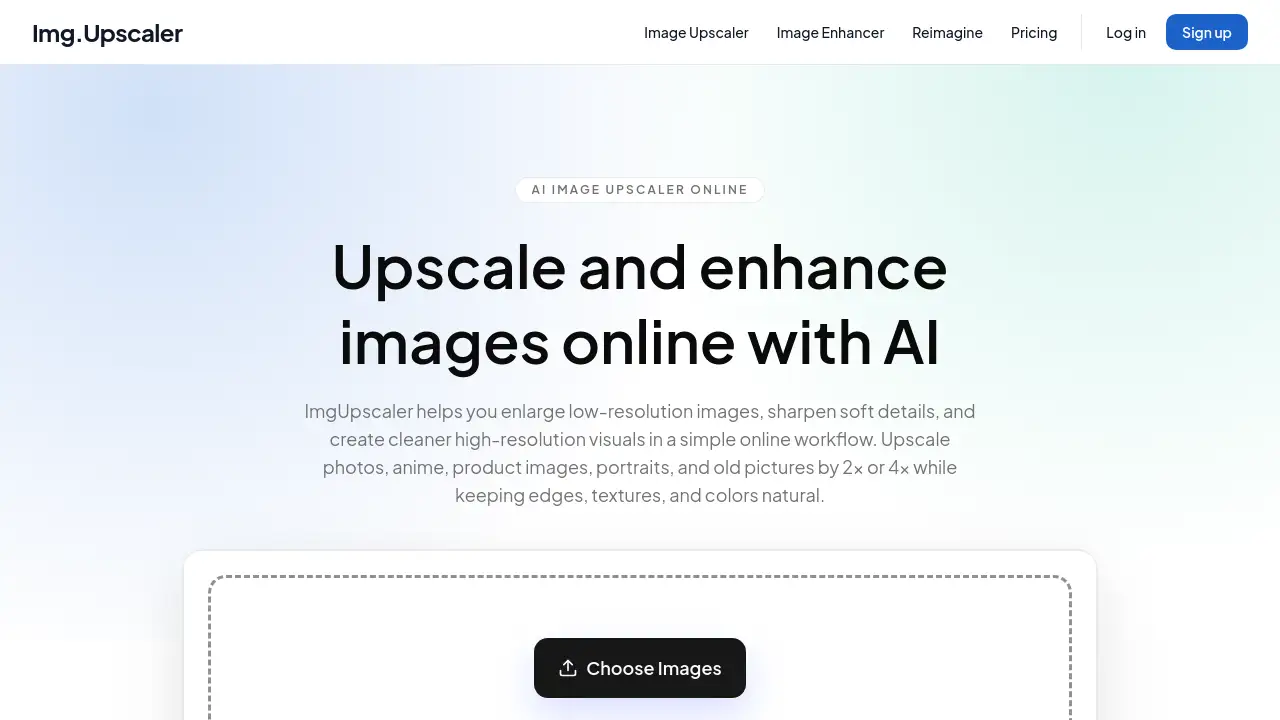
ImgUpscaler is an online tool that uses artificial intelligence to enlarge and enhance images by 2x or 4x while preserving edges, textures, and colors. Many users need to upscale images online because original files are too small for printing, web publishing, or ecommerce listings. Standard resizing often makes photos blurry or pixelated, but an AI image upscaler rebuilds missing detail to create cleaner high-resolution visuals. This product suits photographers, ecommerce sellers, graphic designers, anime fans, and anyone working with old photos, portraits, or product images. It offers batch upscaling, privacy-first processing, and commercial-ready results without requiring complex editing software.
Key Features of Image Upscaler
Advanced AI Super-Resolution
The tool applies machine learning models trained to reconstruct sharper edges, cleaner textures, and more natural detail in enlarged images.
2x and 4x Image Upscaling
Users can choose between 2x or 4x enlargement ratios depending on the final use case, such as web assets, print materials, or social media posts.
Batch Image Upscaling
Instead of processing files one by one, the batch feature allows users to enhance multiple images in a single workflow, saving time on repetitive tasks.
Image Enhancer Workflow
The platform works as an online image enhancer for low-resolution photos, anime art, portraits, ecommerce images, and old pictures, improving overall clarity and resolution.
Privacy-First Processing
Uploaded images are handled securely and automatically deleted on a set schedule, so creative assets do not remain online indefinitely.
Commercial-Ready Results
Upscaled images can be used for marketing, client work, ecommerce listings, creative production, and other personal or commercial projects without licensing concerns.
Use Cases for Image Upscaler
Upscale Photos for Web and Social Media
Small or pixelated images can be turned into cleaner visuals for websites, thumbnails, presentations, and social media posts, preserving a more natural look than standard resizing.
Enhance Ecommerce Product Images
Sellers can use batch upscaling to improve product photos for marketplaces like Amazon, Etsy, or Shopify, ensuring listings look sharp and professional.
Restore Old Photos and Portraits
The AI image upscaler helps recover detail in scanned pictures, travel shots, and older images that need more usable resolution while keeping skin tones and textures natural.
Improve Anime and Illustration Artwork
Anime fans and illustrators can enlarge digital artwork without losing line sharpness or color quality, making images suitable for prints or sharing.
How to Use Image Upscaler
- Upload a JPG, PNG, or WebP image by dragging and dropping or using the file picker.
- Choose 2x or 4x upscaling based on the desired output size.
- Preview the enhanced result and compare it with the original.
- Download the high-resolution image ready for publishing, sharing, or further design work.
The entire process takes only seconds per image, and batch upscaling follows the same simple steps for multiple files.
Target Audience for Image Upscaler
- Graphic designers and creative professionals needing quick enlargement
- Ecommerce sellers and marketplace vendors requiring product image enhancement
- Photographers working with portraits, events, or archival photo restoration
- Anime and illustration artists who need clean upscaled artwork
- Marketing teams producing social media, web, and print assets
- Casual users wanting to improve old family photos or personal images
Is Image Upscaler Free?
ImgUpscaler offers free usage for basic image upscaling needs. Users can start without paying and test the AI image upscaler with their own files. Detailed pricing for higher-volume or batch processing plans is available on the official website. The free tier provides a straightforward way to evaluate the tool before committing to a paid plan.
| Plan | Price | Features |
|---|---|---|
| Free | $0 | Basic upscaling, limited daily usage |
| Pro | Check website | Higher limits, batch upscaling, priority processing |
Image Upscaler's Pros and Cons
| Aspect | Pros | Cons |
|---|---|---|
| Ease of use | Simple drag-and-drop interface, no installation needed | Limited format support (JPG, PNG, WebP only) |
| AI quality | Sharp edges, natural textures, good color preservation | May not fully restore extremely damaged or tiny images |
| Batch processing | Saves time on multiple files | Higher usage may require a paid plan |
| Privacy | Automatic file deletion protects user data | No explicit offline mode mentioned |
| Commercial use | Results can be used in paid projects | Free tier may have daily caps |
Frequently Asked Questions about Image Upscaler
What file formats does Image Upscaler support?
ImgUpscaler accepts JPG, PNG, and WebP images. Users should convert other formats before uploading if needed.
Can I upscale images anonymously?
Yes. The platform processes images without requiring an account for basic usage, and files are automatically deleted on a schedule to maintain privacy.
Is Image Upscaler suitable for printing?
Upscaled 4x results provide higher resolution suitable for print materials like posters, flyers, and presentations, though actual print quality depends on the original image.
How does the AI image upscaler compare to standard resizing?
Standard resizing simply stretches pixels, often causing blur. The AI upscaler rebuilds detail using machine learning, resulting in sharper edges and more natural textures.
Can I use Image Upscaler for commercial projects?
Yes. Upscaled images can be used for marketing, ecommerce, client work, and other commercial purposes without additional licensing fees.
Does Image Upscaler work on old photos?
Old and scanned pictures benefit from the enhancement workflow, which recovers lost detail and reduces pixelation while keeping the original character intact.
Image Upscaler Tags
AI image upscaler, upscale images online, image enhancer, batch image upscaling, upscale photos, online image enhancer, AI super-resolution, enlarge images, image upscaler, photo upscaler, AI image enhancement, commercial image upscaling