Introduction
Kinovi API brings video, image, and audio models into one endpoint. It uses pay-as-you-go credits, clear model IDs, and example docs. This review covers Kinovi features, pricing, use cases, and how to start with its REST API.
What is Kinovi?
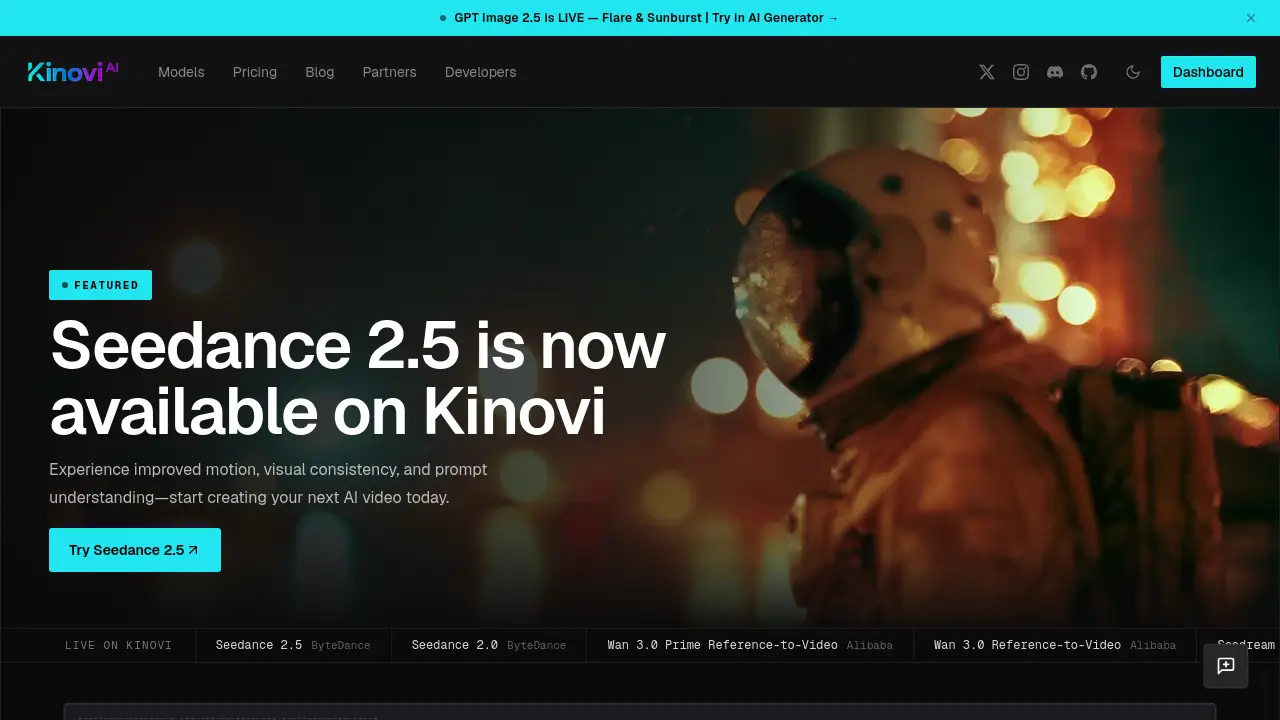
Kinovi is a unified AI model platform for video, image, and audio generation. Instead of stitching together separate providers, glue code, or ComfyUI graphs, Kinovi offers one studio and one API. The Kinovi API lets developers send a model and model-specific inputs to a single createTask endpoint, then poll recordInfo for results. This solves a common problem: managing many AI video APIs, image generation APIs, and audio generation APIs with different formats, keys, and billing systems. Kinovi is suitable for developers, creative studios, automation teams, and product builders who want faster integration. It matters because it reduces integration work and keeps model IDs and rates visible. With Kinovi, users can compare current model rates, use pay-as-you-go credits, and keep the same balance in Studio and API.
Key Features of Kinovi
One API for Video, Image, and Audio
Kinovi API supports three output types: video, image, and audio. This removes the need to manage separate AI video API, image generation API, and audio generation API accounts for each task.
Transparent Model IDs and Rates
Kinovi lists live model routes with current model IDs and rates. Developers can compare variants, resolutions, and providers before sending a job through the Kinovi API.
Pay-As-You-Go Credits
Kinovi uses pay-as-you-go credits instead of complex subscriptions. The same shared balance works in Kinovi Studio and through the REST API, so teams can create and automate from one account.
Model Catalog with 31+ Models
The Kinovi catalog includes 31+ models from 9 model providers. It covers video, image, and audio outputs, and it supports 7 interface languages for broader accessibility.
Docs with Examples
Kinovi provides documentation with examples, including a createTask code sample. This helps developers move from model discovery to a working Kinovi API call faster.
Studio and API in One Workspace
Kinovi Studio gives a visual workspace for creation, while the Kinovi API enables production automation. Users can test ideas in Studio and then move the same models into API-ready jobs.
Use Cases for Kinovi
AI Video Generation
Creators can use Kinovi API to generate video from prompts, with options for 480p, 720p, 1080p, and 4K. Reference video inputs are also available for supported models, making the AI video API useful for cinematic shots and social content.
Image Generation and Editing
Teams can generate or edit images from prompts and reference inputs. The image generation API supports pay-as-you-go rates, so users only pay for what they create through Kinovi.
Audio Model Workflows
Kinovi includes audio as an output type. Builders can connect an audio generation API into apps, tools, or automated pipelines without adding another vendor.
Rapid Prototyping
Developers can test multiple model IDs through one Kinovi API. This is helpful when comparing quality, speed, and cost before committing to a production model.
Studio Creation and API Production
Kinovi Studio supports hands-on creation, while the Kinovi API supports automation. A shared balance keeps both workflows under one account.
How to Use Kinovi
- Create a Kinovi account and get an API key.
- Choose a model ID from the Kinovi catalog and review its current rate.
- Send a POST request to the Kinovi API createTask endpoint with the model and supported inputs.
- Poll recordInfo with the returned task ID until the status is complete or failed.
- Read the output, or open Kinovi Studio to continue editing with the same balance.
Target Audience for Kinovi
- AI developers building video, image, or audio features
- Creative studios that need a unified AI model API
- Automation engineers connecting generation tasks to workflows
- Startups testing multiple model providers without glue code
- Content creators using Studio and API together
- Agencies managing pay-as-you-go credits for client work
Is Kinovi Free?
Kinovi does not appear to offer a free plan in the reference information. It uses pay-as-you-go credits, and model rates vary by model, resolution, and input type. The official site lists current model rates and credit options. Users should check the Kinovi website for the latest pricing.
| Plan | Price | Features |
|---|---|---|
| Pay-as-you-go | Varies by model | Shared balance for Studio and API, clear model IDs and rates, no subscription stated |
Kinovi's Pros and Cons
| Aspect | Pros | Cons |
|---|---|---|
| Pricing | Pay-as-you-go credits and lower rates than some listed providers | No free tier is stated in the reference |
| Features | One API for video, image, and audio; 31+ models; 9 providers | Requires understanding of model-specific inputs |
| Integration | Simple createTask and recordInfo flow; docs with examples | No-code users may need Studio instead of REST API |
| Workflow | Same balance in Studio and API | Rate comparison is needed before each job |
Frequently Asked Questions about Kinovi
What is Kinovi API?
Kinovi API is a single endpoint for video, image, and audio models. It lets developers send a model ID and inputs to createTask, then poll recordInfo for output.
Does Kinovi offer a free trial?
The reference information does not mention a free trial. Kinovi uses pay-as-you-go credits, so users should check the official pricing page for current offers.
Which models does Kinovi support?
Kinovi supports 31+ models from 9 providers, including video models from ByteDance and Alibaba. The catalog covers video, image, and audio output types.
How does Kinovi pricing work?
Kinovi pricing is based on pay-as-you-go credits. Rates are shown per model variant and resolution, with some examples showing savings compared with Fal.ai. The same balance works in Studio and the API.
Can I use Kinovi without coding?
Yes, Kinovi Studio provides a visual workspace. However, the Kinovi API is designed for developers who want automation through a REST API.
How do I start with Kinovi API?
Create an account, get an API key, choose a model ID, and send a createTask request. Then poll recordInfo with the task ID until the job finishes.
Kinovi Tags
Kinovi, Kinovi API, AI video API, image generation API, audio generation API, pay-as-you-go credits, model IDs, REST API, AI model API, video generation API, image API, audio API, one API for AI models