Introduction
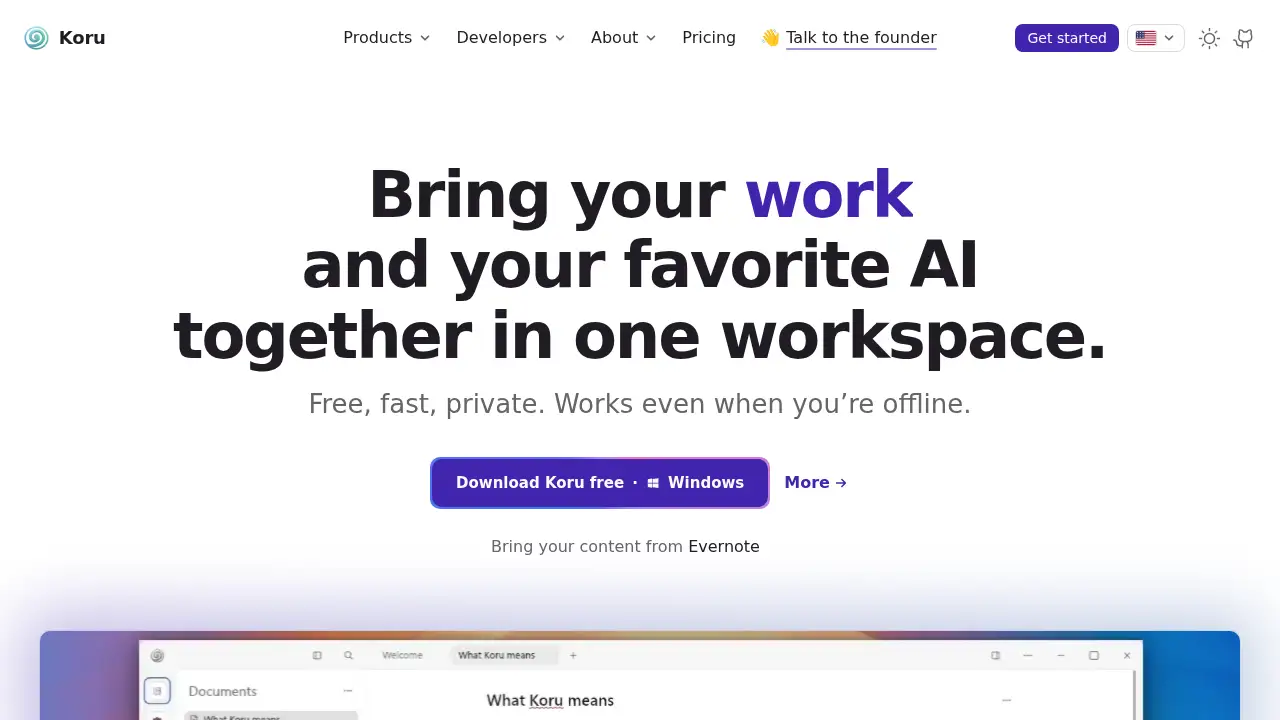
Koru is a free, open source workspace that brings notes, documents, tasks, projects, files and your chosen AI together in one offline-ready app. It runs on Windows, macOS and Linux, and it keeps work local while letting users connect the AI agents they already use.
What is Koru?
Koru is a free open source workspace built for people who want notes, documents, tasks, projects and files in one place without giving up control of their data. The app works offline on Windows, macOS and Linux, so users can keep writing, planning and organizing even when the internet is unavailable. Instead of locking users into a single AI provider, Koru lets them run supported AI agents as tabs beside the documents those agents are working on. It solves a common productivity problem: work is scattered across notes apps, task managers, file storage and AI chat windows. Koru brings those pieces into a private workspace, and it adds local voice capture, peer-to-peer sync and optional cloud sync for users who need an always-online copy. It is suitable for individuals, developers, writers, students and small teams that value privacy, flexibility and open source software.
Key Features of Koru
Unified Notes, Documents, Tasks and Files
Koru combines notes, documents, tasks, projects and files in a single workspace, so users can organize work without switching between separate apps. The offline workspace keeps everything accessible on Windows, macOS and Linux.
AI Agents as Tabs
Users can open Claude, Codex, Gemini, Grok, GitHub Copilot, OpenCode, Antigravity, Kimi, Qwen Code and other supported AI agents as tabs in Koru. This lets AI agents work beside the documents they are editing instead of in a separate chat window.
MCP Connection for AI Workflows
Koru runs a local MCP server that lets connected AI agents read and edit the workspace. This MCP support gives users a practical way to connect their preferred AI agent to notes, documents and project files.
Local Voice Capture
Koru Voice runs speech recognition on the device, so users can capture thoughts without sending audio to the cloud. The feature works inside Koru and in other apps where users can type, and it is included for free.
Offline-First Design
Koru is designed to work offline, so users can take notes, manage tasks and edit documents without an internet connection. This offline workspace approach supports privacy and reliability during travel, remote work or network outages.
Peer-to-Peer Sync and Profiles
Users can sync directly between devices with end-to-end encrypted peer-to-peer sync, without requiring Koru Cloud. They can also create separate profiles for work, school or personal life, with multiple independent workspaces under each profile.
Open Source and Cross-Platform Apps
Koru is open source, with code public on GitHub for reading, building and contributing. Native apps run on Windows, macOS and Linux, while iOS and Android apps are listed as coming soon.
Use Cases for Koru
Personal Knowledge Management
Users can collect notes, documents and files in one offline workspace, then connect an AI agent to help summarize or reorganize ideas. This suits writers, researchers and students who want a private place for personal knowledge.
AI-Assisted Writing and Coding
Developers and writers can run supported AI agents as tabs next to the documents or code notes they are working on. MCP support lets those agents read and edit workspace content through Koru’s local server.
Private Project Planning
Small teams and solo users can manage tasks, lists, reminders and project files in profiles that separate work from personal life. Peer-to-peer sync helps keep devices aligned without depending on a central cloud account.
Offline Work and Travel
Because Koru works offline on Windows, macOS and Linux, users can keep working on notes and documents during flights, field work or unreliable network periods. Local voice capture adds a quick way to record ideas without a cloud connection.
Cross-Device Access with Optional Cloud
Users can sync directly between devices with peer-to-peer sync, or add Koru Cloud for an always-online copy of workspaces. This gives flexibility for people who want backup and access across multiple devices.
How to Use Koru
- Download and install the native Koru app for Windows, macOS or Linux from the official website.
- Create a profile for work, school or personal use, then open a workspace for notes, documents, tasks and files.
- Add notes, documents, tasks, projects and files to the workspace, and keep working offline when needed.
- Open a supported AI agent as a tab, or connect an agent over the local MCP server, to let it read and edit workspace content.
- Enable local voice capture for dictation, and turn on peer-to-peer sync or optional Koru Cloud when cross-device access is needed.
Target Audience for Koru
- Individuals who want a free open source workspace for notes, documents, tasks and files
- Developers and technical users who want to run AI agents such as Claude Code, Codex or Gemini beside their work
- Writers, researchers and students who need an offline notes app with local voice capture
- Privacy-focused users who prefer offline-first tools, local voice processing and peer-to-peer sync
- Small teams and solo professionals who want separate profiles and workspaces for different projects
- Open source supporters who want to read, build or contribute to the code on GitHub
Is Koru Free?
Koru is free and open source. The core app, including notes, documents, tasks, projects, files, AI agents as tabs, local voice capture and peer-to-peer sync, is available at no cost. Koru Cloud is an optional add-on for an always-online copy of workspaces; pricing is not listed in the provided reference information, so users should check the official website for current details.
| Plan | Price | Features |
|---|---|---|
| Free / Open Source | $0 | Notes, documents, tasks, projects and files; offline use on Windows, macOS and Linux; AI agents as tabs; local MCP server; local voice capture; peer-to-peer sync; profiles and multiple workspaces |
| Koru Cloud (Optional) | Not listed | Always-online copy of workspaces for sync, backup and access across devices; EU Cloud region in development |
Koru's Pros and Cons
| Aspect | Pros | Cons |
|---|---|---|
| Pricing | Free and open source core | Cloud pricing is not clearly listed |
| Features | Unified notes, docs, tasks, files and AI agents | Mobile apps are not yet available |
| Privacy | Offline-first design, local voice capture and peer-to-peer sync | Some sync setups may require manual configuration |
| AI flexibility | Supports multiple AI agents through tabs and MCP | Individual AI agents may need separate accounts or setup |
Frequently Asked Questions about Koru
Is Koru free to use?
Yes. Koru is a free, open source app. The core workspace, local voice capture, AI agent tabs, MCP support and peer-to-peer sync are available without a subscription. Optional Koru Cloud may have separate pricing.
Does Koru work offline?
Yes. Koru works offline on Windows, macOS and Linux, so users can take notes, edit documents and manage tasks without an internet connection. Optional cloud sync is available for users who want an always-online copy.
Which operating systems does Koru support?
Koru has native apps for Windows, macOS and Linux. iOS and Android apps are listed as coming soon.
Can I use my own AI agent with Koru?
Yes. Koru supports AI agents such as Claude, Codex, Gemini, Grok, GitHub Copilot, OpenCode, Antigravity, Kimi and Qwen Code as tabs. Users can also connect agents through Koru’s local MCP server so they can read and edit workspace content.
Is my voice data sent to the cloud?
No. Koru Voice runs speech recognition on the device, so audio is not sent to the cloud. The feature works inside Koru and in other apps where users can type.
How does Koru sync between devices?
Koru offers end-to-end encrypted peer-to-peer sync between devices without requiring Koru Cloud. Users who want an always-online copy can add Koru Cloud for sync, backup and access across devices.
Koru Tags
Koru, free open source workspace, offline notes app, AI agents, local voice capture, peer-to-peer sync, MCP server, private productivity app, open source notes app, task management, Claude Code, documents and files