Introduction
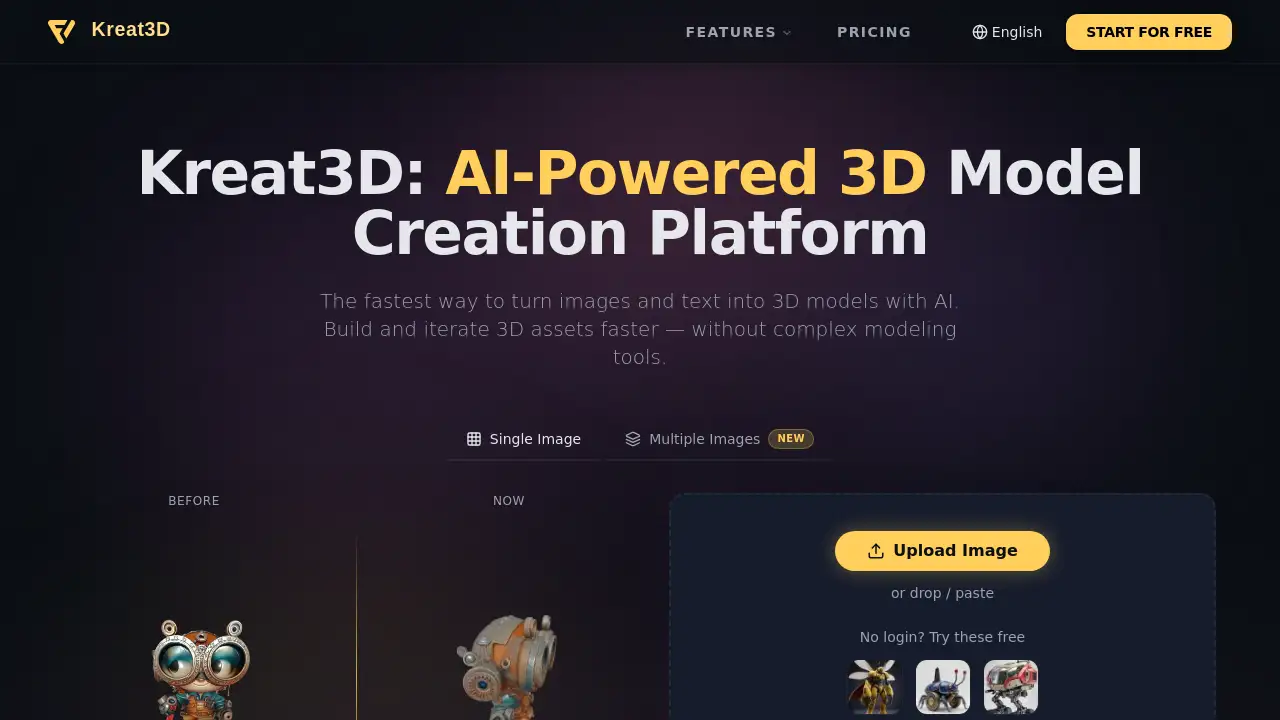
Kreat3D is an AI 3D model generator that allows users to transform images and text into 3D assets quickly, streamlining the content creation process.
What is Kreat3D – AI 3D Model Generator?
Kreat3D is an AI-powered platform designed to simplify 3D asset creation. It solves the problem of requiring complex, traditional 3D modeling software and extensive technical skill. By allowing users to generate models from either a text prompt or an uploaded image, it makes 3D model generation accessible to a wider audience. This tool is suitable for anyone needing to create 3D content efficiently, from hobbyists to professionals in fields like game design, marketing, and product development. Its significance lies in democratizing 3D content creation, enabling faster iteration and creative exploration without a steep learning curve.
Key Features of Kreat3D – AI 3D Model Generator
AI-Powered Workflow
The platform combines image to 3D and text to 3D generation methods into a single, streamlined workflow, allowing for flexible input and high-quality output.
Multiple Export Formats
Users can export their creations in popular formats like GLB, OBJ, STL, and USDZ, making it easy to integrate assets into games, apps, or 3D printing projects.
High-Fidelity Geometry & Textures
It generates models with clean geometry and visually rich textures that are optimized for real-world use in various digital and physical applications.
Built for Multiple Use Cases
The platform is designed to support a wide range of scenarios, from game development and AR/VR to product design and digital experiences, all from one tool.
Powered by Multiple AI Models
Kreat3D integrates several advanced AI generation models, providing flexible and evolving capabilities for different styles and structural tasks.
Use Cases for Kreat3D – AI 3D Model Generator
Game Development
Quickly generate and iterate on 3D assets like props, characters, or environmental objects to speed up the game development pipeline.
Augmented & Virtual Reality (AR/VR)
Create 3D models for immersive experiences, perfect for prototyping objects or scenes in AR/VR applications without complex modeling.
Product Design and Prototyping
Visualize product concepts in 3D from simple sketches or text descriptions, enabling faster design iteration and presentation.
3D Printing
Generate ready-to-print 3D models (STL files) from an idea or image, bridging the gap between digital creation and physical objects.
Digital Marketing and E-commerce
Produce 3D product visualizations and interactive content for websites and advertisements to enhance customer engagement.
How to Use Kreat3D – AI 3D Model Generator
- Visit the Platform: Go to the Kreat3D website.
- Choose Your Input Method: Start a new project by either typing a text prompt describing your desired 3D model or uploading a reference image to 3D.
- Generate and Refine: Let the AI 3D model generator create an initial model. Use the platform's tools to iterate and refine the output based on your needs.
- Export Your Asset: Once satisfied, select your preferred export format (e.g., GLB for web, STL for printing) and download the final 3D asset.
Target Audience for Kreat3D – AI 3D Model Generator
- Game Developers and Designers
- AR/VR Creators and Developers
- Product Designers and Industrial Designers
- 3D Printing Hobbyists and Professionals
- Digital Artists and Animators
- Marketing Professionals and E-commerce Managers
- Educators and Students in design-related fields
Is Kreat3D – AI 3D Model Generator Free?
Kreat3D offers a free tier that allows users to try the basic AI 3D model generation capabilities without logging in. For full access to advanced features, higher generation limits, and commercial use, a paid Pro plan is available. Users should visit the official Kreat3D pricing page for the most current and detailed plan information.
| Plan | Price | Key Features |
|---|---|---|
| Free Trial | $0 | Basic access to try text to 3D and image to 3D generation with limitations. |
| Pro Plan | Custom Pricing (Check Website) | Higher generation limits, commercial license, priority processing, and advanced export options. |
Kreat3D – AI 3D Model Generator's Pros and Cons
| Aspect | Pros | Cons |
|---|---|---|
| Accessibility | Lowers the barrier to 3D asset creation; no complex software needed. | Output quality can be dependent on the clarity of the input text or image. |
| Speed & Workflow | Enables extremely fast 3D model generation and iteration from simple inputs. | May lack the precise, manual control of vertices and topology found in professional 3D suites. |
| Use Case Coverage | Supports a wide array of formats and applications, from 3D printing to game development. | As an AI tool, it may not perfectly interpret abstract or highly specific creative concepts on the first try. |
| Cost | Free tier available for testing and basic projects. | Professional-tier pricing may be a consideration for individual creators or small studios. |
Frequently Asked Questions about Kreat3D – AI 3D Model Generator
How does Kreat3D's AI 3D model generator work?
The platform uses advanced AI models to interpret either a text description or a 2D image and reconstruct them into a three-dimensional mesh with applied textures, automating the traditional modeling process.
What file formats can I export my 3D models in?
Kreat3D supports exports in multiple popular formats including GLB, OBJ, STL, GLTF, USDZ, and PLY, catering to needs like real-time rendering, animation, and 3D printing.
Is Kreat3D suitable for complete beginners with no 3D experience?
Yes, it is designed specifically to make 3D asset creation accessible. Beginners can start by describing what they want in text or using an image, bypassing the need to learn complex modeling software.
Can I use the generated 3D models for commercial projects?
Commercial usage rights are typically granted with the paid Pro subscription. Users on the free tier should review the platform's license terms for specific restrictions regarding commercial use.
What is the difference between 'text to 3D' and 'image to 3D' generation?
Text to 3D generation creates a model from a written description, offering creative freedom. Image to 3D generation builds a model based on the visual content of an uploaded photo or drawing, which is useful for replicating or basing designs on existing objects.
How long does it take to generate a 3D model?
Generation time can vary based on model complexity and server load, but a key advantage of this AI-powered tool is its speed compared to manual modeling, often taking just minutes to produce an initial result.
Kreat3D – AI 3D Model Generator Tags
AI 3D model generator, text to 3D, image to 3D, 3D asset creation, AI-powered 3D, generate 3D models, 3D printing, game development assets, AR VR content, 3D design tool, online 3D generator, fast 3D modeling