Introduction
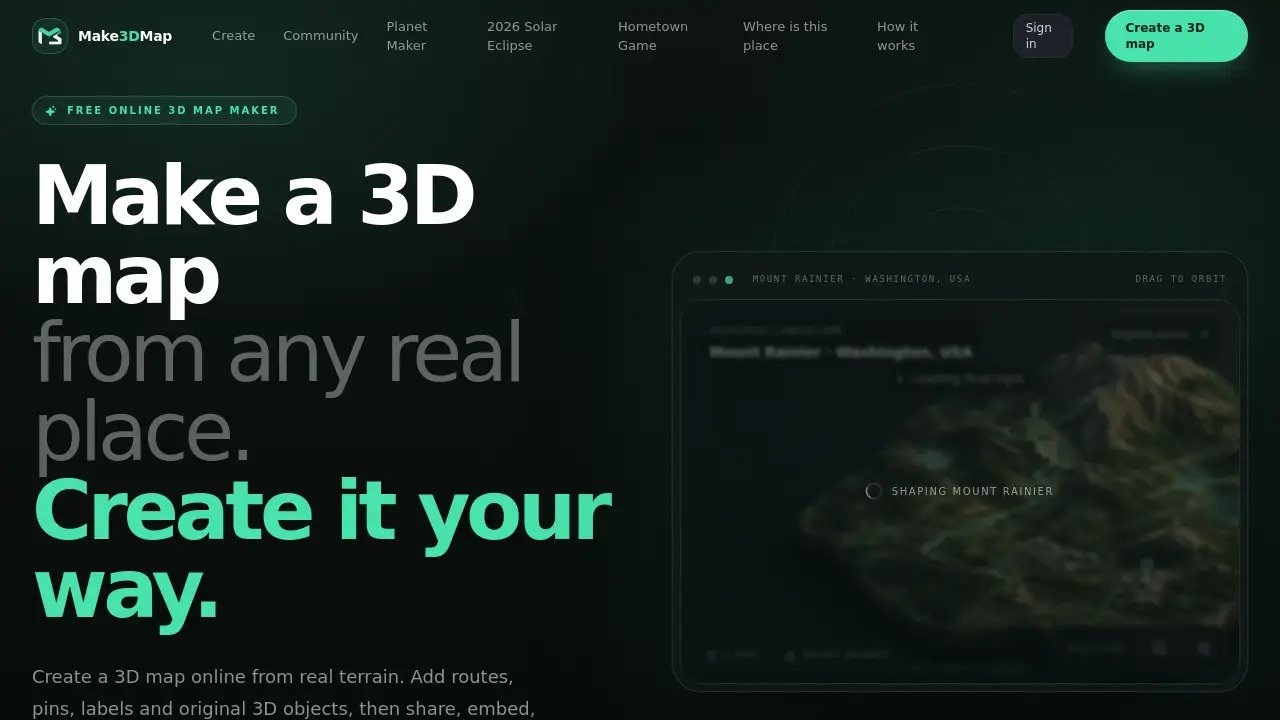
Make3DMap is a free online 3D map maker that turns real places into interactive 3D maps. With this browser-based tool, anyone can create a 3D map online, add routes, pins, labels and 3D objects, and then share or export the finished scene.
What is Make3DMap?
Make3DMap is a browser-based 3D map maker built for people who want to create a 3D map online from any real place. It uses real-world elevation to generate terrain, then lets users shape the scene with routes, pins, labels, and original 3D objects. The tool works as an interactive 3D map creator, so it is useful for storytelling, route planning, game worldbuilding, and education.
This 3D map maker solves the problem of creating detailed 3D maps without advanced GIS or 3D modeling experience. Users can search for a real place, frame the area, and see terrain appear immediately. The Map Agent then helps by researching the location, analyzing visual references, and quality-checking recognizable 3D objects before placing them. For professionals, export options open a direct path into Blender, Unity, and Unreal Engine.
Key Features of Make3DMap
Real terrain from any place
Make3DMap generates editable terrain from the elevation of any real place. Users can search, frame an area, and shape the landscape to match their creative vision.
Map Agent
The built-in map assistant researches a place, analyzes visual references, and quality-checks recognizable 3D objects before placing them. This helps users build a 3D map online faster and with more confidence.
Routes, pins, labels, and objects
Creators can draw routes over mountains, coastlines, and cities. They can add pins, text labels, and original 3D objects to make the interactive 3D map more useful.
Shareable scenes
Every published scene becomes a permanent story with a clean URL. Users can embed the 3D map in a website or allow another creator to remix an independent copy without changing the original.
Reusable asset library
Users can upload terrain images, surface textures, and 3D models. Files are saved in a reusable library, so every map can use the same custom assets. Signed-in creators can upload GLB files up to 250 MB.
Embed and export
Signed-in creators can embed maps on other websites and export images, 3D scene files, or terrain files for 3D printing. GLB and STL exports work well with Blender, Unity, and Unreal Engine.
Use Cases for Make3DMap
My hometown in 3D
Use Make3DMap to turn local identity, landmarks, and memories into a scene people want to pass on.
Travel and route stories
Draw a journey over mountains, coastlines, and cities with spatial labels and pins. This creates an interactive 3D map that tells the story of a trip.
Games and worldbuilding
Block out terrain, landmarks, and atmosphere before moving into a full 3D pipeline. Exporting 3D map scenes helps game developers use this 3D map maker in a larger workflow.
Education and exhibits
Make geography, history, and cultural heritage explorable instead of static. Teachers and museums can use a 3D map maker to create engaging exhibits.
Event and destination maps
Publish a memorable interactive 3D map without building a mapping stack. Event planners can share a visual map with routes, pins, and labels.
3D printing and production
Export terrain as GLB or STL and continue in Blender, Unity, or Unreal. Makers can use Make3DMap to create physical terrain models.
How to Use Make3DMap
- Choose a place. Search for any real place or browse community maps.
- Create the terrain. Frame the area you need, and Make3DMap will generate editable terrain from real-world elevation.
- Shape and style. Use manual tools or the Map Agent to adjust terrain, add atmosphere, and place routes, pins, labels, and 3D objects.
- Publish or export. Publish a clean URL, embed the map on a website, or export images, 3D scene files, and STL files for 3D printing.
With this simple workflow, anyone can create a 3D map online and then decide how to share it.
Target Audience for Make3DMap
- Travel bloggers and storytellers who want to visualize routes.
- Game developers and worldbuilders needing quick terrain layouts.
- Teachers and museum creators building interactive 3D map exhibits.
- Event planners and destination marketers who need maps without coding.
- 3D printing enthusiasts making physical terrain models.
- Local communities who want to celebrate their hometown in 3D.
Is Make3DMap Free?
Make3DMap is described on its homepage as a free online 3D map maker. Basic map creation and community exploration are available to everyone. Some features, such as uploading custom GLB models, embedding maps, and exporting files, require signing in as a creator. For current pricing and plan details, users should check the official Make3DMap website.
| Plan | Price | Features |
|---|---|---|
| Free access | $0 | Create a 3D map online, explore community maps, use core 3D map tools |
| Signed-in creator | See official website | Upload 3D models up to 250 MB, embed maps, export images and 3D files, remix published maps |
Make3DMap's Pros and Cons
| Aspect | Pros | Cons |
|---|---|---|
| Ease of use | Browser-based, no coding or GIS experience required | Advanced scene shaping may take time to learn |
| Features | Map Agent helps research and place objects; reusable asset library | Some features require signing in |
| Sharing | Clean URLs, embedding, and remix options support collaboration | Public sharing may not fit private projects |
| Export | GLB and STL export for 3D printing and game tools | Export options require a signed-in creator account |
Frequently Asked Questions about Make3DMap
How do I make a 3D map online?
Search for any real place, frame the area you need, and create the terrain. Then style the map, add routes, pins, labels, and 3D objects, and publish or export the finished scene.
What is Make3DMap?
Make3DMap is a browser-based 3D map maker that turns real-world elevation into an editable scene. Users can add objects, routes, pins, text, atmosphere, and custom assets.
Can I upload my own 3D models?
Yes. Signed-in creators can upload complete GLB model files up to 250 MB and reuse them across maps.
Can other people remix my map?
Yes. After signing in, anyone can create an independent copy of a published map without changing the original.
Can I embed or export a 3D map?
Yes. Signed-in creators can place a map on another website and export images, 3D scene files, or files for 3D printing. Public share pages remain interactive.
Does Make3DMap require 3D modeling skills?
No. The tool helps users create an interactive 3D map without a full mapping stack. Advanced users can still export to Blender, Unity, or Unreal for more work.
Make3DMap Tags
3D map maker, Make3DMap, create a 3D map online, interactive 3D map, 3D map creator, terrain map generator, real place 3D map, embed 3D map, export 3D map, STL terrain export, 3D map for education, route map 3D