Introduction
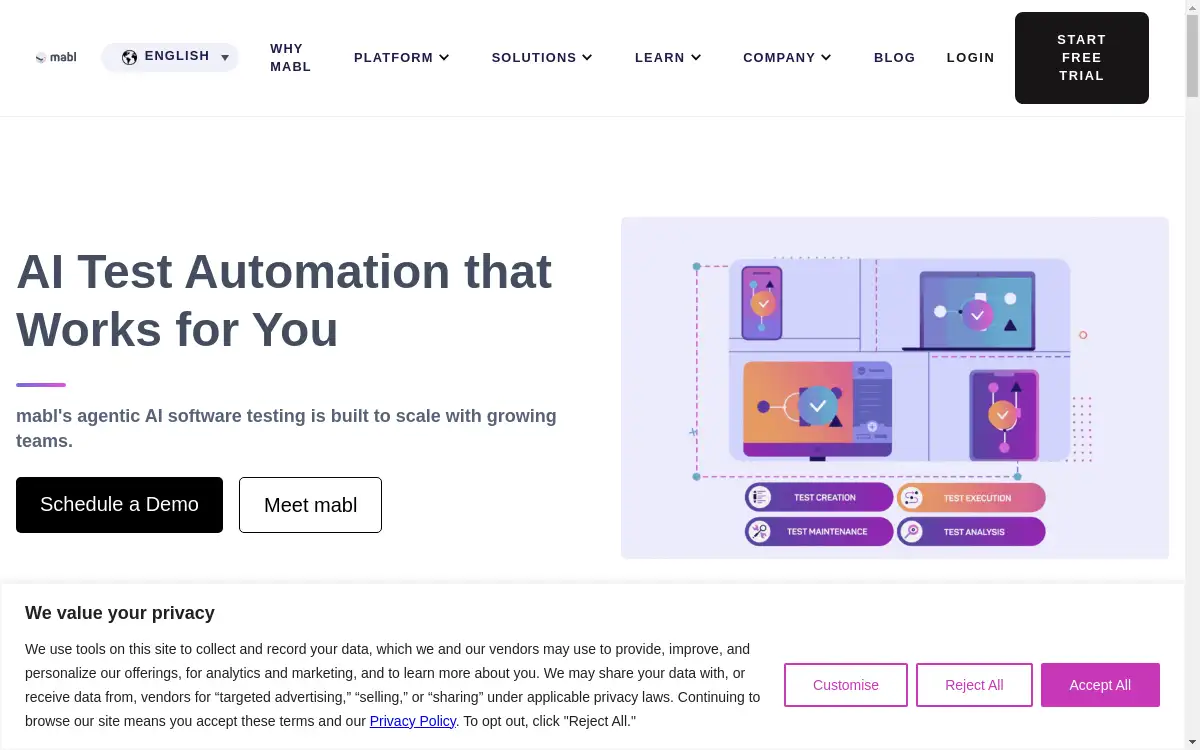
Mabl is an AI-native test automation platform designed to accelerate software releases and ensure quality.
What is Mabl?
Mabl is an AI-powered testing platform that automates the process of ensuring software quality. It addresses the challenge of slow, manual testing that can delay software releases and lead to bugs in production. This platform is suitable for software development teams, including developers, QA engineers, and DevOps professionals, who need to integrate testing seamlessly into their continuous integration and delivery (CI/CD) pipelines. By leveraging machine learning, Mabl helps teams accelerate their release cycles while delivering exceptional user experiences by catching regressions and functional issues early. The focus on intelligent test automation makes it a significant tool for modern software development practices.
Key Features of Mabl
AI-Powered Test Creation
Mabl uses artificial intelligence to automatically generate and maintain end-to-end tests, reducing the need for manual scripting and adapting to application changes.
Cross-Browser Testing
The platform enables teams to run automated tests across multiple browsers and environments to ensure consistent user experiences.
Integrated Performance Monitoring
Mabl integrates performance checks into its automated testing workflows, allowing teams to detect performance regressions alongside functional issues.
Self-Healing Tests
Tests automatically heal from common application changes, such as updated CSS selectors, which minimizes maintenance overhead and false positives.
CI/CD Integration
The platform seamlessly integrates with popular CI/CD tools, allowing automated tests to be triggered as part of every software build and deployment pipeline.
Intelligent Reporting and Insights
Mabl provides detailed, actionable insights and test results, helping teams quickly identify the root cause of failures and track quality trends.
No-Code Test Editing
A visual, no-code editor allows users of varying technical skill levels to create and edit automated tests easily.
Data-Driven Testing
Support for data-driven testing allows teams to run the same test with multiple datasets, improving test coverage and efficiency.
Use Cases for Mabl
Continuous Regression Testing
Teams use Mabl to execute a comprehensive suite of regression tests automatically with every code change, ensuring new features do not break existing functionality.
Release Validation
Mabl validates the stability and quality of a software release candidate through automated smoke and sanity tests before it is deployed to production.
Cross-Browser Compatibility Testing
Development teams leverage Mabl to verify that their web application delivers a consistent and functional experience across all major web browsers.
API Testing
The platform can be used to automate the testing of API endpoints, validating request and response payloads for reliability and correctness.
Monitoring Production User Journeys
Mabl's synthetic monitoring capabilities allow teams to run critical user journey tests against live production environments to proactively detect outages or performance issues.
How to Use Mabl
Getting started with Mabl typically involves a straightforward process.
- Sign Up and Install the Mabl Trainer: Begin by creating an account on the Mabl website. For many test creation features, you will need to install the Mabl browser extension, known as the Trainer.
- Create Tests: Use the Mabl Trainer to record user journeys directly in your web browser. Alternatively, you can use the platform's no-code editor to build or refine tests visually.
- Configure Test Plans: Organize your individual tests into test plans. Set configurations such as the execution environment (e.g., browser types) and scheduling preferences.
- Integrate and Run: Connect Mabl with your CI/CD pipeline (e.g., Jenkins, Azure DevOps) to run tests automatically on every build. Tests can also be triggered manually or on a scheduled basis.
- Analyze Results: Review the detailed reports and insights provided in the Mabl application. The platform highlights failures, provides screenshots, and offers diagnostic data to help resolve issues quickly.
Target Audience for Mabl
- Software Development Teams
- Quality Assurance (QA) Engineers and Testers
- DevOps and Site Reliability Engineering (SRE) Teams
- Product Managers overseeing software quality and user experience
Is Mabl Free?
Mabl offers a free plan that provides access to its core features, making it an excellent entry point for teams to explore intelligent test automation. This plan typically includes a limited number of test runs per month. For organizations with higher testing demands and requiring advanced features like enhanced parallel execution, sophisticated integrations, and dedicated support, Mabl provides several tiers of premium subscriptions. These paid plans are structured to be scalable and affordable for businesses of different sizes.
Frequently Asked Questions about Mabl
What makes Mabl different from traditional test automation tools?
Mabl differentiates itself through its native use of artificial intelligence. Unlike traditional tools that require extensive manual scripting and maintenance, Mabl's AI automates test creation, adapts to application changes with self-healing capabilities, and provides intelligent analytics, significantly reducing the effort required to maintain a reliable test suite.
Does Mabl require coding skills to use?
While Mabl supports advanced testing scenarios for technical users, its primary interface is designed to be low-code to no-code. The visual test recorder and editor allow users with little to no programming experience to create and manage sophisticated automated tests effectively.
Can Mabl tests run as part of a CI/CD pipeline?
Yes, one of Mabl's core strengths is its deep integration with popular CI/CD systems. Tests can be automatically triggered from within pipelines in tools like Jenkins, CircleCI, and Azure DevOps, enabling true continuous testing and helping to accelerate software releases.
How does the self-healing feature work in Mabl?
Mabl's self-healing technology uses machine learning to detect changes in the application under test, such as altered element locators (e.g., IDs or CSS classes). When a change is detected, Mabl automatically suggests or applies a correction to the test, preventing it from failing and reducing the need for manual maintenance.
What kinds of applications can I test with Mabl?
Mabl is primarily designed for web application testing. It can automate tests for modern single-page applications (SPAs), traditional multi-page applications, and can also be used for API testing, providing broad coverage for most web-based software projects.
Is there a limit on the number of tests I can create?
Mabl's pricing plans typically limit the number of test runs or execution hours per month, rather than the number of tests you can create. This allows teams to build extensive test suites and then choose how frequently they are executed based on their subscription level.
Mabl Tags
Mabl, AI test automation, software testing, automated testing platform, quality assurance, CI/CD integration, self-healing tests, no-code testing, end-to-end testing, regression testing, cross-browser testing, DevOps testing