Introduction
Make Dime Dime Baby AI turns photos into dance videos.
What is Make Dime Dime Baby?
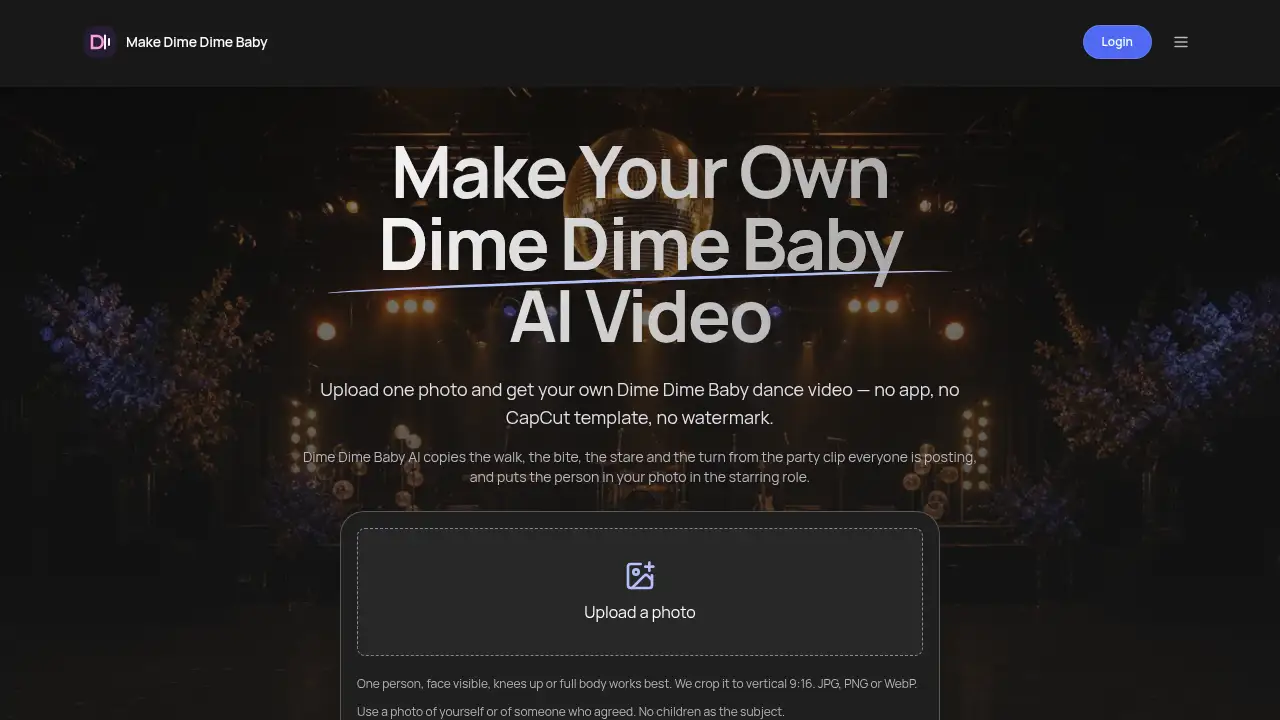
Make Dime Dime Baby is a browser-based AI video tool that turns one photo into a Dime Dime Baby dance video. It is built around the TikTok party trend where a person walks toward the camera, bites into a concha, stares into the lens, then turns and dances away. The tool copies that sequence and puts the person from a user’s photo in the starring role.
The main problem it solves is simple: many people want to join the Dime Dime Baby trend but do not want to hunt for a working CapCut template, install an app, or edit a video timeline. Make Dime Dime Baby offers a one-photo workflow instead. Users upload a single image, sign in with email, and generate a Full HD vertical 9:16 clip. The output has no watermark and is ready for TikTok, Reels, or Shorts. New accounts get one free video, which makes the Dime Dime Baby AI tool easy to test.
It is suitable for social media users who follow short-form trends, friend groups making reaction videos, families creating funny swaps, and anyone who wants a BbY WOW dance video without a template link. The video is delivered without music, so users add the trending “dime dime baby” sound inside TikTok. This keeps the workflow focused on the visual trend and the final post.
Key Features of Make Dime Dime Baby
One-Photo Dance Video Generation
Upload one clear photo and let the Dime Dime Baby AI generate a party dance video. The tool maps the walk, the concha bite, the stare, and the turn onto the person in the image.
Full HD Vertical 9:16 Output
Create a 10-second Full HD vertical video that fits TikTok, Instagram Reels, and YouTube Shorts. The vertical format keeps the subject framed for mobile screens.
No Watermark and No App Required
Download a Dime Dime Baby video without a watermark. The tool runs in a browser, so there is no app to install and no editing software to learn.
No CapCut Template Hunt
Skip the search for a working CapCut template. Make Dime Dime Baby handles the photo swap and dance generation in one browser-based flow.
Failed Videos Refund Credits
If a generation fails, the tool refunds the credits automatically. This matters most for difficult photos, such as some pet images or images that do not meet the single-person photo guidelines.
Simple Email Sign-In
Sign in with an email address to generate a video. The photo stays on the page until sign-in, which keeps the upload step straightforward.
Use Cases for Make Dime Dime Baby
Join the Dime Dime Baby TikTok Trend
Users can make a Dime Dime Baby dance video without editing a timeline. Upload a photo, generate the clip, then add the trending sound in TikTok.
Put a Grandparent in the Party Clip
The trend often works as a funny family swap. A clear photo of a grandma or grandpa can become a BbY WOW dance video that is ready to post as a reaction.
Create a Group Chat Series
Make one Dime Dime Baby AI video for each friend and post the clips as a series. The one-photo workflow makes it practical to create multiple versions without a CapCut template.
Surprise a Partner or Best Friend
Turn a favorite photo into a short AI party dance video. It can work as a light surprise for a partner, best friend, or family member who follows the trend.
Try a Pet Photo with Realistic Expectations
Pets are hit and miss because the dance is made for a human body. An upright, front-facing pet photo has the best chance, and a failed video refunds the credits.
How to Use Make Dime Dime Baby
- Choose one clear photo of a single person with the face visible. A knees-up or full-body vertical image works best, and JPG, PNG, or WebP files are accepted.
- Go to Make Dime Dime Baby and upload the photo. The tool crops the image to vertical 9:16 for the final Dime Dime Baby video.
- Sign in with an email address and start the generation. The Dime Dime Baby AI usually takes about 3–5 minutes to finish.
- Download the Full HD vertical video with no watermark.
- Open TikTok, add the trending “dime dime baby” sound, and post the clip. The tool does not include the song in the download.
Target Audience for Make Dime Dime Baby
- Social media creators who want to join short-form TikTok trends quickly.
- Friend groups and families making funny reaction videos or photo swaps.
- People who want a Dime Dime Baby video without a CapCut template or app install.
- Users who prefer a browser-based AI video generator over manual editing.
- Pet owners who understand that pet videos may fail and credits are refunded.
- Trend followers looking for a BbY WOW dance video from one photo.
Is Make Dime Dime Baby Free?
Make Dime Dime Baby is not a subscription service. New accounts get one free video while the daily free allowance lasts. After that, users pay once for credits. Failed videos refund credits, and credits do not expire.
| Plan | Price | Features |
|---|---|---|
| Free | $0 | One free Dime Dime Baby AI video for new accounts while the daily free allowance lasts; no watermark; Full HD vertical 9:16 output |
| Single video | $9.99 | One video credit; pay once; no subscription; credits never expire; failed videos refunded |
| Three videos | $24.99 | Three video credits; pay once; no subscription; credits never expire; failed videos refunded |
A free alternative is a CapCut template on a phone when a working link is available. Make Dime Dime Baby is positioned as a browser-based option for users who want to skip the template search and app workflow.
Make Dime Dime Baby's Pros and Cons
| Aspect | Pros | Cons |
|---|---|---|
| Pricing | One free video for new accounts; one-off pricing; no subscription | Paid credits are needed after the free allowance |
| Features | One-photo generation; Full HD 9:16 video; no watermark | No music included; users add the TikTok sound separately |
| Ease of Use | Browser-based; no app install; no CapCut template | Requires email sign-in and a short 3–5 minute wait |
| Photo Input | Works with many single-person photos | Group photos do not work; pets are hit and miss; no children or celebrities as subjects |
| Refunds | Failed videos refund credits automatically | The tool is independent and not affiliated with KAROL G, TikTok, or CapCut |
Frequently Asked Questions about Make Dime Dime Baby
What is Make Dime Dime Baby?
Make Dime Dime Baby is an independent AI video tool that turns one photo into a Dime Dime Baby dance video. It recreates the party walk, concha bite, stare, and turn from the TikTok trend, then outputs a vertical clip for social media.
Is Dime Dime Baby AI free?
New accounts get one free video while the daily free allowance lasts. After that, one Dime Dime Baby video costs $9.99 and three cost $24.99, paid once with no subscription. A CapCut template on a phone is a separate free alternative when a working link is available.
How long does a Dime Dime Baby video take?
The Dime Dime Baby AI tool usually takes about 3–5 minutes to generate a video. Users can leave the page and return to the library to find the finished clip.
Does the video include the trending song?
No. The downloadable Dime Dime Baby video comes without music. Users add the trending “dime dime baby” sound inside TikTok, where the trend lives.
What photo works best for Dime Dime Baby AI?
Use one clear photo of one person with the face visible. A vertical image from the knees up or a full-body shot works best. Waist-up photos work too, but the video stays waist-up. Avoid group photos, heavy filters, and sunglasses.
Can I use a pet photo or a group photo?
A pet photo sometimes works, but the dance is designed for a human body, so results are hit and miss. An upright, front-facing pet image has the best chance, and failed videos refund credits. Group photos do not work because the tool expects one person per video.
Make Dime Dime Baby Tags
Dime Dime Baby AI, Make Dime Dime Baby, Dime Dime Baby video, Dime Dime Baby dance video, BbY WOW dance, AI party dance video, photo to dance video, CapCut template alternative, no watermark AI video, vertical 9:16 video, TikTok dance trend, AI video generator