Introduction
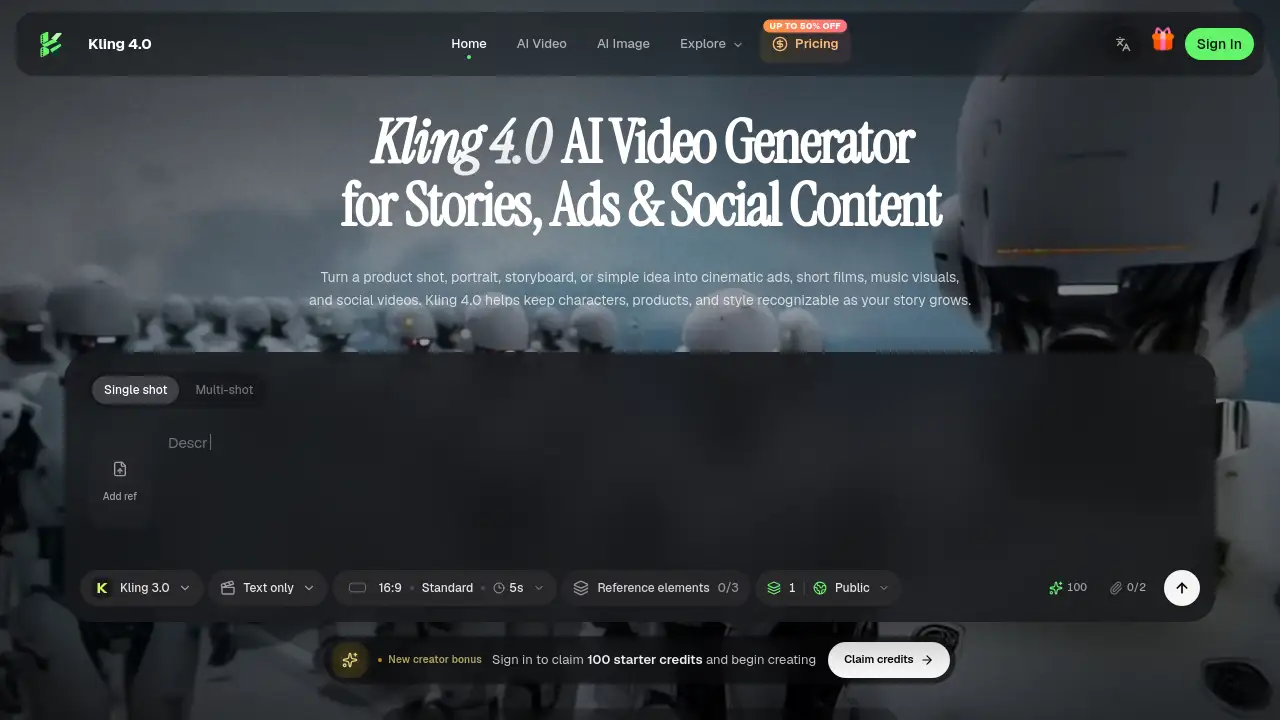
Kling 4.0: AI video generator for cinematic stories.
What is Kling 4.0?
Kling 4.0 is an AI video generator designed to turn text, images, first and last frames, keyframes, and mixed visual references into finished video scenes. It helps creators move from a simple idea or reference asset to a coherent clip for cinematic ads, character stories, animation, social videos, and game trailers. The Kling 4.0 platform focuses on control: users can anchor identities, products, settings, motion, and camera direction, then guide the action across a sequence. This matters for teams and independent creators who need consistent visual storytelling without rebuilding every scene from scratch. By combining prompt-based generation with reference-driven direction, Kling 4.0 supports both commercial work and expressive narrative ideas.
Key Features of Kling 4.0
Up to 30 Seconds per Generation
Kling 4.0 can create a single generation from 3 to 30 seconds, giving enough time for an opening, development, and payoff. With multiple video extensions, a complete sequence can reach up to two minutes.
Omni Reference for Consistent Details
Kling 4.0 uses Omni Reference to combine images, videos, voice references, and subject elements, with up to 15 reference assets in total. It helps preserve character faces, product identity, movement, pacing, and visual mood.
Up to 10 Keyframes
Kling 4.0 supports up to 10 keyframe images, allowing creators to place important character states, scene changes, and narrative beats. This feature is useful for directing a story from first frame to final cut.
Flexible Prompt Control
With Kling 4.0, creators can start with a simple idea or use a detailed prompt of up to 8,000 tokens. The prompt can describe characters, action, dialogue, camera moves, and scene changes across a longer story.
High-Quality Picture and Sound Options
Kling 4.0 offers 21:9, 16:9, 1:1, 9:16, and automatic framing, with 720p, 1080p, and 4K output. The 1080p and 4K options support 10-bit HDR, while audio includes two-channel stereo and improved lip synchronization.
Video Editing and Refinement
Kling 4.0 video editing can work with up to five clips, including one main video. Users can adjust expressions, body motion, camera position, movement, backgrounds, or style while preserving the rest of the scene.
Kling 4.0 Flash
Kling 4.0 Flash is a faster option for frequent creation. It supports text-to-video, image-to-video, and Omni Reference, with 3-to-20-second clips at 720p in 8-bit SDR.
Use Cases for Kling 4.0
Product Campaigns
Kling 4.0 helps combine product views and character references for launch films, fashion spots, and visually consistent ads. It can turn a bottle photo or product detail into a scroll-stopping vertical social video.
Short Drama
Kling 4.0 turns a dramatic frame into a fuller scene with expressive faces, dialogue, and deliberate pacing. Creators can use keyframes and Omni Reference to keep characters recognizable across shots.
UGC and Social Content
Kling 4.0 creates presenter-led product stories and vertical videos with clear speech and a recognizable subject. This makes it useful for social videos that need to feel native to mobile feeds.
Animation and Stylized Worlds
Kling 4.0 supports clay, felt, glitch, documentary, and 3D cyber aesthetics while keeping the scene’s visual language coherent. An illustration or concept art can be animated into a visual story.
Game Trailers and Action
Kling 4.0 can use motion and camera references to guide fast movement, tracking shots, and cinematic reveals. It can turn concept art into a trailer moment with shifting shots and expressive movement.
Localized Creative
Kling 4.0 supports videos with multiple languages, accents, dialects, readable on-screen text, and stable graphic elements. This helps campaigns reach different audiences.
How to Use Kling 4.0
- Choose the moment. Decide what the viewer should feel or understand, such as a product reveal, character decision, transformation, or surprising visual beat.
- Anchor the essentials. Add the people, product, location, or movement references that should stay consistent. Use Omni Reference to keep important details recognizable.
- Set the story beats. Describe the action in viewing order. Use first and last frames or keyframes to place the visual turning points.
- Review and refine. Check motion, sound, expressions, and details. Adjust the prompt or make a focused edit to strengthen the result.
- Render and share. Kling 4.0 lets users choose an aspect ratio and resolution, then export the finished clip for ads, social videos, animation, or other storytelling formats.
Target Audience for Kling 4.0
- Marketing teams creating cinematic ads and product campaigns
- Social media creators making vertical videos and UGC-style content
- Filmmakers and short drama creators developing character stories
- Animators and illustrators exploring stylized worlds
- Game studios building trailers and action sequences
- Localization teams needing multilingual video content
Is Kling 4.0 Free?
The reference content for Kling 4.0 does not list specific prices or confirm a free plan. Kling 4.0 shows monthly, yearly, and one-time credit plans for different AI video generation volumes. Users can check the official pricing page for current details and contact support with payment or plan questions.
| Plan | Price | Features |
|---|---|---|
| Monthly | Not listed | Credit plan for monthly AI video generation volume |
| Yearly | Not listed | Credit plan for annual AI video generation volume |
| One-time | Not listed | One-time credit plan for AI video generation volume |
Kling 4.0's Pros and Cons
| Aspect | Pros | Cons |
|---|---|---|
| Inputs | Supports text, images, first and last frames, keyframes, and mixed references | Best results may require careful reference selection |
| Control | Omni Reference, up to 10 keyframes, and camera direction provide strong creative control | Features can take time to learn |
| Output | Up to 30 seconds per generation, extensions to two minutes, 720p to 4K | Pricing details are not clearly listed in the provided content |
| Audio | Two-channel stereo, improved lip sync, multilingual speech, accents, and dialects | Audio quality may still need review and editing |
| Editing | Can refine expressions, motion, backgrounds, or style across up to five clips | Complex edits may need multiple passes |
Frequently Asked Questions about Kling 4.0
What is Kling 4.0 best used for?
Kling 4.0 is best used for cinematic ads, character stories, animation, social videos, game trailers, and localized creative. It works well when a creator needs consistent characters, products, or visual references across a scene.
How long can a Kling 4.0 video be?
A single generation in Kling 4.0 runs from 3 to 30 seconds. With multiple video extensions, a complete sequence can reach up to two minutes, so creators can build a story scene by scene.
What is Omni Reference in Kling 4.0?
Omni Reference combines images, videos, voice references, and subject elements, with up to 15 reference assets in total. Images help preserve character and product identity, while video references guide action, performance, pacing, and camera movement.
How many keyframes can I use?
Kling 4.0 supports up to 10 keyframe images. These keyframes help control important character states, scene changes, and narrative beats.
Does Kling 4.0 support audio and multilingual text?
Yes. Kling 4.0 supports two-channel stereo, improved lip synchronization, multilingual speech, accents, dialects, and readable text, logos, and emojis in video.
Is Kling 4.0 free?
The provided content does not confirm a free plan for Kling 4.0. It lists monthly, yearly, and one-time credit plans, so users should visit the official pricing page for current options.
Kling 4.0 Tags
Kling 4.0, AI video generator, cinematic ads, character stories, animation, social videos, visual references, Omni Reference, AI keyframes, text-to-video, image-to-video, AI video editing