Introduction
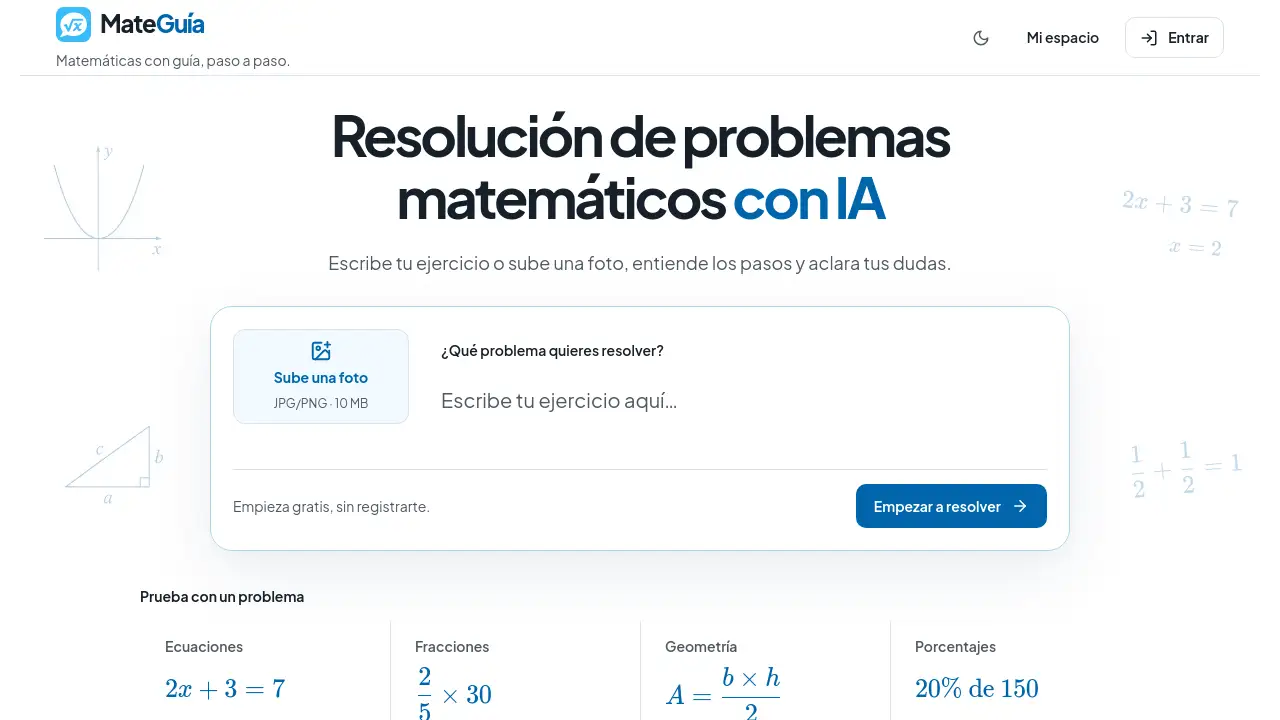
MateGuía is a browser-based AI math problem solver for students and independent learners. It allows users to type a math exercise or upload a photo, then receive step-by-step explanations and ask follow-up questions. The tool supports math problem solving with AI while encouraging users to review each step. It can be tried without registering.
What is MateGuía?
MateGuía is a web application that focuses on math problem solving with AI. It is designed for people who want to understand how a math answer is reached, not just see the final result. Users can write a problem, attach a photo of a notebook page, or upload a screenshot. The AI math problem solver then explains the method step by step in Spanish. This makes MateGuía useful for algebra, arithmetic, geometry, and word problems. It solves a common learning problem: many students can find answers online, but they still need clear explanations. MateGuía acts as a math AI tool that supports reasoning and helps users ask about a specific step they do not understand. It is suitable for students, self-learners, parents, tutors, and teachers who want additional support.
Key Features of MateGuía
Write or Upload Your Exercise
Start a conversation by typing the problem or uploading a clear photo. MateGuía works as a photo math solver and accepts JPEG, PNG, or WebP images.
Step-by-Step Math Explanations
Receive explanations that identify the unknown, organize the data, and show intermediate operations. These step-by-step math explanations help users follow the logic instead of copying an answer.
Ask Follow-Up Questions
Ask about a specific operation, request a simpler explanation, or explore another method in the same chat. This feature supports math problem solving with AI by focusing on the exact point of confusion.
Spanish-Language Interface and Answers
The interface and default responses are in Spanish. This makes MateGuía a practical Spanish math help tool for users who study in Spanish.
Conversation History and Daily Credits
Sign in with Google to access a larger daily quota and review recent conversations. Guest users can try the AI math problem solver with an initial credit allowance.
Subject Coverage
Use the tool for arithmetic and fractions, algebra and equations, geometry and measurements, and word problems. It can provide algebra help, geometry help, and arithmetic help in one place.
Use Cases for MateGuía
Math Homework Help
Students can use MateGuía for math homework help when they are stuck on a step. They can compare the explanation with their own work and find where the process differs.
Exam Review
Before a test, learners can review methods and ask why a certain operation is used. The AI math problem solver can explain a procedure and help users practice similar exercises.
Parent and Tutor Support
Parents and tutors can use the tool to check a solution or request a simpler explanation. This can make it easier to discuss the procedure with a student.
Teacher Preparation
Teachers can explore another way to explain a difficult step. They can review the reasoning before adapting it to their class level.
Self-Study Practice
Independent learners can solve math problems online and ask follow-up questions at their own pace. MateGuía keeps the focus on understanding rather than only getting a final number.
How to Use MateGuía
- Open MateGuía in a web browser on a computer or phone.
- Type your exercise or upload a clear photo of the problem.
- Add a short note about what you need to find or which part is difficult.
- Review the step-by-step explanation and check the result against the original problem.
- Ask follow-up questions in the same conversation if a step is unclear.
Target Audience for MateGuía
- Students in school, college, or independent study programs
- Self-learners who practice math without a teacher
- Parents, guardians, and tutors who support learners
- Teachers looking for alternative explanations
- Spanish-speaking users who want math help in Spanish
Is MateGuía Free?
MateGuía offers free access with limits. A guest can try the AI math problem solver without registering, using an initial credit quota. Each response consumes credits. Signing in with Google provides a larger daily quota and access to conversation history. The reference content states that advanced features are being developed and may later require a subscription or credit purchase. Exact pricing details are not provided in the available information. Users should check the official MateGuía website for current pricing and credit rules.
| Plan | Price | Features |
|---|---|---|
| Guest | Free | Initial credit quota, no registration, basic access |
| Signed-in | Free daily quota | Larger daily quota, Google login, conversation history |
| Future paid features | Not announced | Advanced features may require subscription or credits |
MateGuía's Pros and Cons
| Aspect | Pros | Cons |
|---|---|---|
| Access | Browser-based, no app install needed | Requires an internet connection |
| Free use | Guest trial without registration | Limited credits; each answer uses credits |
| Explanations | Step-by-step math explanations in Spanish | AI answers may contain errors and need checking |
| Image input | Supports photo uploads in common formats | Image quality affects accuracy; PDF upload is not supported |
| Learning support | Encourages follow-up questions and review | Not a replacement for a teacher or formal assessment |
| History | Signed-in users can review recent conversations | Guest history depends on browser cookies |
Frequently Asked Questions about MateGuía
Can I try MateGuía without registering?
Yes. MateGuía allows guests to try the AI math problem solver without registration. The guest session includes an initial credit quota. Signing in with Google gives a larger daily quota.
What types of math can I ask about?
MateGuía covers arithmetic and fractions, algebra and equations, geometry and measurements, and word problems. It can provide step-by-step math explanations for many common school topics.
Can I upload a photo of my exercise?
Yes. You can attach one image per message in JPEG, PNG, or WebP format. For best results, use a clear photo with the full statement visible and avoid shadows or cut-off numbers.
Does MateGuía always give the correct answer?
No. The AI math problem solver can make reading, reasoning, or calculation mistakes. Users should check the result against the original problem and review each step. If something does not match, they can ask for a revision.
Do I need to choose my school grade before asking?
No. Users do not need to select a grade to start. It helps to describe the topic, the method required by the teacher, and what is already known.
Are conversations saved when I sign in?
When users sign in, they can link an open guest conversation. Signed-in accounts can show recent conversations with activity in the last 30 days. Guest access depends on browser cookies. MateGuía is a useful math AI tool for practice, but it should be used alongside regular study habits.
MateGuía Tags
MateGuía, AI math problem solver, math problem solving with AI, solve math problems online, photo math solver, step-by-step math explanations, math AI tool, free math help, Spanish math help, algebra help, geometry help, arithmetic help, math homework help