Introduction
mc skin maker creates custom Minecraft skins.
What is mc skin maker?
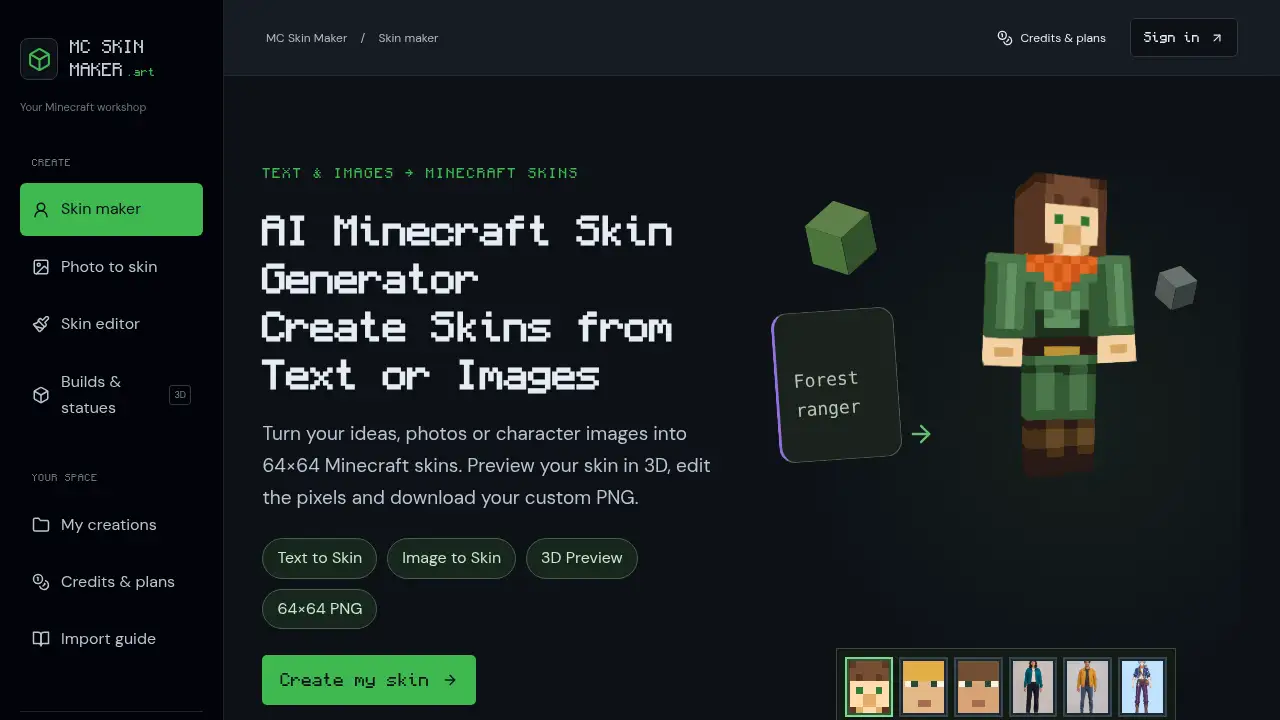
mc skin maker is an online tool for turning text, photos, or character images into standard 64×64 Minecraft skins. It solves a simple problem: many players have a clear character idea but do not want to draw every pixel by hand. The platform combines an AI Minecraft skin generator, a 3D preview, and a free pixel editor so users can start with words or a reference image, inspect the result, fix small details, and download a Minecraft skin PNG. It is suitable for beginners, roleplay players, friend groups, and creators who need a custom Minecraft skin without a long pixel-art workflow. A Minecraft skin maker like this matters because it lowers the barrier to entry while still producing a file that can be edited and imported on supported Minecraft platforms.
Key Features of mc skin maker
Text-to-Skin Generation
mc skin maker helps users describe a character, outfit, hair color, and main colors, then generate a 64×64 skin. This text to skin workflow is useful when the character idea is clear but no reference image exists.
Image-to-Skin Reference
mc skin maker accepts a PNG or JPG reference and an optional note to guide the AI Minecraft skin generator. This image to skin option helps translate an existing look into skin textures, though small details may still need manual edits.
3D Skin Preview
The mc skin maker 3D preview displays the generated Minecraft skin on a character. Users can drag to rotate and scroll to zoom, checking the front, back, and sleeves before downloading the file.
Free Pixel Editor
The mc skin maker pixel editor lets users change a color or paint a few pixels without spending credits. This manual editing step is helpful when a generated Minecraft skin needs a small correction.
Standard 64×64 PNG Download
mc skin maker exports a standard 64×64 PNG skin texture. The downloaded file is the skin texture used by the preview, not a separate animated character image.
Classic and Slim Arm Options
With mc skin maker, users can choose Classic or Slim arms before generation. Selecting the same arm model in Minecraft helps the sleeve textures line up correctly.
Use Cases for mc skin maker
Roleplay and Adventure Characters
Using mc skin maker, a player can describe a knight, forest ranger, space traveler, or explorer for a roleplay server or survival world. Clear outfits and color plans usually produce more readable results on the small 64×64 canvas.
Matching Skins for Friends
Friend groups can use a shared color plan, such as blue jackets and white shoes, in separate prompts. Each skin is generated independently, so a Minecraft skin maker may need manual edits to make group details match perfectly.
Everyday Personal Looks
Users can describe clothes they would wear, such as a black hoodie, blue jeans, and red shoes, then add hair color and one standout detail. This makes mc skin maker useful for creating a personal Minecraft skin that feels more familiar than a default option.
Quick Edits to Existing Skins
The free pixel editor supports small changes to an existing 64×64 PNG. Players can open a skin, repaint a color, or fix a few pixels without starting a new AI generation.
How to Use mc skin maker
- Describe the character, including outfit, hair, and main colors, then choose Classic or Slim arms.
- Sign in and use credits to generate the skin with the AI Minecraft skin generator. Users can also start from a photo or drawing reference.
- Rotate the 3D preview to check the front, back, and sleeves. Compare the result with the original prompt.
- Open the free pixel editor if a small area needs a color change or a few painted pixels.
- Download the 64×64 PNG and select the matching arm model when applying it in Minecraft.
The Minecraft skin maker workflow keeps mc skin maker simple: generate, check, edit if needed, and download a usable Minecraft skin PNG.
Target Audience for mc skin maker
- Minecraft players who want a custom skin without pixel-art skills.
- Roleplay communities and friend groups planning related character looks.
- Content creators who need character visuals for videos, streams, or server events.
- Beginners who want to try an AI Minecraft skin generator before drawing by hand.
- Players who already have a 64×64 skin and want a free pixel editor for quick changes.
Is mc skin maker Free?
mc skin maker has free and credit-based parts. The pixel editor and example skin downloads are free, and no account is needed for manual editing based on the provided product details. AI generation requires an account and 10 credits per generation. Users should check the official pricing page for current credit packs.
| Plan | Cost | Features |
|---|---|---|
| Free | $0 | Pixel editor, example skin downloads, manual edits |
| AI Generation | 10 credits per generation | Text to skin, image to skin, 64×64 PNG export; sign-in required |
| Credit Packs | See pricing page | Credits for new AI generations; exact prices are listed officially |
mc skin maker's Pros and Cons
| Aspect | Pros | Cons |
|---|---|---|
| Pricing | Free editor and example downloads; credits only needed for AI generation | New AI generations require paid credits |
| Features | Text to skin, image to skin, 3D preview, and pixel editor in one workflow | Matching fine details across multiple skins may need manual edits |
| Output | Exports a standard 64×64 PNG skin texture | The flat PNG can look unusual until wrapped in 3D |
| Arm Models | Supports Classic and Slim arm options | The manual editor currently previews classic arms, so slim skins should be checked in game |
| Accessibility | Simple steps for beginners and no pixel-art drawing required for generation | AI generation requires an account |
Frequently Asked Questions about mc skin maker
Can I make a Minecraft skin from text with mc skin maker?
Yes. Describe one character with clothes, hair, and main colors, choose Classic or Slim arms, then generate. The tool creates a 64×64 Minecraft skin PNG. Small details may need a manual edit in the pixel editor.
Can I preview a Minecraft skin in 3D before downloading?
Yes. mc skin maker shows the skin on a 3D character. Users can rotate the preview and inspect the front, back, and sleeves before downloading the flat skin PNG.
Is mc skin maker free?
The pixel editor and example downloads are free. AI generation uses credits, and 10 credits are used per generation. Check the pricing page for current credit pack details.
Can I create matching Minecraft skins for friends?
Yes, users can repeat a shared color plan in separate prompts, such as blue jackets and white shoes. Each generation is independent, so matching patterns and colors may need adjustments in the free pixel editor.
Can I edit an AI-generated skin?
Yes. The result can be opened in the free pixel editor to repaint colors or fix small pixel details. Manual editing is free, while a new AI generation still requires credits.
Does mc skin maker support slim arms?
Yes. Users can choose Slim before generating. They should select the matching slim body model in Minecraft so the arm textures line up.
mc skin maker Tags
mc skin maker, Minecraft skin maker, AI Minecraft skin generator, Minecraft skin from text, image to Minecraft skin, 64x64 Minecraft skin, Minecraft skin PNG, Minecraft skin pixel editor, 3D Minecraft skin preview, custom Minecraft skin, slim arms Minecraft skin, free Minecraft skin editor