Introduction
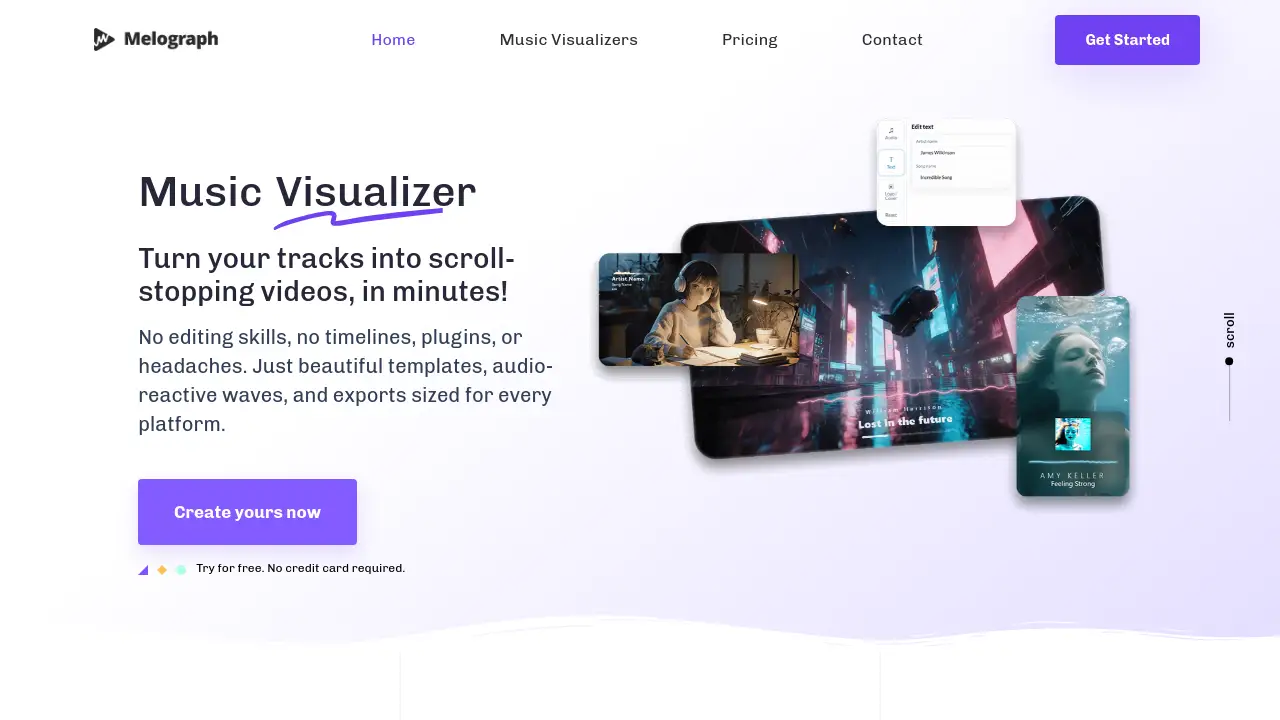
Melograph is a web-based tool for creating stunning music visualizer videos quickly and easily.
What is Melograph?
Melograph is a specialized online tool designed to help musicians, producers, and creators turn their audio tracks into professional-looking music visualizer videos. It solves the common problem of needing engaging visual content for social media without requiring complex video editing skills or time-consuming software. By offering a library of beautiful, audio-reactive templates, Melograph allows users to create scroll-stopping videos in minutes. This tool is perfect for anyone who wants to enhance their music with visuals that match the energy and style of their sound, from indie artists to established labels.
Key Features of Melograph
Audio-Reactive Visuals
Upload your audio track and instantly see the waveform react and animate within the chosen template, creating a dynamic connection between sound and visuals.
Professionally Designed Templates
Choose from a curated library of templates with different vibes, such as minimal, cinematic, retro, or futuristic, all crafted with strong typography and smooth motion.
Multi-Platform Export Formats
Export your finished video in 1080p quality, with formats optimized for every platform, including vertical 9:16 for TikTok/Reels, 1:1 for Instagram, and 16:9 for YouTube.
Simple Customization
Easily add and customize text like the artist and song name, and upload your own logo or album cover on selected templates to maintain brand consistency.
Browser-Based Creation
The entire process happens online in your web browser, requiring no software downloads, plugins, or complicated installations to start creating music videos.
Use Cases for Melograph
Promoting New Singles and Releases
Artists can quickly generate eye-catching video content for social media to promote a new track, saving time and ensuring a consistent visual identity.
Creating Content for Social Media Shorts
Producers and DJs can create platform-friendly videos tailored for TikTok, Instagram Reels, or YouTube Shorts to engage their audience with visualizers for clips or full tracks.
Building a Cohesive Visual Brand
Labels and musicians can use saved styles and templates across multiple releases, remixes, and promo clips to build a recognizable and professional aesthetic.
Enhancing Live Performance Previews
Creators can make short, captivating visualizer videos to tease upcoming live sets or share highlights, adding a professional layer to their promotional material.
How to Use Melograph
Using Melograph to create a music visualizer is a straightforward, three-step process conducted entirely online.
- Choose a Template: Browse the template library and select a design that matches the vibe of your track, such as minimal, cinematic, or retro.
- Upload Audio and Customize: Upload your audio file (MP3, WAV, etc.). The waveform will instantly animate. Then, add your artist name, song title, and upload a logo or album art if desired.
- Export Your Video: Click export to generate a high-quality 1080p MP4 video file. The video is automatically formatted to look great on various social media platforms.
Target Audience for Melograph
- Independent musicians and solo artists
- Music producers and beatmakers
- Record labels and A&R teams
- DJs and electronic music creators
- Social media content creators in the music space
- Anyone needing quick, professional music visuals without video editing expertise
Is Melograph Free?
Melograph offers a free trial to experiment with the tool. For full access to all templates and the ability to export videos, paid plans are available. The pricing is based on export credits.
| Plan | Price | Key Features |
|---|---|---|
| Pay As You Go | $5 one-time | 1 export credit, one-time purchase, no subscription. |
| Monthly Subscription | $19 per month | 25 export credits per month, full template access, cancel anytime. |
| Annual Subscription | $179 per year | 25 export credits per month, billed annually, saving $49 compared to monthly. |
Melograph's Pros and Cons
| Aspect | Pros | Cons |
|---|---|---|
| Ease of Use | Extremely simple, no editing timeline or prior skills needed. | Customization is template-based, not as freeform as a full video editor. |
| Speed & Workflow | Creates professional videos in just minutes. | The number of exports is limited by credits on paid plans. |
| Output Quality | High-quality 1080p exports with platform-optimized formats. | Advanced visual effects or 3D animation are not the focus. |
| Pricing | Affordable entry point with a one-time credit option. | For users with very high output, subscription costs can add up. |
| Accessibility | Entirely web-based, works on any modern computer with a browser. | Requires a stable internet connection to create and export. |
Frequently Asked Questions about Melograph
Do I need video editing experience to use Melograph?
No, you do not need any prior editing experience. The platform is designed so that anyone who can choose a template and type text can create a great music visualizer video.
What video formats does Melograph export?
Melograph exports videos in 1080p MP4 format. It provides exports correctly sized for different platforms, including vertical (9:16) for TikTok/Reels, square (1:1) for Instagram posts, and widescreen (16:9).
Can I use my own logo and fonts?
Yes, on selected templates, you can upload your own logo or album artwork. The platform uses a set of clean, readable fonts for text, but extensive custom font upload is not a core feature.
Is there a free trial?
Yes, you can try Melograph for free without a credit card. The free trial allows you to explore the tool and create videos, but exporting the final MP4 file requires a paid plan or export credit.
How does the export credit system work?
Each time you generate and download a final video, it uses one export credit. Plans offer a set number of credits per month (or a one-time credit), allowing you to create multiple music visualizer videos.
Can I reuse a style for multiple songs?
Absolutely. A key benefit of Melograph is the ability to save a customized template as your "vibe" and quickly reuse it for future singles, remixes, or albums, ensuring visual consistency.
Melograph Tags
music visualizer, create music videos, audio visualizer, social media video maker, video for TikTok, Instagram Reels visualizer, promo video for music, easy video editor, waveform animation, template-based video, musician tools, content creation, export 1080p MP4, online video maker, music promotion