Introduction
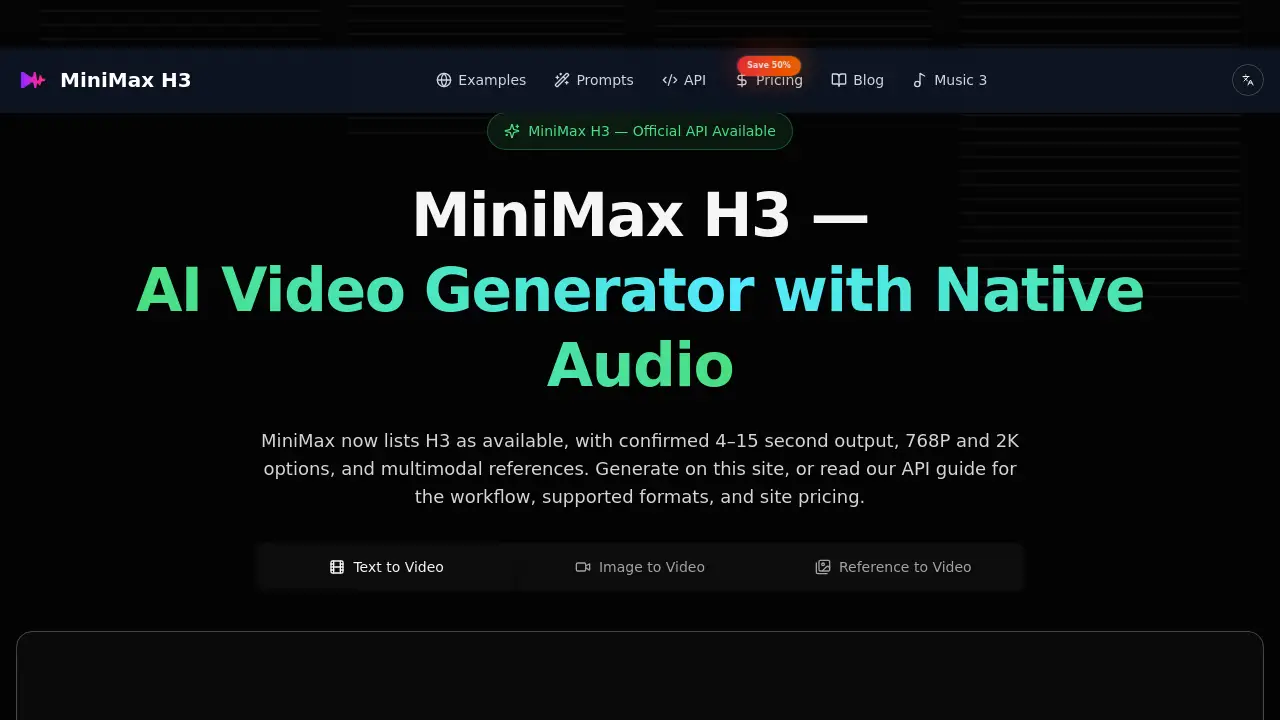
MiniMax H3 AI Video Generator turns text prompts and reference images into short cinematic clips. It supports native audio, multimodal references, and official API workflows. This independent tool offers free starting credits and flexible plans for creators who want fast AI video generation.
What is MiniMax H3 AI Video Generator?
MiniMax H3 AI Video Generator is a multimodal AI video generator built around MiniMax's H3 video model. The model is sometimes called Hailuo 3 or MiniMax 3, but it is a video model, not a language model. It can create clips from text, image, video, and audio references. The official API confirms 4–15 second outputs at 768P or 2K resolution. This product helps users make consistent short videos with sound, style, and movement without complex editing software.
The tool is useful for social media creators, marketers, and video editors who need fast drafts. It solves the problem of keeping visuals and audio aligned by generating sound together with the picture. Because MiniMax H3 AI Video Generator includes native audio, users can avoid awkward post-production audio matching. It matters because AI video is moving beyond silent clips toward complete cinematic scenes.
Key Features of MiniMax H3 AI Video Generator
Native Stereo Audio
The generator produces matching sound with the video, including dialogue, ambience, music, and timed effects. Native stereo audio helps spoken scenes feel connected to the visuals.
Omni-Reference
Use reference images, video, or audio to guide identity, art direction, movement, voice, and atmosphere. MiniMax H3 AI Video Generator supports up to nine reference images, three reference videos, and three reference audio files.
Instruction-Based Editing
Make bounded changes to characters, objects, backgrounds, effects, or dialogue without describing the whole scene again. This feature makes quick revisions faster than full regeneration.
2K Resolution and Flexible Duration
The official API confirms 768P and 2K output options. Users can select integer clip lengths from 4 to 15 seconds, which gives room for testing prompts before final production.
API Access and Open Weights
MiniMax published open weights for the H3 model with 33B parameters. The official video generation V2 API supports text-to-video, first- and last-frame image-to-video, and reference-to-video workflows.
Use Cases for MiniMax H3 AI Video Generator
Short Cinematic Clips
Create 15-second narrative shots with camera direction, lighting, and dialogue. The native audio feature makes each clip feel more complete.
Image-to-Video Animation
Animate a still image with motion and sound. This is useful for bringing concept art, product shots, or character designs to life.
Marketing and Ad Concepts
Generate visual concepts for products or brand campaigns. The web interface lets users test multiple prompts and reference styles quickly.
Dialogue and Lip Sync Scenes
Write spoken lines and let the model generate voice and lip movement together. This helps when building conversation-driven scenes or storyboards.
Audio Reference Workflows
Upload audio references to guide voice style and atmosphere. This can help keep tone consistent across multiple clips.
How to Use MiniMax H3 AI Video Generator
Follow these simple steps to start creating with MiniMax H3 AI Video Generator:
- Go to minimax3.com and sign up for an account.
- Choose the MiniMax H3 model in the generator settings.
- Select text-to-video or image-to-video mode.
- Write a clear prompt, then set resolution, duration, aspect ratio, and audio options.
- Add references for images, video, or audio if needed.
- Generate the clip and review the result. Free starting credits allow testing before buying a plan.
Target Audience for MiniMax H3 AI Video Generator
- Content creators who post short videos on social media
- Marketers who need quick visual drafts for campaigns
- Video editors who want to explore AI-assisted workflows
- Filmmakers and storyboard artists preparing pre-visualizations
- AI hobbyists interested in multimodal video generation
- Small business owners creating simple product videos
Is MiniMax H3 AI Video Generator Free?
MiniMax H3 AI Video Generator is free to start. Users receive starting credits that can be used to test the tool. After that, paid subscription plans offer more credits and lower per-second video cost.
| Plan | Price | Features |
|---|---|---|
| Basic | $7.50/month billed annually at $90 | 300 credits/month, ~22 seconds of AI video, ~11 clips |
| Pro | $19.50/month billed annually at $234 | 1600 credits/month, ~120 seconds of AI video, ~59 clips |
| Max | $80/month billed annually at $960 | 9200 credits/month, ~690 seconds of AI video, ~340 clips |
The launch promotion offers 50% off annual plans. All plans show credit allowance before checkout.
MiniMax H3 AI Video Generator's Pros and Cons
| Aspect | Pros | Cons |
|---|---|---|
| Pricing | Free starting credits and annual discounts available | Annual billing is required for discounted rates |
| Features | Native audio, omni-reference, and instruction editing supported | Clip length is limited to 4–15 seconds |
| Output Quality | 768P and 2K options help match production needs | Results can vary by prompt, provider, and language |
| Accessibility | Simple web interface and prompt library included | Third-party tool is not operated by MiniMax directly |
| Workflow | API access supports advanced users | Reference file limits can feel restrictive for complex scenes |
Frequently Asked Questions about MiniMax H3 AI Video Generator
Is MiniMax H3 a video model or a language model?
MiniMax H3 is a video model. It is sometimes searched as MiniMax 3 or Hailuo 3, but it is not the MiniMax M3 language model or Tencent Hy3.
Does MiniMax H3 AI Video Generator support image-to-video?
Yes. The official API supports first- and last-frame image-to-video, and the web tool lets users upload reference images to guide the generated clip.
Does MiniMax H3 generate video with native audio?
Yes. MiniMax H3 AI Video Generator can generate matching audio for the video, including dialogue, ambience, music, and timed effects. Official output includes 32 kHz stereo audio.
How long can videos be with MiniMax H3?
The official API supports durations from 4 to 15 seconds. Users choose integer durations when setting up each video generation.
Is minimax3.com the official MiniMax website?
No. MiniMax H3 AI Video Generator at minimax3.com is an independent third-party tool. It is not affiliated with, endorsed by, or operated by MiniMax or Hailuo.
Can I try MiniMax H3 AI Video Generator before paying?
Yes. The tool is free to start, and users receive starting credits to test text-to-video and image-to-video workflows before choosing a paid plan.
MiniMax H3 AI Video Generator Tags
MiniMax H3 AI Video Generator, MiniMax H3, Hailuo 3, AI video generator, text-to-video AI, image-to-video AI, native audio video generator, AI video with sound, MiniMax H3 API, AI video editing tool, free AI video maker, cinematic AI video generator