Introduction
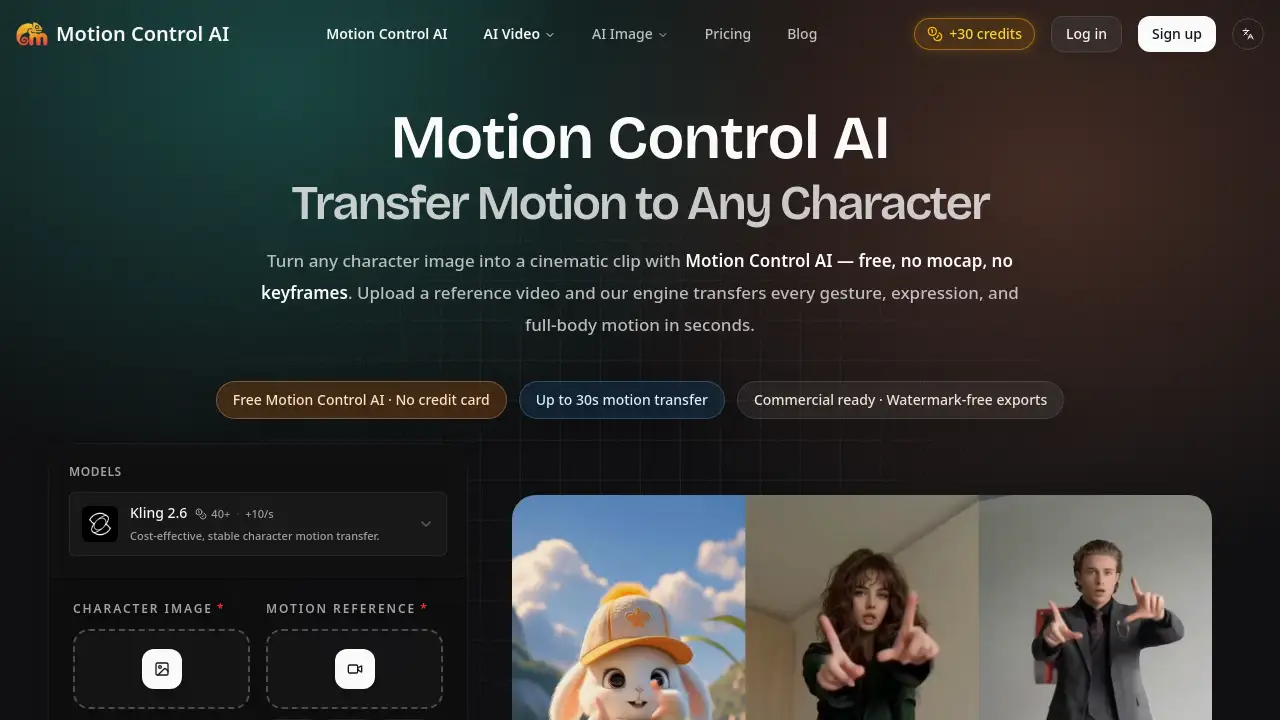
Motion Control AI is a free, browser-based motion control AI video generator that transfers motion from any reference video onto a character image. It helps creators animate characters without mocap suits or keyframes.
What is Motion Control AI?
Motion Control AI is an online AI motion control tool that takes a still character image and a reference video, then retargets the movement, gestures, and facial expressions from the video onto the image. The result is a short animated clip where the character appears to perform the same actions as the reference subject. The platform solves a common problem in character animation: traditional motion capture is expensive and slow, while text-to-video tools often lose character identity across frames. Motion Control AI focuses on accurate motion transfer, identity lock, and a simple browser workflow. It is suitable for social media creators, indie animators, marketers, and anyone who needs image-to-video motion generation without technical setup.
Key Features of Motion Control AI
Full-Body Motion Transfer
Motion Control AI extracts the skeleton from a reference video and retargets every step, jump, and dance move onto a character image. This makes it a practical motion control AI video generator for full-body motion transfer without rigging.
Hand, Gesture, and Facial Precision
Motion Control AI captures fingers, hand poses, micro-expressions, and lip sync in one pass. This level of detail supports motion control AI face swap for stylized characters and avatars.
Character Identity Lock for 30 Seconds
Motion Control AI can generate clips up to 30 seconds while keeping faces, outfits, and proportions consistent. This identity lock reduces the frame-to-frame drift common in other AI video tools.
Multiple Aspect Ratios and Resolutions
Motion Control AI supports 9:16, 16:9, and 1:1 formats at 720p or 1080p. These options help creators match TikTok, YouTube, Instagram, and client project formats.
No Mocap, No Keyframes, No Training
With Motion Control AI, the workflow runs in a browser and does not require mocap suits, keyframe animation, or model training. Users upload a character image and a reference video, then generate.
Watermark-Free and Commercial-Ready Output
Videos generated with Motion Control AI on paid plans are watermark-free and include full commercial use rights. Uploads are processed privately and auto-deleted within 24 hours, according to the product page.
Use Cases for Motion Control AI
Social Media Dance Videos
Motion Control AI helps creators turn a character image into a dancing clip by using a short dance reference video. This is useful for TikTok, Reels, and Shorts content that depends on motion transfer.
Indie Film Previs and Storyboards
Motion Control AI helps filmmakers test movement, timing, and camera angles before full production. It can create previs clips without hiring a mocap studio or building a rig.
Advertising and Product Content
Motion Control AI can animate mascots, avatars, or illustrated characters for ads and product pages. The output is watermark-free on paid plans and cleared for commercial use.
Avatar and Mascot Animation
Illustrators and game developers can bring avatars and mascots to life with reference video motion. Motion Control AI keeps outfits and proportions stable across the clip.
Face Swap for Stylized Characters
Motion Control AI face swap works well on stylized characters, avatars, and illustrated subjects. For photorealistic humans, users should only animate characters they have rights to use.
How to Use Motion Control AI
Using Motion Control AI takes three main steps.
- Upload a character image. PNG, JPG, and WEBP files are supported. Portraits, full-body shots, mascots, avatars, and illustrated characters all work.
- Upload a reference video up to 30 seconds. Motion Control AI auto-detects pose, timing, and camera movement.
- Click generate. The motion control AI engine handles pose extraction, retargeting, and rendering.
- Download the output. Most generations finish in 1–3 minutes, and paid plans provide watermark-free video with commercial rights.
Target Audience for Motion Control AI
Motion Control AI suits a wide range of motion-heavy content creators.
- Social media creators who need dance, action, or expression-based clips
- Indie filmmakers and animators creating previs or storyboards
- Marketers and advertisers producing mascot or avatar content
- Game developers and illustrators testing character motion
- AI video enthusiasts looking for a free motion control AI trial
- Agencies that need fast image-to-video motion generation for clients
Is Motion Control AI Free?
Motion Control AI offers a free starting point. Users can sign in to claim available trial credits, review the live generation estimate, and test the workflow before choosing a paid plan. No credit card is required to start, according to the product page. Paid plans unlock more monthly credits, advanced video and image models, full commercial use rights, 24/7 support, and no watermark on exported videos. Exact prices are not listed in the reference content, so users should check the official pricing page.
| Plan | Price | Features |
|---|---|---|
| Free | $0 | Sign-in trial credits, test the motion control AI workflow, watermark-free output |
| Basic | Not listed | 1,200 credits/month, up to 600 images or 40 videos, advanced models, commercial rights, no watermark |
| Pro | Not listed | 3,000 credits/month, up to 1,500 images or 100 videos, advanced models, commercial rights, no watermark |
| Max | Not listed | 8,000 credits/month, up to 4,000 images or 266 videos, advanced models, commercial rights, no watermark |
Motion Control AI's Pros and Cons
Motion Control AI has clear strengths and a few practical limits.
| Aspect | Pros | Cons |
|---|---|---|
| Pricing | Free trial credits and a real free tier to test | Paid prices are not clearly listed in the reference content |
| Features | Full-body motion transfer, hand and face precision, 30-second identity lock | Output quality depends on matching body proportions and camera angles |
| Workflow | Browser-based, no mocap, no keyframes, no training | Requires a suitable reference video for best results |
| Output | Watermark-free video and commercial rights on paid plans | Free plan has limited credits |
| Privacy | Uploads processed privately and auto-deleted within 24 hours | No separate mobile app is available |
Frequently Asked Questions about Motion Control AI
What is Motion Control AI?
Motion Control AI is an online motion control AI video generator that transfers motion, gestures, and expressions from a reference video onto a character image. It preserves character identity so faces, outfits, and proportions stay consistent.
Is Motion Control AI really free?
Yes. Users can sign in to claim available trial credits and test the Motion Control AI workflow before paying. Paid plans add more credits, advanced models, and commercial use rights.
How long does Motion Control AI take to generate a video?
Most generations finish in 1–3 minutes on the default queue. A priority queue on Pro returns results in under 60 seconds, and longer clips up to 30 seconds may add roughly 30 seconds of render time.
How do I use Motion Control AI?
Upload a character image, upload a reference video, and click generate. The engine handles pose extraction, retargeting, and rendering without plugins, training data, or technical setup.
Can I use Motion Control AI for face swap?
Yes. Motion Control AI face swap works well on stylized characters, avatars, and illustrated subjects. For photorealistic swaps on real humans, only upload characters you have rights to animate.
Does Motion Control AI work without mocap or keyframes?
Yes. Motion Control AI is designed to replace mocap suits and keyframe animation with reference video motion transfer. Users do not need special hardware, rigging, or manual cleanup.
Motion Control AI Tags
motion control AI, AI motion control, motion control AI video generator, motion transfer, character animation, image-to-video, AI face swap, free motion control AI, no mocap, no keyframes, watermark-free video, commercial use AI video