Introduction
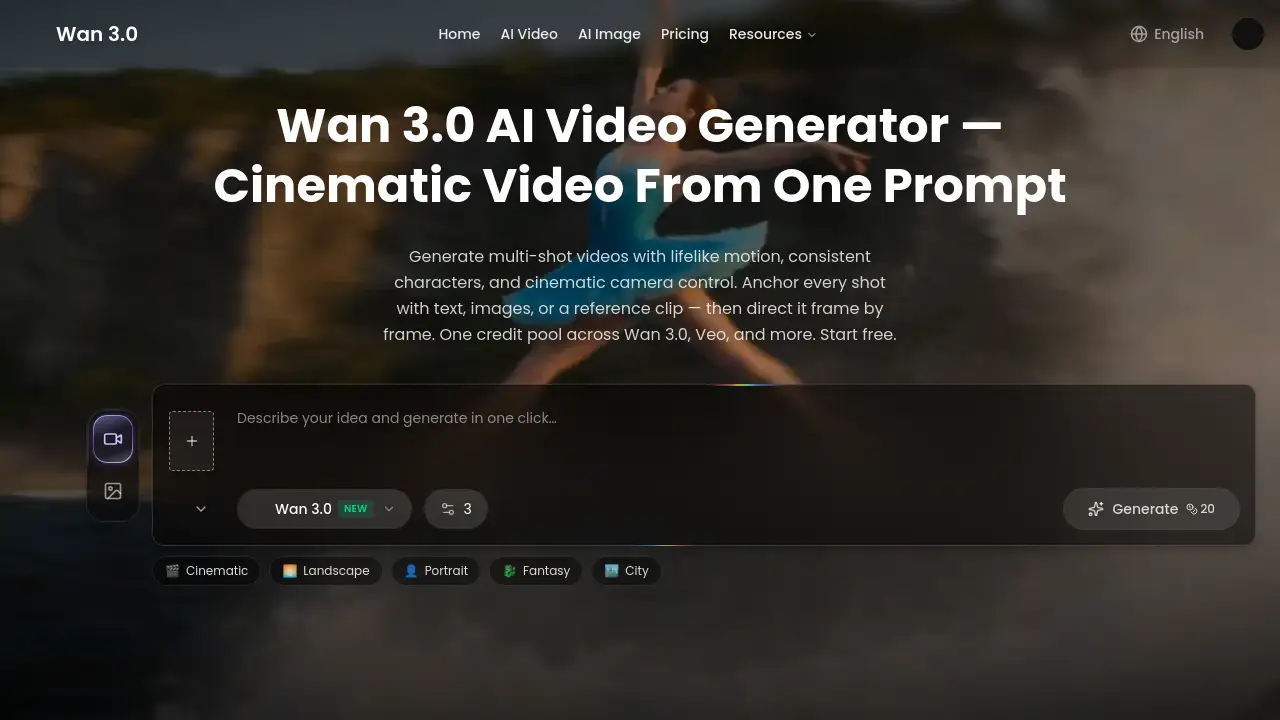
Wan 3.0 AI Video Generator is a browser-based tool for creating short cinematic clips from text prompts and still images. It combines text-to-video and image-to-video generation with lifelike motion, consistent characters, and multi-shot camera control. New users start with free credits, preview render costs, and receive credit refunds for failed renders.
What is Wan 3.0 AI Video Generator?
Wan 3.0 AI Video Generator is an online platform that turns written descriptions, uploaded photos, or reference clips into finished video shots. It solves the problem of producing high-quality, consistent video without a film crew, studio, or long editing process. Users describe a scene or upload a product image, and the tool handles composition, motion, and camera movement automatically.
The tool suits social media influencers, e-commerce marketers, tutorial creators, and pre-production teams. It matters because it combines multiple top video models, including Wan 3.0 and Veo, under one shared credit pool. This gives users flexibility to choose the best model for each shot while keeping a consistent look across an entire campaign. The result is a practical AI video generator for both quick drafts and polished, publishable clips.
Key Features of Wan 3.0 AI Video Generator
Multimodal Referencing
Anchor a new shot to an existing reference clip, product image, or pair of frames. Wan 3.0 reads composition, depth, and motion, then carries that exact style into the generated video.
Locked Character and Style Consistency
Keep faces, products, and style details identical from the first frame to the last. This stops the common AI video problem of characters and objects drifting across shots.
Multi-Shot Cinematic Direction
Direct camera moves, pacing, and transitions from a single prompt. Users can plan a sequence with first and last frames, or write the scene and let the tool stage it shot by shot.
One Credit Pool Across Top Models
Wan 3.0, Veo, and other models share one credit pool. This lets users select the right model for each shot and reuse any output as the next reference without juggling separate balances.
Free Credits and Refunded Failed Renders
New users can test the Wan 3.0 AI Video Generator with free credits. Credit costs are previewed before rendering, and failed renders are fully refunded.
Browser-Based Workflow
Everything happens in the browser, from uploading references to previewing costs and exporting final clips. No powerful computer or software installation is needed.
Use Cases for Wan 3.0 AI Video Generator
Daily Social Media Content
Creators can turn one photo into a week of trend-ready clips. Wan 3.0 AI Video Generator keeps the visual style consistent, helping accounts stay active without repeated photo shoots.
Product Motion Concepts
E-commerce teams can upload a product image and generate several motion variants. This supports testing which angle or camera movement is worth turning into a paid advertisement.
Storyboarding and Concept Testing
Film and game teams can use text-to-video prompts to explore biome settings, camera angles, and scene moods. Generated clips act as practical concept references before final production.
Tutorial and Explainer Visuals
Educators can generate short scene clips to place between explanations. This adds motion and visual interest to lessons without a full production setup.
How to Use Wan 3.0 AI Video Generator
- Add your reference. Drop in a photo, product shot, or reference clip. Wan 3.0 reads composition, depth, and motion to plan the shot.
- Direct the motion. Describe the camera move, action, and mood with plain text. The tool follows the prompt shot by shot.
- Generate and refine. The Wan 3.0 AI Video Generator renders a cinematic clip in seconds. Preview the result, adjust the prompt, and download the final file.
- Reuse and repeat. Spend credits from the shared pool, get refunds for failed renders, and use finished clips as references for the next video.
Target Audience for Wan 3.0 AI Video Generator
- Social media influencers and content creators
- E-commerce and product marketing teams
- Small business owners without a video production budget
- Video editors seeking quick visual drafts
- Pre-production teams working on storyboards and mood boards
- Educators and online course designers
Is Wan 3.0 AI Video Generator Free?
The platform provides a free starting point. New users receive free credits and can preview the cost of each render before generating. This makes it low-risk to test the Wan 3.0 AI Video Generator before buying a plan.
For larger workloads, paid plans draw from one credit pool shared across Wan 3.0, Veo, and other top models. Exact pricing is not published on the homepage, so check wan3.io for current plan prices and credit details.
| Plan | Price | Features |
|---|---|---|
| Free trial | $0 | Free credits, preview costs, refunds for failed renders |
| Paid plans | See official site | Shared credit pool across Wan 3.0, Veo, and more |
Wan 3.0 AI Video Generator's Pros and Cons
| Aspect | Pros | Cons |
|---|---|---|
| Ease of use | Runs entirely in the browser without installation | Best results rely on clear, detailed prompts |
| Pricing | Free credits included; failed renders refunded | Large projects may require significant credit purchases |
| Model access | One pool covers Wan 3.0, Veo, and other models | Users may need to test models to find the best match |
| Consistency | Strong character and style consistency across frames | Complex multi-shot scenes may need extra refinement |
Frequently Asked Questions about Wan 3.0 AI Video Generator
What is Wan 3.0 AI Video Generator?
Wan 3.0 AI Video Generator is an online AI video generator that creates short cinematic clips from text prompts, images, or reference video. It runs fully in the browser and supports consistent characters, camera movement, and multi-shot sequences.
Does Wan 3.0 AI Video Generator offer free credits?
Yes. New users start with free credits to test the generator. The platform previews the credit cost of each render in advance, and failed renders return credits to the user's balance.
What is the difference between text-to-video and image-to-video?
Text-to-video generates a clip entirely from a written description. Image-to-video uses an uploaded photo or product shot as the starting point and adds lifelike motion, camera movement, and physics to produce a cinematic shot.
Can I use the Wan 3.0 AI video generator for commercial projects?
Many users already apply it to product ads, launch teasers, and social media promotions. Since commercial terms can vary by plan and model, review the official terms at wan3.io before publishing.
Which video models can I use with Wan 3.0?
Wan 3.0, Veo, and other models are accessible through a single shared credit pool. Users can choose the best model for each shot and reuse any output as the next reference. This flexibility makes the tool well suited for consistent AI video campaigns.
Do I need a powerful computer to run Wan 3.0?
No. All processing happens in the cloud, so a modern browser and internet connection are enough. Users upload references, generate clips, and download results without local rendering.
Wan 3.0 AI Video Generator Tags
Wan 3.0 AI Video Generator, text-to-video AI, image-to-video AI, AI video generator, Wan 3.0 video creation, cinematic AI video, AI video from photo, consistent character AI video, Wan 3.0 Veo credit pool, AI video for social media, Wan 3.0 review, online AI video tool