Introduction
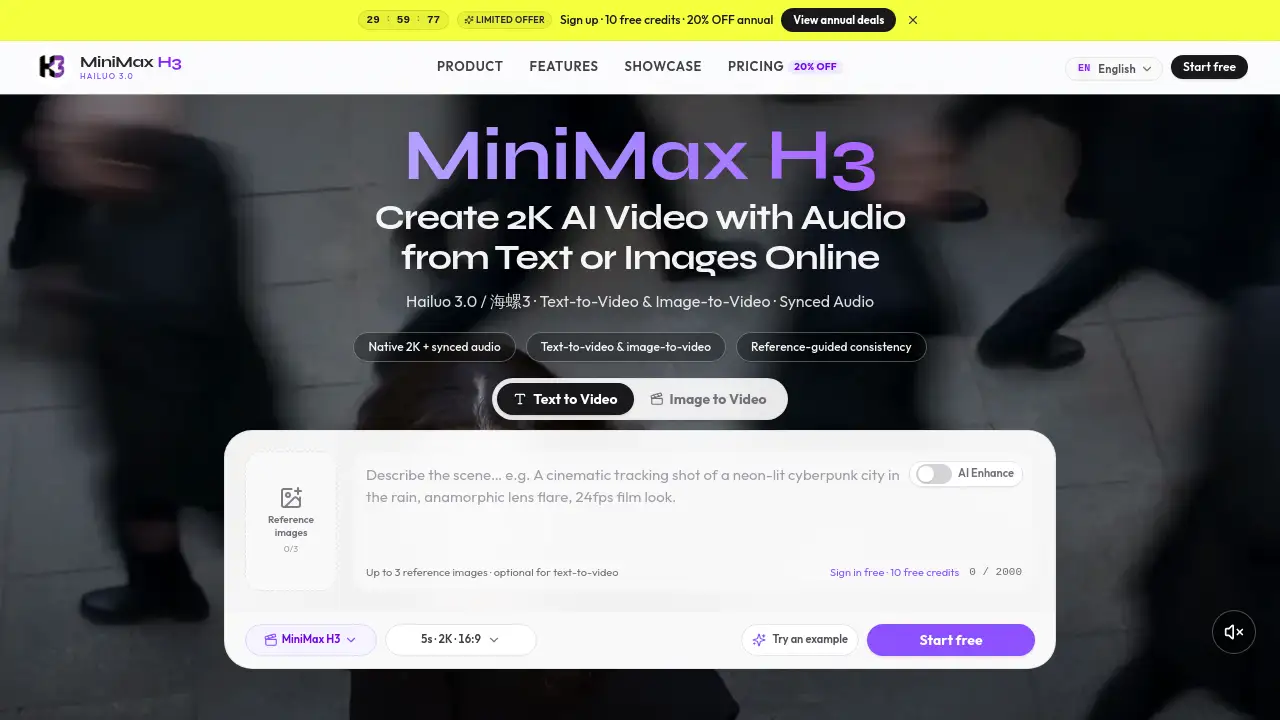
MiniMax H3 is an AI video generation studio that creates short cinematic clips with native 2K resolution and synchronized audio. Also known as Hailuo 3.0, it combines text-to-video and image-to-video in one browser-based studio. The service at minimaxh3.art is an independent third-party experience built around the MiniMax H3 / Hailuo 3.0 model wave. It targets creators who need commercial-ready clips without stitching together separate tools for visuals and sound. With up to 15 seconds of output, multi-ratio framing, and credit-based generation, minimax h3 gives editors, marketers, and hobbyists a fast path from prompt to finished clip.
What is minimax h3?
minimax h3 is an AI video generator that produces short, film-like clips with built-in audio. People often search for it as Hailuo 3.0, Hailuo 03, 海螺3, or 海螺3.0. The platform combines text-to-video and image-to-video in one studio, so users can describe a scene in words or animate a still image into motion. The main problem it solves is workflow fragmentation: older tools generate silent video, forcing creators to add music, dialogue, or sound effects later. minimax h3 generates the picture and sound together in one pass, saving time for short-form ads, social hooks, and concept previews. The minimax h3 / hailuo 3.0 studio fits content creators, e-commerce sellers, marketers, filmmakers, and game teams who want a complete watchable video quickly.
Key Features of minimax h3
Native 2K video
The model outputs full 2K-class resolution directly, without an external upscale pass. Detail stays sharp for client delivery and large screens.
Synced audio built in
Dialogue, sound effects, and atmosphere are generated with the picture, timed to the action. This removes a separate sound-design step in short-form projects.
Text-to-video
Users write a prompt describing subject, camera moves, lighting, mood, dialogue, and sound effects. minimax h3 renders a clip that matches those instructions.
Image-to-video
A product shot, character frame, or key art becomes the start frame. The AI animates that still image with motion and style, useful for e-commerce and branding.
Up to 15 seconds
Generations reach about 15 seconds, leaving room for an opening, product moment, and close in one take. Many short-hook generators only deliver a few seconds.
Multi-ratio and references
The studio supports landscape 16:9, vertical 9:16, and other ratios. Users can add up to three reference images, motion references, or dual stills to guide output.
Use Cases for minimax h3
Content creators
Creators can use minimax h3 to turn text prompts into 9:16 clips for TikTok, Instagram Reels, and YouTube Shorts. Synced audio makes the output ready to post after a quick preview.
E-commerce sellers
Flat product photos become motion demos with atmosphere and camera movement, giving detail pages an engaging video without a studio day.
Marketing and agencies
Agencies test ad concepts before full production by rendering brand-safe product motion and experimenting with camera language.
Filmmakers and studios
Directors previsualize scenes, pitch with moving boards, and explore looks before shooting. The prompt system supports lens language similar to a director's instructions.
Game and app teams
Character intros, store-page cinematics, and UI-adjacent motion can be generated while keeping design identity consistent across shots.
How to Use minimax h3
- Open the minimax h3 studio at minimaxh3.art and sign in.
- Choose text-to-video or image-to-video mode.
- Write a detailed prompt covering subject, action, camera, lighting, dialogue, and sound. For image-to-video, upload a start frame or references.
- Set duration up to 15 seconds and pick an aspect ratio such as 16:9 or 9:16.
- Generate the clip, preview with sound, and export the file.
This flow takes users from a blank prompt to a watchable clip in minutes.
Target Audience for minimax h3
minimax h3 fits a wide range of video creators, including:
- Content creators who post short-form video on social platforms
- E-commerce sellers and product managers who need motion demos
- Marketers and agency creatives testing ad concepts
- Filmmakers and video editors previsualizing scenes
- Game and app teams making store-page cinematics
- Hobbyists and storytellers without professional editing skills
Is minimax h3 Free?
minimax h3 uses a credit-based system rather than a flat subscription-only model. Each minimax h3 generation consumes 2 credits per second of output, so a 5-second clip costs 10 credits, a 10-second clip costs 20 credits, and a 15-second clip costs 30 credits. New users may receive 10 trial credits after sign-in when enabled. Users can buy one-time credit packs or subscribe for higher volume; exact prices appear on the studio pricing page.
| Plan | Price | Features |
|---|---|---|
| Free trial | $0 | 10 trial credits when enabled |
| Credit packs | One-time payment | 2 credits per second of output |
| Subscription | Monthly | Higher volume and ongoing studio access |
minimax h3's Pros and Cons
| Aspect | Pros | Cons |
|---|---|---|
| Video quality | Native 2K-class output | Heavier generations may take longer |
| Audio | Synced dialogue, effects, atmosphere | Quality depends on prompt detail |
| Workflow | T2V and I2V in one minimax h3 studio | Independent service, not the official MiniMax / Hailuo site |
| Pricing | Trial credits and flexible packs | Costs grow with frequent long clips |
| Output length | Up to 15 seconds | Not built for long-form video |
Frequently Asked Questions about minimax h3
Is minimaxh3.art the official MiniMax or Hailuo product?
No. minimaxh3.art is an independent third-party AI video studio built around the MiniMax H3 / Hailuo 3.0 wave. It is not the official MiniMax or Hailuo website. For official apps and APIs, users should use MiniMax's own channels.
What is MiniMax H3 or Hailuo 3.0?
MiniMax H3, also called Hailuo 3.0, Hailuo 03, 海螺3, or 海螺3.0, is a flagship AI video model line for short cinematic clips. It supports native 2K video, about 24fps cinematic motion, 15-second-class clips, text-to-video, image-to-video, multi-reference guidance, and synchronized audio in one pass. minimax h3 wraps that model in a studio interface with accounts and credits.
Does minimax h3 support text-to-video and image-to-video?
Yes. The studio offers both modes. Text-to-video uses a detailed prompt, while image-to-video uses a start frame plus motion and style instructions. Users can also guide output with reference assets when available.
How long are videos and what resolution?
minimax h3 videos target short clips up to about 15 seconds, with multi-ratio framing including 16:9 and 9:16. Output is 2K-class. Exact length and quality depend on the user's account and current plan.
How do credits and pricing work?
Every minimax h3 generation costs 2 credits per second of output. A 5-second clip costs 10 credits, a 10-second clip costs 20 credits, and a 15-second clip costs 30 credits. Quality and model do not change the rate. New users may get 10 trial credits when enabled, and extra credits come from packs or subscriptions.
Does minimax h3 generate audio with the video?
Yes. Audio is produced together with the picture, including dialogue, sound effects, and atmosphere timed to the action. Most short-form work can skip a separate sound-design pass, but previewing with sound before export is recommended.
minimax h3 Tags
minimax h3, hailuo 3.0, hailuo 3, 海螺3, 海螺3.0, ai video generator, text-to-video, image-to-video, synced audio video, 2k ai video, ai video with sound, minimax h3 studio