Introduction
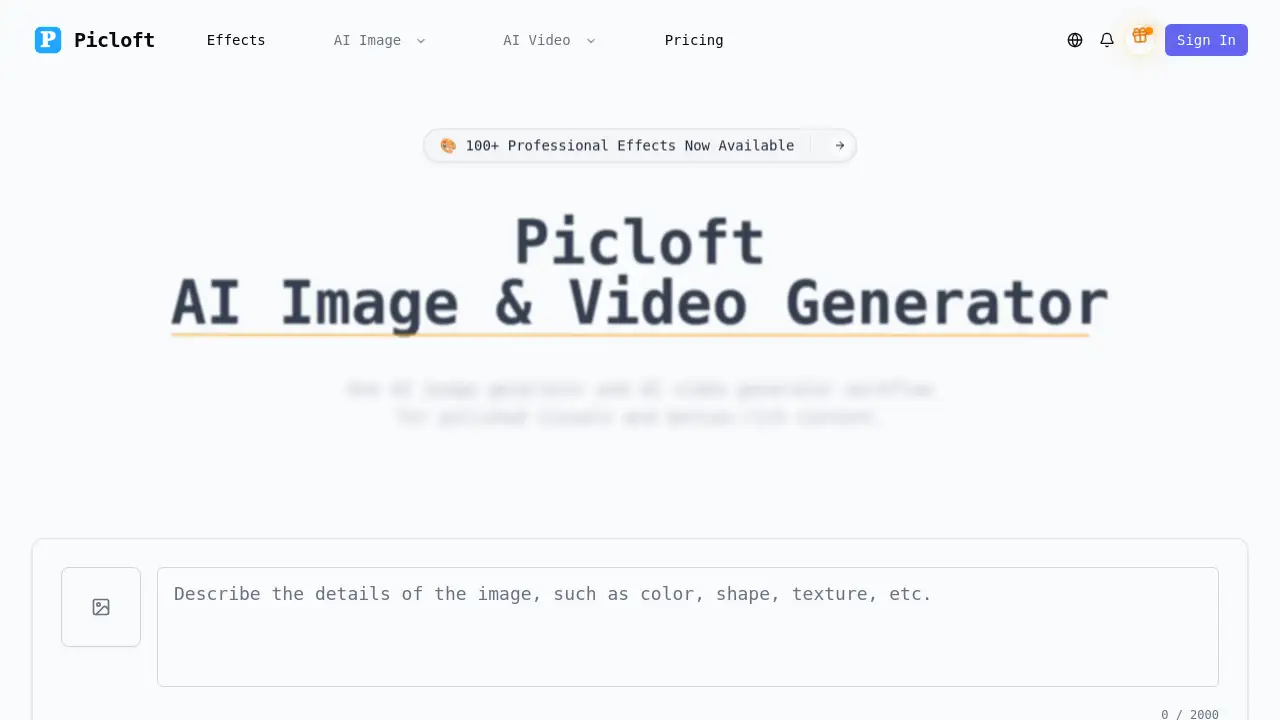
Picloft is a powerful, integrated AI image and video generator for creating professional visuals.
What is Picloft AI Image & Video Generator?
Picloft is an AI-powered platform that combines an AI image generator and an AI video generator into one unified workflow. It solves the common creative challenge of switching between different tools for still and motion assets. Users can generate images from text prompts or transform existing images, then seamlessly animate those concepts into videos. This makes it suitable for content creators, marketers, designers, and small teams who need to produce high-quality visual content—from concept art and storyboards to final polished clips—efficiently. By integrating both text to image, image to image, text to video, and image to video capabilities, it streamlines the entire creative production process.
Key Features of Picloft AI Image & Video Generator
Multi-Model AI Workflows
The platform supports multiple creation modes, allowing users to start with a text to image prompt for a still concept and then use that result as the basis for image to video animation, creating a seamless pipeline from idea to motion.
Extensive Professional Effects Library
With over 100 professional video effects, users can enhance both generated images and videos with cinematic filters, transitions, color grading, and motion graphics to achieve a polished, viral-ready look.
High-Quality 4K Output
Picloft’s AI video generator is capable of producing ultra-high-definition 4K+ video quality, ensuring that the final assets are suitable for commercial use, marketing campaigns, and professional presentations.
Flexible AI Model Selection
The tool automatically selects from multiple, optimized AI models for different styles, or allows manual choice, giving creators flexibility to match the model to their specific project’s aesthetic needs, whether photorealistic or stylized.
Integrated Creative Platform
By combining an AI image generator with video generation tools in one interface, Picloft eliminates the need for separate software, making it easier to maintain creative consistency and speed up production timelines.
Use Cases for Picloft AI Image & Video Generator
Social Media Marketing
Create engaging, eye-catching video ads and static posts from simple text descriptions, tailored for platforms like Instagram, TikTok, and YouTube.
Concept Art and Storyboarding
Use the AI image generator to rapidly visualize scenes and characters, then animate key frames with the AI video generator to create dynamic storyboards for films, games, or presentations.
Branded Content Production
Produce consistent, high-quality visual assets for marketing campaigns, including product teasers, explainer videos, and enhanced thumbnails, all within a single platform.
Creative Exploration and Art
Experiment with different artistic styles by transforming personal images or text prompts into unique digital paintings and animated clips, exploring AI image creation and video styles.
How to Use Picloft AI Image & Video Generator
Using Picloft involves a straightforward four-step process:
- Choose Your Creation Mode: Start by selecting whether you want to create a still image using the AI image generator or go directly to motion with the AI video generator.
- Input Your Prompt and Select Settings: Enter a text description or upload a source image. Then, choose from the available AI models and browse the library of over 100 professional effects to apply.
- Generate and Review: Submit your task. The platform’s AI will process your input, applying the selected models and effects to generate your image or video.
- Export Your Asset: Once satisfied, download the final output in a suitable format for your project, ready for sharing on social media, use in presentations, or commercial applications.
Target Audience for Picloft AI Image & Video Generator
- Content Creators and Influencers: For producing viral video content and unique thumbnails quickly.
- Digital Marketers and Social Media Managers: For creating campaign visuals, ads, and engaging branded content.
- Game Developers and Filmmakers: For prototyping concepts, creating storyboards, and producing promotional trailers.
- Graphic Designers and Artists: For exploring new creative ideas, enhancing images, and adding motion to artwork.
- Small Business Owners and Startups: For producing professional-quality marketing videos and images without a large production budget.
Is Picloft AI Image & Video Generator Free?
Picloft operates on a credit-based system. While a free tier is not explicitly mentioned in the provided information, the platform offers various paid plans that include credit packs or subscriptions. The cost per generation varies based on the AI model and resolution used. Larger plans effectively lower the cost per generation. Users are advised to visit the official Picloft pricing page for the most current details on available plans, trial options, and specific features included at each tier.
Picloft AI Image & Video Generator's Pros and Cons
| Aspect | Pros | Cons |
|---|---|---|
| Workflow | Integrated AI image and video generator streamlines production from concept to final clip. | New users may need time to learn optimal prompts for different AI models. |
| Features | Access to 100+ professional effects and multiple AI models for great creative flexibility. | Advanced features and high-quality outputs are gated behind paid credit plans. |
| Output Quality | Capable of generating commercial-grade 4K+ videos and high-resolution images. | Processing time for complex video generations may vary. |
| Usability | The unified platform is convenient for teams maintaining brand consistency across assets. | Individuals or very small-scale users might find subscription costs a consideration. |
Frequently Asked Questions about Picloft AI Image & Video Generator
What is the difference between the AI image generator and AI video generator in Picloft?
The AI image generator creates static images from text (text to image) or modifies existing images (image to image). The AI video generator creates motion content, either from text descriptions (text to video) or by animating static images (image to video). They are designed to work together in one workflow.
What kind of videos can I create with Picloft?
You can create a wide variety of videos, including cinematic scenes, animated artwork, social media clips, product visuals, and concept trailers. The platform supports styles ranging from photorealistic and sci-fi to anime and artistic painting effects.
Do I own the images and videos I generate?
Based on the platform's listed features, paid plans include a commercial license, which typically means you own the generated assets and can use them for commercial purposes. It's always recommended to review the specific terms of service on the Picloft website.
How long does it take to generate a video?
Generation time depends on the complexity of the prompt, the selected AI model, the desired output length, and resolution. Simpler clips may process in minutes, while longer, high-resolution 4K videos will take longer.
Can I use my own images to create videos?
Yes, the image to video feature allows you to upload your own static images and use the AI video generator to animate them with motion, effects, and smooth transitions.
Is there a watermark on the generated content?
According to the plan highlights, paid plans offer outputs with "No Watermark." Free or trial usage might include a watermark, so checking the specifics of your active plan is advised.
Picloft AI Image & Video Generator Tags
AI image generator, AI video generator, text to video, image to video, text to image, AI video creation, AI content creation, video maker, AI art generator, professional video effects, 4K video generator, creative AI tools